

Execution Logs
Where this lives now: this screen is part of Logs on the Executions tab. Its address is
/admin/logs?area=system&tab=execution, and the old one redirects there.
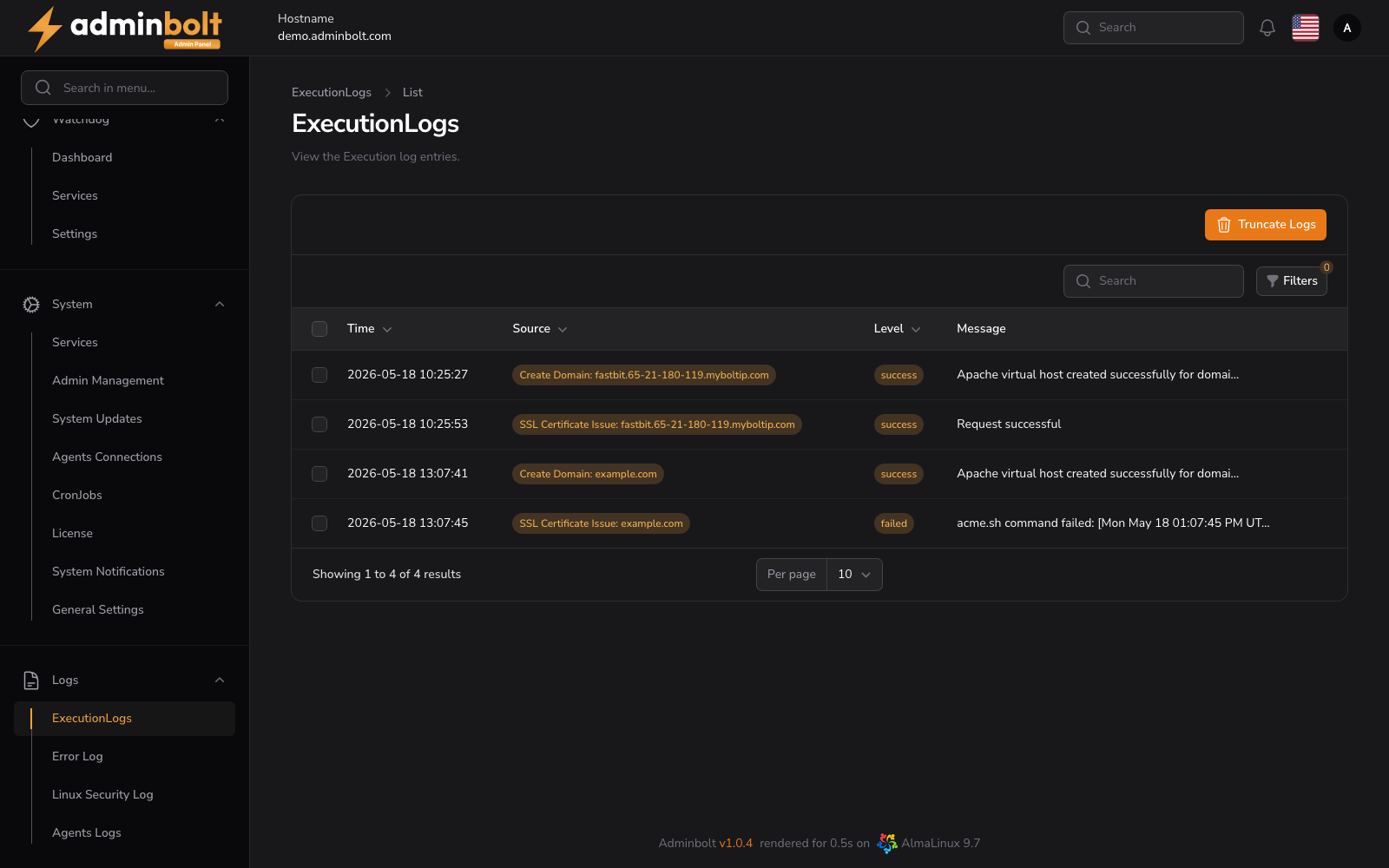
The Execution Logs page provides a detailed audit trail of system tasks, commands, and automated actions within the AdminBolt environment.
Overview
URL: /admin/logs?area=system&tab=execution
This page lists all logged executions that occur across the system - such as reconfigurations, updates, and service operations. Each log entry displays the following columns:
- Time - When the execution occurred.
- Action - The operation that was requested.
- Type - What the execution applied to.
- Details - The start of the execution's output.
- Status - The result of the execution (
Success,Failed,Pending, and so on).
At the top of the page, there is also a Truncate Logs button which allows administrators to clear all execution logs from the system.
Execution details
Since panel 1.9.1, clicking a row opens the details of that execution:
- Source, Status, Started, Completed, Executor, IP Address, and Logged.
- Error - the reason, shown when the execution failed.
- Output - the full output of the execution.
A Delete button on the details page removes that entry.
Search
The search input allows you to quickly filter results by typing keywords. It supports searching across the following columns:
- Action
- Type
- Details
Filters
The Filters panel lets you refine the list of execution logs. The following options are available:
- Status - Dropdown filter with values:
- All
- Pending
- Running
- Completed
- Failed
- Success
- From - Date picker to set the starting date for logs.
- Until - Date picker to set the ending date for logs.
You can combine these filters to narrow down log entries to a specific date range or execution status.
Pagination
At the bottom of the logs table, you can control how many entries are displayed per page. The available pagination options are:
- 10
- 25 (the default)
- 50
- 100
Bulk Actions
Select multiple entries to use Bulk actions with Delete selected.