

OpenLiteSpeed Settings
Where this lives now: this screen is part of OpenLiteSpeed on the settings tab. Its address is
/admin/web-server/openlitespeed?tab=settings, and the old ones redirect there.
The OpenLiteSpeed Settings page holds the core tuning values for the OpenLiteSpeed web server: how many connections it accepts, how long it waits, how large an upload it takes, and whether it compresses responses.
This page is the per-view reference for the settings. For the full end-to-end workflow, see Integrations > OpenLiteSpeed.
Overview
URL: /admin/web-server/openlitespeed?tab=settings
The page appears once the openlitespeed module is installed. Every field is optional: leave one empty to keep the OpenLiteSpeed stock default.
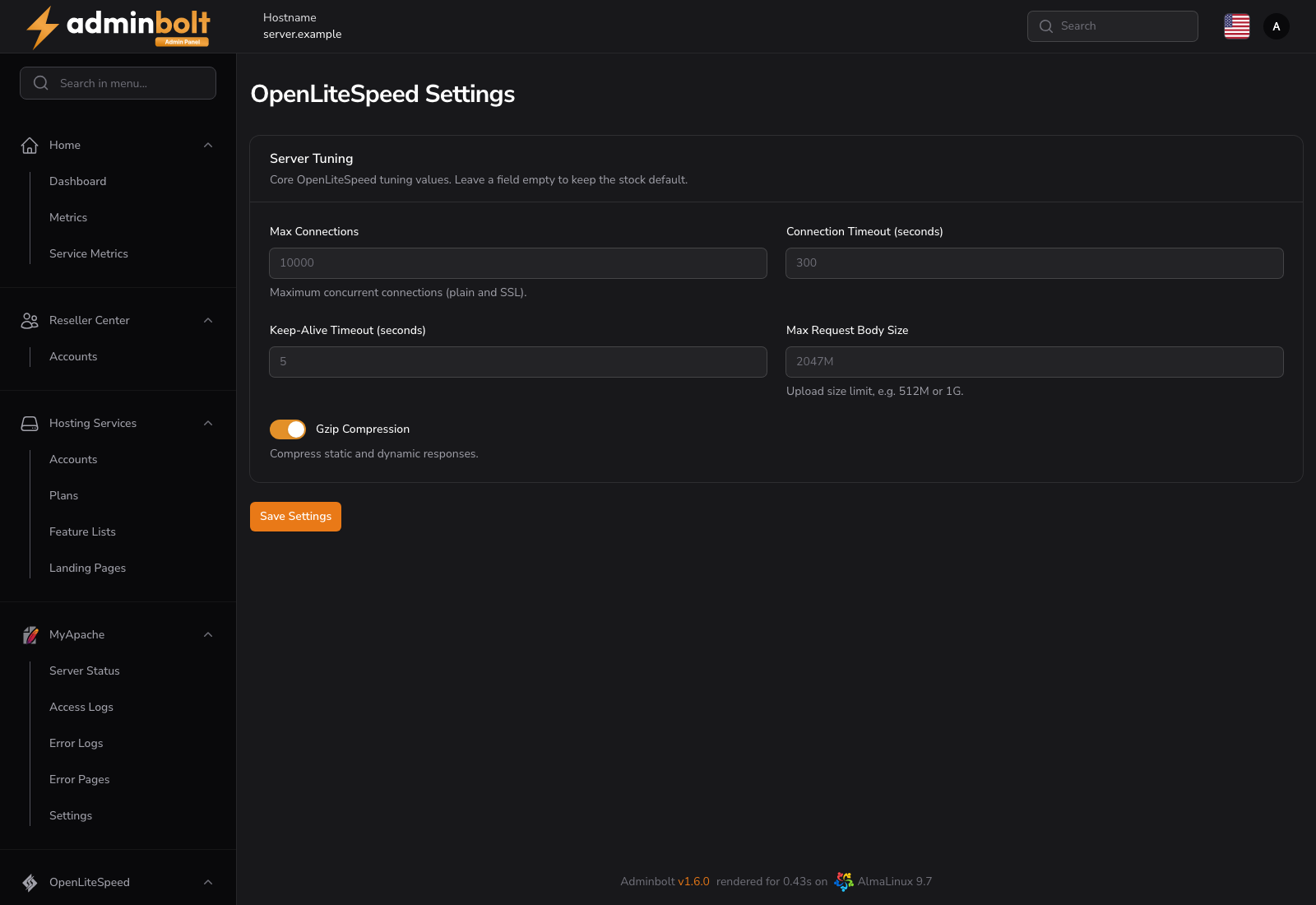
Server Tuning
| Field | What it does | Stock default |
|---|---|---|
| Max Connections | Maximum concurrent connections, plain and SSL together. | 10000 |
| Connection Timeout (seconds) | How long an idle connection is held before it is dropped. | 300 |
| Keep-Alive Timeout (seconds) | How long a keep-alive connection waits for the next request. | 5 |
| Max Request Body Size | Upload size limit, written as a number with an optional K, M, or G suffix, for example 512M or 1G. | 2047M |
| Gzip Compression | Compresses static and dynamic responses. | Enabled |
The placeholder in each field shows the stock default, so an empty field is not an unknown value.
Applying the changes
Saving stores the values and then rebuilds the OpenLiteSpeed configuration, restarting the server gracefully so the new values take effect. The page confirms both steps, and reports the reason if the rebuild fails.
The rebuild only runs while OpenLiteSpeed is the active web server. Values saved while another server is active are kept and applied when you switch.
Note:
Max Request Body Sizeis the server-side ceiling. A PHP upload also has to fit within theupload_max_filesizeandpost_max_sizevalues of the site's PHP version, which are set for the site's PHP version on the PHP Versions page.
Related pages
- OpenLiteSpeed Dashboard - status, switching, restart, and
.htaccesshandling. - PHP Versions - PHP-side upload and execution limits.
- Integrations > OpenLiteSpeed - the full end-to-end guide.