

Backup Policies
A backup policy decides which accounts are backed up, to which destination, how often, what is included, how many snapshots are kept, and whether the account owner may restore without asking you.
Added in AdminBolt 1.7.0.
Overview
URL: /admin/backup-policies
The page sits in the Backups navigation group. An account with no policy has no backups: creating the first policy is what turns the feature on.
Scope: who the policy covers
A policy applies to one of three things:
| Applies to | Covers |
|---|---|
| Hosting plan | Every account on that plan |
| Reseller (all their accounts) | Every account the reseller owns |
| Single account (override) | That one account |
When more than one policy could apply, the most specific one wins: account, then reseller, then plan. That is how you give one customer longer retention, or take a single account out of a plan-wide schedule.
Each plan, reseller and account can carry at most one policy.
Destination names the backup destination the snapshots go to; only active destinations are offered. Active switches the whole policy off without deleting it.
Schedule and scope
Schedule offers four presets and a custom cron expression:
- Daily at 01:30
- Every 6 hours
- Every 12 hours
- Weekly (Sunday 02:30)
- Custom cron expression - five fields: minute, hour, day, month, weekday
The scheduler starts due backups every five minutes, so a backup begins within five minutes of the time you set.
Two toggles decide what a snapshot contains:
- Back up home directory - the account's files.
- Back up databases - dumps of the account's databases, staged outside
/homeso they never count against the customer's quota.
Retention
Keep daily, Keep weekly and Keep monthly say how many snapshots survive pruning, which runs daily at 04:30 server time. The defaults are 7 daily, 4 weekly and 3 monthly.
Retention is applied per account repository, so raising it on a plan raises the storage every account on that plan uses.
Limits and self-service
- Upload limit (KB/s) caps how fast backups are uploaded, so a nightly run does not consume the whole uplink. Leave it empty for no limit.
- Allow client self-restore decides whether the account owner can restore files themselves from the client Backups page. With it off, the client still sees their snapshots and can start a backup, but restores come to you.
- Max restore size (GB) caps how much a single client self-restore may bring back. Leave it empty for no limit. Restores an administrator or a reseller starts are not capped by it.
Reading the list
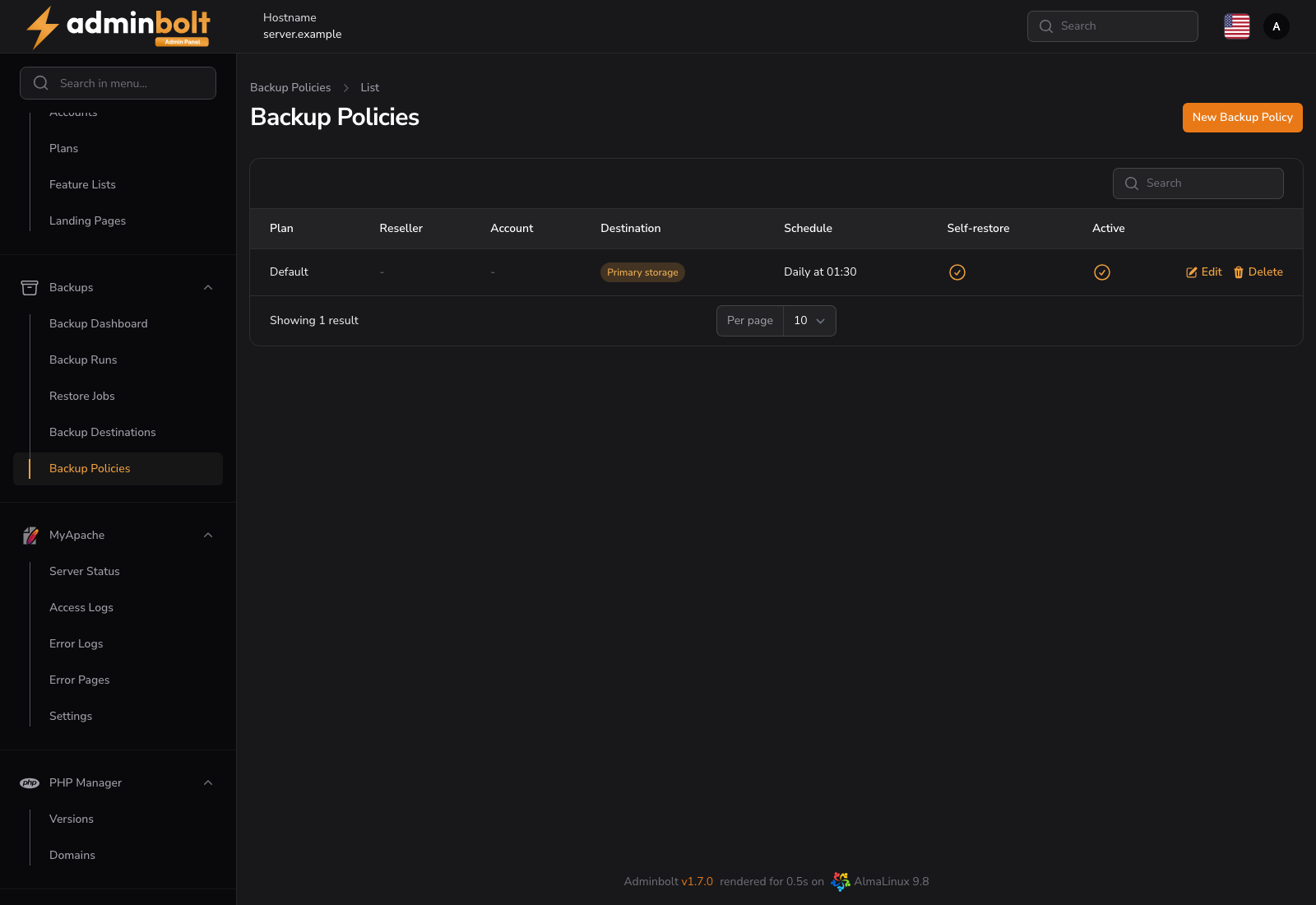
The list shows the Plan, Reseller or Account the policy is attached to (the other two columns show a dash), the Destination, the Schedule in words, whether Self-restore is on, and whether the policy is Active.
Opting an account out
To exclude a single account from a plan-wide or reseller-wide policy, switch the Backups toggle off on that account, in the Hosting Accounts list. The toggle beats every policy: an account with it off is not backed up at all.
Warning: Creating an account-level policy and switching Active off does not opt the account out. Only active policies take part in resolution, so an inactive account policy is skipped and the plan or reseller policy applies instead. Use the account's Backups toggle.
Related pages
- Backups - the per-account dashboard and manual runs.
- Backup Destinations - where the snapshots go.
- Hosting Plans - the Backups feature that shows or hides the client page.
- Client Backups - what the account owner sees.