

Execution Logs
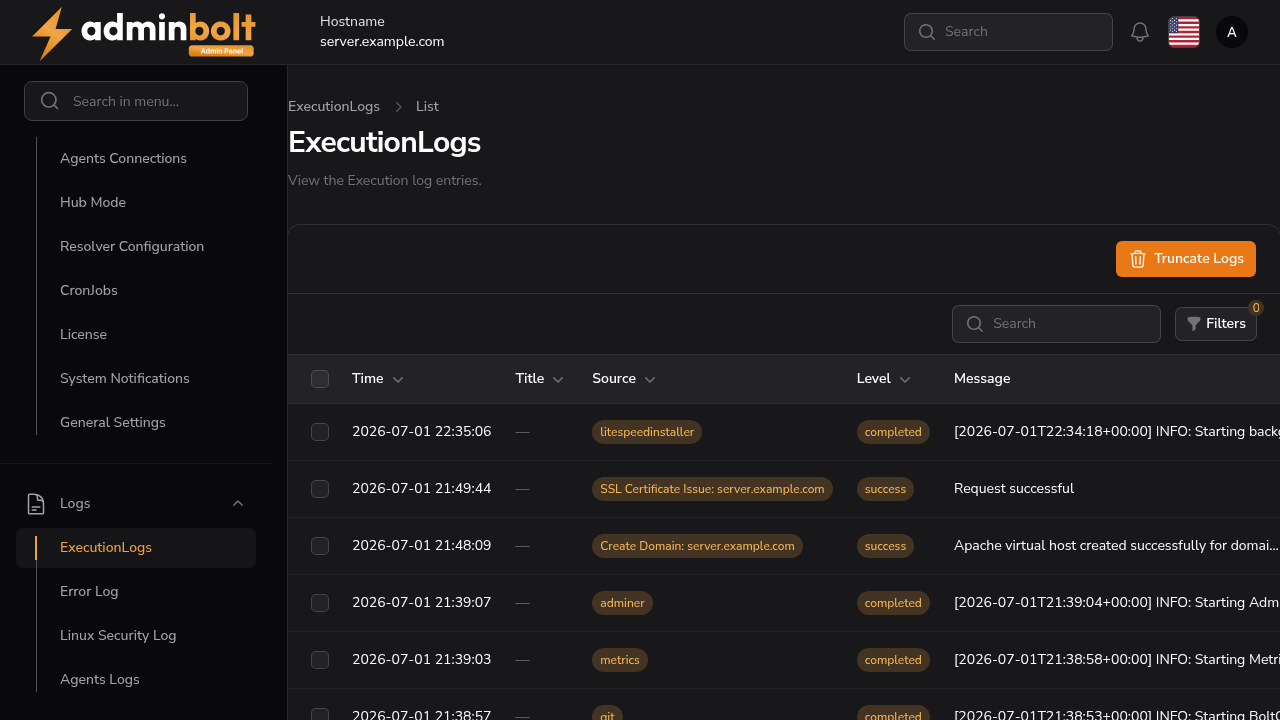
The Execution Logs page provides a detailed audit trail of system tasks, commands, and automated actions within the AdminBolt environment.
Overview
URL: /admin/execution-logs
This page lists all logged executions that occur across the system - such as reconfigurations, updates, and service operations. Each log entry displays the following columns:
- Source - Indicates the origin of the task (e.g.,
bolt-cli) - Level - The severity or result of the execution (
success,failed,pending, etc.) - Message - Short description of the operation that was triggered.
- Time - Timestamp showing when the execution occurred.
At the top of the page, there is also a Truncate Logs button which allows administrators to clear all execution logs from the system.
Search
The search input allows you to quickly filter results by typing keywords. It supports searching across the following columns:
- Source
- Level
- Message
- Time
Filters
The Filters panel lets you refine the list of execution logs. The following options are available:
- Status - Dropdown filter with values:
- All
- Pending
- Running
- Completed
- Failed
- Success
- From - Date picker to set the starting date for logs.
- Until - Date picker to set the ending date for logs.
You can combine these filters to narrow down log entries to a specific date range or execution status.
Pagination
At the bottom of the logs table, you can control how many entries are displayed per page. The available pagination options are:
- 5
- 10
- 25
- 50
- All
Bulk Actions
Select multiple entries to use Bulk actions with Delete selected.