

Error Logs
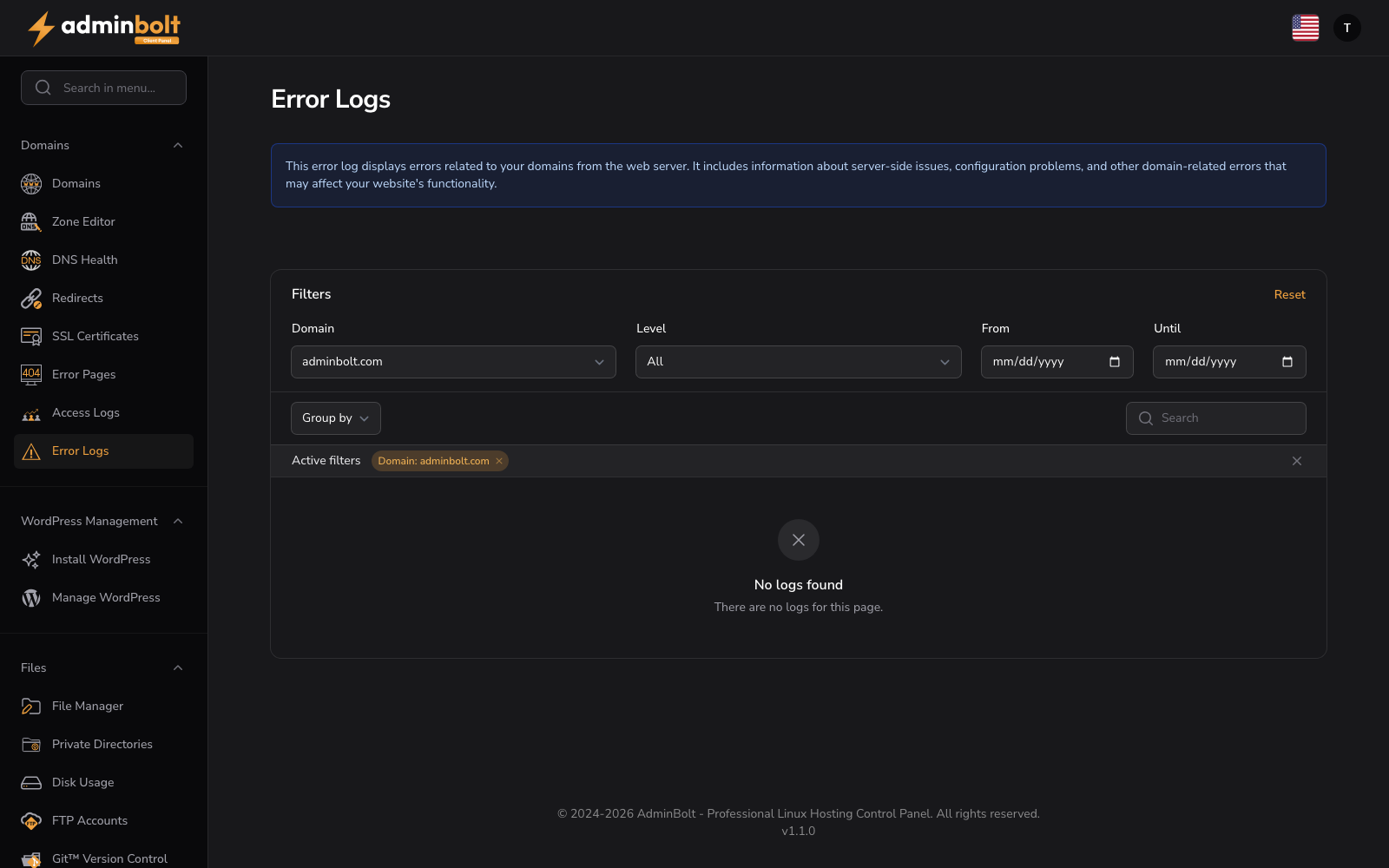
URL: /client/error-logs
Overview
The Error Logs section displays errors reported by the web server related to your domains, including server-side issues, configuration problems, and errors that may affect website functionality. Monitor error logs to identify and resolve hosting issues.
Info Box
"This error log displays errors related to your domains from the web server. It includes information about server-side issues, configuration problems, and other domain-related errors that may affect your website's functionality."
Interface Elements
Filter Section
- Domain - Filter errors by specific domain
- Level - Select severity: All, EMERGENCY, ALERT, CRITICAL, ERROR, WARNING, NOTICE, INFO, or DEBUG
- From - Start date for log range
- Until - End date for log range
- Reset button - Clear all active filters
Organization
- Group by - Domain
- Group direction - Ascending or Descending
Search and Display
- Search bar - Query logs by keyword or error message
- Active filters display - Shows applied filters with Remove buttons
- Per page selector - Display 5, 10, 25, 50, or all entries
- Pagination - Navigate through log pages
Table Columns
| Column | Description |
|---|---|
| Domain | Domain name (sortable) |
| Time | When the error occurred |
| Module | Source module or service |
| Level | Error severity level |
| Message | Error description and details |