

Sending Limits
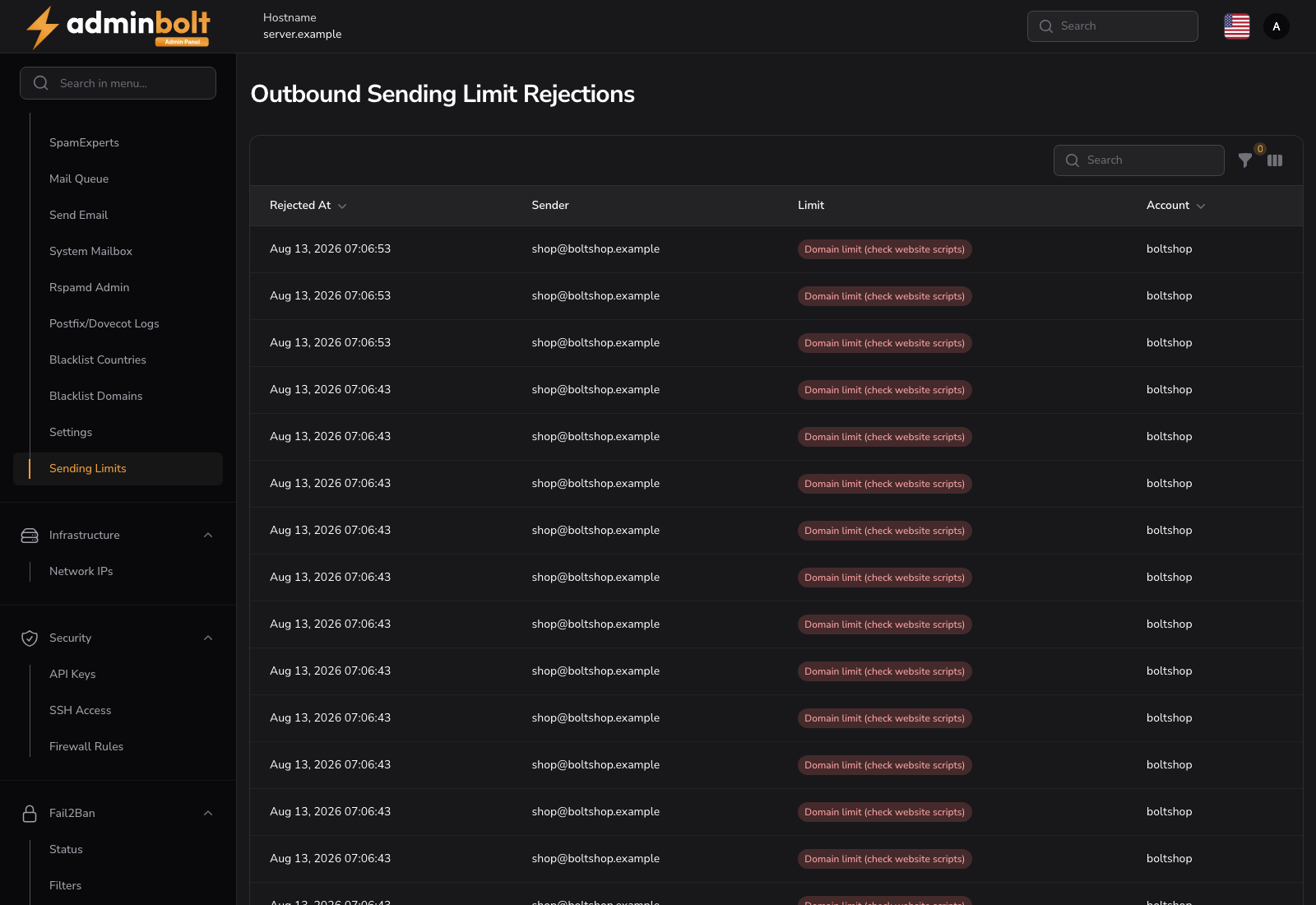
Email → Sending Limits lists every outgoing message the server refused for being over a sending limit, with the sender, the limit it hit and the hosting account it came from. It is where you find the compromised mailbox or website script behind a burst of outgoing mail.
Added in AdminBolt 1.7.0.
Overview
URL: /admin/mail-sending-limits
The page is titled Outbound Sending Limit Rejections. The limits themselves are configured on the Email Settings page, under the Sending Limits tab.
What sending limits are for
Sending limits exist to contain a compromised mailbox password or an exploited website script before it burns the server's sending reputation. They are not there to ration ordinary use, and the defaults are set well above what a normal mailbox sends.
A message over a limit is deferred with a try again later response, so the sending client retries: legitimate mail is delayed, not lost.
Reading the table
| Column | Description |
|---|---|
| Rejected At | When the message was refused |
| Sender | The address the message was sent from |
| Limit | Which limit was hit: Mailbox limit or Domain limit (check website scripts) |
| Account | The hosting account it was attributed to, or Not attributed |
| Recipient | Who it was addressed to; hidden by default, enable it under Toggle columns |
| Queue ID | The mail server's own queue identifier; hidden by default |
Limit type filters the list down to mailbox limits or domain limits.
The two kinds of rejection, and what to do about each
Mailbox limit rejections come from an authenticated login, so a person or a mail client signed in with that mailbox's password sent them. If the volume is not something the customer did, treat the password as compromised: change it, then suspend the mailbox by hand.
Domain limit rejections usually come from a website script. Mail sent by PHP carries no login, so it can only be counted against the domain. Changing a mailbox password will not stop it, and neither will suspending a mailbox with the same address. Inspect the site for an exploited contact form or plugin.
When the counters cannot be read
The page shows a standing warning when the sending counters are unreachable. While that is the case, limits are not being enforced at all, and outgoing mail flows without any cap. Treat it as an incident: check that the counter service is running before you go back to reading the list.
Retention
Rejections are kept for 30 days by default. The retention is set on the Sending Limits tab of Email Settings.
Related pages
- Email Settings - where the limits, automatic suspension and overrides are configured.
- Email Dashboard - the mail server at a glance.
- Mail Queue - what is waiting to be delivered.
- Hosting Plans - per-plan sending limits.