

Activity Log (Reseller)
The reseller Activity Log records who changed what across the hosting accounts you own, and when.
Added in AdminBolt 1.7.0.
Overview
URL: /reseller/activity-logs
The page sits in the Logs navigation group and is read-only.
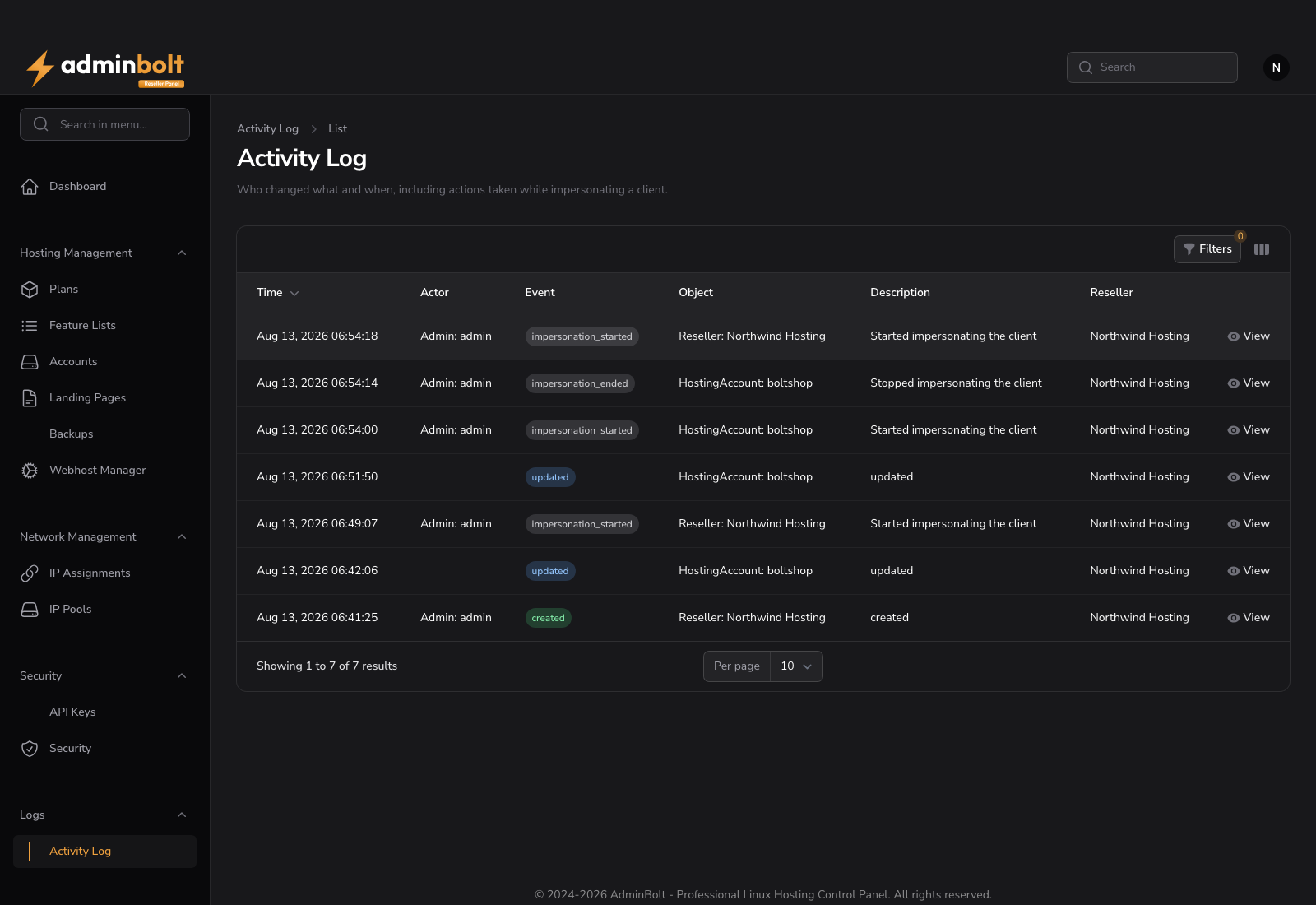
What you can see
The log covers your own hosting accounts and everything under them: their domains, DNS records, email accounts, databases, FTP accounts, cron jobs and certificates, plus changes to the accounts themselves.
Activity on other resellers' accounts, on accounts the administrator manages directly, and on the server's own settings is not shown. Where the administrator's Activity Log is a server-wide record, yours is limited to what you are responsible for.
Reading the table
| Column | Description |
|---|---|
| Time | When the change happened |
| Actor | Who made it, as role and name |
| Event | Created, Updated, Deleted, Impersonation started or Impersonation ended |
| Object | What was changed, as type and name |
| Description | A short summary of the change |
The newest entry is first, and View opens the entry, showing the previous and the new values where the entry changed any.
Filters
Filters narrows the list by Event, Object type, Actor role, a Created at date range, and Only impersonated actions.
Impersonation
When you sign in to a customer's account with Login, the entries name both sides: you as the actor, and the account you acted as underneath. The start and the end of the session are recorded as their own entries, even when nothing was changed in between.
Passwords and other secrets
A password, token or key is recorded as having changed, never with its value.
Retention
Entries are kept for 90 days.
Related pages
- Admin Activity Log - the server-wide record.
- Reseller Accounts - the accounts this log covers.
- Reseller Security - your own sessions and sign-in history.