

Redirects
Overview
URL: /client/redirects-page
The Redirects page allows you to create domain and page redirects. A redirect makes one domain or URL automatically redirect to another domain or URL, useful for pointing multiple domains to a single website or directing old pages to new locations.
Creating Redirects
Click the "Add Redirect" button to create a new redirect. For example, you can redirect www.example.com to www.example.net.
Adding a Redirect
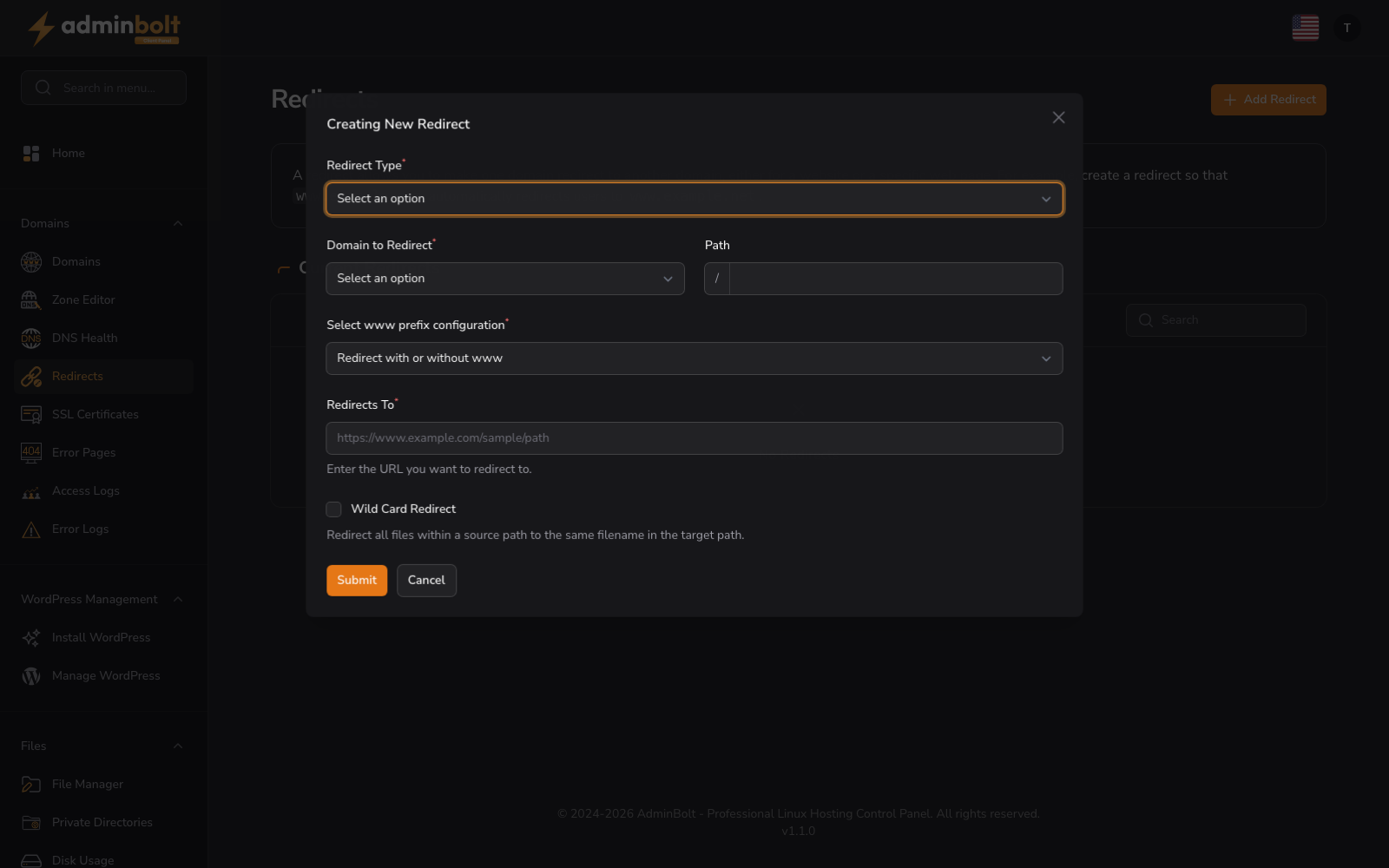
The "Creating New Redirect" form allows you to set up automatic redirects from one domain or URL to another. Complete the following fields:
- Redirect Type (dropdown) - Choose between Permanent (301) or Temporary (302) redirect
- Domain to Redirect (dropdown, required) - Select the domain you want to redirect from
- Path (text) - Enter the path to redirect. Placeholder: "/"
- www prefix (dropdown) - Configure how www prefix is handled in the redirect
- Redirects To (text, required) - Enter the destination URL. Placeholder: "https://www.example.com/sample/path"
- Wild Card Redirect (checkbox) - Enable to apply the redirect to all subpaths
After configuring your redirect, click "Create Redirect" to save it or "Cancel" to exit the form.
Current Redirects
The "Current Redirects" section displays all active redirects on your account.
Search and Filter
Use the search bar to find specific redirects.
Empty State
If no redirects have been created, the page displays "No Redirects" with the "Add Redirect" button available to get started.