

Backup Runs
Backup Runs is the history of per-account backup executions: every run, whether it succeeded, how long it took, how much data it added, and the log the backup engine produced.
Added in AdminBolt 1.7.0.
Overview
URL: /admin/backup-runs
The page sits in the Backups navigation group and is read-only. Runs are created by the schedule, by Backup now on the Backups dashboard, or by a client's own Backup now button. There is nothing to create or edit here.
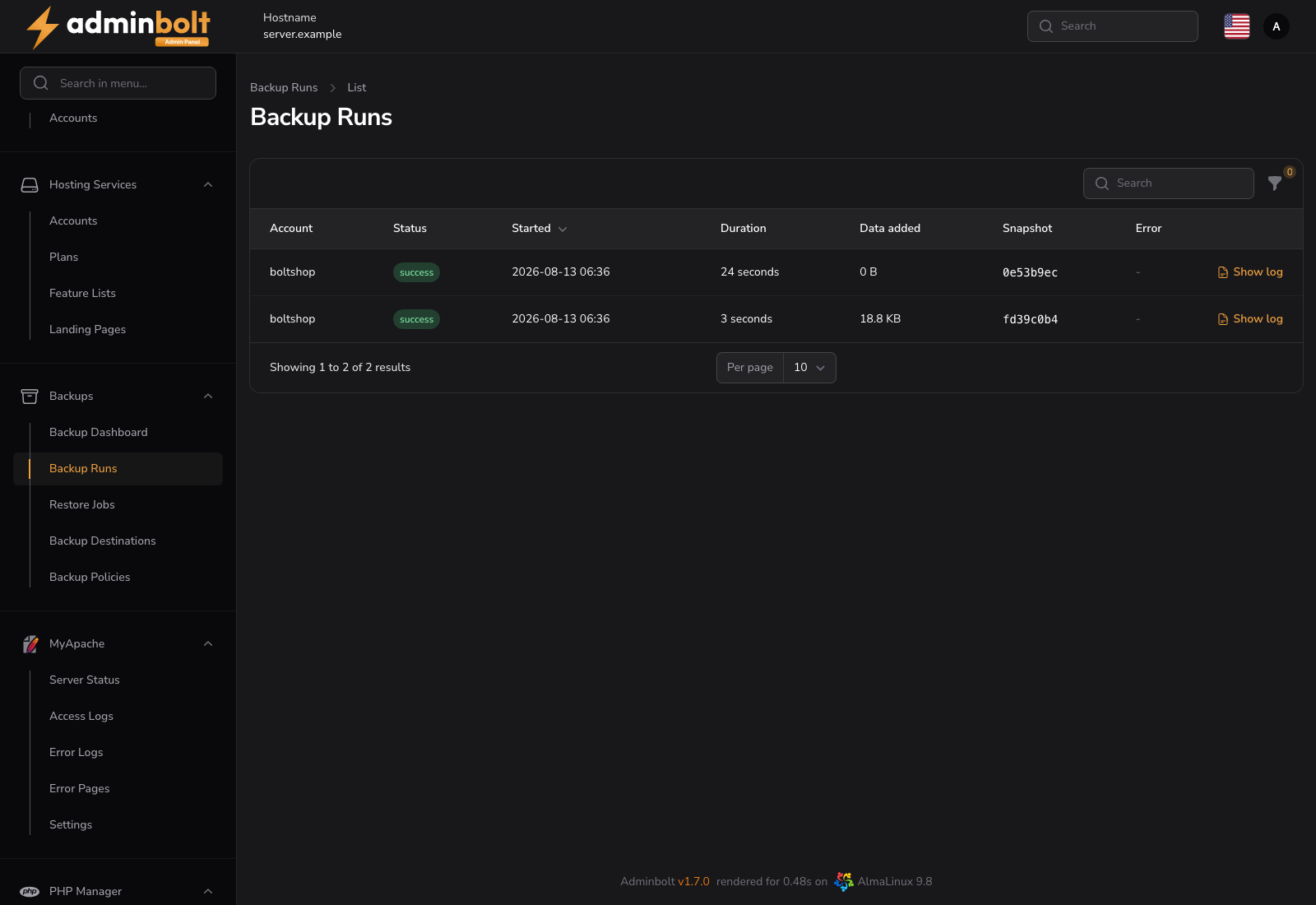
Reading the table
| Column | Description |
|---|---|
| Account | The hosting account the run belongs to |
| Status | success, failed, or running |
| Started | When the run began |
| Duration | How long it took, or running while it is still going |
| Data added | New data written to the destination by this run |
| Snapshot | The snapshot ID the run produced |
| Error | Why it failed, truncated; hover for the full text |
The newest run is listed first and the table refreshes every 30 seconds. Status filters the list down to running, successful or failed runs.
Because backups are incremental, Data added is normally much smaller than the account: only what changed since the previous snapshot is uploaded.
Show log
Show log opens the backup engine's own output for that run, up to the last 200 lines. The log is kept on the server for as long as the file is there, so recent runs have one and very old runs may not.
Use it when the Error column is not specific enough: the log carries the exact failure, for example a destination that ran out of space or credentials the storage rejected.
When a run fails
A failed run raises a Backup failed system notification. The account keeps its earlier snapshots: a failure adds nothing, it does not destroy what is already stored.
Common causes worth checking first:
- The destination is unreachable or its credentials changed. Run Test connection on the destination.
- The destination is full.
- The repository is locked on the Backups dashboard because an earlier operation is still holding it.
Related pages
- Backups - repository state and manual runs.
- Backup Policies - what schedules these runs.
- Restore Jobs - the other half of the history.
- System Notifications - the Backup failed template.