

Restore Jobs
Restore Jobs is the history of restores from per-account backups: what was restored, from which snapshot, in which mode, and who asked for it.
Added in AdminBolt 1.7.0.
Overview
URL: /admin/restore-jobs
The page sits in the Backups navigation group and is read-only. Jobs are started from the Backups dashboard, from the reseller Backups page, or by the account owner on the client Backups page.
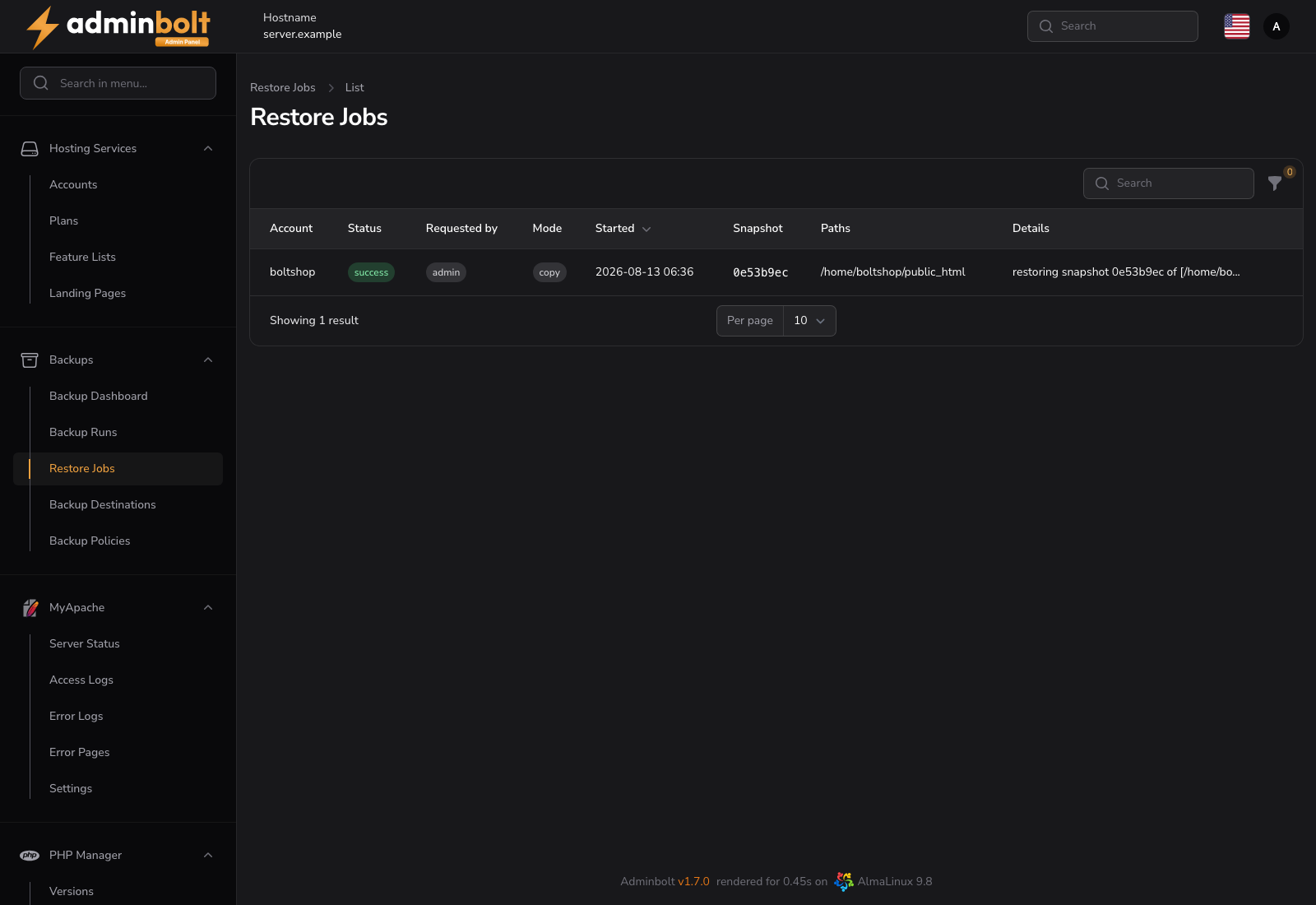
Reading the table
| Column | Description |
|---|---|
| Account | The hosting account the files were restored into |
| Status | success, failed, or running |
| Requested by | admin, reseller or client |
| Mode | in place or copy |
| Started | When the restore began |
| Snapshot | The snapshot it came from |
| Paths | What was restored, truncated; hover for the full list |
| Details | The failure reason, or the job's own notes |
The newest job is listed first and the table refreshes every 30 seconds. Status filters the list.
The two modes
- In place writes the files back over the live ones. Existing files with the same names are overwritten. Files created after the snapshot are left alone: an in-place restore is not a rollback of the whole account.
- Copy puts the files in a
restored-filesfolder in the account's home directory instead, leaving the live site untouched. This is the safe way to recover a single file, and the only way database dumps are handed back.
Copies made this way are removed automatically after seven days by default, so a recovery does not quietly fill the customer's quota.
Who can start a restore
| Role | Can restore |
|---|---|
| Administrator | Any account on the server |
| Reseller | Their own accounts |
| Client | Their own account, when the backup policy has Allow client self-restore on |
Every job records the role that asked for it, so a restore a customer started is distinguishable from one you ran on their behalf. Client restores are additionally spaced out, with a ten-minute gap between one restore and the next by default.
By default at most two restores run at a time per server.
Database dumps
Database dumps that a snapshot contains are never written straight back into the database server. They are handed back as .sql files in the restored-files folder, and are imported deliberately, for example through phpMyAdmin. That keeps a file-level recovery from silently replacing a live database.
Related pages
- Backups - start a restore.
- Backup Runs - the backup half of the history.
- Backup Policies - self-restore and restore size limits.
- Client Backups - the account owner's restore flow.