

Fail2Ban Settings
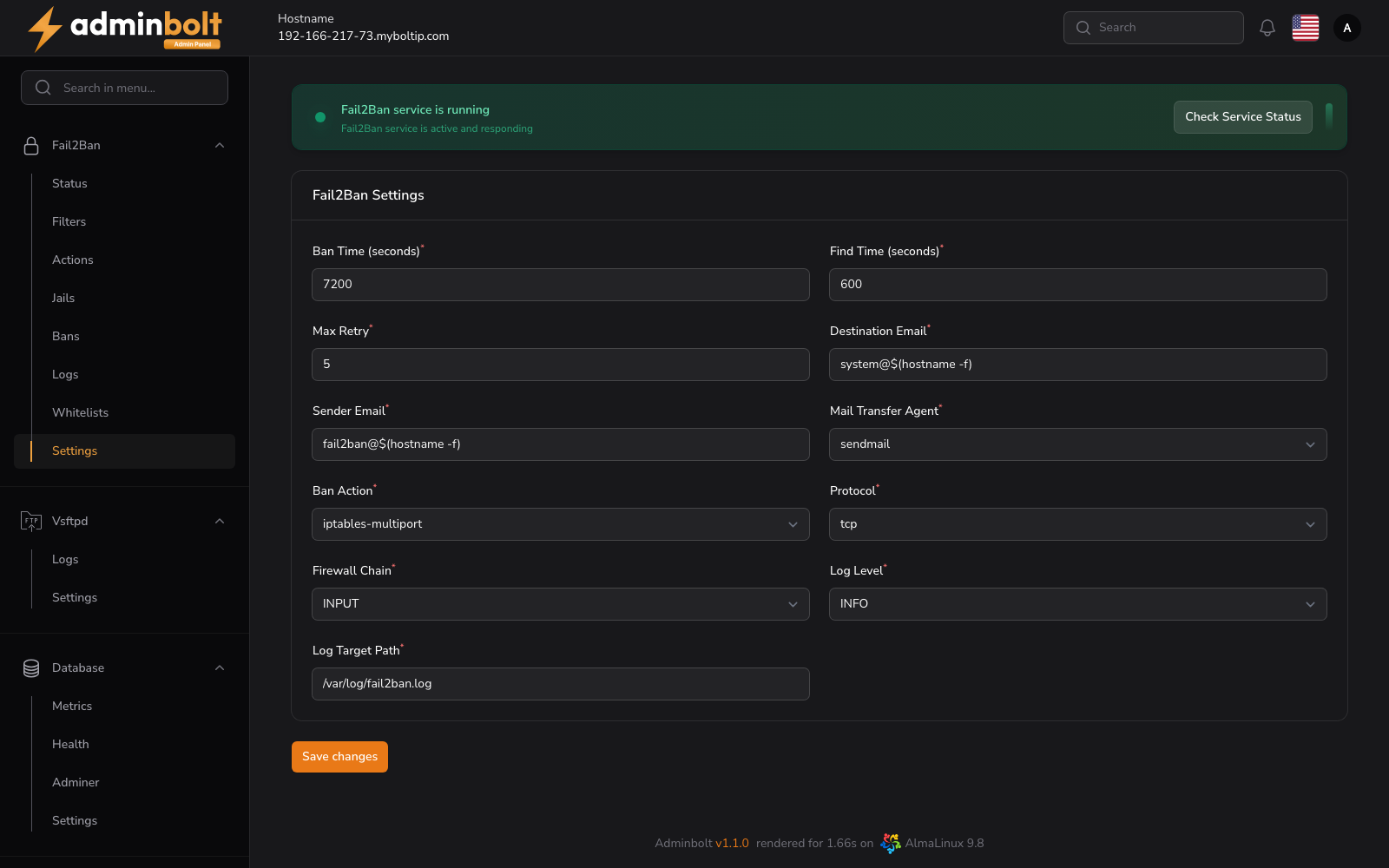
The Fail2Ban Settings page allows administrators to configure global Fail2Ban parameters including ban behavior, notification settings, firewall chain rules, and logging options.
Overview
URL: /admin/fail2ban-settings
At the top of the page, a status banner indicates whether the Fail2Ban service is currently running. If the service is active, a green indicator and the message "Fail2Ban service is running" are displayed. A Check Service Status button is available to manually refresh the service status.
Settings
All settings are displayed on a single page with the following fields:
Ban & Detection
- Ban Time (seconds) - Duration in seconds that an IP address will remain banned after detection. Default:
7200. - Find Time (seconds) - Time window in seconds during which a host must exceed the maximum number of failed login attempts to trigger a ban. Default:
600. - Max Retry - Maximum number of failed login attempts allowed within the Find Time period before a ban is triggered. Default:
5.
Notifications
- Destination Email - Email address to which ban notifications will be sent. Default:
system@$(hostname -f). - Sender Email - Sender email address used for outgoing ban notifications. Default:
fail2ban@$(hostname -f). - Mail Transfer Agent - Mail transfer agent used to send ban notifications.
- Options:
sendmail,postfix,exim
- Options:
Firewall & Protocol
- Ban Action - Method for blocking an IP address when a ban is triggered.
- Options:
iptables-multiport,nftables-multiport
- Options:
- Protocol - Communication protocol used for ban rules.
- Options:
tcp,udp,all
- Options:
- Firewall Chain - The firewall chain where Fail2Ban rules are applied.
- Options:
INPUT,OUTPUT,FORWARD
- Options:
Logging
- Log Level - Verbosity level for Fail2Ban logging.
- Options:
CRITICAL,ERROR,WARNING,NOTICE,INFO,DEBUG
- Options:
- Log Target Path - Path to the log file where Fail2Ban writes its logs. Default:
/var/log/fail2ban.log.
Save Changes
Click the Save changes button at the bottom of the page to apply any configuration updates.
Service Control
A Restart button is available to restart the Fail2Ban service after changing settings. A Refresh button reloads the live service status and log view.