

Database Settings
The Settings page in the Database section allows administrators to configure database server settings and manage MariaDB configuration profiles.
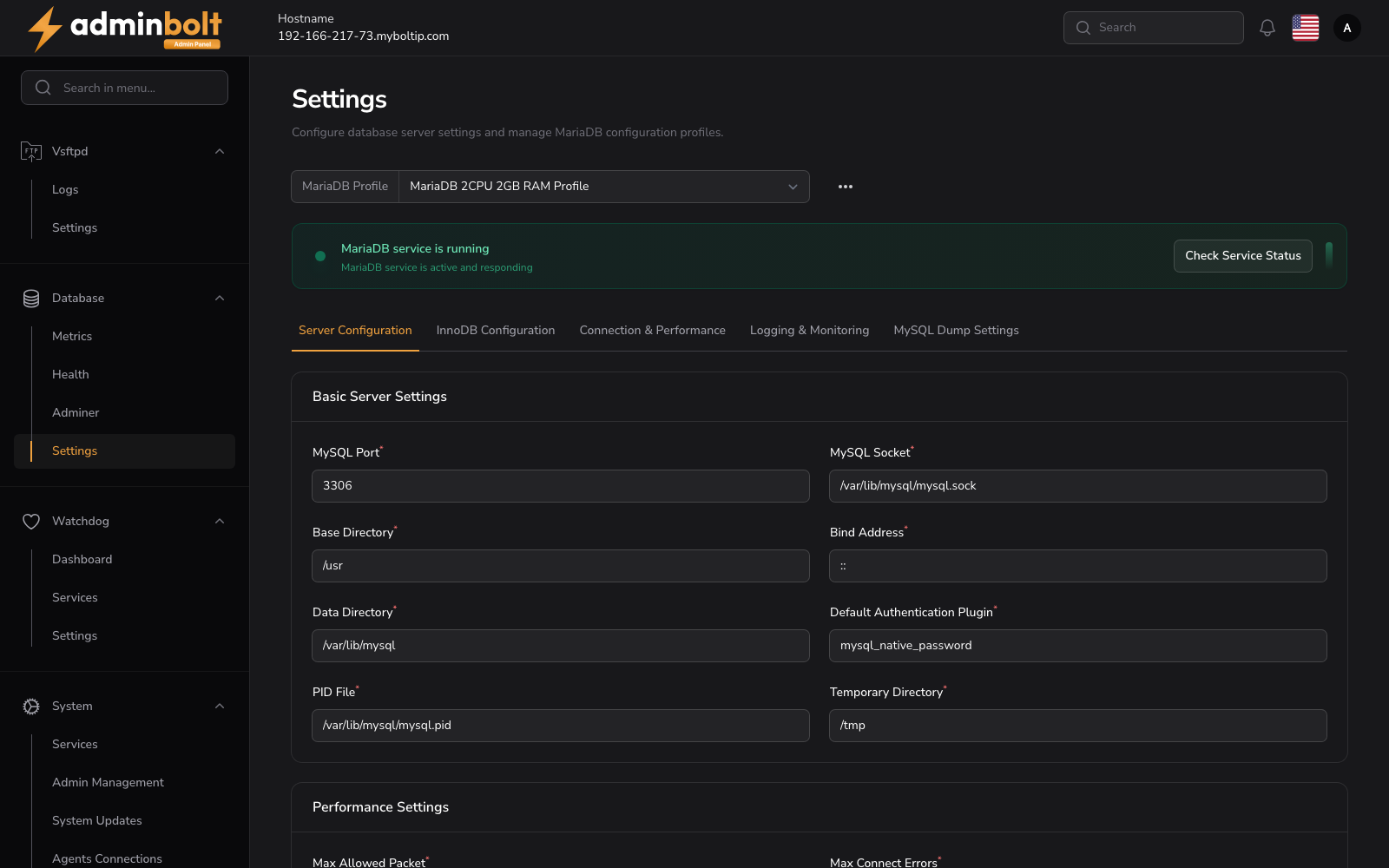
Overview
URL: /admin/database-settings
The page header reads: "Configure database server settings and manage MariaDB configuration profiles."
MariaDB Profile
At the top, a MariaDB Profile dropdown allows selecting a configuration profile (e.g., "MariaDB 2CPU 2GB RAM Profile"). An options menu (three dots) is available next to the profile selector.
Service Status
A status banner shows whether the MariaDB service is running, with a Check Service Status button.
Configuration Tabs
The settings page is organized into five tabs. Each field below lists the value AdminBolt ships with. When a MariaDB profile is loaded, the form shows that profile's values instead, so what appears on screen can differ from the defaults documented here.
1. Server Configuration
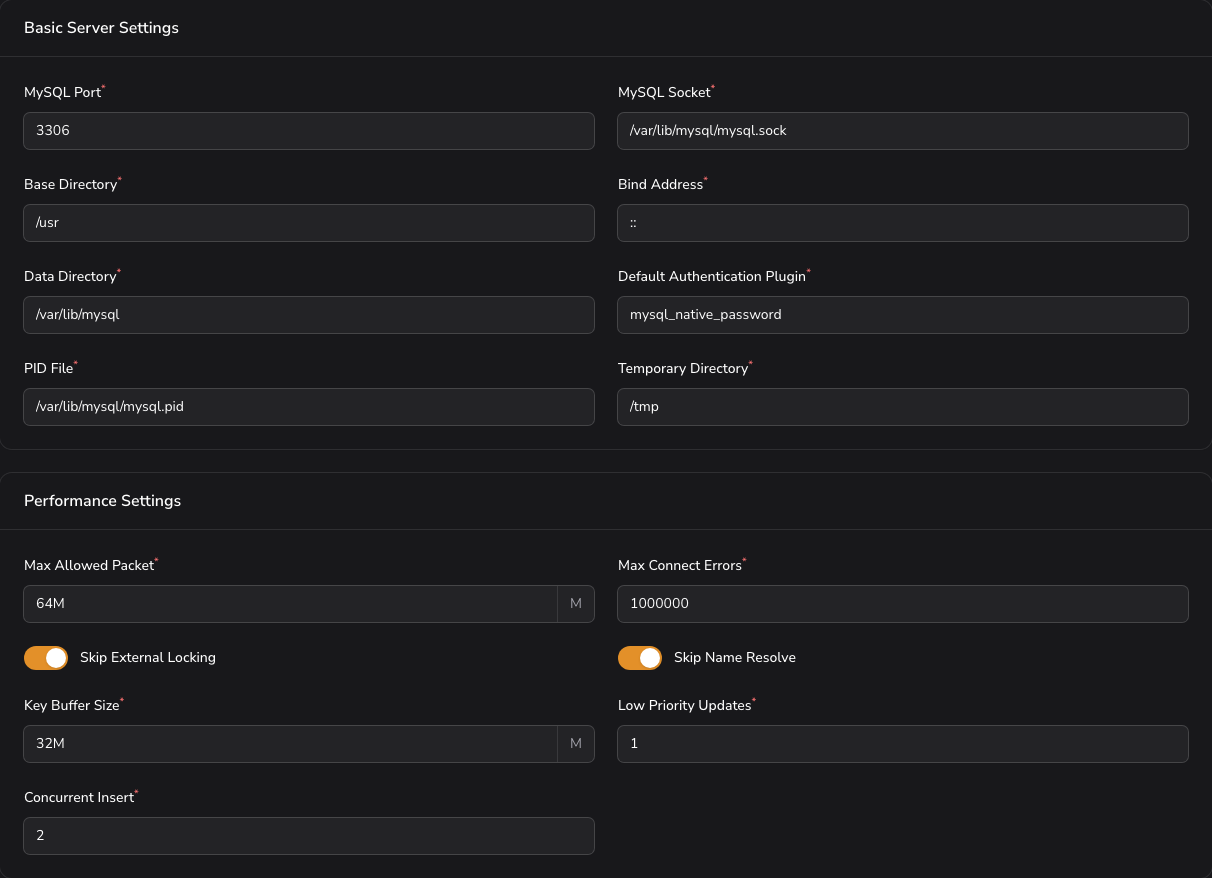
Basic Server Settings
- MySQL Port (required) - The port the database listens on (default:
3306). - MySQL Socket (required) - Path to the MySQL socket file.
- Base Directory (required) - The MySQL installation base directory.
- Bind Address (required) - The address the server binds to.
- Data Directory (required) - Path to the data directory.
- Default Authentication Plugin (required) - The default authentication method.
- PID File (required) - Path to the process ID file.
- Temporary Directory (required) - Path to the temporary directory.
Performance Settings
- Max Allowed Packet (required) - Maximum packet size.
- Max Connect Errors (required) - Maximum connection errors before blocking.
- Skip External Locking - Whether to skip external locking (toggle).
- Skip Name Resolve - Whether to skip DNS name resolution (toggle).
- Key Buffer Size (required) - Size of the key buffer.
- Low Priority Updates (required) - Priority for update operations.
- Concurrent Insert (required) - Controls concurrent insert behavior.
- Default Storage Engine (required) - The default storage engine for new tables.
2. InnoDB Configuration
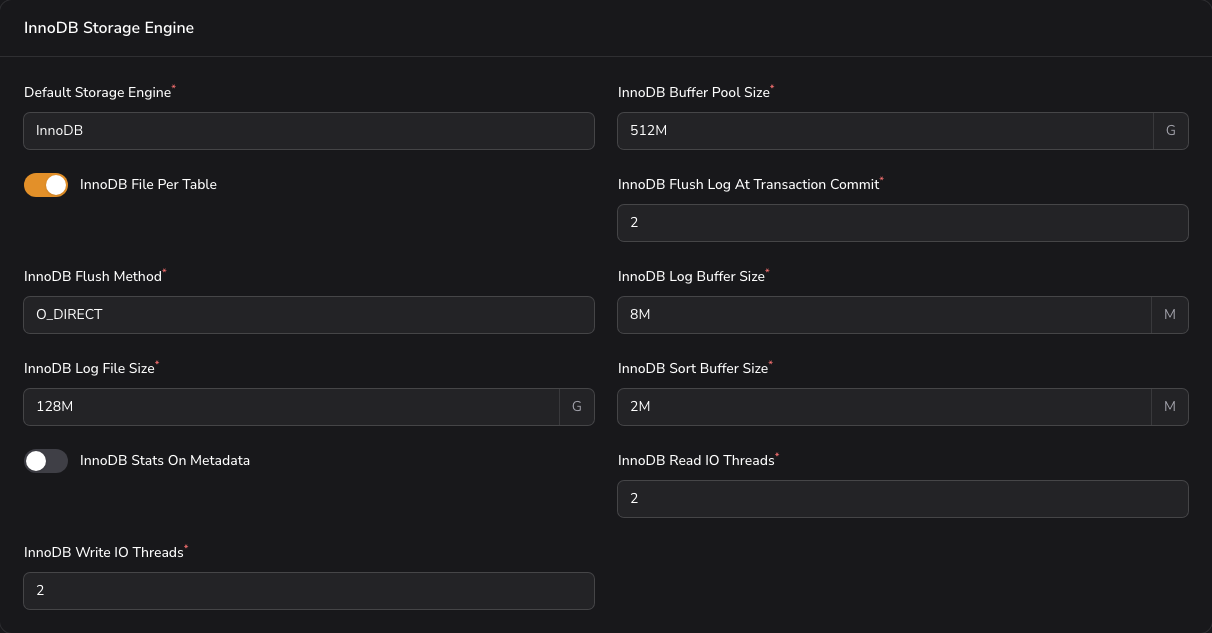
InnoDB Storage Engine
- Default Storage Engine (required) - Storage engine used for new tables (default:
InnoDB). - InnoDB Buffer Pool Size (required) - Memory reserved for caching table data and indexes (default:
4G). The single most important setting for InnoDB performance. - InnoDB File Per Table - Store each table in its own file rather than one shared tablespace (toggle, on by default).
- InnoDB Flush Log At Transaction Commit (required) - How aggressively the log is flushed to disk (default:
0). Higher values trade throughput for durability. - InnoDB Flush Method (required) - Method used to write data to disk (default:
O_DIRECT). - InnoDB Log Buffer Size (required) - Buffer for transactions not yet committed to the log (default:
16M). - InnoDB Log File Size (required) - Size of each redo log file (default:
1G). - InnoDB Sort Buffer Size (required) - Buffer used when building indexes (default:
4M). - InnoDB Stats On Metadata - Recalculate statistics when metadata is read (toggle, off by default).
- InnoDB Read IO Threads (required) - Threads serving read requests (default:
64). - InnoDB Write IO Threads (required) - Threads serving write requests (default:
64).
3. Connection & Performance
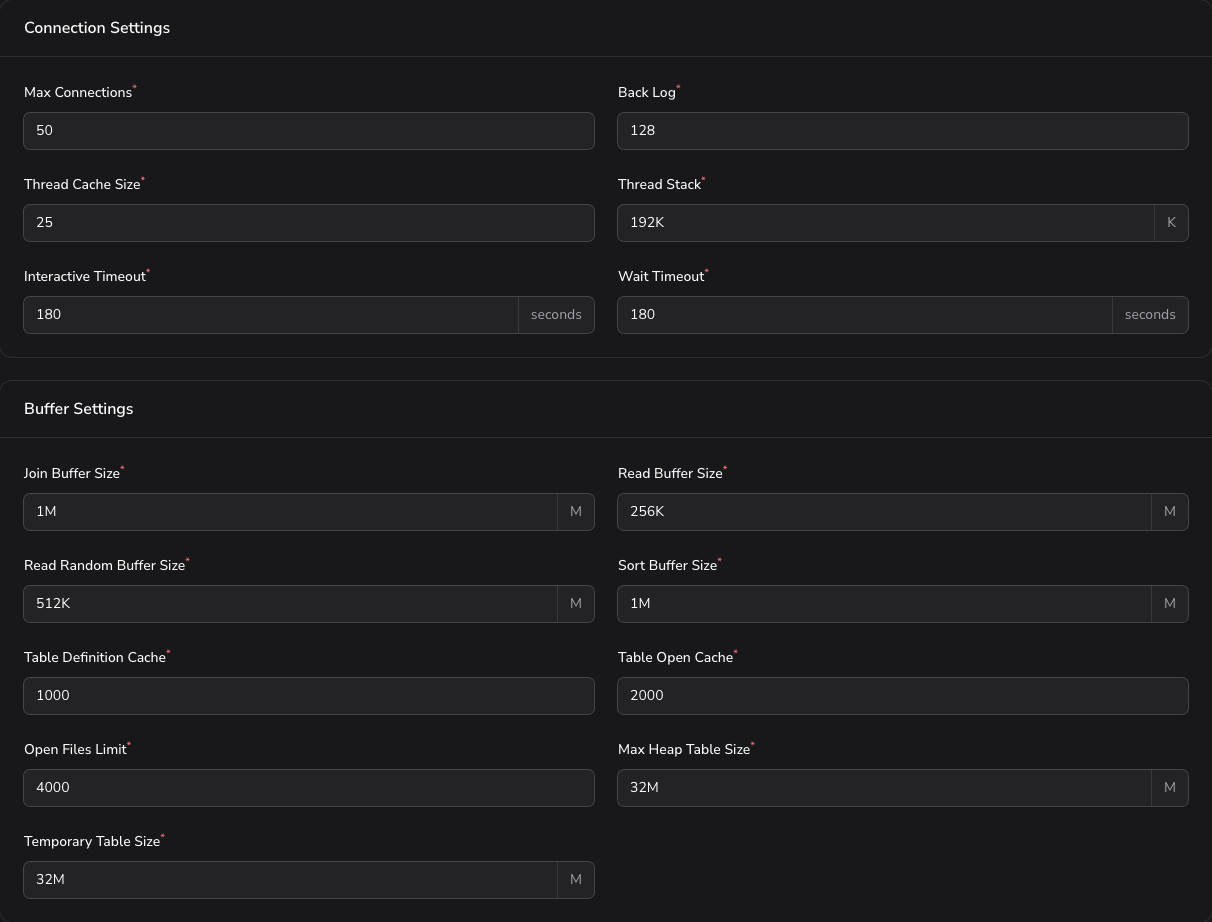
Connection Settings
- Max Connections (required) - Maximum simultaneous client connections (default:
90). - Back Log (required) - Connection requests queued while the server is busy (default:
512). - Thread Cache Size (required) - Threads kept for reuse instead of being recreated (default:
100). - Thread Stack (required) - Stack size per thread (default:
192K). - Interactive Timeout (required) - Seconds an idle interactive connection is held open (default:
180). - Wait Timeout (required) - Seconds an idle non-interactive connection is held open (default:
180).
Buffer Settings
- Join Buffer Size (required) - Buffer for joins that cannot use an index (default:
4M). - Read Buffer Size (required) - Buffer for sequential table scans (default:
3M). - Read Random Buffer Size (required) - Buffer for reads following a sort (default:
4M). - Sort Buffer Size (required) - Buffer per session performing a sort (default:
4M). - Table Definition Cache (required) - Table definitions kept in memory (default:
50000). - Table Open Cache (required) - Open tables kept across sessions (default:
50000). - Open Files Limit (required) - File descriptors the server may hold (default:
60000). - Max Heap Table Size (required) - Largest permitted in-memory table (default:
128M). - Temporary Table Size (required) - Size at which an in-memory temporary table is written to disk (default:
128M).
4. Logging & Monitoring
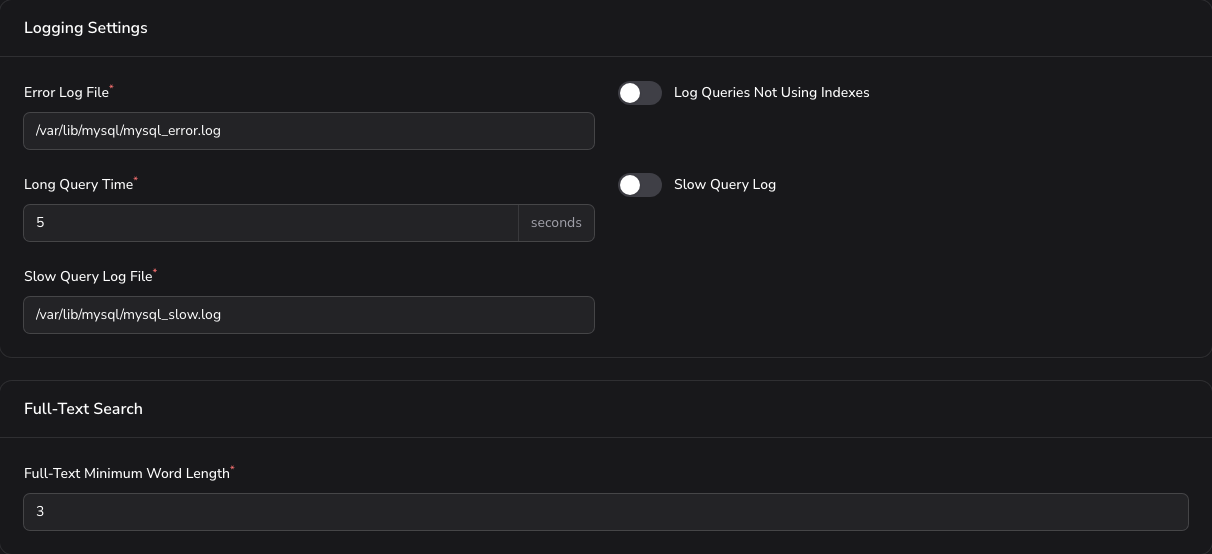
Logging Settings
- Error Log File (required) - Path to the error log (default:
/var/lib/mysql/mysql_error.log). - Log Queries Not Using Indexes - Record queries that run without an index (toggle, off by default).
- Long Query Time (required) - Seconds after which a query counts as slow (default:
5). - Slow Query Log - Enable the slow query log (toggle, off by default).
- Slow Query Log File (required) - Path to the slow query log (default:
/var/lib/mysql/mysql_slow.log).
Full-Text Search
- Full-Text Minimum Word Length (required) - Shortest word indexed by full-text search (default:
3).
5. MySQL Dump Settings

Applies to mysqldump, which is what database backups use.
- Quick Dump - Stream rows straight to the output instead of buffering the whole table in memory (toggle, on by default).
- Quote Names - Quote table and column names in the output (toggle, on by default).
- Max Allowed Packet for Dump (required) - Largest single statement the dump may produce (default:
1024M).
Click Apply Configuration to apply the configuration for the active tab.
Profiles and Service Control
Configuration profiles and service controls are available at the top of the page:
- Save as New Profile - Save the current configuration as a reusable profile.
- Load Profile / Download Profile - Restore or export a saved profile.
- Apply Configuration - Apply the current settings to the database service.
- Refresh - Reload the current service status.
- Restart - Restart the database service.