

Error Pages
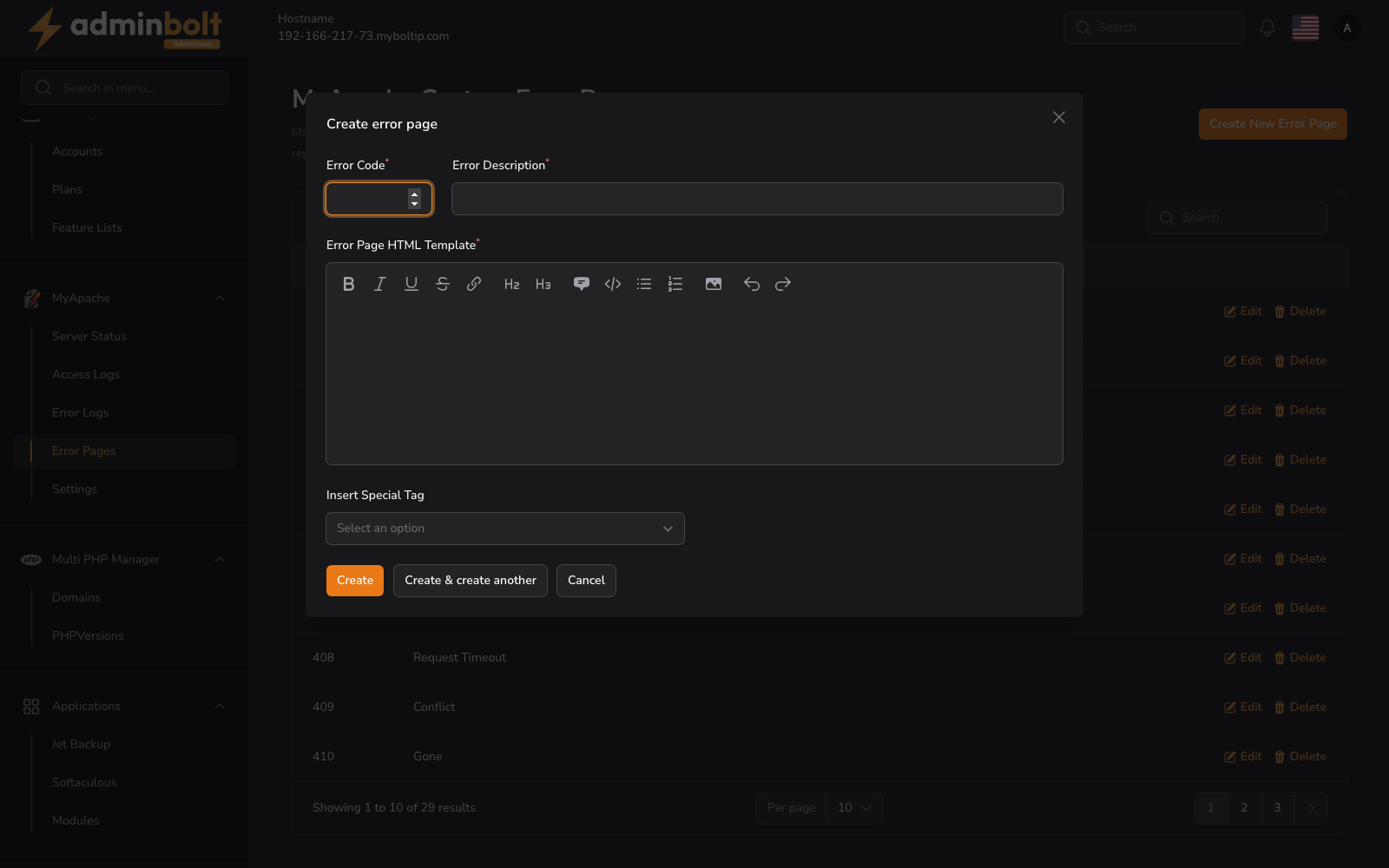
The MyApache Custom Error Pages page allows administrators to manage custom HTML error pages served by the web server when HTTP errors occur.
Overview
URL: /admin/error-pages
The page header reads: "Manage custom error documents for MyApache server. Create tailored experiences for your visitors by replacing default server messages with branded HTML templates."
This page displays a searchable and paginated table of all configured error pages.
Error Pages Table
Columns
- Error Code - The HTTP error code (e.g., 400, 403, 404, 500). Sortable.
- Description - A brief description of the error (e.g., Bad Request, Forbidden, Not Found).
- Actions - Edit and Delete buttons for each entry.
Search
The search bar filters results by error code or description.
Pagination
Results per page can be set to: 5, 10, 25, 50, or All.
Creating an Error Page
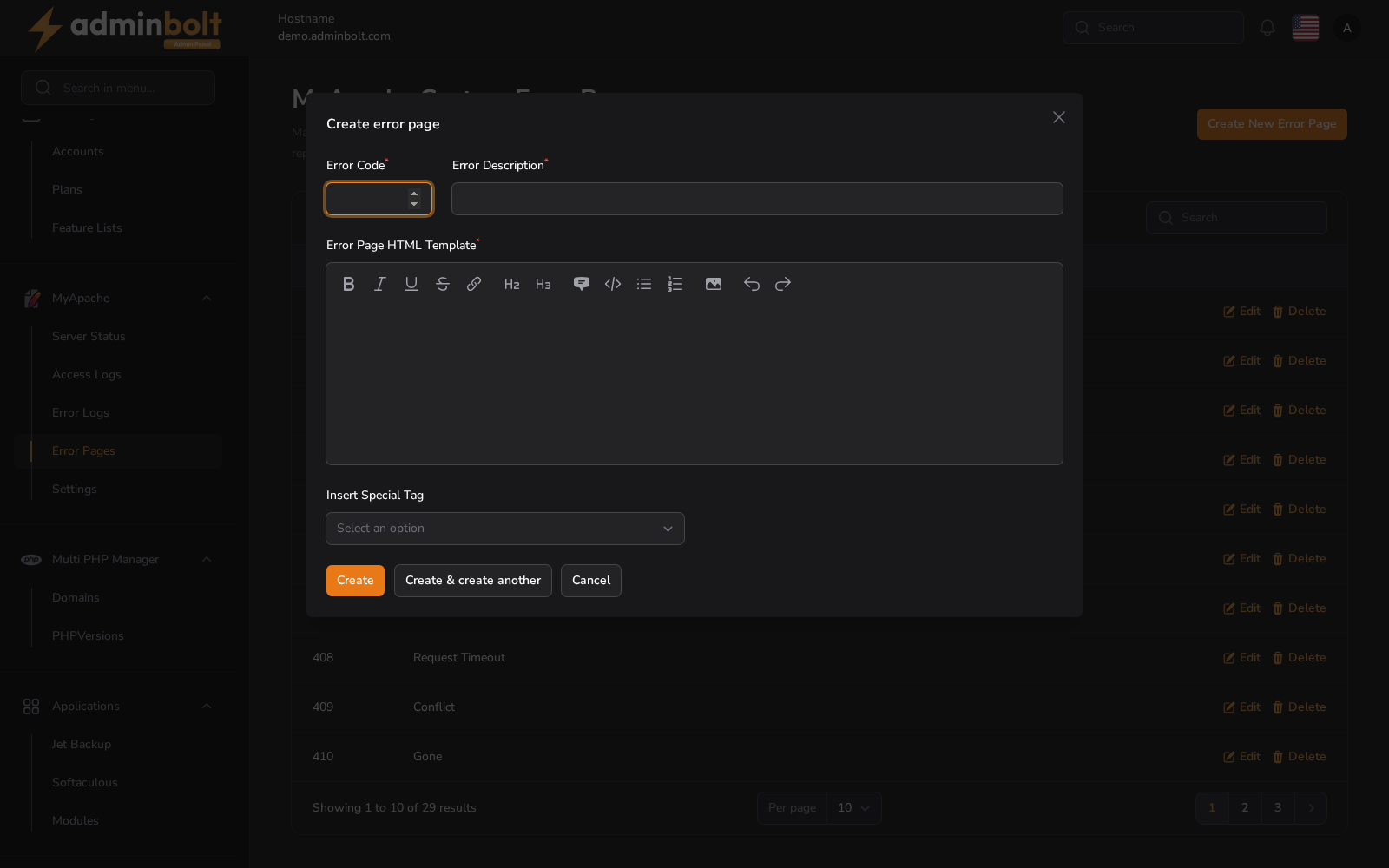
Click the Create New Error Page button to open the creation modal.
Fields
- Error Code (required) - The HTTP error code (e.g., 404, 500).
- Error Description (required) - A short description of the error.
- Error Page HTML Template (required) - The HTML content to display when this error occurs. A rich text editor is provided with formatting options including bold, italic, underline, strikethrough, links, headings (H2, H3), quotes, code blocks, lists, and images.
Insert Special Tag
A dropdown is available to insert special tags (dynamic placeholders) into the error page template.
Buttons
- Create - Save the error page.
- Create & create another - Save and reopen the form for adding more.
- Cancel - Close the modal without saving.
Editing an Error Page
Click Edit on any row to open the edit modal with pre-filled values. Modify the fields as needed, then save changes.
Deleting an Error Page
Click Delete on any row to remove the error page.