

MyApache ModSecurity Audit Logs
The MyApache ModSecurity Audit Logs page displays blocked HTTP requests intercepted by the ModSecurity web application firewall.
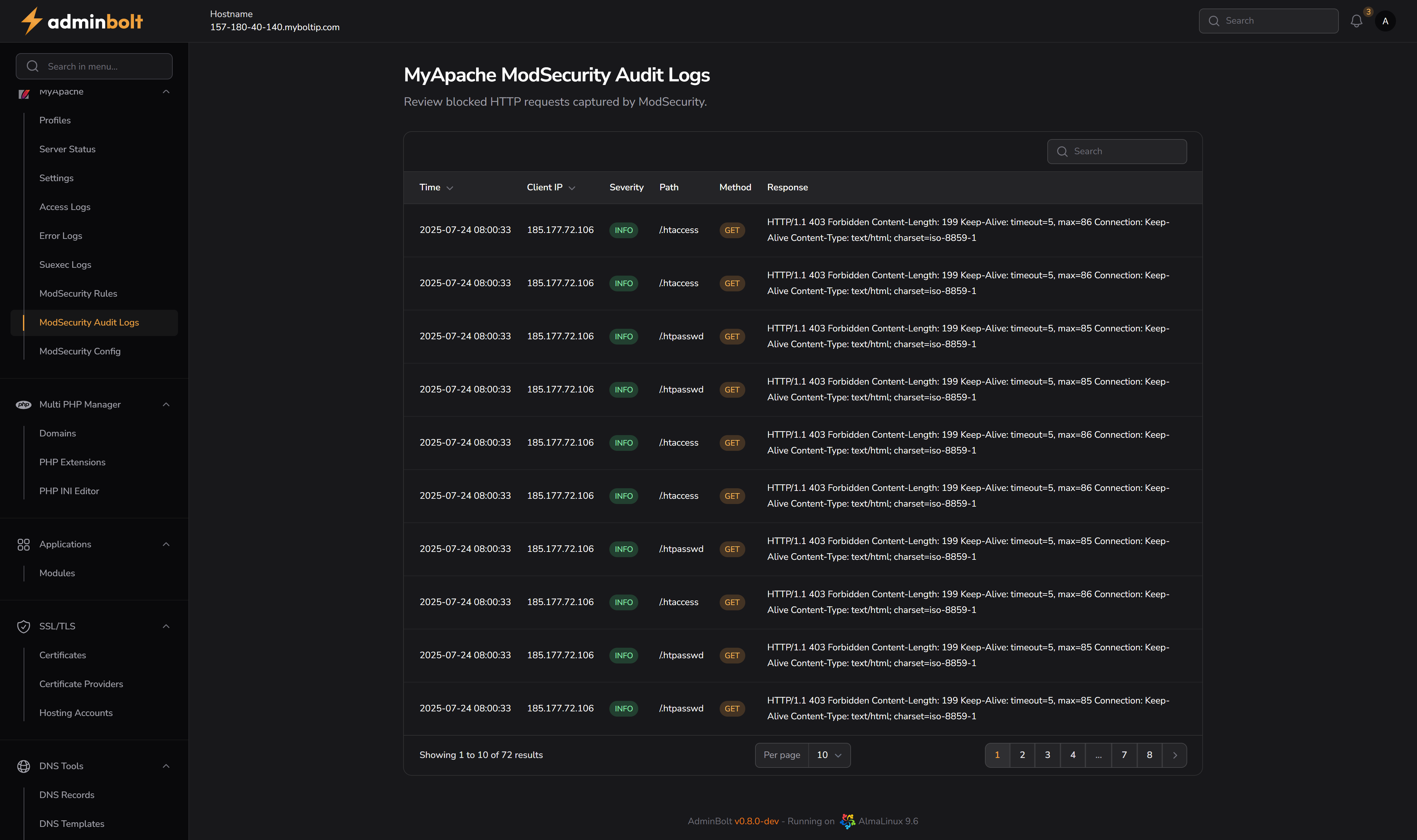
Overview
This section helps administrators review potentially malicious or policy-violating HTTP requests that were blocked by ModSecurity. It is essential for identifying attack attempts and tuning ModSecurity rules.
URL: /admin/my-apache-mod-security-audit-logs
Interface Elements
Search
- Search Bar – Allows you to search any term in the log (IP address, path, method, etc.).
Log Table
| Column | Description |
|---|---|
| Time | Date and time when the request was blocked. |
| Client IP | IP address of the client that triggered the ModSecurity rule. |
| Severity | Log level such as INFO, WARNING, etc. |
| Path | The requested URI that triggered the rule. |
| Method | HTTP method used (e.g., GET, POST). |
| Response | HTTP response returned to the client (e.g., 403 Forbidden). |
Pagination
Located below the log table:
- Navigate through pages of results.
- Select how many results to display per page: 10, 25, 50, or All.
Notes
- Logs displayed here are real-time and reflect ModSecurity rule actions.
- Only blocked requests are shown, not all traffic.
- Useful for auditing and improving server security posture.