

Banned IPs
The Banned IPs page allows you to monitor and manage IP addresses that have been banned by the Fail2Ban service.
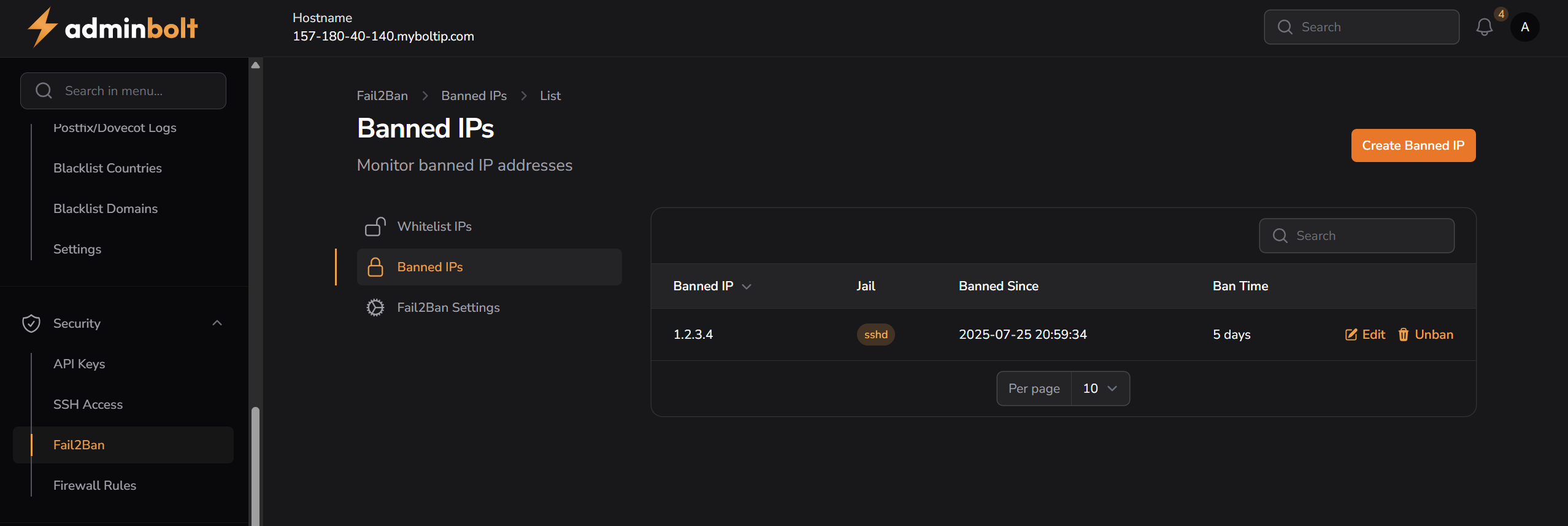
Overview
URL: /admin/fail2ban-bans (menu: Fail2Ban → Bans)
This page displays a list of banned IP addresses, including details like the jail (service), ban start time, and duration.
Table Columns
- Banned IP – IP address that has been banned
- Jail – Service under which the ban occurred (e.g.,
sshd) - Banned Since – Timestamp when the ban started
- Ban Time – Duration of the ban
- Actions – Options to:
- Edit the banned IP entry
- Unban to remove the IP from the ban list
Search
The search bar filters results by the Banned IP column.
Pagination
Pagination options include: 5, 10, 25, 50, and All records per page.
Create Banned IP
To ban a new IP address, click the Create Banned IP button.
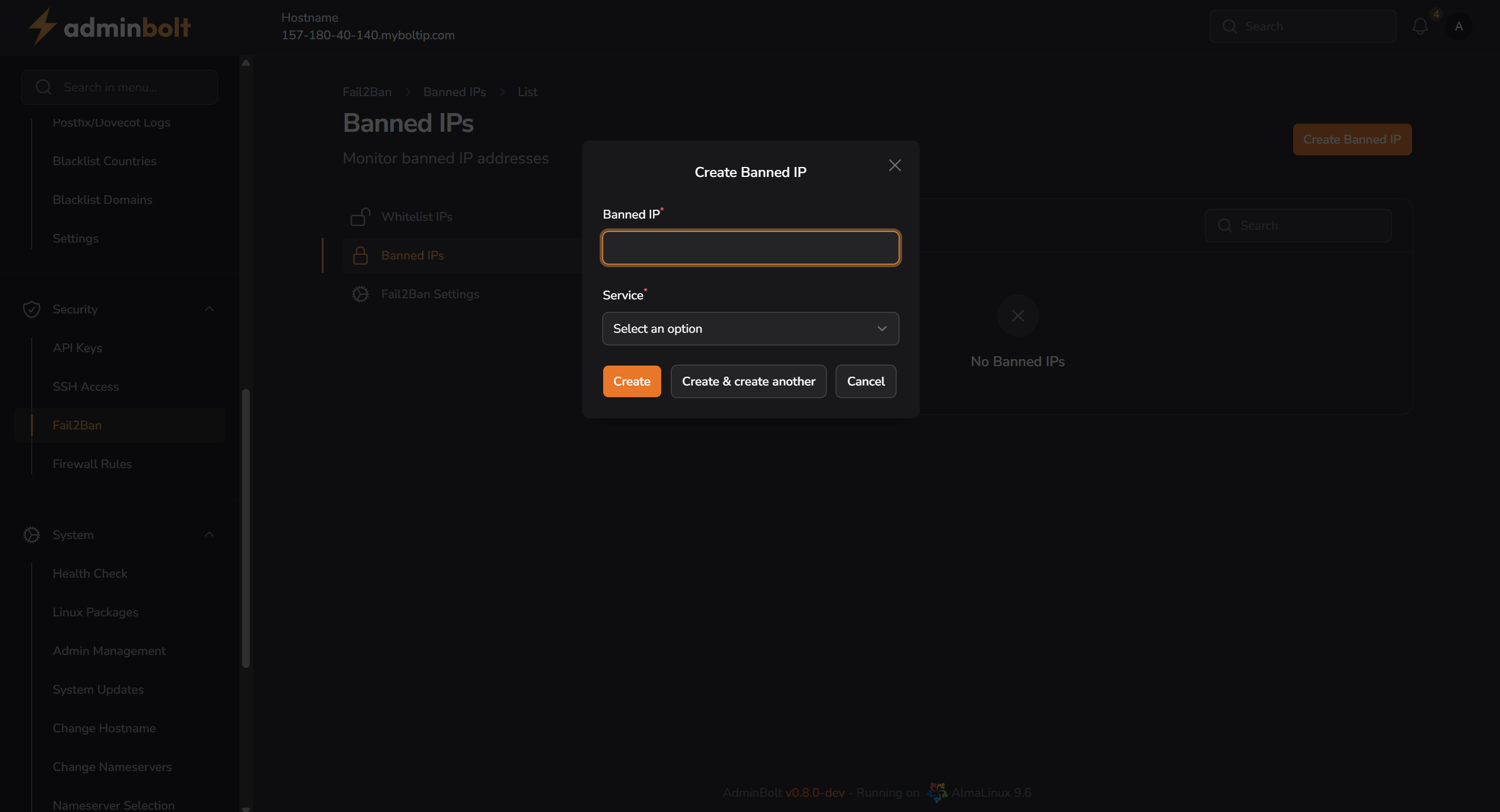
Fields
- Banned IP – Required IP address to ban
- Service – Select a Fail2Ban jail (e.g.,
sshd)
You can either click Create, or Create & create another to add more entries.
Edit Banned IP
To change an existing ban entry, use the Edit action from the list.
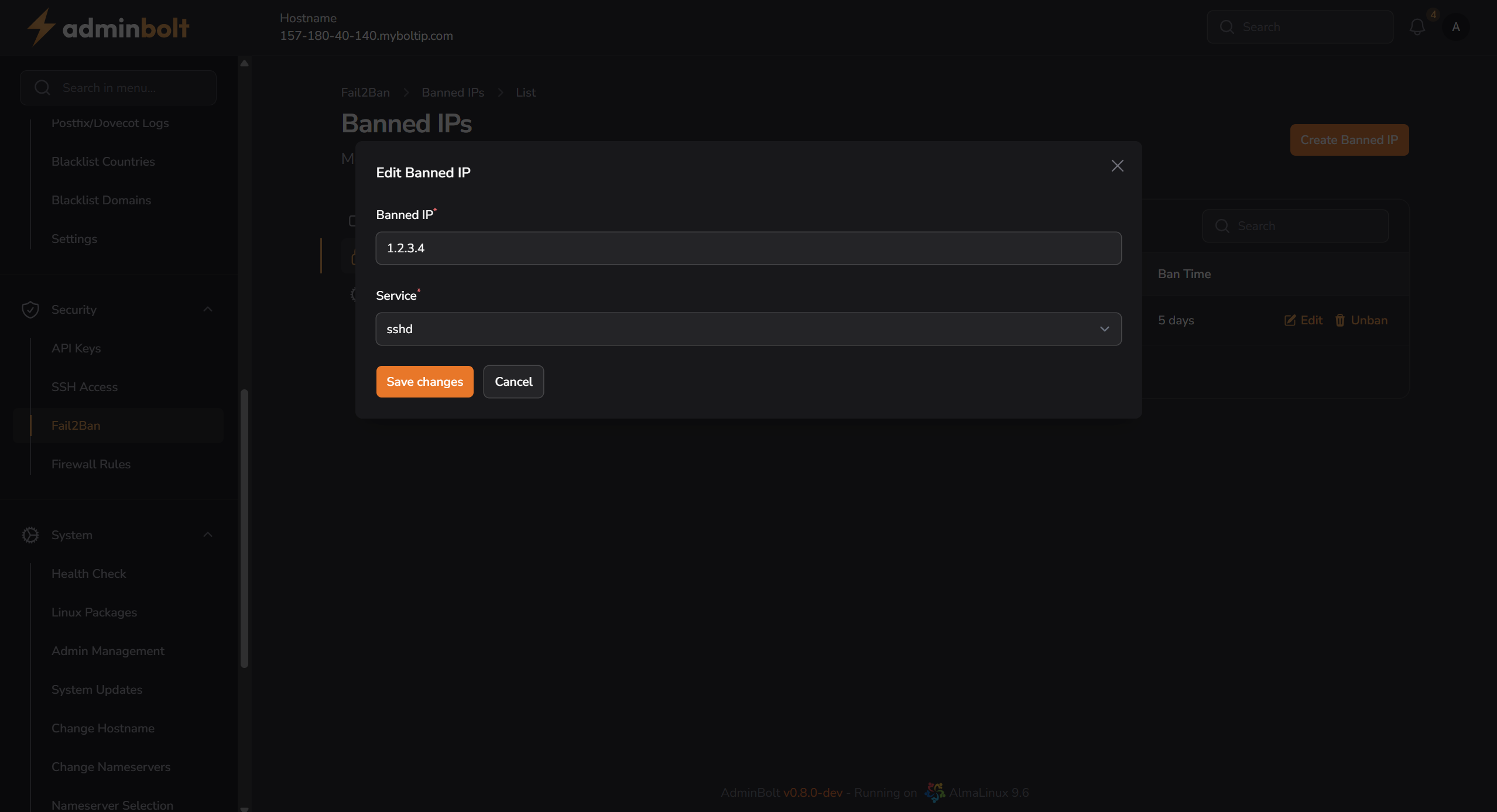
Fields
- Banned IP – Modify the existing IP address
- Service – Change the jail/service value
Click Save changes to confirm updates.
Notes
- The Unban option immediately removes the IP from the banned list.
- Ban time is currently displayed in days.