

Multi PHP Domains Manager
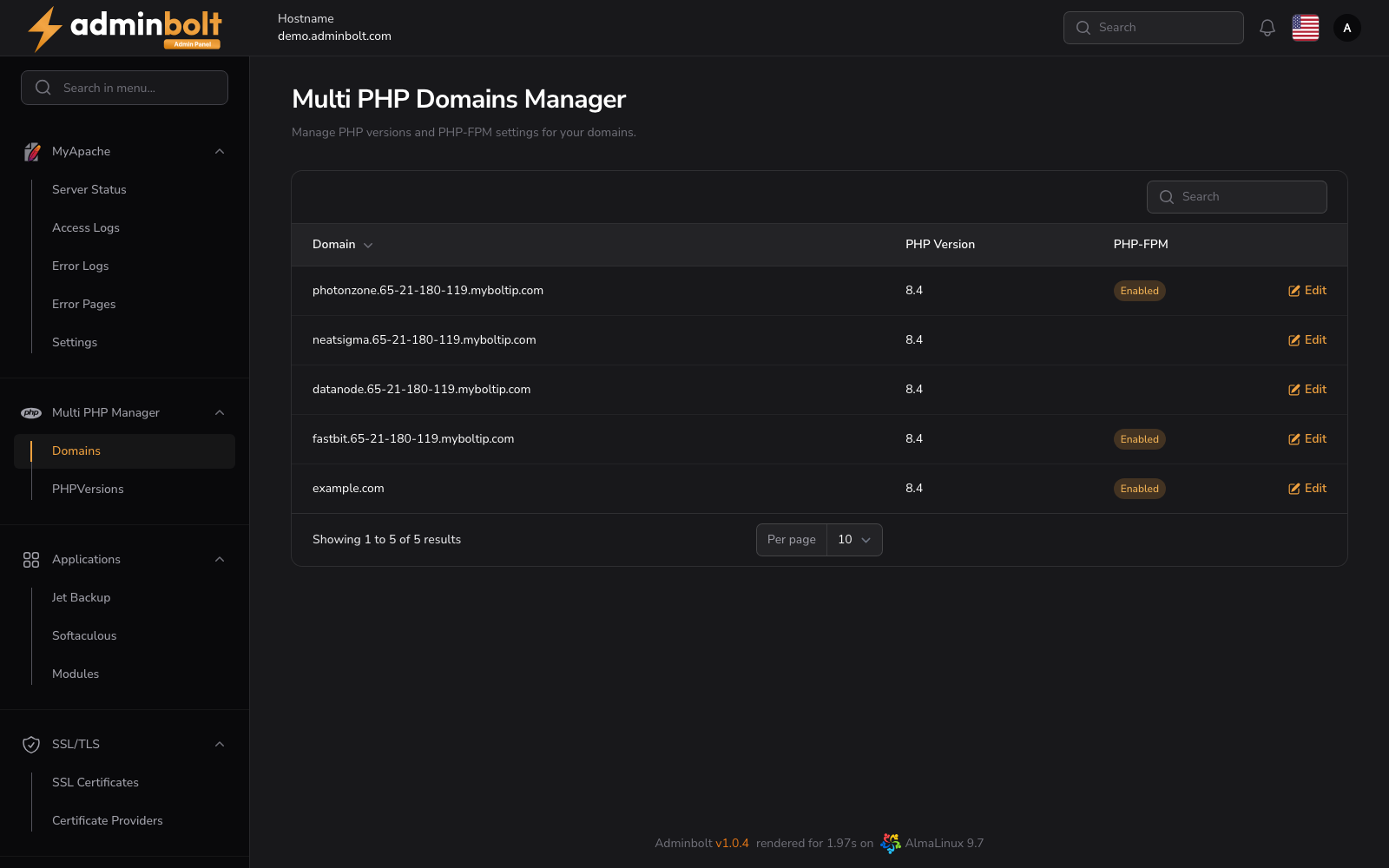
The Multi PHP Domains Manager page assigns PHP versions and PHP-FPM settings per domain, so different sites on the same server can run on different PHP versions. In the panel it is titled PHP Manager Domains.
Overview
URL: /admin/settings/php-manager-domains
Navigate to Settings > PHP > PHP Domain Assignment. The page is also the Domain Assignment tab of the PHP area, so you can switch between it and PHP Versions from the tabs above the table.
The page lists all domains hosted on the server with their current PHP configuration. Each row shows:
- Domain - Fully qualified domain name. Non-ASCII names are shown in their readable Unicode form, and the search box accepts either that form or the Punycode one. See Internationalised domain names.
- PHP Version - Currently assigned PHP version (e.g.,
7.4,8.0,8.4). - Provider - The repository and handler serving that version, for example
REMI (FPM). - Actions -
Editbutton to change the PHP version or PHP-FPM setting for the domain.
Editing a Domain
Click the Edit button next to a domain to open a modal where you can:
- Change the domain's PHP version to any installed version available on the server.
- Toggle PHP-FPM on or off for that domain.
Changes apply only to the selected domain and do not affect other sites on the server.
Search and Pagination
- Search field - Filter the list by domain name.
- Per page - Choose how many results to show:
5,10,25,50,All. - A summary line (e.g.,
Showing 1 to 5 of 5 results) appears below the table.
Related Pages
- Apache Settings - Global Apache configuration.
- PHP Versions - Installed PHP versions and per-version configuration.