

Mailing Lists
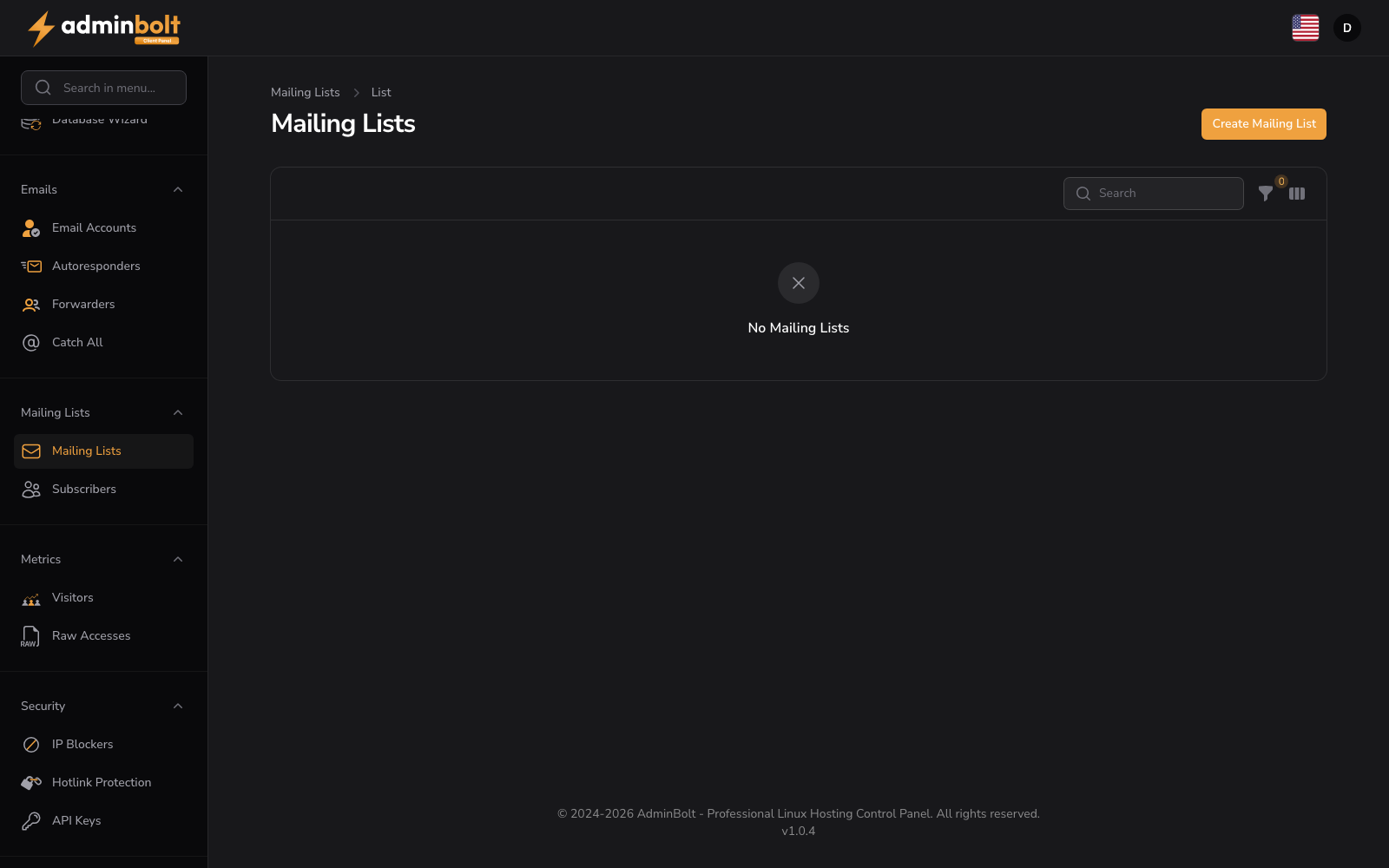
URL: /client/mailing-lists
Create and manage mailing lists for group email communication.
Manage Mailing Lists
Organize and control all mailing lists from a single interface.
- Create Mailing List button - Add a new mailing list
- Search bar - Find lists by name or domain
- Filter button - Filter by moderation status (Yes/No/-), archiving status (Yes/No/-), or reset filters
- Toggle columns button - Show or hide the Created column
- Empty state - “No Mailing Lists” displays when no lists exist
- Pagination - Navigate through multiple pages of mailing lists
Each mailing list can be configured with moderation and archiving settings to control how messages are handled and stored.
Creating a Mailing List
- List Name (text, required) - The name of your mailing list (the part before the @ symbol). The name can contain only letters, digits, underscores (
_), and hyphens (-); dots and spaces are not allowed. - Domain (dropdown, required) - Select which domain this mailing list will use
- Enable Moderation (toggle) - Turn on moderation to review messages before they are delivered to list members
- Enable Archiving (toggle) - Turn on archiving to store copies of all messages sent to the list
- Custom Settings (table) - Optional advanced settings displayed in a key-value table format
Form buttons: Create, Create & create another, Cancel