

Server Configuration Backup
Account backups protect your customers. Server Configuration Backup protects you: it takes the server's own configuration off-site on a schedule, so a lost machine can be rebuilt rather than reconstructed from memory.
Overview
URL: /admin/backups/server
The page is the Server Config tab of Backups.
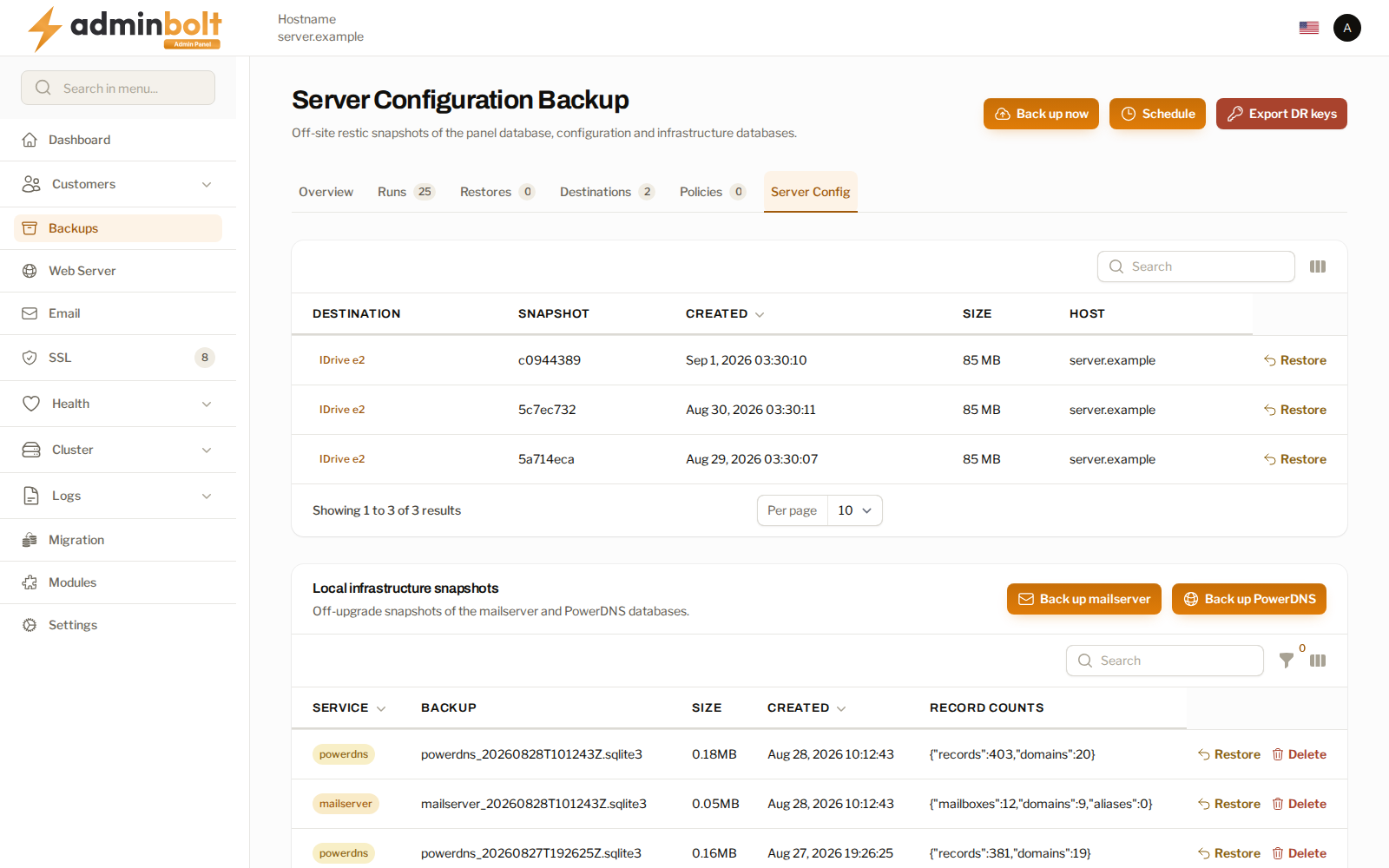
The page has two halves, and they answer different problems:
| Half | What it is for |
|---|---|
| Off-site snapshots | Rebuilding this server somewhere else after it is lost. |
| Local infrastructure snapshots | Undoing a bad change on this server, quickly. |
Off-site snapshots
Snapshots go to a backup destination, the same ones account backups use.
| Column | What it shows |
|---|---|
| Destination | Where the snapshot was written. |
| Snapshot | Its identifier, which is what a restore refers to. |
| Created | When it was taken. |
| Size | How much it holds. |
| Host | The server it came from. |
Back up now takes one immediately. Since panel 1.9.2, when the destination's stored settings cannot be read, the Server backup failed to start notification names the destination and the fix. See Unreadable destination settings. Schedule sets when they are taken and how many are kept. Both retention and an optional repository passphrase are yours to set; keep the passphrase in your own vault, because it is not recoverable from the panel and the snapshots cannot be read without it.
Since panel 1.9.3, when the panel cannot decrypt the key of the server's repository on a destination, the page offers Start a new repository. Pick the Destination, confirm, and the next server backup to it creates a new repository with a new key. The old repository is not deleted, but the panel cannot open it. See When a repository key cannot be read.
A snapshot listing that cannot be read names the destination and the reason rather than rendering an empty table. An empty list means there are no snapshots; a message means the panel could not ask.
Export DR keys
Export DR keys hands you the bootstrap secrets needed to restore this server onto a fresh machine. It asks the acting administrator for a fresh second-factor code first, and every export is recorded in the Activity Log.
Warning: These secrets are enough to read your off-site backups. Treat the export like the master key it is: store it where you store your other break-glass credentials, never in the same place as the backups themselves, and re-export rather than keeping copies scattered.
Restoring
From the exported secrets alone, the panel's command line rebuilds a server from the newest off-site snapshot and puts the accounts back:
| Command | What it does |
|---|---|
bolt-cli disaster-restore | Rebuilds a fresh machine from the newest off-site snapshot. |
bolt-cli disaster-reprovision | Re-materialises modules, PHP versions, and hosting accounts. |
bolt-cli restore-all-accounts | Restores the account files. |
bolt-cli restore-all-databases | Imports their databases. |
Every destructive restore asks you to name the machine being overwritten, and records the attempt. Typing the name is the confirmation; there is no way to run one of these by accident.
Run through this once on a spare machine before you need it. A disaster recovery procedure nobody has rehearsed is a plan, not a capability.
Local infrastructure snapshots
Snapshots of the mail and DNS databases, kept on this server. They are fast to take and fast to restore, which makes them the right tool for undoing a change rather than for surviving a lost machine.
- Back up mailserver and Back up PowerDNS take one now.
- Restore shows the snapshot's age and its record counts before you commit, so you can see what you are about to go back to.
- Delete removes one.
A snapshot is taken automatically before every panel-driven system update. If that backup genuinely fails, the update is aborted; on a server that cannot take one at all, the update continues with a warning.
bolt-cli backup-infra-databases and bolt-cli restore-infra-database do the same from the shell.
Related pages
- Backups - account backups and the other tabs.
- Backup Destinations - where snapshots are written.
- System Updates - the updates that take a snapshot first.
- Activity Log - where a key export is recorded.