

Email
Email gathers mailboxes, delivery services, server connectivity, and recent mail activity into one area with a tab per job.
Overview
URL: /admin/email-dashboard
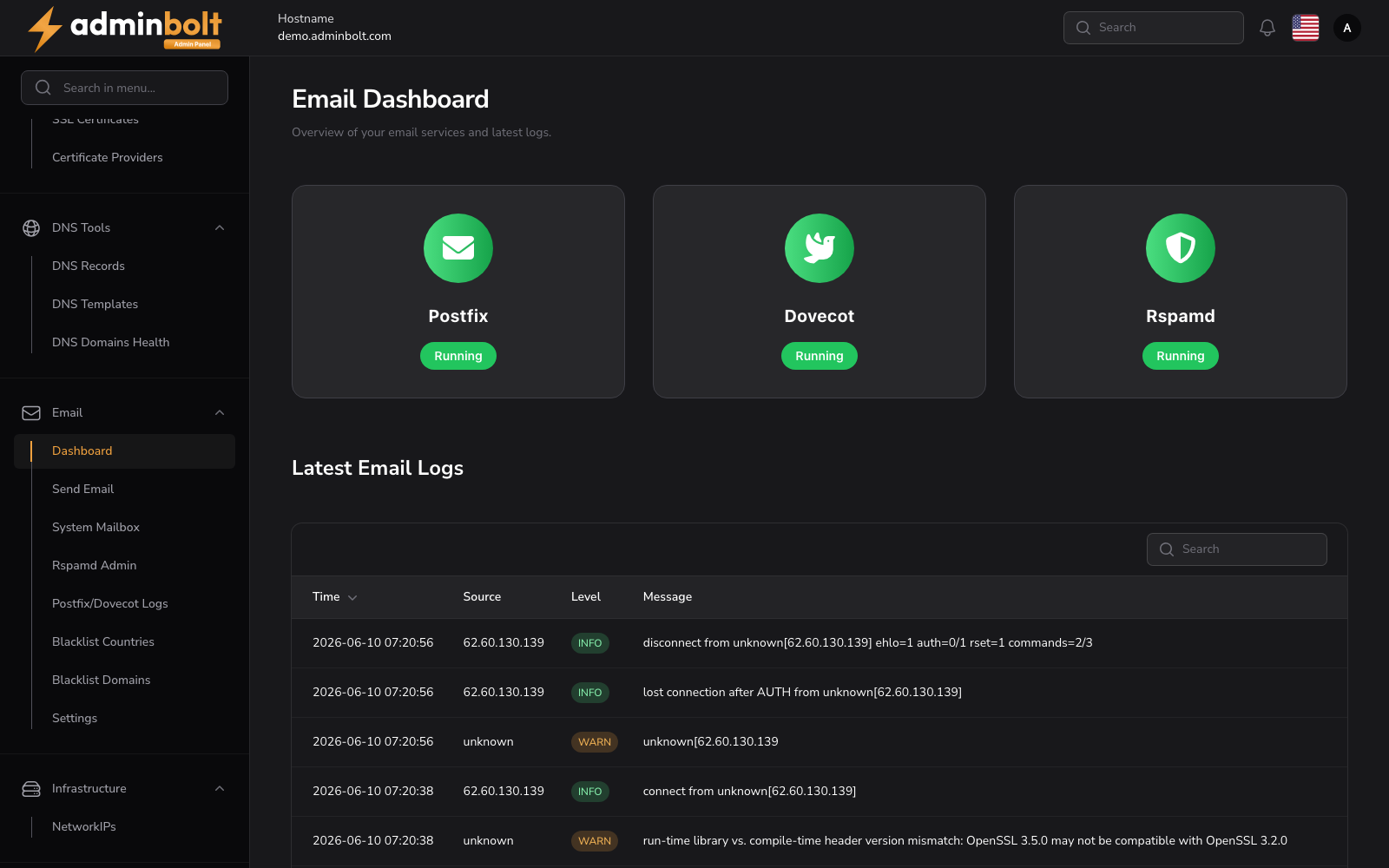
The Overview tab shows three things:
- Mail services and whether each is running.
- Email servers, with Manage servers for their configuration. Since panel 1.9.3, hosting accounts' mail can run on separate mail servers; see Email Servers. While only the local mail server is configured, the section says so and offers Add an email server.
- Recent email activity, with View all activity for the full log.
Rspamd Admin in the page header opens the spam filter's own console.
The tabs
| Tab | URL | What it is for |
|---|---|---|
| Overview | /admin/email-dashboard | Service status and recent activity. |
| Send Email | /admin/send-email | Send a message from the server, for example to test delivery. |
| Mailboxes | /admin/email-system-account-mail-box | The panel's own system@ and admin@ mailboxes, opened in Roundcube. See System Mailboxes. |
| Blacklists | /admin/email/blacklists | Blocked domains and countries. |
| Mail Queue | /admin/mail-queue | Messages waiting to go out, and why they are waiting. |
| Sending Limits | /admin/email/sending-limits | Outbound sending limit rejections. |
| SpamExperts | /admin/email/spam-experts | The SpamExperts integration, when it is in use. |
Tabs carry a count, so a queue that is backing up or a blacklist that grew is visible without opening the tab. Since panel 1.9.3 the Mailboxes tab carries none, because the panel no longer reads those mailboxes itself.
Blacklists
Domains and countries used to be two separate pages. They are now two tabs of one page:
/admin/email/blacklists?tab=domains/admin/email/blacklists?tab=countries
Sending limits
The tab lists outbound messages that were rejected for exceeding a limit, which is the fastest way to tell a compromised account from a customer who simply sends a lot. Limits themselves are configured in Email Settings under Settings > Email.