

Fail2Ban Actions
An action is what Fail2Ban does when an address is banned or unbanned: add a firewall rule, send a message, or report the address to an external service.
Overview
URL: /admin/settings/fail2ban-actions
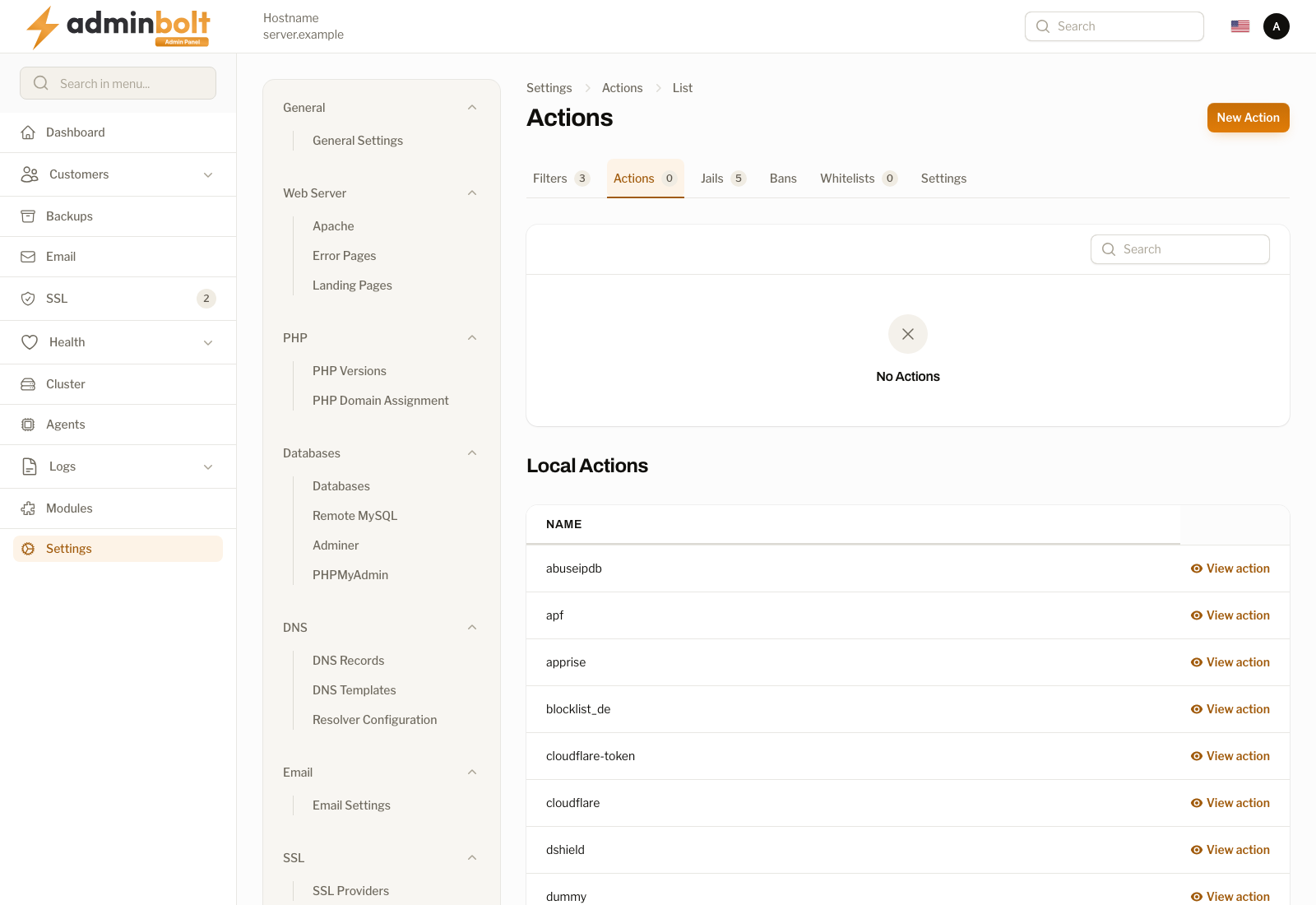
Open it from Settings > Security > Fail2Ban in the sidebar, then pick the Actions tab. The tab carries a counter showing how many panel actions exist.
The page has two lists: the actions this panel owns at the top, and the actions shipped with Fail2Ban below. A server with no custom actions shows No Actions in the upper list, which is the normal state, since the shipped actions cover most needs.
Panel actions
The upper list holds the actions created here. It has one column, Name (sortable), with Edit and Delete on each row. A search box filters by name, and the page size can be set to 5, 10, 25, 50, or All.
Local actions
The lower list is the read-only set installed with Fail2Ban itself, around fifty entries covering firewall back ends (iptables, nftables, firewallcmd-*), reporting services (abuseipdb, blocklist_de, dshield), edge providers (cloudflare, cloudflare-token), and mail notifications (sendmail-*).
View action opens the definition and pre-fills the create form with it, which is how you make an editable copy. Local actions themselves cannot be changed.
Creating an action
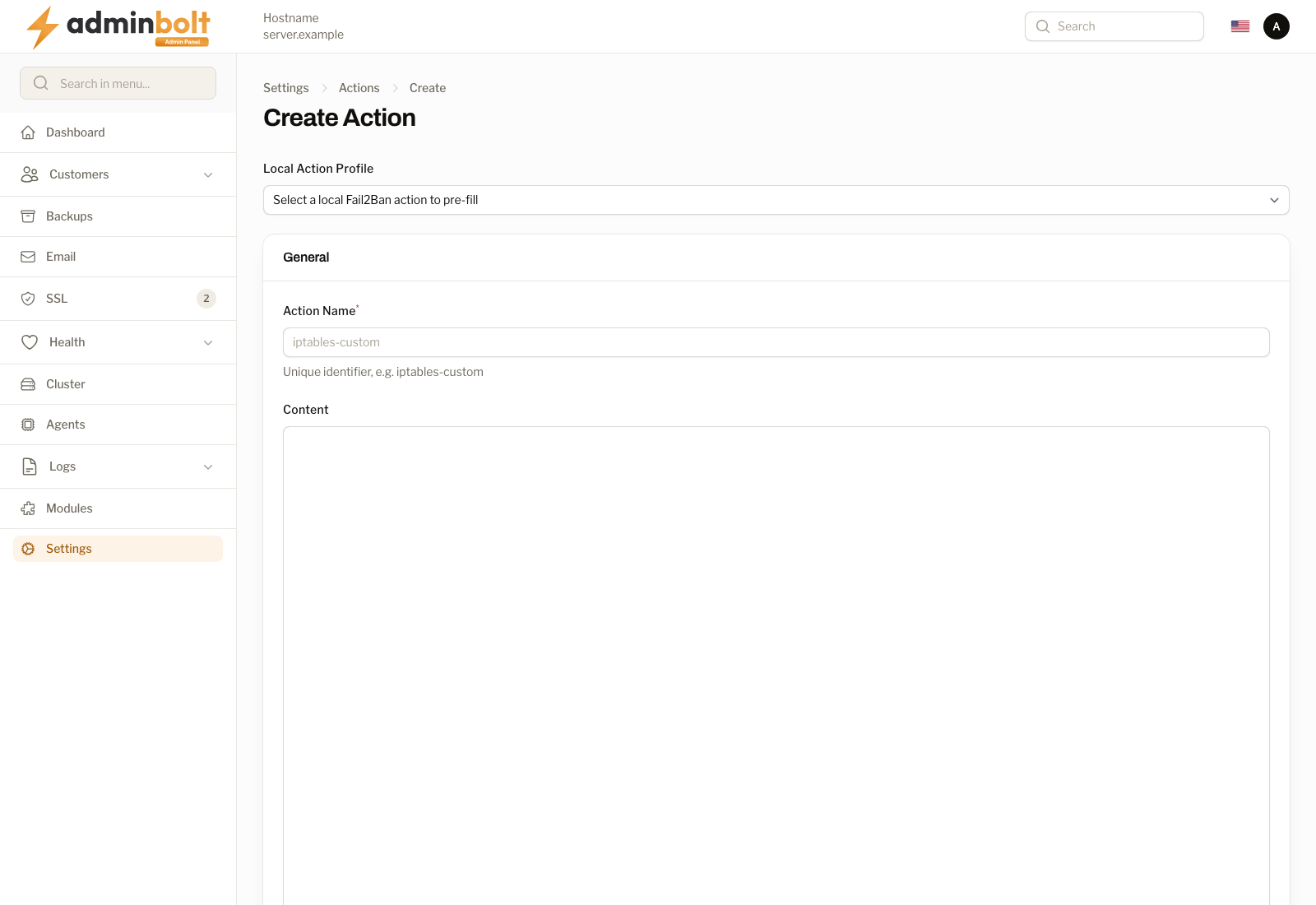
New Action opens the create form at /admin/settings/fail2ban-actions/create.
Fields
- Local Action Profile - pick a shipped action to pre-fill the name and definition.
- Action Name (required) - a unique identifier, for example
iptables-custom. - Content - the definition in Fail2Ban's action format, with a
[Definition]section and theactionstart,actionstop,actionban, andactionunbancommands.
Actions
- Create - save the action.
- Create & create another - save it and reopen an empty form.
- Cancel - return to the list without saving.
Editing and deleting
Edit on a panel action reopens the same form with the current values; Save changes applies them. Delete removes the action after a confirmation. A local action cannot be deleted; copy it with View action and change the copy instead.