

Error Pages
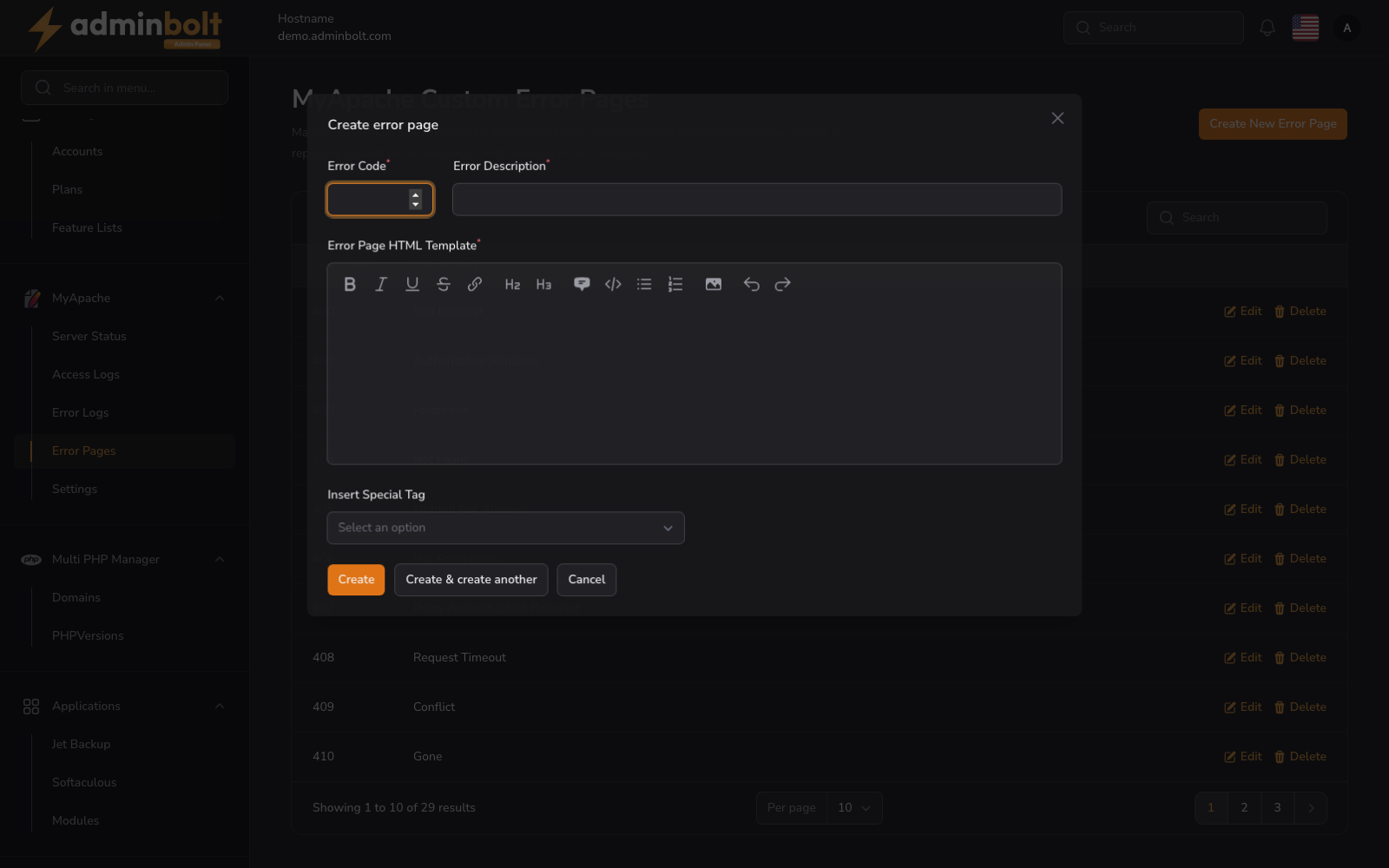
The Error Pages page manages the custom HTML error documents the web server returns when an HTTP error occurs. In the panel the page is titled MyApache Custom Error Pages.
Overview
URL: /admin/web-server/error-pages
Open Web Server in the sidebar and choose the Error Pages tab, after the Apache and ModSecurity tabs.
The page header reads: "Manage custom error documents for MyApache server. Create tailored experiences for your visitors by replacing default server messages with branded HTML templates."
This page displays a searchable and paginated table of all configured error pages.
Error Pages Table
Columns
- Error Code - The HTTP error code (e.g., 400, 403, 404, 500). Sortable.
- Description - A brief description of the error (e.g., Bad Request, Forbidden, Not Found).
- Actions - Edit and Delete buttons for each entry.
Search
The search bar filters results by error code or description.
Pagination
Results per page can be set to: 5, 10, 25, 50, or All.
Creating an Error Page
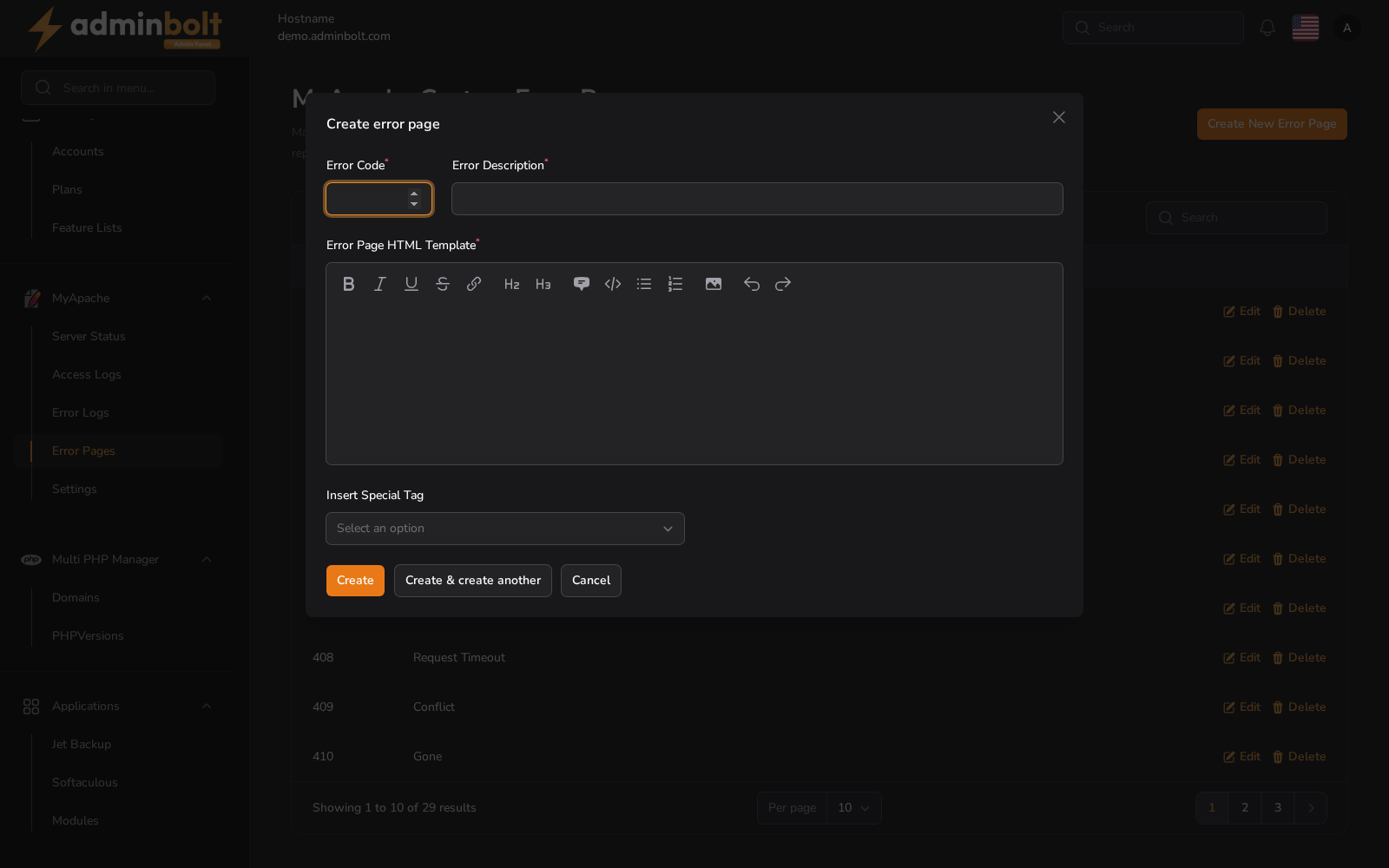
Click the Create New Error Page button to open the creation modal.
Fields
- Error Code (required) - The HTTP error code (e.g., 404, 500).
- Error Description (required) - A short description of the error.
- Error Page HTML Template (required) - The HTML content to display when this error occurs. A rich text editor is provided with formatting options including bold, italic, underline, strikethrough, links, headings (H2, H3), quotes, code blocks, lists, and images.
Insert Special Tag
A dropdown is available to insert special tags (dynamic placeholders) into the error page template.
Buttons
- Create - Save the error page.
- Create & create another - Save and reopen the form for adding more.
- Cancel - Close the modal without saving.
Editing an Error Page
Click Edit on any row to open the edit modal with pre-filled values. Modify the fields as needed, then save changes.
Deleting an Error Page
Click Delete on any row to remove the error page.