

MyApache ModSecurity Rules
ℹ️ Where to find it - this is the ModSecurity Rules tab of Web Server in the sidebar. Since panel 1.9.2, the tab is shown with every web server except OpenLiteSpeed, which does not enforce ModSecurity; when ModSecurity is not installed, the page shows its own not-installed state.
The page, titled ModSecurity Rules in the panel, enables or disables the individual ModSecurity rule files that control how incoming requests are filtered and inspected.
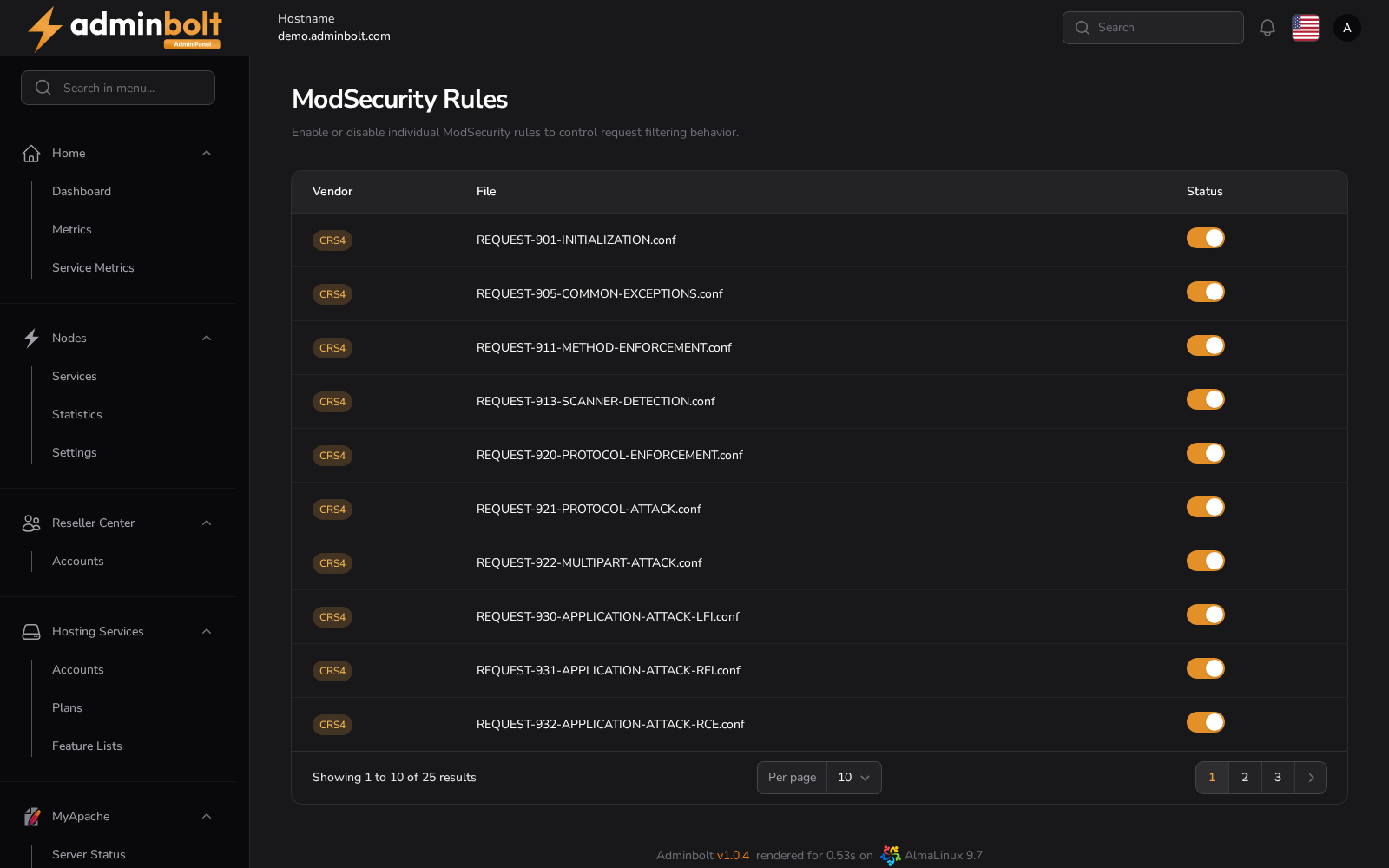
Overview
URL: /admin/web-server/modsecurity-rules
Open Web Server in the sidebar and choose the ModSecurity Rules tab, next to ModSecurity Configuration, which holds the engine settings this page's rules run under.
The page lists the ModSecurity rule files provided by the installed rule vendors, for example CRS4. Each rule can be toggled on or off depending on the security needs of your environment. A server with no vendor rule set installed shows an empty list.
Table Columns
| Column | Description |
|---|---|
| Vendor | The source/vendor of the ModSecurity rule set (e.g., CRS4). |
| File | The name of the individual rule file (e.g., REQUEST-905-COMMON-EXCEPTIONS.conf). |
| Status | A toggle switch to enable or disable the rule file. |
All changes take effect immediately and are persistent across service restarts.
Functionality
Toggle Rules:
Each rule can be enabled or disabled with a single click using the toggle in the Status column.Live Status Indicators:
The toggle reflects the real-time status of the rule file.Pagination Controls:
The table includes a pagination dropdown to adjust how many entries are shown per page. Available options:- 5
- 10
- 25
- 50
- All
The administrator API
Since panel 1.9.4, GET /api/admin/modsecurity/rules returns this list: the rule files of every registered vendor, each under its vendor's name. A file that is switched off is listed as not enabled.