

CPGuard
CPGuard (cPGuard by OPSSHIELD) is a server security suite: malware scanning and cleanup, a web application firewall, brute force protection, and firewall management. It is an alternative to Imunify360 and ImunifyAV, and only one of the three can be active on a server. Health > Security compares the three and installs or switches the engine.
Installing
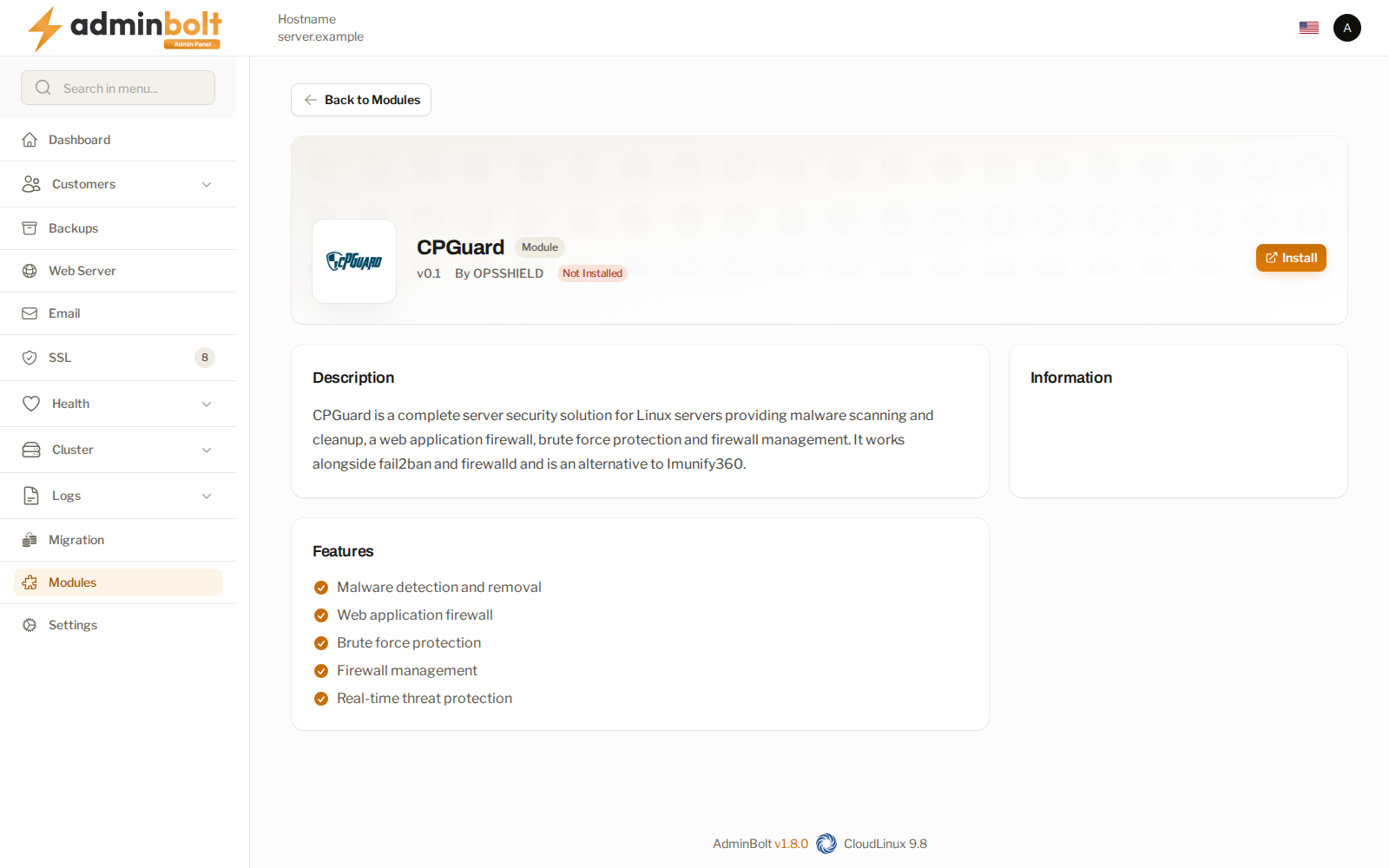
Install CPGuard from Install on its card on Health > Security, or from the Module Manager at /admin/modules/cpguard. Both open the installer at /admin/cpguard-installer, where you enter your License Key.
The installer refuses to run while Imunify360 or ImunifyAV is installed, and names the module to remove first.
Since panel 1.9.3, an installation that ends without a working CPGuard, for example because the licence key is missing or CPGuard refuses it, is reported as failed with CPGuard's own reason, such as "License key is missing". The module is then not marked installed, so you can correct the key and install again.
The CPGuard page
URL: /admin/cpguard
The page is listed as Modules > CPGuard in the sidebar while CPGuard is installed. Since panel 1.9.3, while CPGuard is not installed, its address opens Health > Security, where the engine is chosen and installed.
The page reports what the panel can see:
| Field | What it shows |
|---|---|
| Installed | Whether the suite is on this server. |
| Service | Whether CPGuard's scanner runs. |
| Connected | Whether CPGuard's App Portal can reach this server. |
| Licence | Since panel 1.9.3. Active, Not active, or Unknown. Without an active licence, the card says to add a key under Service and licence. |
| WAF rules | Which rule set the web application firewall is using. |
CPGuard Status at the bottom of the page shows CPGuard's own status and the result of the App Portal connection check. The check loads after the page opens and can take up to two minutes when the portal cannot reach the server; the rest of the page is usable in the meantime.
When the panel cannot reach the suite, the status area says so rather than showing a stale all-clear.
Version and updates
Since panel 1.9.3, a line at the top of the page shows the Installed version and whether CPGuard offers a newer one: Up to date, or Update available with the new version. When the check cannot reach CPGuard's download server, the line says so.
Update CPGuard, next to the version, runs CPGuard's updater on the server after a confirmation. The update downloads about 80 MB and can take several minutes, so it runs in the background. You can leave the page; the next visit shows the outcome. When it finishes, the panel checks that the new version is really installed and reports one result:
- updated, with the old and the new version,
- already up to date, or
- failed, with the reason and the next step, for example to check that the server can reach the CPGuard download server, or that it has free disk space. A correlation ID to quote to support comes with it.
The last result stays on the page as Last update. While an update runs, a second one is refused with "Another CPGuard update is already running on this server." When the last update did not install correctly, the line says so instead of Up to date; run Update CPGuard again. If the installed version changed after a failed update, the panel cannot confirm that the update was installed: reinstall CPGuard from Modules or contact support.
Service and licence
Since panel 1.9.3, the Service and licence menu fixes what used to need SSH:
- Restart the CPGuard service restarts the scanner. Real-time scanning of uploads pauses for a few seconds. The result says whether the scanner runs afterwards, and when it does not because CPGuard has no active licence.
- Add or change the licence applies the key from your CPGuard client area and replaces a key already applied. The licence must be issued for this server's IP address. The result says whether CPGuard accepted it.
- Refresh the licence data fetches the licence again from CPGuard, for example after you renewed or upgraded it.
- Enable the client plugin or Disable the client plugin, described under The client plugin.
The CPGuard App Portal
CPGuard is managed from its online app. Open CPGuard Dashboard opens a panel page, CPGuard App Portal, that says where the portal is hosted. Continue to App Portal creates a sign-in link for this server and opens the portal in a new tab. If nothing opens, allow pop-ups for the panel and try again. The panel page is the connection and the switch, not a second console.
Scans
Since panel 1.9.0 the CPGuard page holds the full history of manual scans on the server, with two actions to start one:
- Scan an account scans every file in the home directory of the Hosting account you pick. Large accounts take a while; the result appears in the list when the scan finishes.
- Scan whole server scans every directory on CPGuard's watch list. This walks the disk of every account and can take hours on a busy server. Only one whole-server scan runs at a time.
The list shows scans started here, scans clients started from their own CPGuard page, and scans started with CPGuard's own tools on the server. Each row shows the scan, the Account, the Target, who Started by, the Status, when it Started and Finished, the Files scanned, and the number of Detections.
- Detections lists what the scan found. A scan still running shows what it has found so far.
- Stop stops a running scan.
- Delete removes a finished scan and its results from CPGuard and from the list, after a confirmation. The account's client no longer sees it either.
Web application firewall
The Web application firewall menu chooses the rules that enforce the WAF:
- Use CPGuard WAF (disable CRS4) switches the web application firewall from the shipped rule set to CPGuard's own, enabling its security engine and restarting the web server as needed.
- Restore CRS4 rules switches back to the shipped rules.
Treat this as a change to how every site on the server is filtered. A different rule set blocks different requests, so expect to review false positives afterwards rather than assuming the switch is invisible.
Note: Under LiteSpeed, the CPGuard app does not report firewall events. Blocking itself is unaffected. The page states this where it applies.
Login protection
CPGuard has its own login failure daemon. Since panel 1.9.3, while it runs, AdminBolt keeps its own rules in it: rules for panel, webmail, and FTP logins, with the limits of the panel's own login jails on the Fail2Ban Jails page, and rules for the web server and the spam filter. The rules never ban the server's own addresses or the addresses on the Fail2Ban whitelist. The panel checks the rules regularly and after the CPGuard installation, puts them back when they are missing or changed, for example after a CPGuard update, and removes them with CPGuard.
An address the daemon bans is blocked by the server firewall through the cpguard-lfd jail on the Fail2Ban Jails page, so the block shows there and can be lifted there. The jail is added once CPGuard's login daemon is in place and removed with CPGuard. Failed panel and webmail logins are blocked by the panel's own bolt-panel and bolt-roundcube jails.
The Login protection (cpglfd) line on the page shows the result of the last check and when it ran:
| Result | Meaning |
|---|---|
| AdminBolt rules for panel, webmail and FTP logins are in place. | Nothing to do. |
| AdminBolt rules for panel, webmail and FTP logins were missing and were put back. | The rules had gone, for example after a CPGuard update, and are in place again. |
| A log file the AdminBolt rules read was missing and was created. | The rules were in place; only a log they read had gone. |
| AdminBolt rules are excluded with cpgcli lfd --ignore. | Someone excluded them on the server on purpose. The panel leaves them excluded. |
| AdminBolt rules could not be put in place. | The reason is in the panel log. |
| Update bolt-agent to add the AdminBolt rules. | The server's bolt-agent is too old for the rules. |
| cpglfd is not part of this CPGuard installation. | This CPGuard has no login daemon. |
CPGuard keeps running when its login daemon is stopped, and then panel, webmail, and FTP logins have no protection from it. The page then says on a line of its own that login protection for the panel, webmail, and FTP is off, with the command that starts the daemon on the server. The CPGuard row in the service list on Health and on Services reads Warning instead of Running and carries the same note.
Accounts
Accounts and domains are kept in step with CPGuard as they are created, changed, and removed, including after a web server switch. Since panel 1.9.3, CPGuard watches the document root of every domain, also after a domain is renamed and for accounts brought in by an import, and the panel checks CPGuard's watch list regularly and corrects it.
If you set a Contact email on an account, CPGuard gets it too and may send its own notices to that address.
Give accounts the client page through the CPGuard feature on their hosting plan. On that page clients see the scans of their own account and can start a scan of their own files; see CPGuard in the client panel.
The client plugin
Since panel 1.9.3, clients can get CPGuard's own client interface instead of the AdminBolt scan page. Enable the client plugin under Service and licence switches it on after a confirmation; it is off by default. Clients whose hosting plan includes the CPGuard feature then see, under Security > CPGuard, CPGuard's dashboard, detections, manual scans, WAF and bot statistics, and CMS threats. Each client sees only its own account. Disable the client plugin takes clients back to the AdminBolt scan page.
With or without the plugin, those clients can restore their own files from CPGuard's quarantine.
Threats and suspensions
When CPGuard flags files in an account, the client is told in the client panel's bell, and by email when the account has a contact email, and when CPGuard suspends an account, the panel suspends it. See Threat notifications to clients.
The administrator API
Every control on this page except Update CPGuard is also on the administrator REST API under /api/admin/security/cpguard. See the administrator API.
Related pages
- Health > Security - compare the engines and install or switch.
- Imunify360 and ImunifyAV - the other security modules. Only one of the three can be active on a server.
- Module Manager - where modules are installed.
- ModSecurity Rules - the shipped rule set CPGuard's WAF replaces.
- Fail2Ban Jails - the cpguard-lfd jail and the mail and panel login jails.
- Hosting Plans - the feature that exposes the client page.