

API Keys
An API key lets an external application authenticate against the panel's REST API. Each key can be turned off, limited to a set of endpoints, and limited to a set of source addresses.
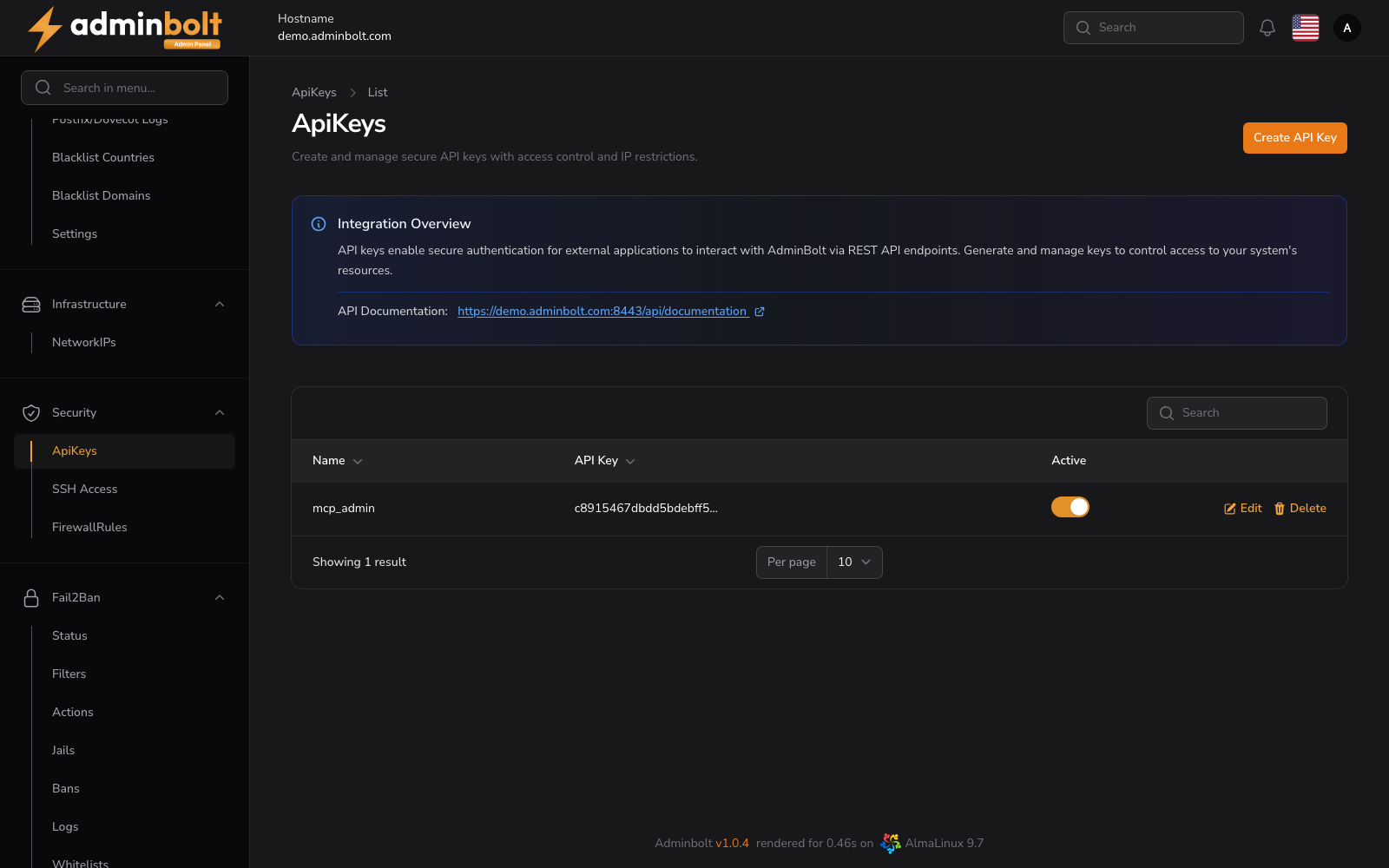
Overview
URL: /admin/settings/api-keys
Open it from Settings > Security > API Keys in the sidebar. The entry carries a counter showing how many keys exist, and a fresh server has none, so the list opens on No API Keys.
An Integration Overview box at the top of the page links to the API documentation served by this server.
The key list
| Column | Meaning |
|---|---|
| Name | The label you gave the key. |
| API Key | The public token sent with each request. |
| API Secret | The private counterpart. Hidden by default. |
The search box covers all three columns, and the page size can be set to 5, 10, 25, 50, or All. Each row offers Edit and Delete; deleting a key stops every integration using it, immediately.
Creating a key
Create API Key opens Create API Key at /admin/settings/api-keys/create.
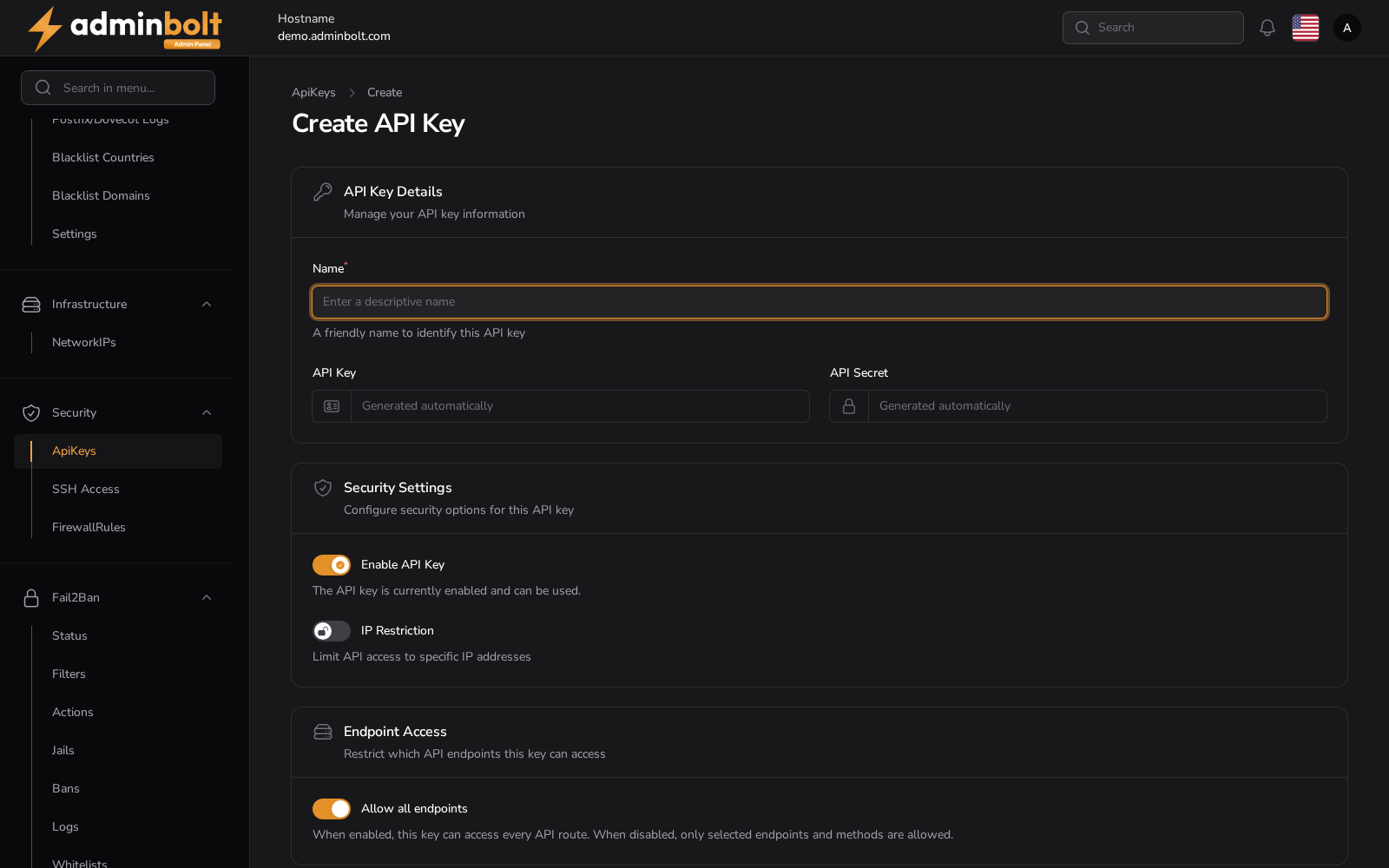
The form is grouped into three sections:
API Key Details
- Name (required) - a descriptive name that identifies the integration.
- API Key and API Secret - both read Generated automatically. You do not choose them, and the secret is shown to you only once the key is created, so store it before you leave the page.
Security Settings
- Enable API Key - whether the key can be used at all. Turning it off is the quickest way to suspend an integration without deleting its key.
- IP Restriction - limits the key to the source addresses you list.
Endpoint Access
- Allow all endpoints - when on, the key reaches every API route except those that need an explicit grant. When off, only the endpoints and methods you select are allowed.
- Endpoints that need an explicit grant - shown while Allow all endpoints is on, since panel 1.9.4. Some endpoints run commands on the server as any user, root included, so Allow all endpoints does not include them. Select each one this key may use. The server's cron job endpoints under
/api/admin/cron-jobsare in this list. With Allow all endpoints off, they are in the endpoint picker like any other endpoint.
A key that calls an endpoint it has no explicit grant for is refused with HTTP 403 and "reason": "explicit_grant_required", and the answer names the endpoint.
Create saves the key, Create & create another reopens an empty form, and Cancel returns to the list.
Editing a key
Edit on a row reopens the same three sections with the current values, so you can rename a key, disable it, tighten its endpoint list, or change its address restriction. Save Changes applies the change. The secret is not shown again; issue a new key if it has been lost.
Acting on behalf of a hosting account
An admin API key can call any /api/client/* endpoint on behalf of a hosting account, so an automation does not need a separate key per account. Name the account in the X-Hosting-Account header, using either its numeric id or its username:
curl https://server.example:8443/api/client/domains \
  -H "X-API-Key: <your-key>" \
  -H "X-API-Secret: <your-secret>" \
  -H "X-Hosting-Account: alice"
Rules that apply:
- The header is required. An admin key never acts on a client endpoint implicitly; without the header the request is refused, so a missing header can never be interpreted as "any account".
- Endpoint ACLs apply as usual. A key with Allow all endpoints turned off reaches only the client endpoints you selected.
- A reseller key can only name accounts it owns. An account outside the reseller's own set is reported as not found, so a reseller cannot learn whether an account exists elsewhere on the server.
Every query the endpoint runs is scoped to the named account, exactly as it would be for that account's own key.
The account's plan and suspension
Since panel 1.9.4, every client API endpoint belongs to a feature of the account's hosting plan, as the matching client panel page does. When the plan's Feature List leaves that feature out, the endpoint is refused with HTTP 403 for your key too, and the answer names the feature ("feature": "databases", for example). Account details, server services, and the file manager belong to no plan feature.
A suspended account's own API keys are refused on every call. Your key keeps working on a suspended account, so it can still be managed. The client side of these rules is described in Client API Keys.
Related pages
- API Reference - the full endpoint reference.
- Billing Integration API - how a billing platform uses these keys to provision hosting.
- Reseller API Keys - the same header, restricted to the reseller's own accounts.
- Client API Keys - keys belonging to a single hosting account.