

Create Cron Job
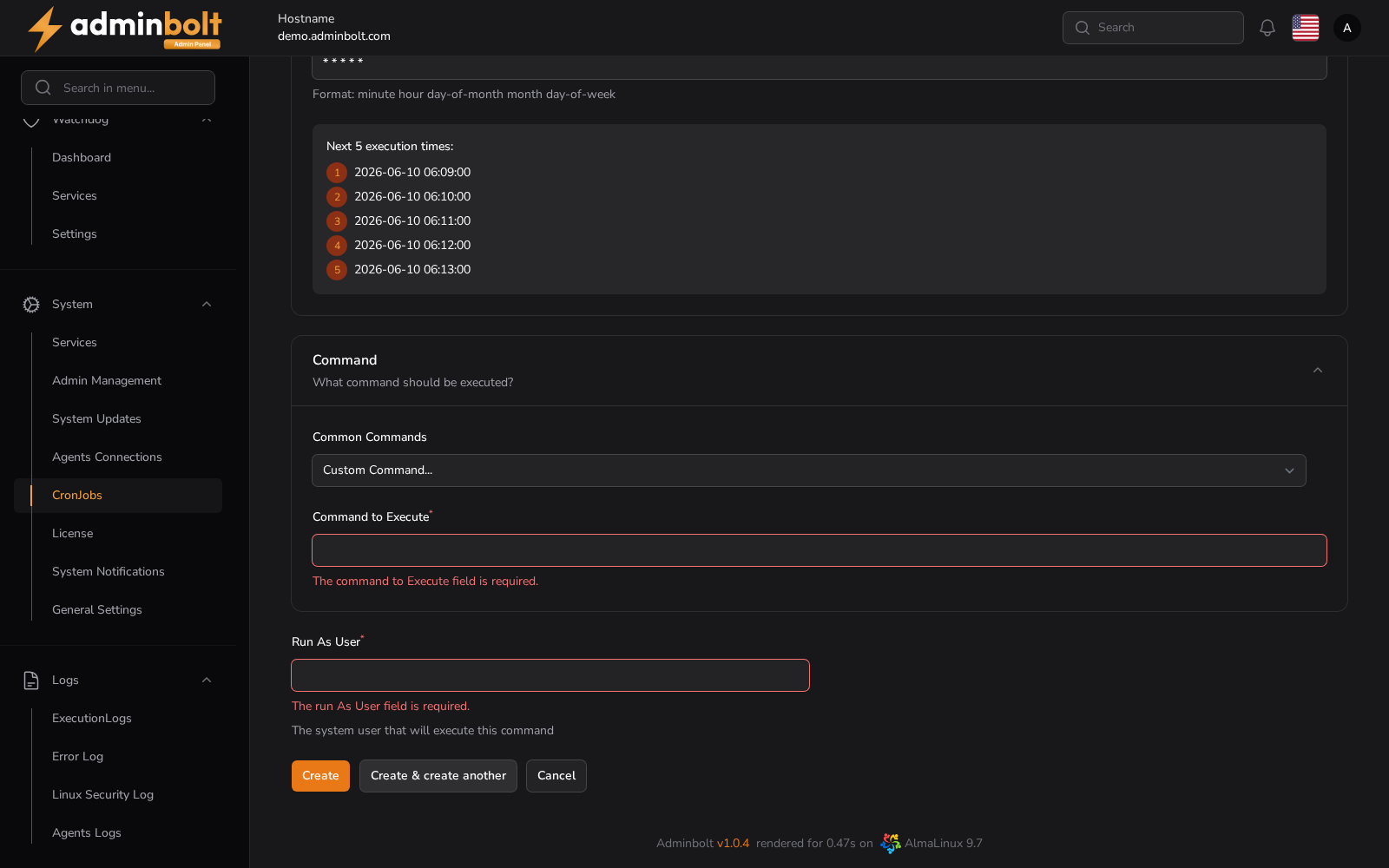
Schedules a system cron job. Pick one of the ready-made schedules or write your own, choose the system user the job runs as, and give the command. Saved jobs appear on the Cron Jobs list.
Overview
URL: /admin/settings/cron-jobs/create
Reached from Settings > System > Cron Jobs, then Create Cron Job. The breadcrumb reads Settings > Cron Jobs > Create.
Schedule
- Common Settings - a ready-made schedule, from Once Per Minute to Once Per Month, or Custom (use fields below). The full list is in Cron Jobs.
- Cron Expression (required) - the schedule in the standard five-field format: minute, hour, day of month, month, day of week. A preset fills this in for you.
Under the field, the form lists the next five times the expression will fire. Check it before saving; an expression that fires more often than you intended is visible here rather than after the fact.
Command
- Common Commands - Run PHP Script or Call Webhook pre-fill an example command you then edit, and Custom Command... leaves the field to you. Since panel 1.9.2, Run PHP Script uses the newest PHP version installed on the server, followed by an example script path to replace with your own.
- Command to Execute (required) - the command line to run. Give absolute paths, since a cron job does not inherit your shell environment.
- Run As User (required) - the system user that runs the command. Since panel 1.9.3 a user that does not exist on the server is refused when you save, see Creating a job.
Actions
- Create - save the job.
- Create & create another - save it and reopen an empty form.
- Cancel - return to the list without saving.