

Create Network IP
Registers a server address in the panel's IP pool. Give a single address, a CIDR block, or a range; registered addresses can then be assigned to hosting accounts and resellers, and used for dedicated-IP hosting.
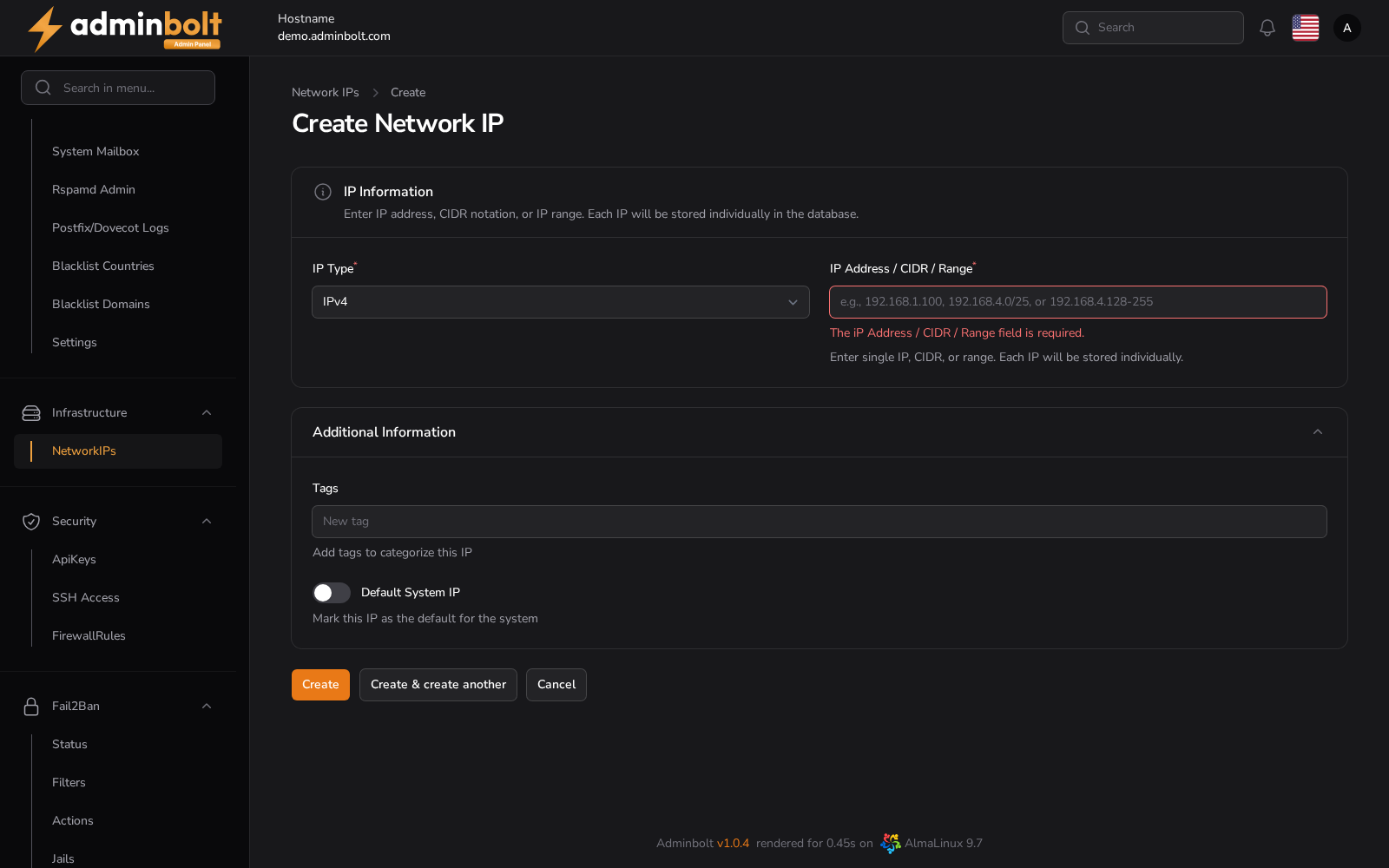
Overview
URL: /admin/settings/network-ips/create
Reached from Settings > Infrastructure > Network IPs, then New Network IP. The breadcrumb reads Settings > Network IPs > Create.
IP Information
- IP Type (required) - IPv4 or IPv6.
- IP Address / CIDR / Range (required) - a single address, CIDR notation, or a range. Each address is stored as its own row, so a block registers every address it contains.
Additional Information
- Tags - free-text labels for grouping addresses.
- Default System IP - marks this address as the server default.
Actions
- Create - save the address.
- Create & create another - save it and reopen an empty form.
- Cancel - return to the list without saving.
Registering an address does not assign it to anything. Assign it on the address's own Resource Assignments tab, described under Network IPs, and follow Dedicated IP for a Hosting Account for the full procedure.