

Settings
Settings is not a screen of its own. It is the area that holds the configuration screens of the admin panel, apart from the web server's, opened from Settings at the bottom of the sidebar.
Overview
URL: /admin/settings
Opening Settings lands you on General Settings, the first screen in the first group. A second column appears beside the sidebar and stays there while you move between configuration screens. It lists the groups described below, so every address in this area has the form /admin/settings/<screen>.
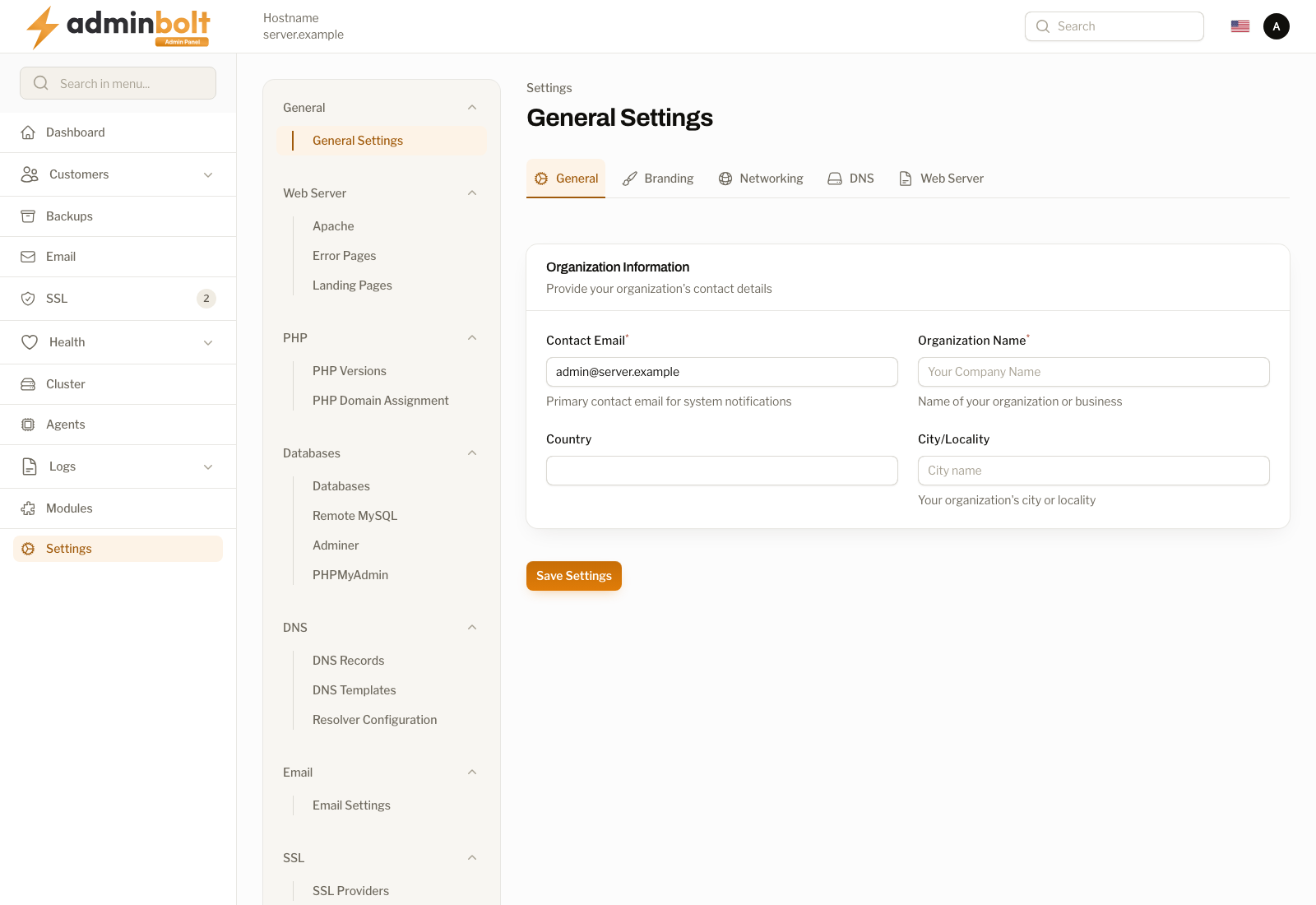
The groups
| Group | What it holds |
|---|---|
| General | General Settings, which covers organisation details, branding, the hostname and its certificate, sign-in security, and support contacts. |
| PHP | PHP Versions and PHP Domain Assignment. |
| Databases | MySQL Settings, Remote MySQL, Adminer, and Redis instances. |
| DNS | DNS Settings, DNS Records, DNS Templates, and Resolver Configuration. |
| Email Settings. | |
| SSL | SSL Providers. |
| Tools | FTP, and the optional modules once they are installed: Softaculous, JetBackup, and Imunify360. |
| Agents | Agents Connection. |
| Security | Fail2Ban, Firewall Rules, SSH Access, and API Keys. |
| Infrastructure | Network IPs and Email Servers. |
| System | Cron Jobs, License, System Notifications, Admin Management, and System Updates. |
| CloudLinux | LVE Manager and Application Runtimes. This twelfth group appears only on a server converted to CloudLinux. |
Since panel 1.9.3, the nameservers and the default DMARC record are DNS Settings under DNS, the Redis limits are Redis instances under Databases, and the MySQL server's page is called MySQL Settings instead of Databases. Plan limits left Settings for the Hosting Packages area, next to the plans. Old links to the former General Settings tabs open the new pages.
A group lists only what the server actually has. Entries for modules that are not installed stay hidden until they apply, which is why two servers can show different numbers of entries.
The web server screens are not in this area. Apache, ModSecurity, Error Pages, Landing Pages, LiteSpeed, OpenLiteSpeed, and PHP Migration are tabs of Web Server in the sidebar, and their old /admin/settings/... addresses redirect there.