

Dashboard
The Dashboard provides a quick overview of a reseller's hosting environment, including the number of accounts, available hosting plans, and API keys.
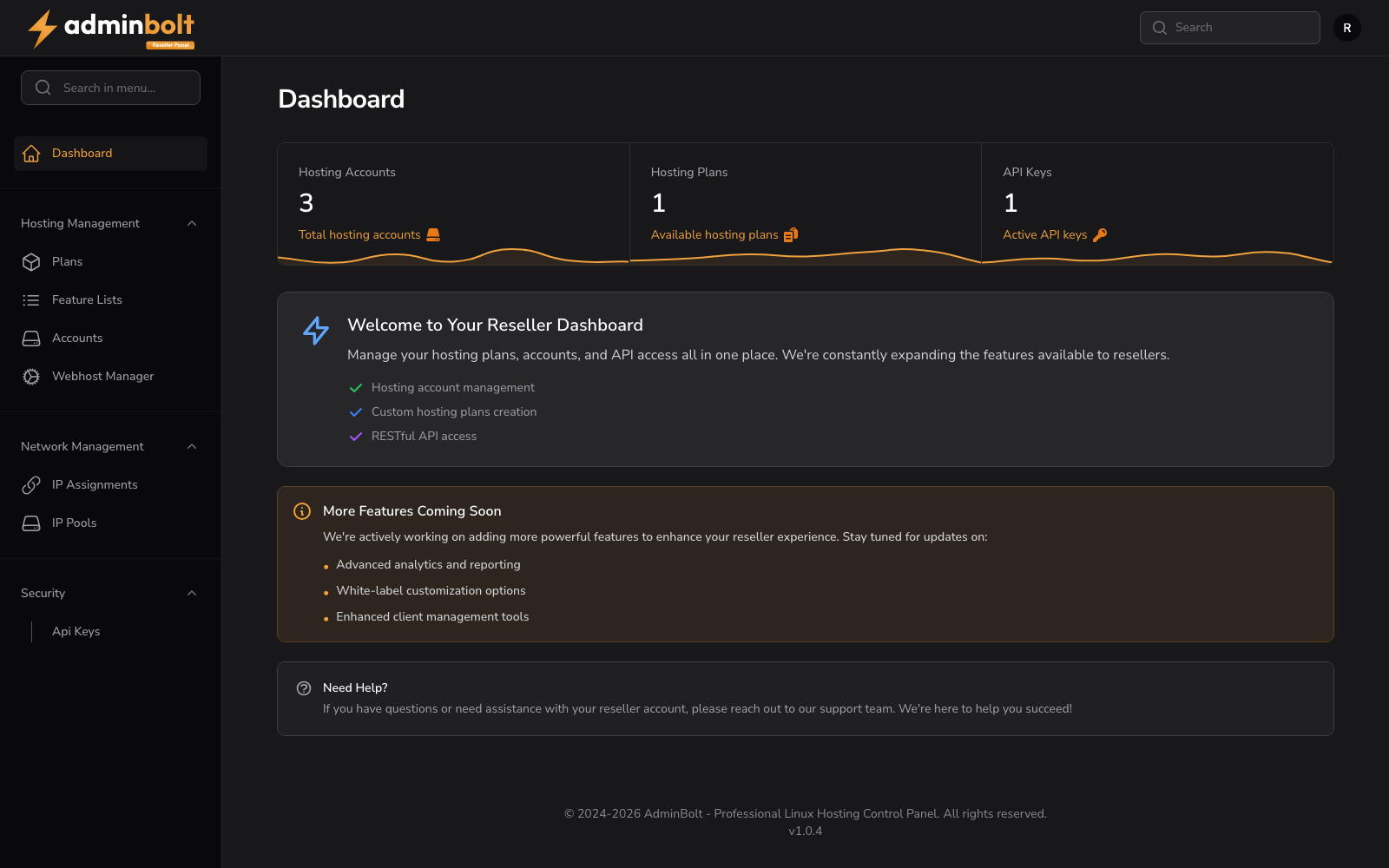
Overview
URL: /reseller
The dashboard displays three summary cards:
- Hosting Accounts - Total hosting accounts under the reseller.
- Hosting Plans - Available hosting plans assigned to the reseller.
- API Keys - Active API keys.
My Limits
When your administrator sets resource limits on your account, the dashboard shows a set of limit tiles with your current usage against each limit, as pictured above.
- Accounts X / Y - The number of hosting accounts you own (used) against your maximum.
- Disk X MB / Y MB - Your disk against your disk limit. The value reflects real usage when your administrator allows disk overselling, and allocation otherwise.
- Bandwidth X MB / Y MB - Your monthly bandwidth against your bandwidth limit. The value reflects allocation by default, or real usage when your administrator allows bandwidth overselling.
Since panel 1.9.0, on a server with CloudLinux, the administrator can also give you a CloudLinux ceiling for all of your accounts together. Each resource it covers gets a tile of its own, such as CPU speed, Physical memory, Processes, or Entry processes, showing how much of the ceiling the plans of your accounts take up. A plan that sets no value for a resource the ceiling covers cannot be given to an account. What your accounts actually use is on LVE Usage.
AdminBolt notifies you when you reach or exceed one of these limits. Once a limit is reached, creating a new account or moving an account to a larger plan is blocked until you free up capacity or your administrator raises the limit.
Integrations
Since panel 1.9.0 the dashboard carries an Integrations card listing the official AdminBolt integrations: the WHMCS plugin and the Blesta and Upmind modules, with View all integrations leading to the Integrations page at /reseller/integrations. See Integrations for what the list contains.
Welcome Section
Below the summary cards, a welcome section highlights the key features available in the reseller panel:
- Hosting account management.
- Custom hosting plans creation.
- RESTful API access.
More Features Coming Soon
A list of upcoming features, including advanced analytics and reporting, white-label customization options, and enhanced client management tools.
Need Help?
A support prompt directing resellers to reach out for assistance with their account.
Over the API
Since panel 1.9.4, GET /api/reseller/reports/dashboard on the reseller REST API returns the dashboard figures, each with its daily trend over the last week, and the usage of each of your limits. LVE limits are listed only on CloudLinux. See Beyond billing.