

Security
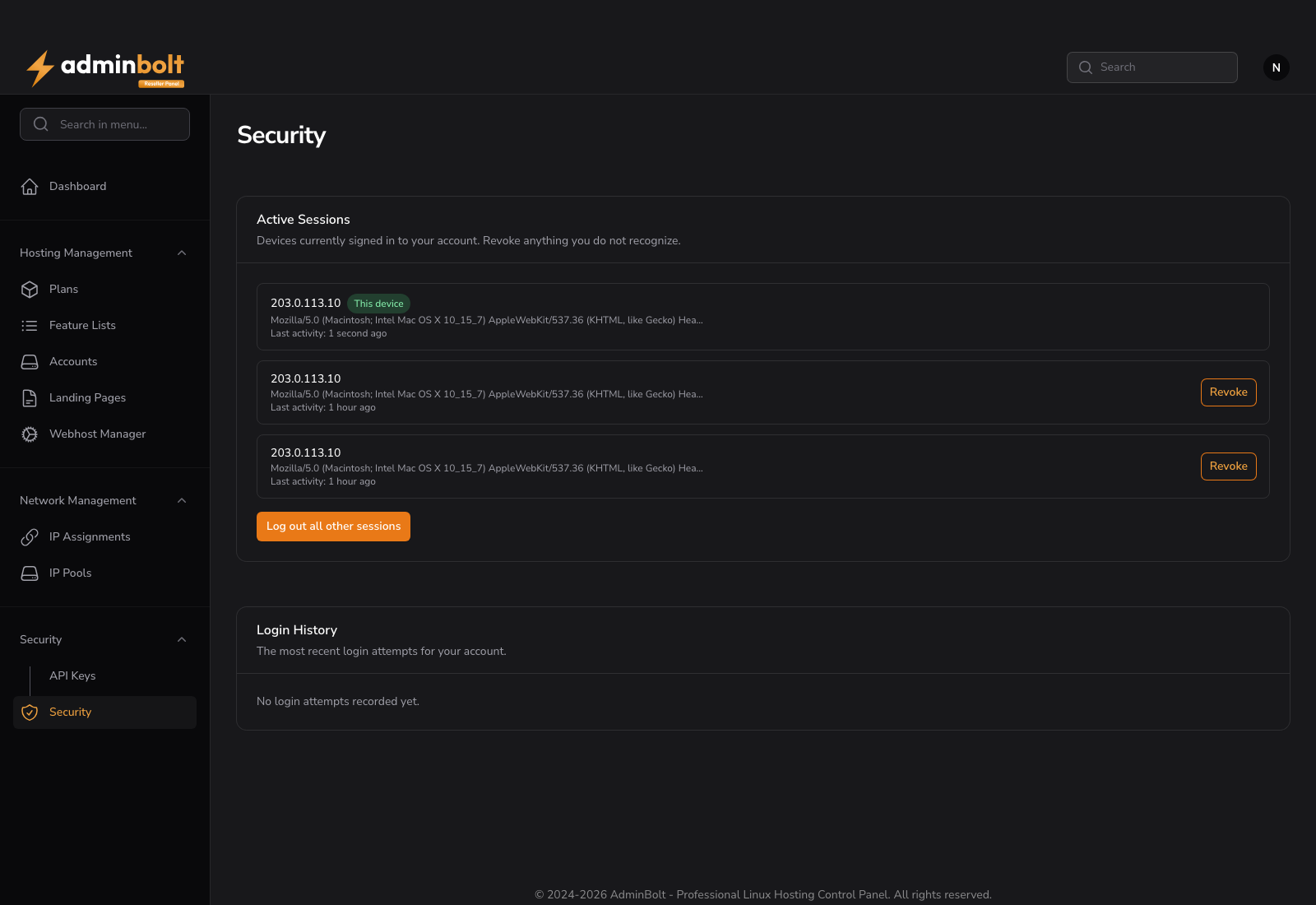
Two pages headed Security cover your reseller account: one where you change your password and add a second step to your sign-in, and one where you see who is signed in to your account and how it has been signed in to recently.
Overview
URLs: /reseller/security and /reseller/security-settings
- Security > Security in the menu opens
/reseller/security, which holds Active Sessions and Login History. - Change Password, Two-factor authentication, and Passkeys are on
/reseller/security-settings. That page has no menu entry of its own; open it by its address. Its heading also reads Security.
Change Password
Set a new password for your reseller account. You confirm the current one first, so a browser someone left signed in cannot be used to lock you out of your own account.
Two-factor authentication
Enable authenticator app adds a one-time code to your sign-in, generated by an authenticator app such as Google Authenticator, 1Password, or Authy. With it on, a leaked password is no longer enough to reach your account.
Setting it up gives you single-use recovery codes. Store them somewhere you can reach without this account, such as a password manager or paper: they are how you get back in when the device with the authenticator is lost.
Changing the second factor or regenerating the recovery codes asks for a fresh code first, so someone at a signed-in browser cannot quietly replace it.
Since panel 1.9.3, your server administrator can make two-factor authentication mandatory for resellers. Until you have set it up, signing in brings you to /reseller/security-settings with the notice "Two-factor authentication is required. Set up an authenticator app or a passkey to continue.", and other pages are not available until you have done so.
Passkeys
A passkey signs you in with Face ID, Touch ID, Windows Hello, or a security key instead of a code. Add passkey registers one; removing a passkey asks for a fresh second-factor code first.
Register a second passkey, or keep the recovery codes, before you rely on a single device. A passkey lives on the device that created it.
Active Sessions
Every device currently signed in to your account is listed with its IP address, the browser or device it reports, and when it was last active. The session you are reading this from is marked This device.
- Revoke on any other session signs that device out immediately.
- Log out all other sessions ends every session except this one. Remembered logins on those devices are invalidated as well, so a browser that stayed signed in has to sign in again. The browser you asked from stays signed in.
Use this after signing in on a shared or borrowed computer, or as the first step when you suspect your password is known to someone else. Change the password afterwards, otherwise the same person can sign back in.
Login History
The most recent login attempts for your account, newest first:
| Column | Meaning |
|---|---|
| Date | When the attempt happened. |
| IP Address | Where it came from. |
| Device | The browser or client that made the attempt. |
| Result | Success or Failed. |
Failed attempts from an address you do not recognize are normal background noise on a public server. Repeated failures followed by a success are not: treat that as a compromised password, revoke the sessions, and change it.
The section shows the 20 most recent attempts. How long attempts are kept at all is set by the server administrator and defaults to 90 days, so an older attempt can be gone even when fewer than 20 are listed.
Related pages
- Reseller Dashboard - the reseller overview.
- Reseller API Keys - programmatic access, which is separate from these sessions.
- Activity Log - what was changed on your accounts, as opposed to who signed in.