

Mail Queue
The Mail Queue page shows the messages currently queued in Postfix on this server, and lets you act on them without opening a shell.
Overview
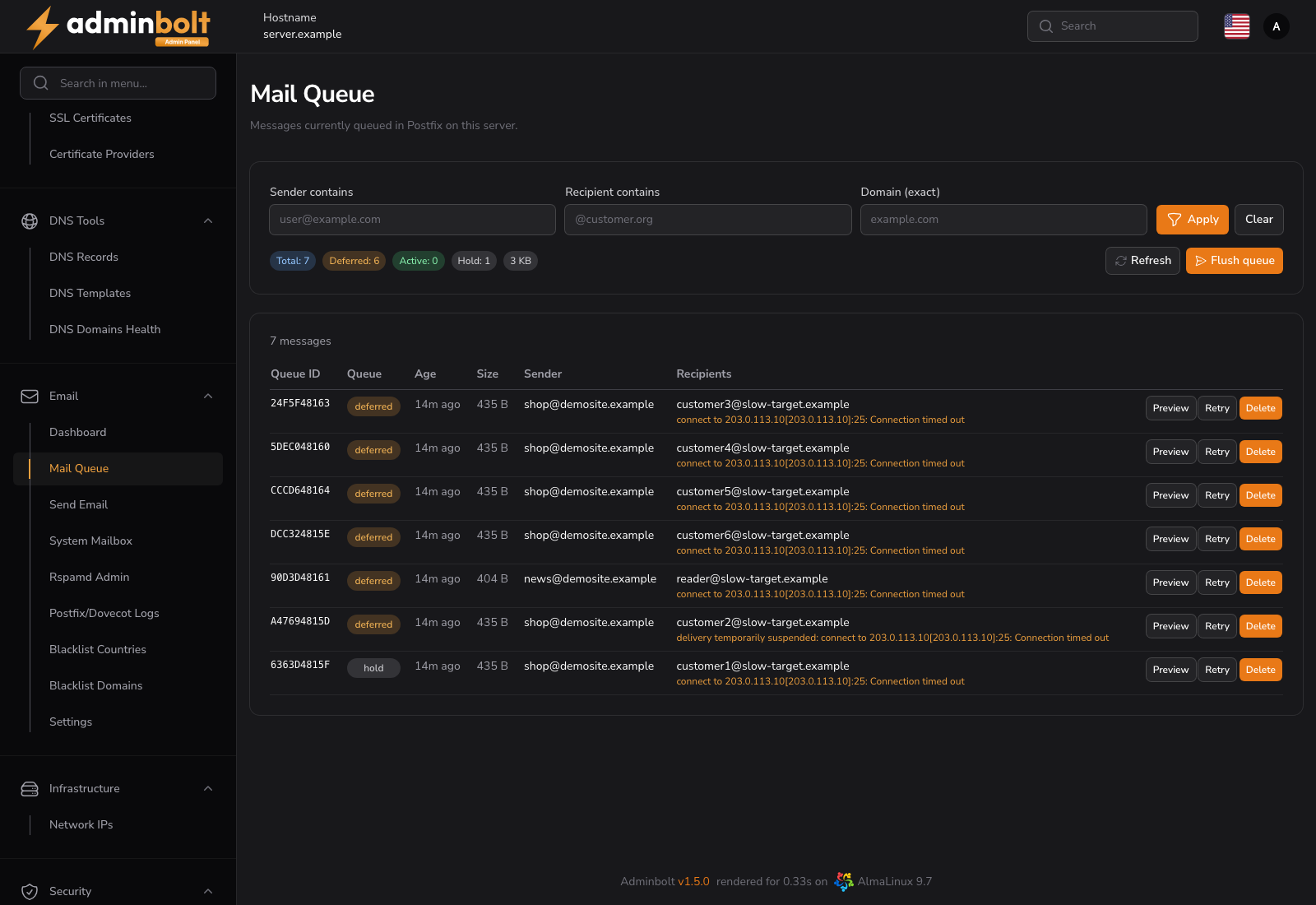
URL: /admin/mail-queue
Open it from Email in the sidebar, then the Mail Queue tab. The tab carries the number of queued messages, so a backlog is visible from any other tab in the area.
A message sits in the queue when Postfix has accepted it but has not delivered it yet. A queue that keeps growing is usually the first visible sign of a delivery problem: a remote server refusing mail, a misconfigured relay, or an account sending spam.
Queue totals
Four badges above the table summarise the queue:
| Badge | Meaning |
|---|---|
| Total | All messages currently in the queue. |
| Active | Messages Postfix is delivering right now. |
| Deferred | Messages whose delivery failed with a temporary error and will be retried. |
| Hold | Messages placed on hold; Postfix will not attempt delivery until they are released. |
A large or steadily rising Deferred count is the value to watch. The Email dashboard shows a backlog indicator when the queue grows, so you can notice the problem without opening this page.
Filters
Three filters narrow the listing:
- Sender contains - substring match on the envelope sender.
- Recipient contains - substring match on a recipient address.
- Domain (exact) - an exact domain match.
Click Apply to run the filters, or Clear to reset them and reload the full queue. Refresh re-reads the queue with the filters that are currently set.
Message table
| Column | Description |
|---|---|
| Queue ID | The Postfix queue identifier for the message. |
| Queue | The queue the message sits in (active, deferred, hold). |
| Age | How long the message has been queued. |
| Size | The message size. |
| Sender | The envelope sender. A message generated by the mail system itself shows (bounce). |
| Recipients | The envelope recipients. |
The page loads the newest 500 matching messages. When more messages match, the listing is marked as showing the newest 500 only; narrow the filters to reach the rest.
When nothing matches, the table shows "No queued messages match the filters."; on an empty queue it shows "The mail queue is empty."
Per-message actions
- Preview - opens the message headers and body in a dialog. A long body is truncated. Use this to identify what is stuck before you delete anything.
- Retry - asks Postfix to attempt delivery of that message immediately, instead of waiting for the next scheduled retry.
- Delete - removes the message from the queue. It is never delivered, and the action cannot be undone.
Queue-wide actions
- Flush queue - asks Postfix to attempt delivery of every queued message immediately. Use it after fixing the underlying cause, for example once a DNS record or a relay credential is corrected.
- Delete all matching - removes every message matching the active filters. The confirmation dialog names the filters and the number of messages that match.
Warning: Delete all matching requires at least one filter. Without a filter the action refuses to run, so you cannot empty the whole queue by accident. Deleted messages are gone; they are not bounced back to the sender.
Typical workflow
- Notice a backlog on the Email dashboard, or open the page directly.
- Filter by the sending domain or address you suspect.
- Preview one of the messages to confirm what is being sent and why it is stuck.
- Fix the cause: correct the DNS record, adjust the relay, or suspend a compromised account.
- Flush queue to push the legitimate backlog out, or Delete all matching to drop a spam run.
Related pages
- Email Dashboard - queue backlog indicator and overall mail health.
- Postfix and Dovecot Logs - the raw log lines behind a deferral.
- Email Settings - Postfix and Dovecot configuration, including outbound IPv6 policy.