

Remote MySQL
Remote MySQL lets an application outside this server connect to your databases: a desktop database client, a staging server, an analytics tool, or an application hosted elsewhere. You list the hosts that are allowed to connect, and only those hosts can reach your databases.
Overview
URL: /client/remote-mysql-page
By default your databases are reachable only from this server, and nothing outside can connect. Adding a host here opens database access for that host alone. Your own websites on this server keep working regardless of what is listed on this page, so you never need an entry for them.
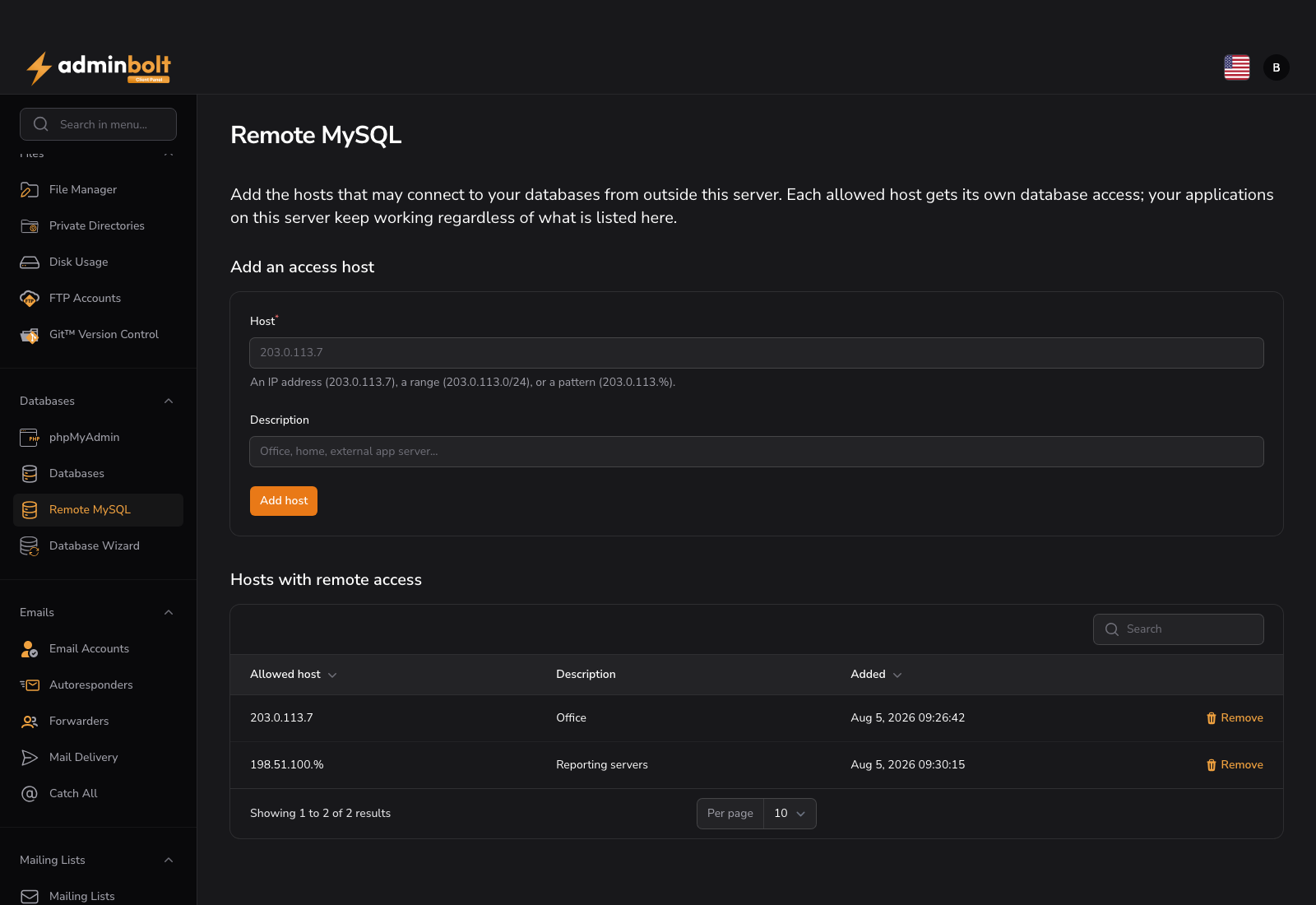
This page is available when your hosting plan includes remote database access. If you do not see it, contact your provider.
Add an access host
- Enter the Host the connection will come from.
- Optionally add a Description, for example
Office,Home, orExternal app server, so the list stays readable. - Click Add host.
Access starts working immediately: the matching database permissions are created and the database port is opened for that host.
What you can enter
| Form | Example | Means |
|---|---|---|
| A single address | 203.0.113.7 | That one address. |
| A range | 203.0.113.0/24 | Every address in the range. /8, /16, and /24 are supported. |
| A pattern | 203.0.113.% | Every address matching the pattern. % is only allowed at the end. |
| Any host | % | Every address on the internet, if your provider allows it. |
A range is stored as the matching pattern, so 198.51.100.0/24 appears in the list as 198.51.100.%. Anything else is rejected on save with an explanation. A pattern such as 203.%.113.7, with a wildcard in the middle, has no equivalent the server can apply, so it is not accepted.
Since panel 1.9.4 a host must be a remote address. localhost, 127.0.0.1, and the other addresses of this server's own loopback range are refused with "This address is always allowed for your own applications on this server. Add the address of the remote computer instead." Your applications on this server always reach your databases, so they need no entry here.
Warning:
%exposes your databases to the whole internet, and it is the setting most often behind a compromised database. Prefer a specific address or the narrowest range that works. Your provider can turn%off server-wide, in which case the form tells you to use addresses or ranges instead.
Hosts with remote access
The list below the form shows every host you have allowed, with its description and when it was added.
Remove a host
Remove on a row revokes database access from that host immediately. Existing connections from that host stop working, so remove an entry only when the application behind it no longer needs the database. The port opening itself is shared: it is withdrawn once no other account on this server allows the same host, and your own access is revoked either way.
Since panel 1.9.4 a host stays on the list until its access is revoked on the server. When the removal does not finish, the notification Could not remove this host says what is left, for example "The host host is still on your allowed list: its database accounts were dropped, but the firewall opening for it could not be closed.", with the next step "Fix the reported cause, then remove this host again." Removing it again finishes the rest. Before 1.9.4 such a host left the list while part of its access stayed in place.
Removing a host never removes the database users your applications on this server log in with.
When a host is being changed by another request, the removal is refused with "Another change to the host host is in progress, so nothing was changed." Try again in a minute.
Connecting
Once a host is allowed, connect from it with the same database name, user, and password you use on this server, pointing the client at this server's hostname instead of localhost. Database users and passwords are managed on the Databases page.
Access is per account: the hosts you allow reach your own databases only.
Related pages
- Databases - create databases, users, and passwords.
- phpMyAdmin - manage the same databases from the browser, with no remote access needed.