

Backups
Backups shows the backup state of every account you own, and lets you start a backup or a restore for any of them.
Overview
URL: /reseller/backups
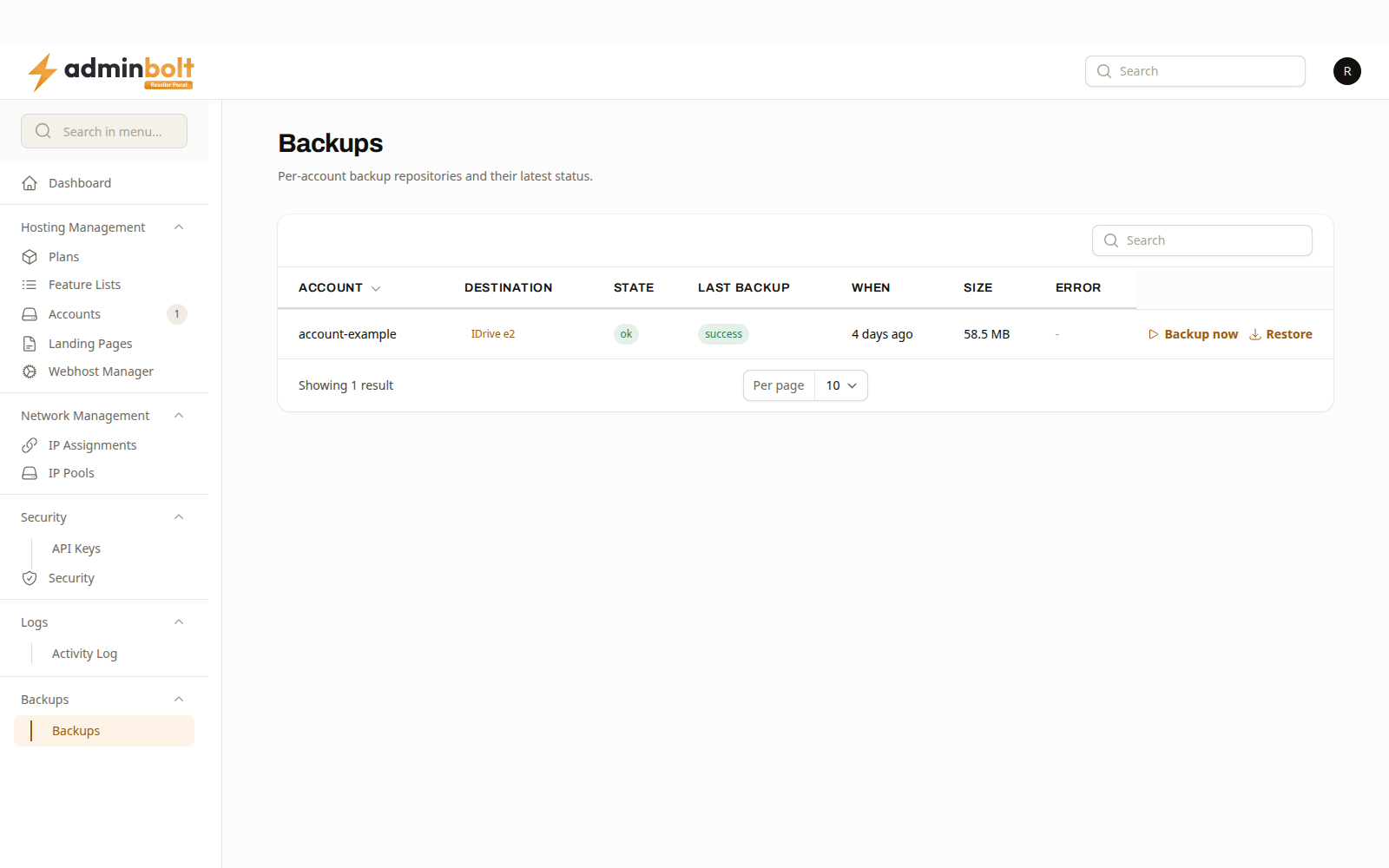
| Column | What it shows |
|---|---|
| Account | The account the row covers. |
| Destination | Where its backups are written. |
| State | ok when the last run succeeded, error when it did not. |
| Last backup | The outcome of the most recent run. |
| Last attempt | How long ago the most recent run finished. Called When before panel 1.9.3. |
| Last successful backup | Since panel 1.9.3. When a backup of the account last succeeded, or never. |
| Failures since last success | Since panel 1.9.3. How many runs in a row have failed since then. |
| Size | How much the snapshot holds. |
| Error | The reason a failed run gave. |
Actions
Backup now starts a run for that account immediately. When the run does not start, the notification says why, for example that the account already has a backup running or that all backup slots on the server are in use, and what to do next.
Since panel 1.9.2, when the settings of the account's backup destination cannot be read, the notification says: "The backup destination settings for this account cannot be read, so no backup is running. Contact your server administrator to fix the destination." Since panel 1.9.3, the Error column can read "This folder already holds a backup repository created by another server or an earlier install. ..." Only the server administrator can fix this, by giving this server a destination of its own.
Restore restores the account from a snapshot. It appears where there is a successful snapshot to restore from.
Every run records who asked for it, so a restore you start is attributed to you in the Activity Log.
What you can and cannot change
The schedule, the destination, and how much history is kept come from a backup policy the server administrator sets. You can start a backup or a restore; you cannot change the policy.
An account of yours that appears with no destination is not covered by any policy. That is a question for the server administrator, not something you can fix here.
Related pages
- Hosting Accounts - the accounts listed here.
- Activity Log - the record of who started what.