

DNS Cluster
The DNS Cluster unifies DNS across every server: every zone the hub serves can share one set of nameservers and a hub-generated SOA, no matter which server actually hosts the domain.
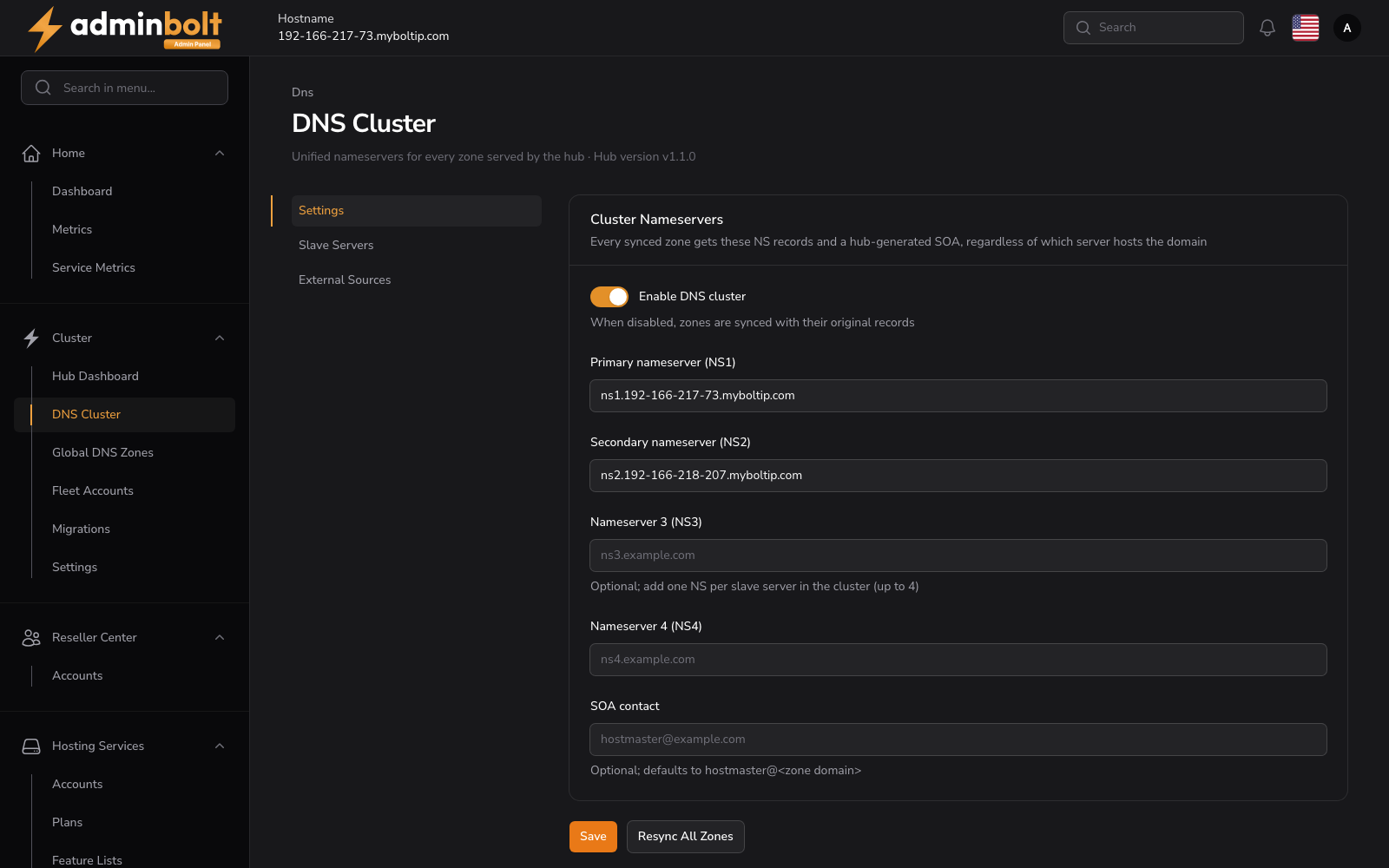
Overview
URL: /admin/cluster/dns/settings - under Cluster > DNS Cluster. Since panel 1.9.1 the DNS Cluster pages sit under /admin/cluster/dns, with their tabs at the top of the page, and the earlier /admin/dns-cluster/... addresses lead to the new ones.
Unified nameservers for every zone served by the hub
The area is made of three pages, each with its own address:
| Page | URL | What it holds |
|---|---|---|
| Settings | /admin/cluster/dns/settings | The cluster nameservers and the SOA contact. |
| Secondary DNS Servers | /admin/cluster/dns/secondary-servers | Secondary nameservers that receive zones from the hub. |
| External Sources | /admin/cluster/dns/external-sources | Read-only zone mirrors from cPanel, DirectAdmin, Plesk, or a generic DNS server. |
The Settings page also prints the hub's own panel version next to its description.
Settings
Defines the cluster nameservers applied to every synced zone, in a section headed Cluster Nameservers.
Every synced zone gets these NS records and a hub-generated SOA, regardless of which server hosts the domain
| Field | Description |
|---|---|
| Enable DNS cluster | Master toggle. When disabled, zones are synced with their original records. |
| Primary nameserver (NS1) | First cluster nameserver. Required while the DNS cluster is enabled or a node acts as a secondary nameserver: every node with the Secondary DNS role registers the hub under this name, so since panel 1.9.2 it cannot be emptied while such a node exists, even with the cluster turned off. |
| Secondary nameserver (NS2) | Second cluster nameserver. |
| Nameserver 3 (NS3) | Optional; add one NS per secondary DNS server in the cluster (up to 4). |
| Nameserver 4 (NS4) | Optional fourth nameserver. |
| SOA contact | Optional; defaults to hostmaster@<zone domain>. |
Actions: Save applies the configuration; Resync All Zones re-pushes every zone with the current cluster settings. Since panel 1.9.3 Resync All Zones then also sends every zone to every active secondary DNS server in the background, see Sending the zones again.
After you change Primary nameserver (NS1), every node with the Secondary DNS role shows that its registration needs repair. Open each one and use Register again, see Register again.
Secondary DNS Servers
URL: /admin/cluster/dns/secondary-servers
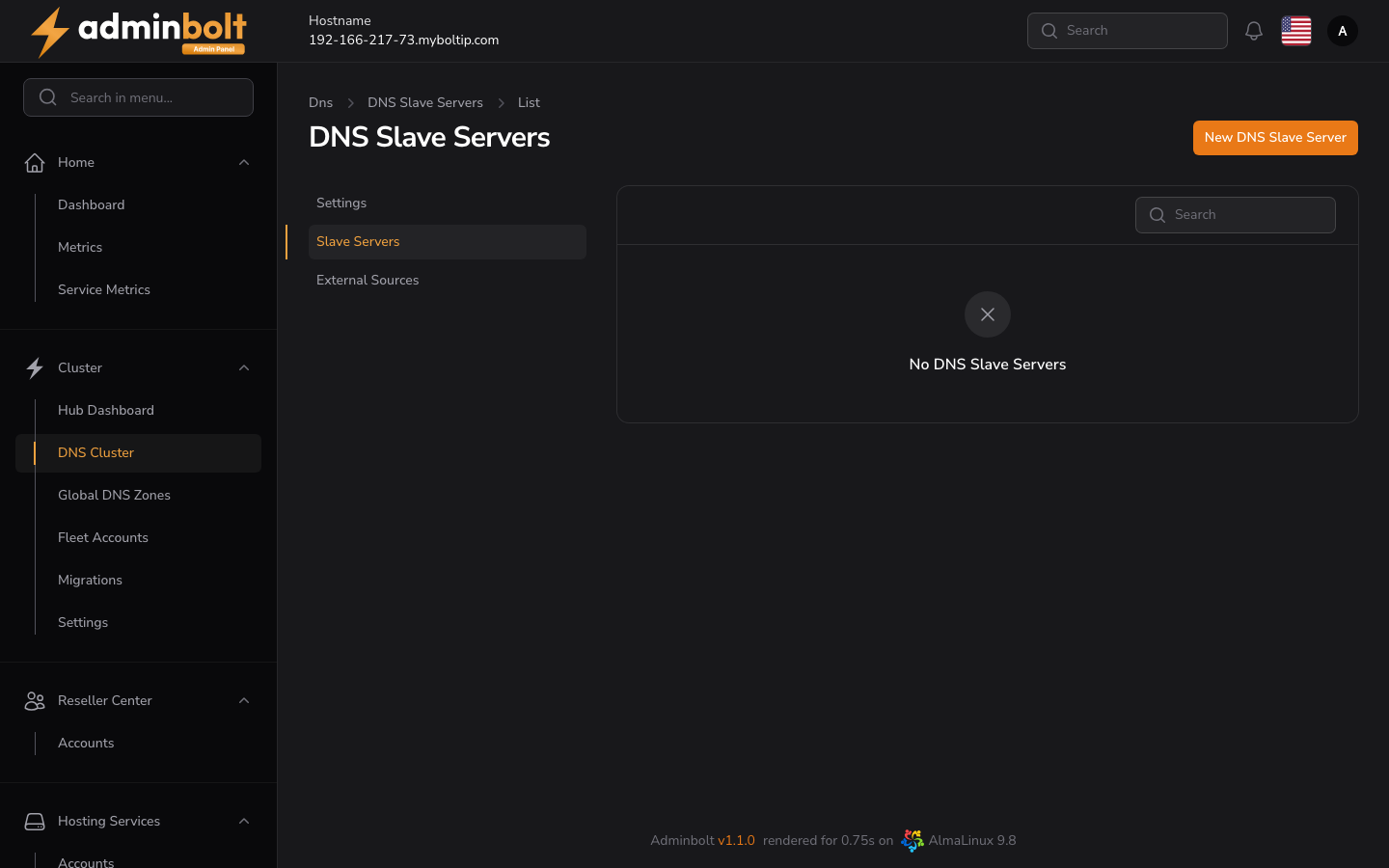
The secondary nameservers that receive zones from the hub: the hub sends them NOTIFY and allows them to transfer (AXFR) every zone it serves. Since panel 1.9.0 this list is called Secondary DNS Servers and accepts PowerDNS, BIND, and cPanel DNSOnly secondaries, each with an optional TSIG key. The form, its setup instructions, and the TSIG key are described on Secondary DNS Servers, which is where the same page sits on a server that is not a hub.
AdminBolt nodes are added automatically by Act as a public secondary nameserver for the cluster on the node (shown as the Secondary DNS role). This page is for any other nameserver.
The list has a Search box and a New Secondary DNS server button, and says No Secondary DNS Servers until one is added. Its Source column tells the two kinds apart:
- Cluster node - a node with the Secondary DNS role. It is managed from the node's own role, so it cannot be edited, deleted, or selected here. Its Transfer auth shows the node's TSIG key, see Signed zone transfers with the nodes.
- Old cluster node entry - since panel 1.9.3, an entry a node left behind: the node now uses another address, was unpaired, or no longer has the role. It offers Delete only. Deleting it does not affect the node's current entry. When a node registers under a new address, the hub keeps only its current address, and the entry under the old address goes away by itself. An entry from a registration made before panel 1.9.3 also goes away when the node registers again, for example with Register again, in two cases: the entry carries the node's own TSIG key (removed once the node confirms that key), or the node is connected by URL and the entry sits at its server IP under the node's name. Any other entry from before panel 1.9.3 stays until you delete it.
- Manual - a server added on this page. It has Edit and Delete, and can be selected for Bulk actions > Delete selected. Since panel 1.9.3 key names starting with
bolt-fleet-are reserved for the keys of cluster nodes, so a manual secondary cannot use one.
Since panel 1.9.2 the hub sends NOTIFY unsigned, so every secondary receives new and changed zones, whether or not some secondaries use a TSIG key; see NOTIFY and the TSIG key.
Nodes follow the catalog of the hub
Since panel 1.9.3 a node with the Secondary DNS role follows the hub's catalog zone, which lists every zone the hub is primary for, instead of picking up the hub's zones one by one. A domain you create on the hub reaches the node through the catalog, and when you delete a domain on the hub, the node stops serving its zone too, with nothing to do on the node. The hub manages the catalog zone itself: do not delegate it or add records to it.
The node follows the catalog only when the panel and bolt-agent are up to date on both the hub and the node. Otherwise the node keeps picking up the hub's zones one by one, zones deleted on the hub stay on it, and its edit page shows Secondary DNS registration needs repair, naming what to upgrade:
| The message says | What to do |
|---|---|
| This hub's bolt-agent cannot serve the DNS catalog yet, so the node stays an autosecondary and zones deleted on the hub stay on the node. | Upgrade bolt-agent on this hub, then use Register again on the node. |
| The node did not confirm that it follows this hub's DNS catalog, so zones deleted on the hub stay on the node. | Upgrade the panel and bolt-agent on the node, then use Register again on the node. |
| The node could not set up the DNS catalog consumer, so it stays an autosecondary and zones deleted on the hub stay on the node. | Correct the reported cause on the node, then try again. |
| The node follows this hub's DNS catalog, but N zone(s) it copied from this hub earlier are not managed by the catalog and stay on the node until removed there. | Use Register again on the node to retry the cleanup. The names of those zones are in the Execution Logs under the correlation ID of the message. |
Turning the Secondary DNS role off, or unpairing the node, removes the catalog and every zone the node copied from the hub. The node's own zones stay.
Signed zone transfers with the nodes
Since panel 1.9.3 the zone transfers between the hub and each node with the Secondary DNS role are signed with a TSIG key that belongs to that pair of servers. The hub creates the key and installs it on both servers when you connect or pair the node with the role, turn the role on, or use Register again. Once the node confirms the key, the node's row in this list shows TSIG followed by the key name under Transfer auth, and the hub accepts zone transfers from the node only when they are signed with that key; the node's address alone is no longer enough. NOTIFY from the hub stays unsigned. Turning the role off, or unpairing the node, removes the key from both servers. Secondaries added on this page keep their own settings.
When the node cannot install the key, its row shows TSIG not provisioned and the hub keeps allowing the node's zone transfers by its address. The node's edit page then shows Secondary DNS registration needs repair with "The node did not install the TSIG key, so the hub keeps allowing its zone transfers by IP address (TSIG not provisioned).", followed by the reason, for example "The node's panel or bolt-agent is too old to accept the key.", and the next step "Upgrade the node's panel and bolt-agent if needed, then use Register again on the node."
The nodes no longer transfer their zones to the hub: the hub reads node zones over the node's panel API, as before, and since 1.9.3 it removes the unused zone transfer from the nodes to the hub. If some hub zones are still secondary copies of zones on a node, that node keeps the transfer, and the hub names those zones: "The zone transfer from the node to the hub was kept, because these hub zones are secondary copies of zones on the node: zones." Correct the cause, then pair the node again to finish the cleanup.
Updating an existing hub
Updating a hub to 1.9.3 converts the cluster it already has:
- every paired node with the Secondary DNS role gets its TSIG key, and the unused zone transfer from the nodes to the hub is removed,
- every paired node with the Secondary DNS role is registered again, so it follows the catalog. The zones the node copied from the hub earlier are handed to the catalog, and the ones the hub had already deleted are then removed from the node.
Update the panel and bolt-agent on the nodes as well. A node that could not be converted yet, for example because it still runs an older panel, is named with its reason in a warning on System Updates on the hub, and its edit page shows Secondary DNS registration needs repair. Update the panel and bolt-agent on that node, then use Register again on it. The warning also names, for each node, the zones it copied earlier that the hub no longer has, and whether they were removed.
If bolt-agent on the hub cannot serve the catalog yet, the step that registers the nodes again fails instead, converts no node, and says so on System Updates. Upgrade bolt-agent on the hub, then run the failed upgrade steps again, as the message describes.
Existing zones on a new secondary
Since panel 1.9.3 the hub sends NOTIFY for every zone it is primary for to a secondary as soon as that secondary joins. The secondary then creates the zones it is missing and transfers them on its own. The hub does this when:
- a node gets the Secondary DNS role, whether you tick the role when you connect the node or turn it on later,
- you use Register again on a node with that role,
- you add a server on this page, change its IP Address, or make it Active again.
The notification of that step says how many zones NOTIFY was sent for, for example:
NOTIFY for 24 zone(s) was sent to 203.0.113.7. Whether the secondary serves them is being checked; the result follows as a notification.
A zone that has errors on the hub cannot be transferred. The notification names such zones separately and does not count them as sent.
Before 1.9.3 the panel did not send the existing zones to a secondary that joined later, so such a secondary could stay without them. For a secondary added before you updated to 1.9.3, check it as described under Checking that a secondary serves the zones, and use Send zones if it is missing zones.
Sending the zones again
Send zones sends NOTIFY for every zone the hub is primary for to one secondary, after you confirm:
This server sends NOTIFY for every zone it is primary for to this secondary. The secondary creates the zones it is missing and transfers them on its own.
It is offered on every active row of this list except an Old cluster node entry, and on the row of a node with the Secondary DNS role on Nodes. Use it when a secondary is missing zones, for example after it was offline or after zones were deleted on it.
A manual resync sends the zones too. Resync All Zones on Settings, Resync DNS on Nodes, and Resync on a node's row of Global DNS Zones first update the zones on the hub, then send every zone to every active secondary in the background. The outcome of that send arrives in the panel bell as Send zones to the secondary DNS servers.
When the hub cannot send the zones, for example because PowerDNS on the hub does not answer, the notification says why and names the next step.
Checking that a secondary serves the zones
NOTIFY only tells a secondary that a zone exists or changed. Before you point a cluster nameserver at a secondary, check that it actually serves the hub's zones. The panel gives you three ways.
The delivery result. Every send described above is followed by a check: for up to two minutes the hub asks the secondary for the SOA record of each zone, and a zone counts as served when the secondary answers with the hub's serial. The result arrives in the panel bell as Zone delivery to followed by the secondary's address:
All 24 zone(s) are served by 203.0.113.7.
When zones are missing, it says how many of them are served and lists the others after Not served:, each with its reason, for example "the secondary refuses the zone; it did not create it (check that the zone's NS records point at this server and the secondary's autoprimary setup)". Correct the cause given for each zone, then use Send zones again. On a node with the Secondary DNS role that also hosts accounts, the zones of its own accounts count as served when the node answers for them with authority, whatever their serial.
The Zones served column. Since panel 1.9.3 the hub also checks every active secondary in this list on its own, every few minutes and shortly after a zone changes. It asks the secondary for each zone it notifies it about and compares the answer, the SOA serial, and the records with the hub's. The list shows the result in two columns:
| Column | Shows |
|---|---|
| Zones served | N zones served correctly, X of N zones not served correctly, Not answering, or Not checked yet. Hover over the badge to see each failing zone with its problem, such as REFUSED, serial 2026101901, hub 2026102001, or A records differ. Under the badge, all hub records served means the hub asked for each of its own records, so records that exist only on the secondary are not seen; full zone compared means the whole zone was compared. |
| Last check | When the secondary was last checked. |
The row of each secondary on Global DNS Zones shows the same result. A zone that a secondary has not served correctly for longer than a set time also appears on Health as "Secondary name (address) does not serve zone correctly", followed by the reason. The issue clears after the next check finds the zone served correctly.
From the command line. Ask the secondary and the hub for the SOA record of a zone, from any machine that may query both:
dig @<secondary-ip> example.com SOA +norec
dig @<hub-ip> example.com SOA +norec
The secondary serves the zone when its answer has status: NOERROR, the aa flag, and the same serial as the hub's. status: REFUSED means the secondary does not hold the zone. For a zone of an account hosted on a node with the Secondary DNS role, check only the status and the aa flag: that node serves its own copy, whose serial need not match the hub's.
Send zones over the API
Since panel 1.9.3 the admin REST API offers the same send and its result:
| Endpoint | What it does |
|---|---|
POST /api/nodes/{id}/dns-slave/send-zones | Send zones on a node's row. Only for a paired node with the Secondary DNS role whose address the hub lists as an active secondary DNS server; otherwise it answers 409, with a message and a next_step. |
POST /api/dns/secondary-servers/send-zones | Send zones on a row of this list. The body names the secondary by its address, for example {"ip_address": "203.0.113.53"}. An address that is not an active secondary answers 404. |
GET /api/dns/secondary-servers/delivery-checks/{id} | The delivery result of one send. |
A send answers at once. zones is the number of zones the hub is primary for and sent the number of NOTIFY messages queued, which is not yet the number of zones the secondary serves. Zones the hub refused to send are listed in failed, and zones with errors on the hub in invalid. The answer also carries a delivery_check_id: read the delivery result with it. Its status is pending until the check has run, then done, or failed when the check could not run. A done result has sent, the number of zones the secondary serves with the hub's serial, counting a zone of an account hosted on that node itself once the node answers for it with authority, and not_delivered, the other zones with their reason. When that list is cut short, not_delivered_unlisted counts the zones left out of it. The panel's own API reference at /api/documentation lists every field.
Node zones on the hub
Every zone a node serves is mirrored onto the hub, so the hub and its secondaries can answer for it. A node's zones are pulled on a schedule, and on demand with Resync DNS on the Nodes page or Resync on the node's row of Global DNS Zones.
Only changed zones are updated
Since panel 1.9.2 the scheduled sync updates on the hub only the node zones whose records changed since the last sync, so it stays quick on hubs with thousands of zones. An unchanged zone is still pushed again from time to time, so a copy on the hub cannot drift from the node for long. Resync DNS, Resync, and Check Health Now always push every zone of the node, changed or not, and setting or clearing a domain's owner on Global DNS Zones makes its zone go out again on the next sync.
A node may limit how many requests the hub sends it, or be too busy to answer in time. The zones the hub could not read are then left as they are on the hub and are read first by the next sync. A resync in that case reports Node DNS resync partially completed with:
N zone(s) were not read from the node in this sync because the node limited the hub's requests or did not answer in time. Nothing was removed or changed. The next sync reads these zones first.
A zone that stays unread over several syncs in a row is listed among the node's sync errors on Global DNS Zones, with the reason. When the node limits the hub's requests and runs an older AdminBolt version than the hub, update the node; when it does not answer in time, check the load on the node.
SRV records
Since panel 1.9.2 the SRV records of zones the hub mirrors from its nodes, and from cPanel and Plesk external sources, are stored on the hub exactly as the source serves them. They resolve on the hub, and those zones transfer to the cluster's secondary DNS servers. Before 1.9.2 such a record did not resolve on the hub, and a secondary could not transfer any zone that held one.
Updating the hub to 1.9.2 corrects the existing copies on their own: zones mirrored from nodes are rewritten by the next node sync, and every zone of an external source is pushed once more on that source's next scheduled sync.
External Sources
URL: /admin/cluster/dns/external-sources
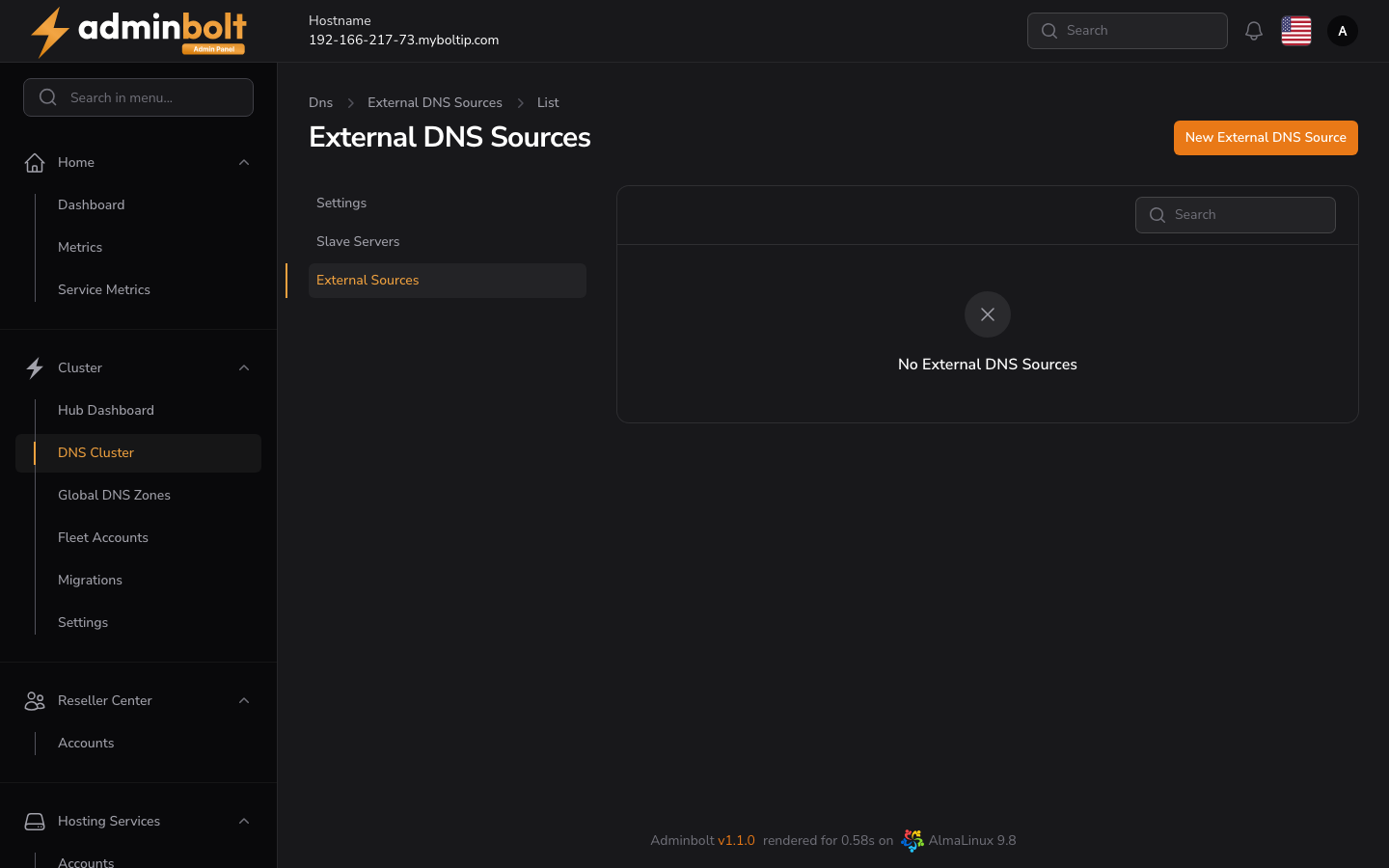
Mirrors DNS zones from an external control panel into the hub. The mirror is read-only - the external source stays authoritative; the hub serves copies of its zones and removes any deleted on the source. The list has a Search box and a New External DNS Source button.
This is not a migration
Attaching a cPanel, DirectAdmin, or Plesk server here mirrors its DNS zones and nothing else. The accounts, websites, databases, and mailboxes stay on that server, and it keeps running its own panel. To actually move a cPanel or DirectAdmin server into AdminBolt, see Migrating to AdminBolt.
Common fields
| Field | Description |
|---|---|
| Name (required) | A label for the source. |
| Type (required) | cPanel / WHM, DirectAdmin, Plesk, or Generic DNS server. |
| Host (required) | Hostname or IP of the source server. |
| API Port | Leave empty for the default (cPanel / DirectAdmin / Plesk). |
| Rewrite NS to cluster nameservers | API mode only; AXFR zones are served verbatim. Do not enable for DNSSEC-signed zones. |
| Sync every (minutes) | API sources only. How often the scheduled sync reads the source, from 5 to 1440 minutes; the default is 5. A sync only pushes zones whose records changed since the last one, but reading a source with tens of thousands of zones still takes minutes, so give a large source an hour or more. |
| Active | Whether syncing is enabled. |
The remaining fields and the Setup help depend on the Type:
cPanel / WHM
| Field | Description |
|---|---|
| API Username (required) | The WHM account that owns the token - usually root (not the token name). The token needs full ("All Access") rights to read every account's DNS zones. |
| API Token (required) | A WHM API token (not a password) with a read-only ACL that can read every account's DNS zones. |
Setup: in WHM open Manage API Tokens, create an API token with All Access, and enter the username and token. The hub reads the source on the Sync every (minutes) schedule and mirrors all zones, removing any deleted on the source.
DirectAdmin
| Field | Description |
|---|---|
| API Username (required) | A DirectAdmin account name. Use an admin or reseller login (e.g. admin) to mirror every user's zones; a single user login mirrors only that user's domains. |
| Password / Login Key (required) | The account password, or a Login Key (DirectAdmin > Login Keys) allowing CMD_API_DNS_CONTROL, CMD_API_SHOW_DOMAINS, CMD_API_SHOW_ALL_USERS, and CMD_API_SHOW_USERS, optionally restricted to the hub IP. |
Setup: create an admin Login Key with DNS read access, then enter the username and key. The hub reads the source on the Sync every (minutes) schedule.
Plesk
| Field | Description |
|---|---|
| Plesk Login (required) | The Plesk admin login (usually admin). |
| Plesk Password (required) | The Plesk admin password. |
Setup: in Plesk allow Remote API (XML-API) access for the hub's IP under Tools & Settings > Restrict Administrative Access (host is the Plesk server, port
8443). If it reports "Access to API is disabled", enable the XML-API server-wide (panel.ini[api] enabled = true). The hub reads the source through the XML-API on the Sync every (minutes) schedule.
Generic DNS server
| Field | Description |
|---|---|
| Sync Mode (required) | Autoprimary (NOTIFY) - the source sends NOTIFY to the hub; new zones appear automatically with no list to maintain (requires each zone's NS to resolve to the source IP; does not auto-remove deleted zones). AXFR + zone list - you list the exact zones to mirror and the hub pulls each over AXFR (works with any DNS server). |
| Source Nameserver (required) | The NS name used by zones on the source; the hub matches incoming NOTIFY against it. |
Setup: on the source DNS, send NOTIFY to the hub and allow zone transfers - PowerDNS:
also-notify=<hub-ip>andallow-axfr-ips=<hub-ip>; BIND:also-notify { <hub-ip>; };andallow-transfer { <hub-ip>; };. Each zone's NS records must resolve to the source IP - the hub verifies this before accepting a zone.
Syncing and removing a source
Since panel 1.9.0, a sync and a removal run in the background, so the page stays usable while a large source is processed.
- Sync Now starts a sync. The Run column shows its progress as zones done out of the total, and the table refreshes on its own while the run is in progress. A second run for the same source is refused while one is in progress.
- Cancel stops a running sync within a few zones. The zones already pushed stay on the hub and remain listed for the source.
- Remove deletes the source together with every zone it put on the hub. A sync in progress is stopped first. The zones are removed with progress on the row, and the source row goes last.
When a run finishes, is stopped, or a removal leaves zones behind, administrators are told through the panel bell and through the system notification channels. A removal that could not delete every zone says how many are left, so nothing stays on the hub unnoticed.
A scheduled sync skips a source whose run is still in progress, and retries a run that was cancelled, interrupted, or failed on its next turn.
Note: Synced external zones appear on the Global DNS Zones page with their source shown in the Source column.