

MyApache Settings
Where to find it: this is the Apache tab of the Web Server area, at
/admin/web-server/apache.
The MyApache Settings page in the AdminBolt admin panel lets you configure the Apache web server through a tabbed interface. Every server directive, security header, performance limit, SSL/TLS option, and loadable module is exposed as a control on this page.
Overview
URL: /admin/web-server/apache
Open Web Server in the sidebar and choose the Apache tab. The tab is named Apache, while the page keeps the title MyApache Settings.
At the top of the page you will find:
- MyApache Profile - a dropdown to select the configuration profile (e.g.
Default (my-apache)). - Service status indicator - shows whether the MyApache service is running (green) or stopped (red).
The settings are organized into six tabs:
- Server Configuration
- Security & Performance
- Timeouts & Performance
- Request Limits
- Logging Configuration
- Modules Configuration
The tab you have open is recorded in the address, so reloading the page keeps you on the same tab.
Some settings only apply when their related module is enabled. Within the Modules Configuration tab, enabling a module reveals its associated settings. To keep this reference readable, those module-specific settings (HTTP security headers, SSL/TLS, MaxMind/GeoIP, proxy, MIME, status, and user directories) are documented below in their own logical sections.
Server Configuration
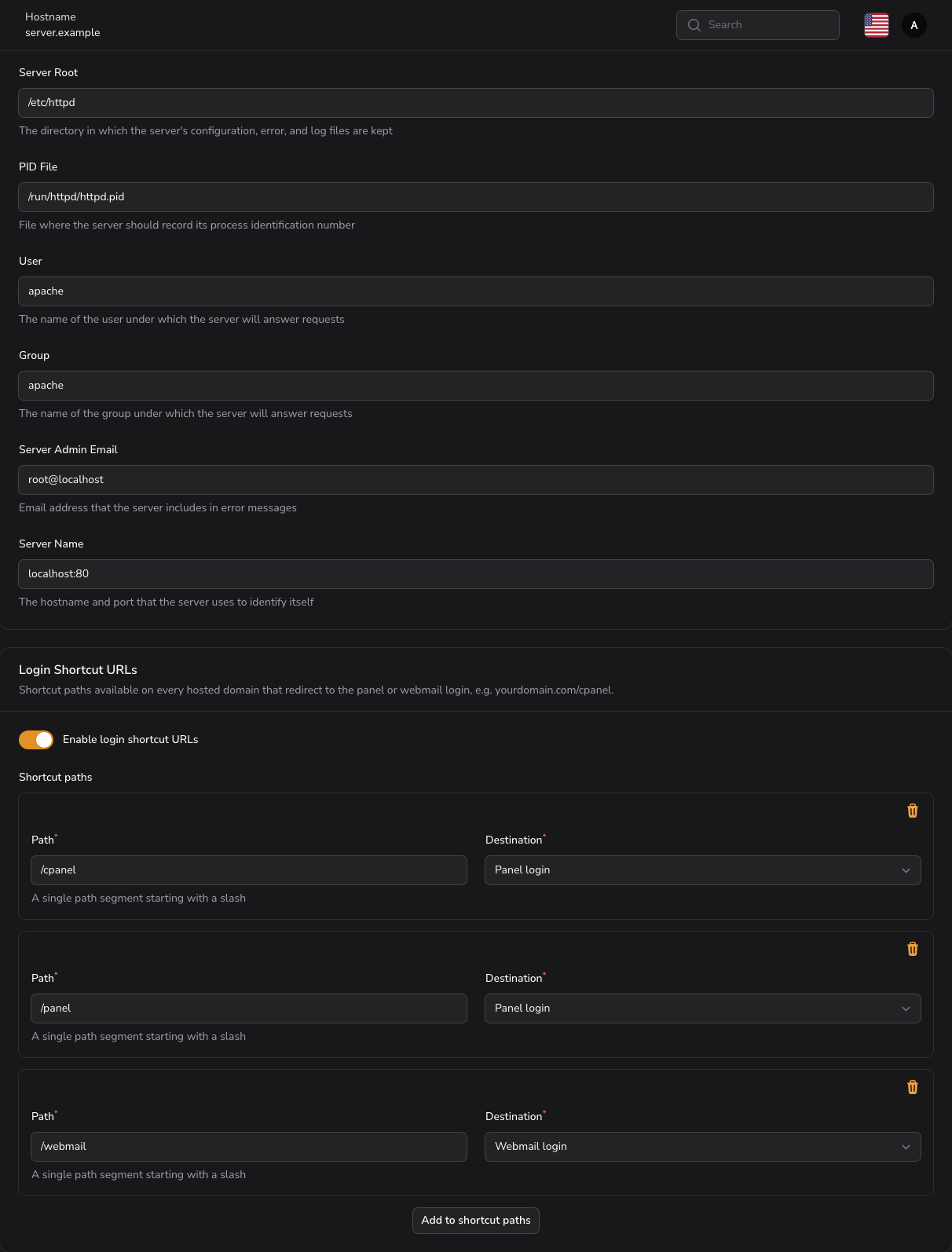
Basic identity and process settings for the server.
| Setting | Description |
|---|---|
| Server Root | The directory in which the server's configuration, error, and log files are kept. |
| PID File | File where the server should record its process identification number. |
| User | The name of the user under which the server will answer requests. |
| Group | The name of the group under which the server will answer requests. |
| Server Admin Email | Email address that the server includes in error messages. |
| Server Name | The hostname and port that the server uses to identify itself. |
Login Shortcut URLs
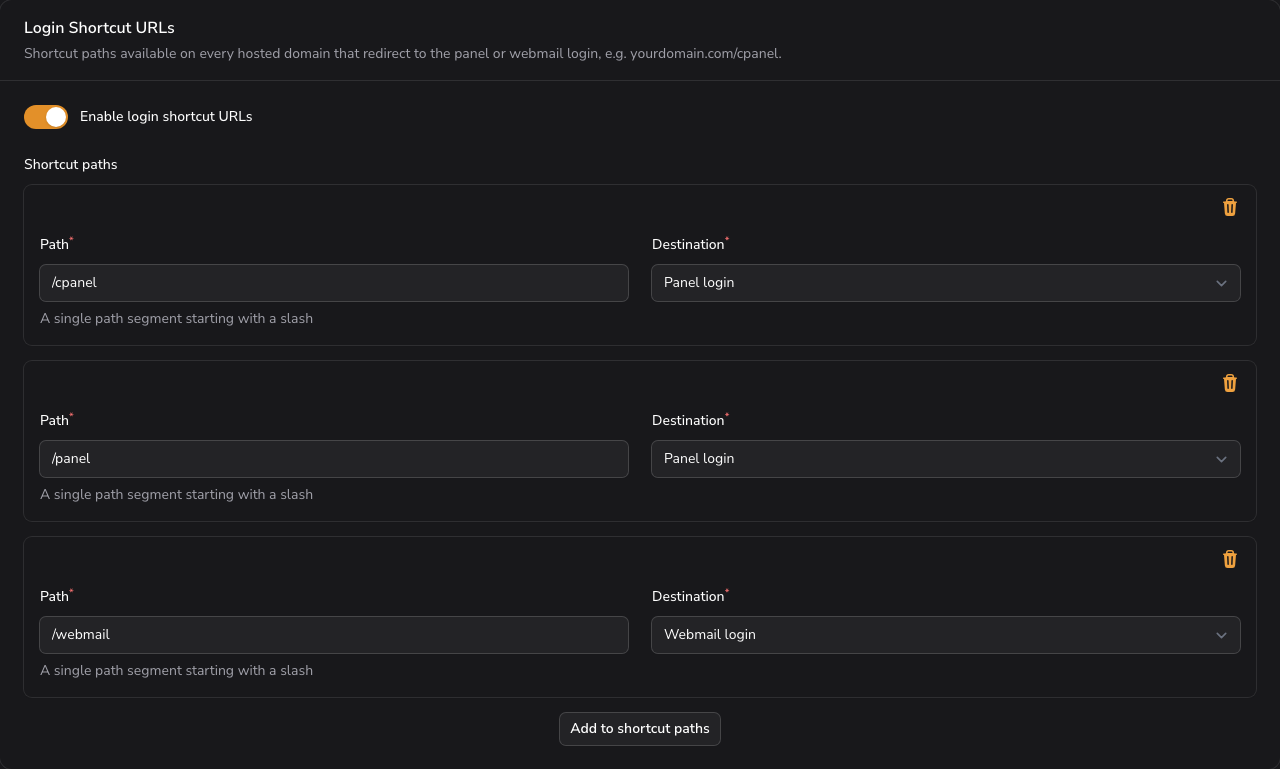
Short paths that every hosted domain answers on and that redirect visitors to the panel or webmail login. They give your customers a memorable entry point such as yourdomain.example/cpanel instead of the full panel address and port. The section sits in the Server Configuration tab, below Basic Server Settings.
| Setting | Description |
|---|---|
| Enable login shortcut URLs | Publishes the shortcuts across the server. Enabled by default, including on servers upgraded from an earlier release. |
| Shortcut paths | The list of paths to publish. Visible while the feature is enabled. |
Each entry in Shortcut paths has two fields:
- Path (required) - a single path segment starting with a slash, for example
/cpanel. Letters, digits, dots, underscores, and hyphens are accepted. Nested paths such as/login/panelare not. - Destination (required) - Panel login or Webmail login.
Default shortcuts
A new server, and a server upgraded from a release without this feature, starts with three entries:
| Path | Destination |
|---|---|
/cpanel | Panel login |
/panel | Panel login |
/webmail | Webmail login |
How the shortcuts behave
Shortcuts are published once for the whole server, so every hosted domain answers on them without per-domain setup. A request to a shortcut path returns a temporary redirect to the panel address. Rules your customers set in their own .htaccess files are not modified and keep working as before.
Destinations resolve against the current panel hostname every time the configuration is applied, so changing the server hostname moves the shortcuts with it on the next apply.
The shortcuts are served the same way on Apache, LiteSpeed Enterprise, and OpenLiteSpeed, and they stay in place across a settings save or a web server switch. Since 1.6.0 the same section is also on the LiteSpeed Settings page: it is one shared setting, so editing it in either place changes the same list.
The related ModSecurity screens sit next to this one, as tabs of Web Server: ModSecurity Configuration and ModSecurity Rules.
Reserved paths
Five paths are already claimed by the server and are rejected if you enter them: /autodiscover, /.well-known, /cgi-sys, /cgi-bin, and /_errors. A shortcut on any of them would break mail autodiscovery, SSL certificate validation, or CGI handling.
Restoring the defaults
Saving an empty list publishes no shortcuts at all; it does not fall back to the defaults. To bring the three default entries back, clear the list, turn Enable login shortcut URLs off, then turn it on again.
When a change does not take effect
Turning the feature off keeps your custom list, so re-enabling it restores what you had. If a saved path does not appear on your domains, check that it is a single segment starting with a slash and that it is not one of the reserved paths above.
Security & Performance
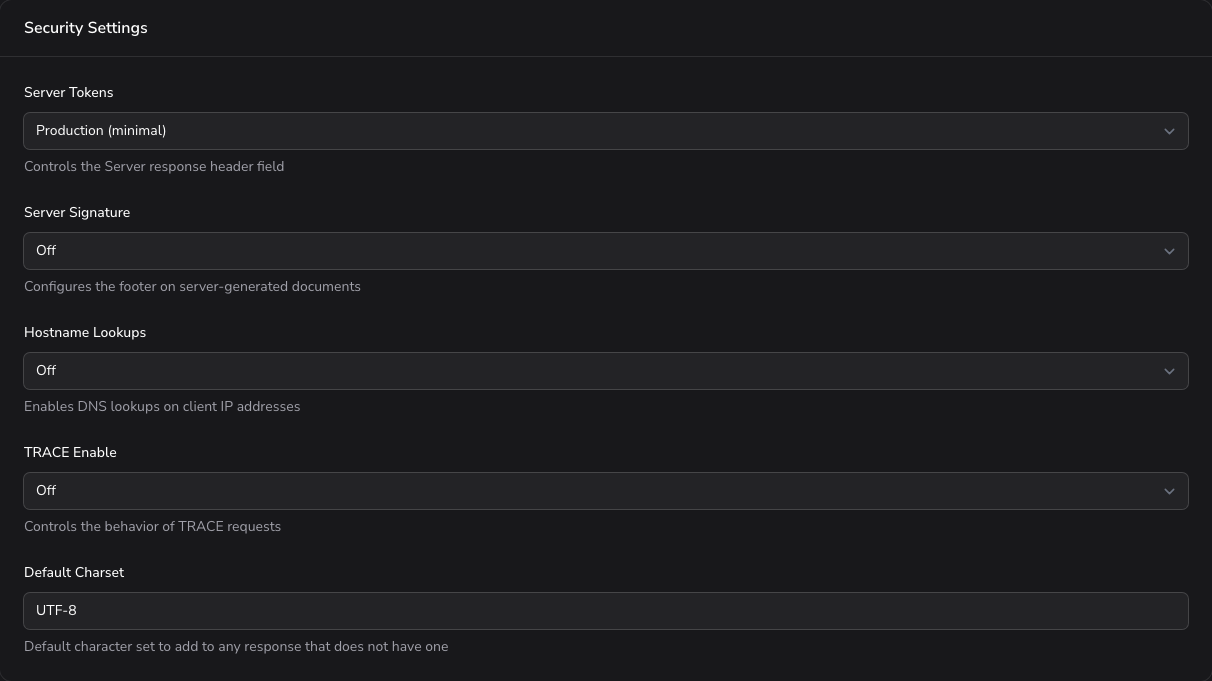
General security hardening and response-handling settings.
| Setting | Description | Options |
|---|---|---|
| Server Tokens | Controls the Server response header field. | Production (minimal), Major version only, Minor version, Minimal, OS and version, Full version info |
| Server Signature | Configures the footer on server-generated documents. | On, Off, Email |
| Hostname Lookups | Enables DNS lookups on client IP addresses. | On, Off, Double |
| TRACE Enable | Controls the behavior of TRACE requests. | On, Off, Extended |
| Default Charset | Default character set to add to any response that does not have one. | Free text |
| Enable Sendfile | Controls whether the kernel sendfile support is used. | On, Off |
| Index Options | Controls the display of directory listings. | Free text |
HTTP Security Headers
Response headers that harden the browser-side security of served pages. These appear in the Modules Configuration tab alongside the HTTP headers module.
| Setting | Description | Options |
|---|---|---|
| X-Frame-Options | Controls whether a browser can embed the page in a frame. | DENY, SAMEORIGIN, ALLOW-FROM |
| X-Content-Type-Options | Prevents MIME type sniffing. | nosniff |
| X-XSS-Protection | Enables XSS filtering in the browser. | Free text |
| Referrer Policy | Controls how much referrer information is included. | no-referrer, no-referrer-when-downgrade, origin, origin-when-cross-origin, same-origin, strict-origin, strict-origin-when-cross-origin, unsafe-url |
| Permissions Policy | Controls which browser features can be used. | Free text |
| Content Security Policy | Defines content security policy rules. | Free text |
Recommended starting values
For most sites: X-Frame-Options SAMEORIGIN, X-Content-Type-Options nosniff, and Referrer Policy strict-origin-when-cross-origin. Add a Content Security Policy only after testing, since a strict policy can break pages; a permissive starting point is default-src 'self'. Turn on HSTS (the Strict-Transport-Security header) only once HTTPS works for the whole site.
Timeouts & Performance
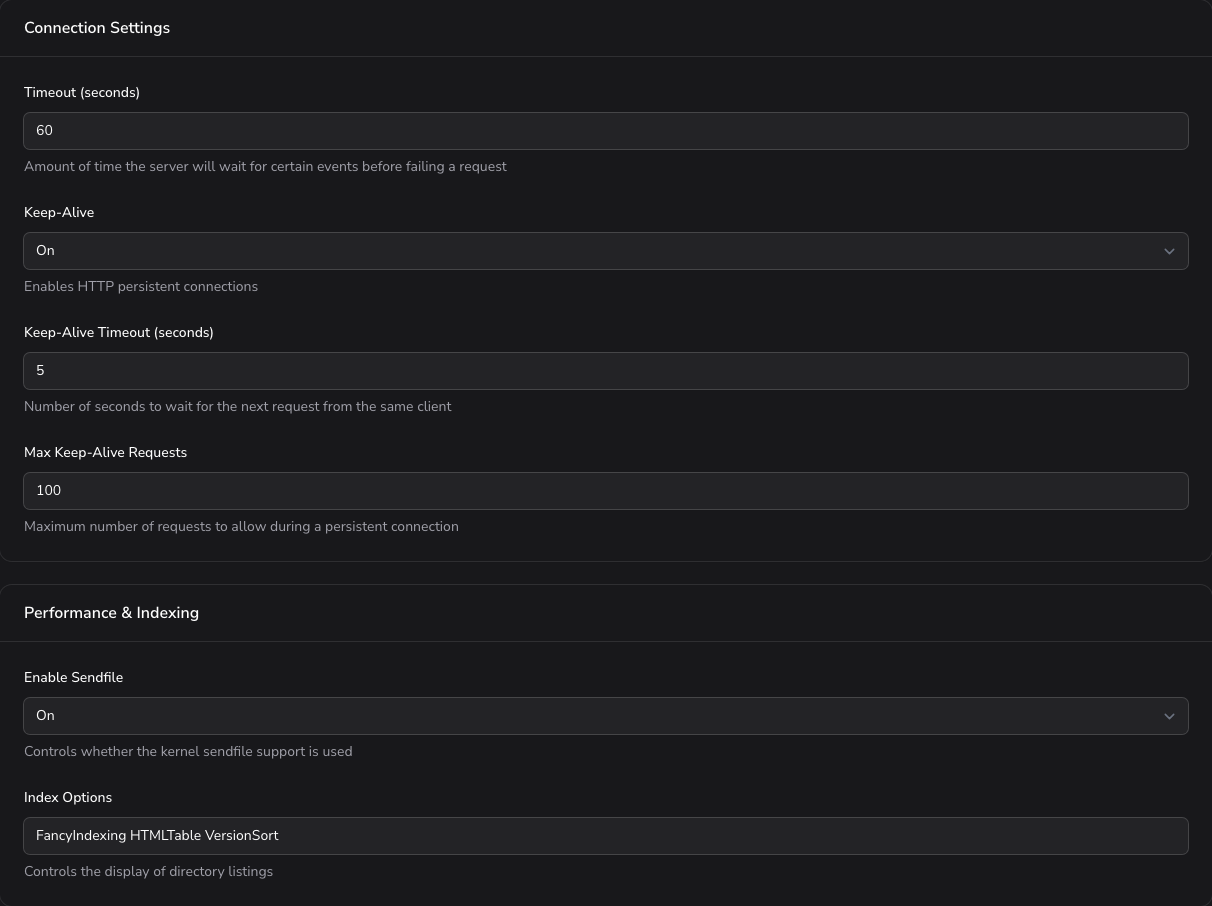
Connection timeout and keep-alive behavior.
| Setting | Description | Options |
|---|---|---|
| Timeout (seconds) | Amount of time the server will wait for certain events before failing a request. | Numeric |
| Keep-Alive | Enables HTTP persistent connections. | On, Off |
| Keep-Alive Timeout (seconds) | Number of seconds to wait for the next request from the same client. | Numeric |
| Max Keep-Alive Requests | Maximum number of requests to allow during a persistent connection. | Numeric |
Request Limits
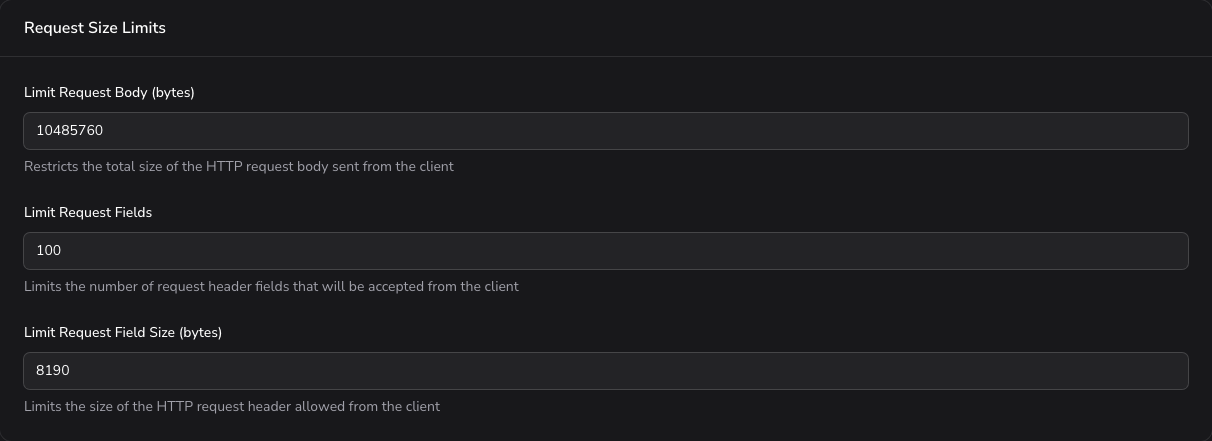
Limits on the size and structure of incoming client requests.
| Setting | Description |
|---|---|
| Limit Request Body (bytes) | Restricts the total size of the HTTP request body sent from the client. |
| Limit Request Fields | Limits the number of request header fields that will be accepted from the client. |
| Limit Request Field Size (bytes) | Limits the size of the HTTP request header allowed from the client. |
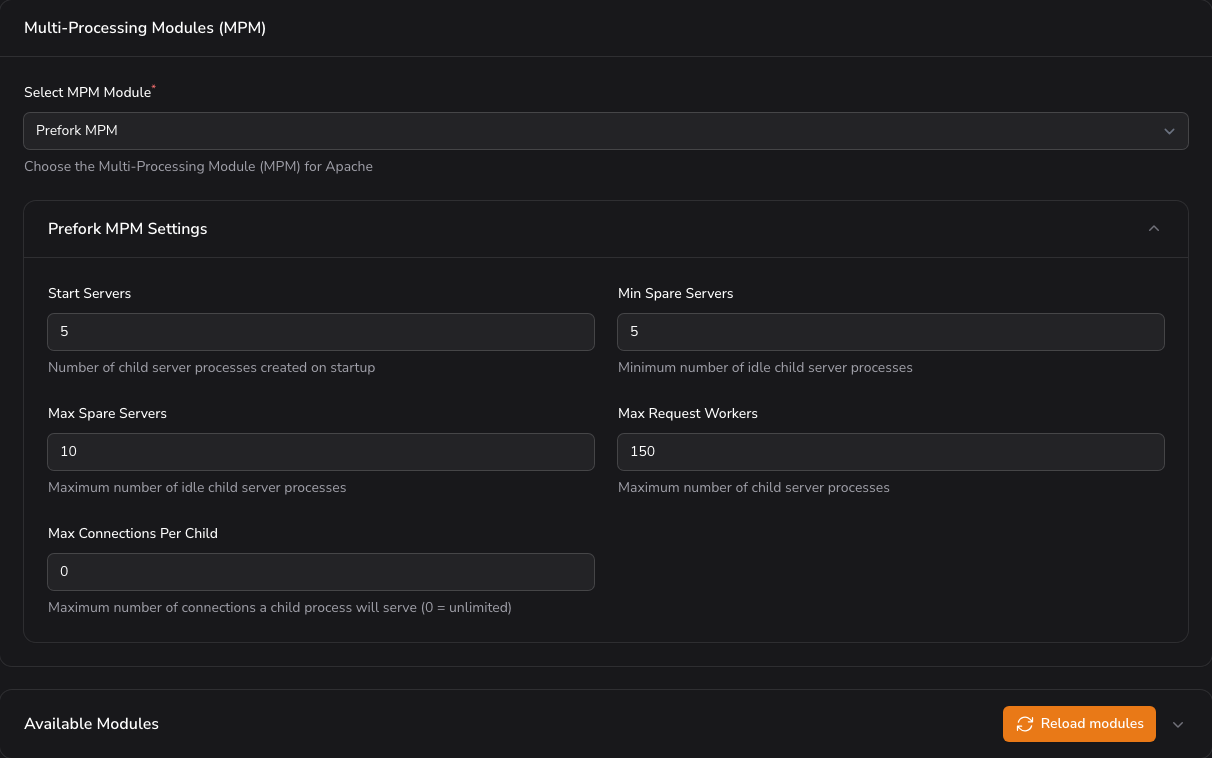
MPM and Worker Processes
Selects the Multi-Processing Module and tunes how many worker processes Apache runs. Select MPM Module is required.
| Setting | Description | Options |
|---|---|---|
| Select MPM Module (required) | Choose the Multi-Processing Module (MPM) for Apache. | Event MPM, Prefork MPM, Worker MPM |
| Start Servers | Number of child server processes created on startup. | Numeric |
| Min Spare Servers | Minimum number of idle child server processes. | Numeric |
| Max Spare Servers | Maximum number of idle child server processes. | Numeric |
| Max Request Workers | Maximum number of child server processes. | Numeric |
| Max Connections Per Child | Maximum number of connections a child process will serve (0 = unlimited). | Numeric |
| Threads Per Child (Event, Worker) | Number of threads each child process runs. | Numeric |
| Server Limit (Event, Worker, optional) | Upper bound on child processes. Leave blank to derive it from Max Request Workers and Threads Per Child. | Numeric |
| Thread Limit (Event, Worker, optional) | Upper bound on Threads Per Child. Leave blank to follow it. | Numeric |
Raising the ceilings
Server Limit and Thread Limit are what the generated configuration derives its ceilings from. Left blank, they are derived from the values above them, so a raised Max Request Workers or Threads Per Child takes effect instead of being trimmed back when Apache starts.
Max Request Workers has to be a multiple of Threads Per Child. Saving a changed ceiling restarts Apache fully, which is what a new ceiling needs in order to take hold, so expect a brief interruption.
Choosing an MPM
Event is the modern default and works best with HTTP/2 and high concurrency. Use Prefork when a site loads PHP through mod_php, since it runs one process per request and is the safe choice for modules that are not thread-safe. Worker is a threaded middle ground. With PHP-FPM (the usual setup), Event is the recommended choice.
Logging Configuration
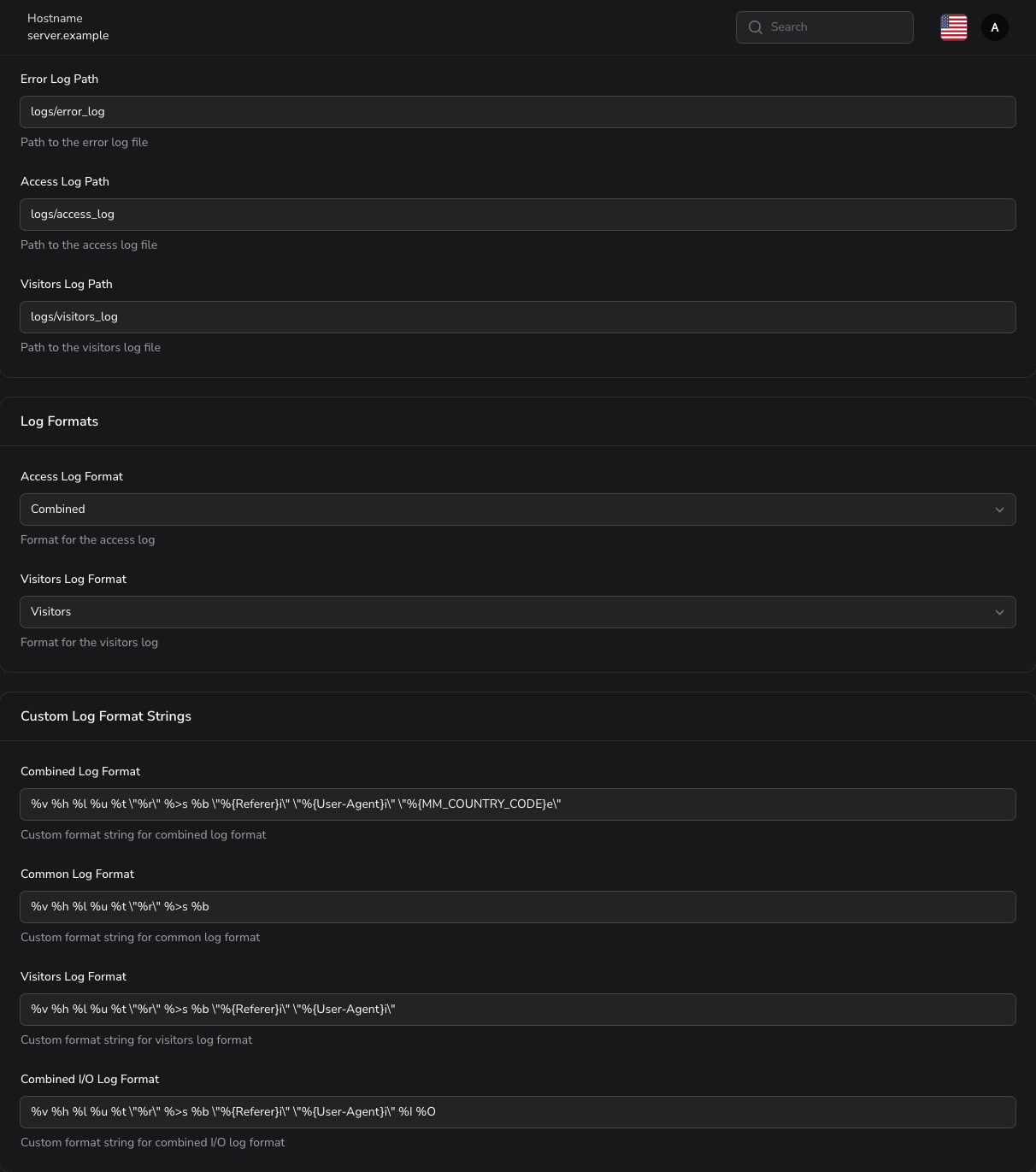
Locations, formats, and verbosity of the server log files.
| Setting | Description | Options |
|---|---|---|
| Error Log Path | Path to the error log file. | Free text |
| Access Log Path | Path to the access log file. | Free text |
| Visitors Log Path | Path to the visitors log file. | Free text |
| Access Log Format | Format for the access log. | Combined, Common, Visitors, Combined I/O |
| Visitors Log Format (selector) | Format for the visitors log. | Visitors, Combined, Common |
| Combined Log Format | Custom format string for combined log format. | Free text |
| Common Log Format | Custom format string for common log format. | Free text |
| Visitors Log Format (custom string) | Custom format string for visitors log format. | Free text |
| Combined I/O Log Format | Custom format string for combined I/O log format. | Free text |
| Log Level | Level of detail for error logging. | Emergency, Alert, Critical, Error, Warning, Notice, Info, Debug, Trace 1 to Trace 8 |
Note: there are two Visitors Log Format controls. The selector chooses a built-in format, while the custom string field defines your own format pattern.
SSL/TLS
SSL/TLS settings appear in the Modules Configuration tab when the SSL module is enabled. They are grouped below by purpose.
Protocols and Ciphers
| Setting | Description | Options |
|---|---|---|
| SSL Engine | Enables or disables the SSL engine. | On, Off |
| SSL Protocol | SSL/TLS protocols to enable. | Free text |
| SSL Cipher Suite | SSL cipher suites to use. | Free text |
| SSL Honor Cipher Order | Honors the server's cipher order preference. | On, Off |
| SSL Compression | Enables or disables SSL compression. | On, Off |
| SSL Session Tickets | Enables or disables SSL session tickets. | On, Off |
| SSL Insecure Renegotiation | Allows insecure SSL renegotiation. | On, Off |
| SSL FIPS Mode | Enables FIPS mode for SSL operations. | On/Off toggle |
| SSL OpenSSL Conf Cmd Curves | Elliptic curves to use for SSL connections. | Free text |
| SSL OpenSSL Conf Cmd Security Level | OpenSSL security level (0-5). | Numeric |
Recommended TLS settings
Enable only modern protocols: set SSL Protocol to all -SSLv3 -TLSv1 -TLSv1.1 so only TLS 1.2 and 1.3 are served. Turn SSL Honor Cipher Order On, and leave SSL Compression and SSL Insecure Renegotiation Off. For SSL Cipher Suite, a current Mozilla "intermediate" cipher list is a safe default.
| SSL Random Seed Startup | Random seed source for startup. | Free text | | SSL Random Seed Connect | Random seed source for connections. | Free text |
OCSP Stapling
| Setting | Description | Options |
|---|---|---|
| SSL Use Stapling | Enables or disables OCSP stapling. | On, Off |
| SSL Stapling Cache | Cache for SSL stapling responses. | Free text |
| SSL Stapling Response Max Age (seconds) | Maximum age for OCSP stapling responses. | Numeric |
| SSL Stapling Response Time Skew (seconds) | Time skew tolerance for OCSP responses. | Numeric |
| SSL Stapling Return Responder Errors | Returns OCSP responder errors to clients. | On, Off |
| SSL Stapling Fake Try Later | Sends fake "try later" responses for OCSP failures. | On, Off |
Session Cache
| Setting | Description | Options |
|---|---|---|
| SSL Session Cache | Cache for SSL sessions. | Free text |
| SSL Session Cache Timeout (seconds) | Timeout for SSL session cache entries. | Numeric |
Proxy SSL
| Setting | Description | Options |
|---|---|---|
| SSL Proxy Engine | Enables or disables SSL proxy functionality. | On, Off |
| SSL Proxy Protocol | SSL/TLS protocols for proxy connections. | Free text |
| SSL Proxy Cipher Suite | SSL cipher suites for proxy connections. | Free text |
| SSL Proxy Honor Cipher Order | Honors the proxy server's cipher order preference. | On, Off |
| SSL Proxy Compression | Enables or disables SSL compression for proxy connections. | On, Off |
| SSL Proxy Session Tickets | Enables or disables SSL session tickets for proxy connections. | On, Off |
| SSL Proxy Use Stapling | Enables or disables OCSP stapling for proxy connections. | On, Off |
| SSL Proxy Session Cache | Cache for SSL proxy sessions. | Free text |
| SSL Proxy Session Cache Timeout (seconds) | Timeout for SSL proxy session cache entries. | Numeric |
| SSL Proxy Verify | Level of SSL certificate verification for proxy connections. | None, Optional, Require |
| SSL Proxy Check Peer CN | Checks peer certificate common name for proxy connections. | On, Off |
| SSL Proxy Check Peer Name | Checks peer certificate name for proxy connections. | On, Off |
| SSL Proxy Check Peer Expire | Checks peer certificate expiration for proxy connections. | On, Off |
| SSL Proxy Insecure Renegotiation | Allows insecure SSL renegotiation for proxy connections. | On, Off |
| SSL Proxy Random Seed Startup | Random seed source for proxy startup. | Free text |
| SSL Proxy Random Seed Connect | Random seed source for proxy connections. | Free text |
MaxMind / GeoIP
Geolocation database settings, available when the MaxMind module is enabled.
| Setting | Description | Options |
|---|---|---|
| MaxMind DB Enable | Enables or disables MaxMind database functionality. | On, Off |
| MaxMind DB Server Name | Server name for MaxMind database lookups. | Free text |
| MaxMind DB Country File | Path to the MaxMind country database file. | Free text |
| MaxMind DB City File | Path to the MaxMind city database file. | Free text |
Other Module-Related Settings
These settings appear in the Modules Configuration tab alongside their related module.
Proxy
| Setting | Description | Options |
|---|---|---|
| Proxy Requests | Controls whether the proxy will handle requests. | On, Off |
| Proxy Preserve Host | Preserves the original Host header in proxied requests. | On, Off |
Compression and Directory Indexing
| Setting | Description |
|---|---|
| Deflate Types | MIME types to compress with deflate. |
| Directory Index | List of files to look for when a directory is requested. |
MIME Types
| Setting | Description |
|---|---|
| MIME Magic File | Path to the MIME magic file for type detection. |
| Types Config File | Path to the MIME types configuration file. |
Server Status
| Setting | Description |
|---|---|
| Status Location | URL path for the server status page. |
| Status Allow From | IP addresses allowed to access the status page. |
User Directories
| Setting | Description |
|---|---|
| User Directory | Directory to look for user-specific files. |
Modules Configuration
Each module below is exposed as an on/off toggle. Enable a module to load it into Apache; disable it to unload it. Some modules reveal additional settings when enabled, documented in the sections above.
| Module | Description |
|---|---|
access_compat_module | Provides access compatibility for old directives. |
actions_module | Handles actions for specific MIME types. |
alias_module | Allows URL path aliasing. |
allowmethods_module | Restricts HTTP methods for requests. |
asis_module | Sends files to clients without modification. |
auth_basic_module | Implements basic HTTP authentication. |
auth_digest_module | Implements digest HTTP authentication. |
authn_anon_module | Supports anonymous user authentication. |
authn_core_module | Handles core authentication logic. |
authn_dbd_module | Authenticates users via databases. |
authn_dbm_module | Authenticates users via DBM databases. |
authn_file_module | Authenticates users using plain files. |
authn_socache_module | Caches user authentication info. |
authnz_fcgi_module | Authentication using FastCGI. |
authz_core_module | Handles core authorization logic. |
authz_dbd_module | Authorizes users via databases. |
authz_dbm_module | Authorizes users with DBM databases. |
authz_groupfile_module | Group-based authorization. |
authz_host_module | Authorizes by hostname/IP. |
authz_owner_module | Authorizes by file ownership. |
authz_user_module | Authorizes specific users. |
autoindex_module | Generates directory listings. |
brotli_module | Compresses content using Brotli. |
buffer_module | Buffers data for filters. |
cache_disk_module | Caches content on disk. |
cache_module | Provides caching mechanisms. |
cache_socache_module | Caches content in shared memory. |
cgi_module | Handles CGI scripts. |
cgid_module | Handles CGI scripts via daemon. |
charset_lite_module | Converts character sets. |
data_module | Serves inline data. |
dav_fs_module | DAV for filesystems. |
dav_lock_module | Provides DAV locking. |
dav_module | Provides WebDAV support. |
dbd_module | Database interface for modules. |
deflate_module | Compresses content with DEFLATE. |
dialup_module | Simulates slow connections. |
dir_module | Handles the DirectoryIndex. |
dumpio_module | Dumps input/output data. |
echo_module | Echoes back request data. |
env_module | Manipulates environment variables. |
evasive20_module | Enable or disable this module. |
expires_module | Controls content expiration. |
ext_filter_module | Executes external filters. |
filter_module | Provides filter support. |
headers_module | Manages HTTP headers. |
heartbeat_module | Generates heartbeat signals. |
heartmonitor_module | Monitors server heartbeats. |
http2_module | Provides HTTP/2 support. |
include_module | Includes configuration files. |
info_module | Displays server information. |
lbmethod_bybusyness_module | Load balancing by busyness. |
lbmethod_byrequests_module | Load balancing by requests. |
lbmethod_bytraffic_module | Load balancing by traffic. |
lbmethod_heartbeat_module | Heartbeat-based balancing. |
log_config_module | Configures logging options. |
log_debug_module | Provides debug-level logging. |
log_forensic_module | Captures detailed request logs. |
logio_module | Logs request input/output. |
lua_module | Adds Lua scripting support. |
macro_module | Enables macro definitions. |
maxminddb_module | Integrates MaxMind DB. |
mime_magic_module | Detects file types by content. |
mime_module | Maps extensions to MIME types. |
negotiation_module | Handles content negotiation. |
proxy_ajp_module | Proxies AJP protocol requests. |
proxy_balancer_module | Balances proxy requests. |
proxy_connect_module | Proxies CONNECT method. |
proxy_express_module | Express-style proxy settings. |
proxy_fcgi_module | Handles FastCGI proxying. |
proxy_fdpass_module | Passes file descriptors over proxy. |
proxy_ftp_module | Proxies FTP requests. |
proxy_hcheck_module | Performs backend health checks. |
proxy_http2_module | Handles HTTP/2 proxying. |
proxy_http_module | Handles HTTP proxying. |
proxy_module | Enables proxy features. |
proxy_scgi_module | SCGI proxy support. |
proxy_wstunnel_module | Supports WebSocket tunnels. |
ratelimit_module | Limits client data rates. |
reflector_module | Reflects request bodies. |
remoteip_module | Processes client IP addresses. |
reqtimeout_module | Limits request timeouts. |
request_module | Handles HTTP requests. |
rewrite_module | Rewrites URLs dynamically. |
security2_module | Handles advanced security configs. |
sed_module | Processes streams of data. |
setenvif_module | Sets environment variables based on conditions. |
slotmem_plain_module | Manages plain slot memory. |
slotmem_shm_module | Manages shared memory slots. |
socache_dbm_module | DBM-based shared caching. |
socache_memcache_module | Memcache shared caching. |
socache_redis_module | Redis shared caching. |
socache_shmcb_module | Shmcb shared caching. |
speling_module | Fixes spelling in URLs. |
ssl_module | Provides SSL support. |
status_module | Displays server status. |
substitute_module | Replaces response content. |
suexec_module | Enable suEXEC for CGI scripts. |
systemd_module | Integrates with systemd. |
unique_id_module | Generates unique request IDs. |
unixd_module | Handles Unix processes. |
userdir_module | Serves user directories. |
usertrack_module | Tracks user sessions. |
version_module | Shows server version. |
vhost_alias_module | Provides virtual host aliasing. |
watchdog_module | Monitors server health. |
Usage Preset
A predefined configuration profile selector based on your server's hosting volume:
- Low Capacity - ideal for up to 500 websites
- Moderate Capacity - supports 500 to 2,000 websites
- High Capacity - designed for 2,000 to 5,000+ websites
- Custom Settings - tailor to your specific needs
Actions
- Apply Configuration - apply the current settings to the service.
Profiles and Service Control
- Save as New Profile - save the current configuration as a reusable profile.
- Load Profile / Download Profile - restore or export a saved profile.
- Check Service Status - verify the current Apache service state.
- Reload modules - reload the Apache module list.
- Refresh - reload the current status.
- Restart - restart the Apache service.
- Close - close the settings dialog.