

Metrics
Metrics is the live performance view of the server: what the machine is doing right now, what each service is consuming, and how one service behaved over time. Open it from Health > Metrics in the sidebar.
Overview
URL: /admin/metrics
The page header reads "Monitor system performance, accounts, and MyApache activity in real-time."
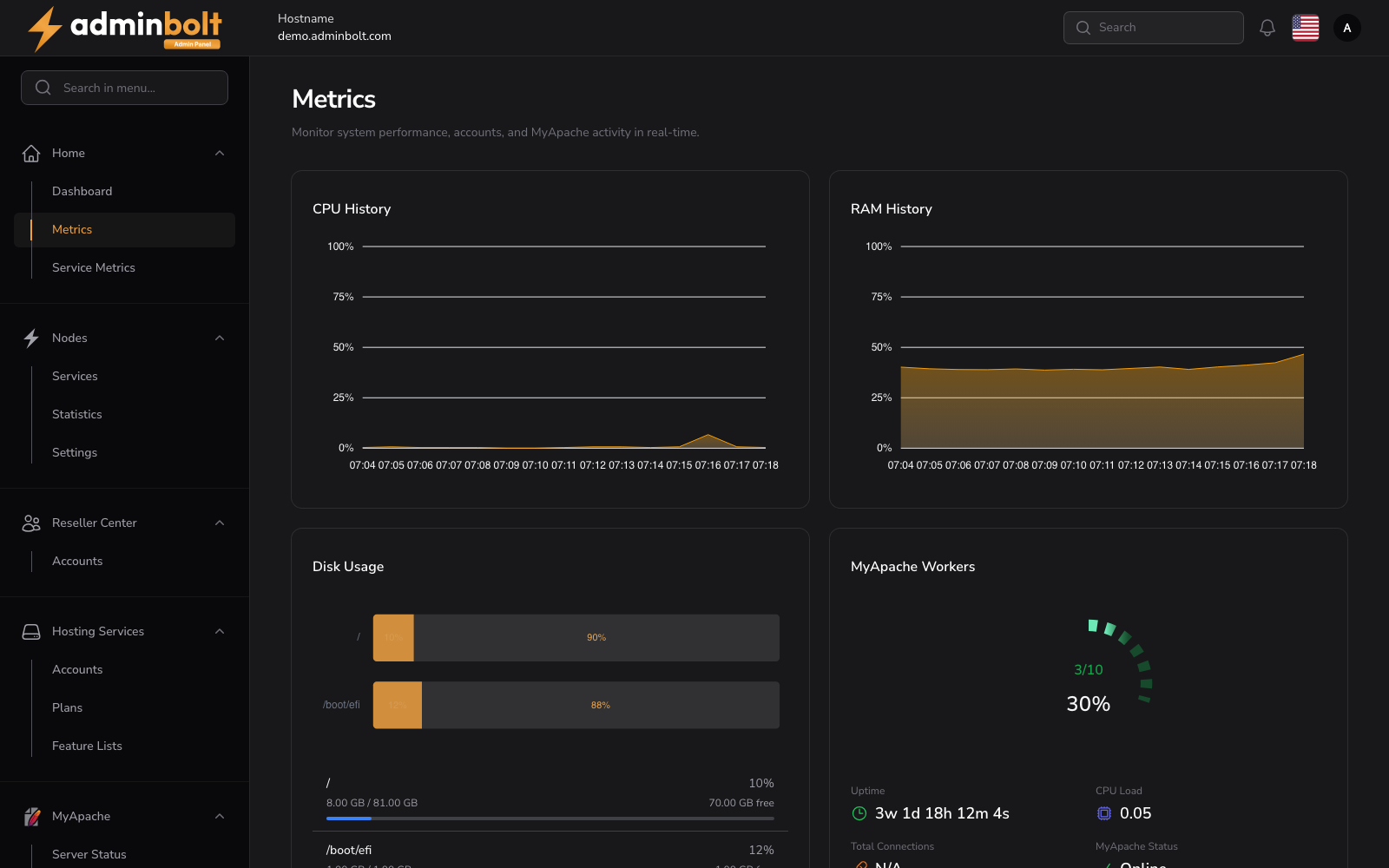
Above the tabs, a row of live widgets summarises the machine: CPU History and RAM History graphs, Disk Usage per mount point, MyApache Workers, Uptime, CPU Load, Total Connections, and MyApache Status. They stay in view whichever tab you are on.
The tabs, each with its own address so it can be bookmarked:
| Tab | URL | What it shows |
|---|---|---|
| Overview | /admin/metrics | The server itself: system details, memory, and CPU. |
| Services | /admin/metrics?tab=services | CPU, memory, and process counts per service. |
| History | /admin/metrics?tab=history | The recorded history of one selected service. |
Note: The readings come from the Metrics module, which is listed with the other modules under Modules.
Overview tab
System Overview
Displays basic information about the server:
- Hostname - The server's hostname.
- Platform - The operating system (for example
linux). - Architecture - The CPU architecture (for example
amd64). - Kernel - The kernel version.
- Distribution - The Linux distribution and version (for example
AlmaLinux 9.8). - Uptime - How long the server has been running.
Memory
Displays current memory usage:
- Total - Total available memory in GB.
- Used - Currently used memory in GB.
- Free - Available free memory in GB.
- Usage - Memory usage as a percentage.
CPU Performance Metrics
CPU Information names the hardware:
- Model - The CPU model name.
- Cores - Number of CPU cores.
Overall CPU Usage and Per-Core CPU Usage report the same four readings, first for the whole processor and then for each core:
- Current - Current usage percentage.
- Average - Average usage.
- Maximum - Highest recorded usage.
- Minimum - Lowest recorded usage.
Services tab
URL: /admin/metrics?tab=services
Monitor CPU, memory, and process metrics for all system services.
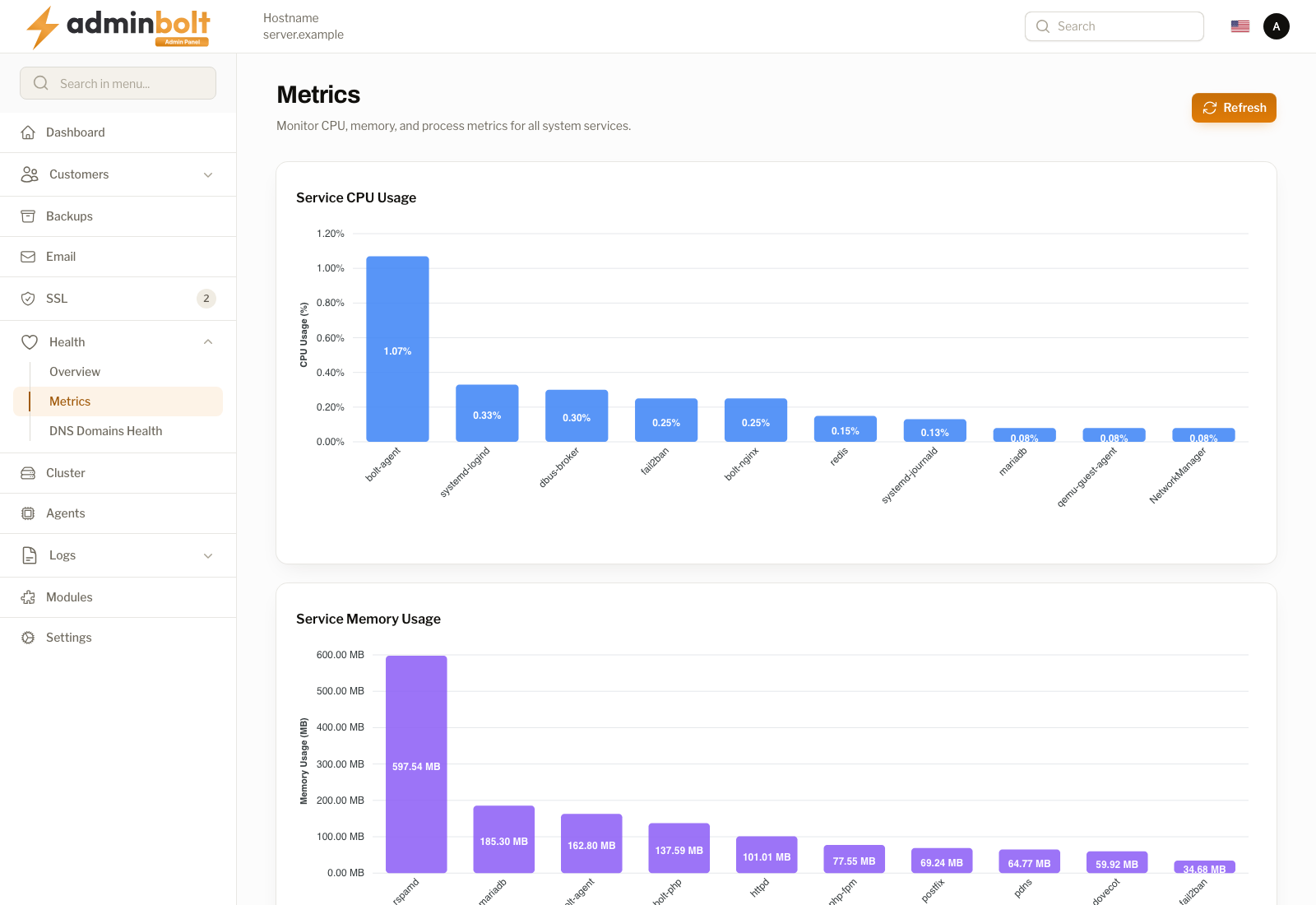
Four counters head the tab: Total Services, Average CPU %, Total Memory, and Total Processes. Below them, two charts rank the ten heaviest services by CPU and by memory, which is the quickest way to see what is eating the machine.
The table lists every service the collector knows about:
| Column | Description |
|---|---|
| Service Name | The service, for example bolt-agent or rspamd. |
| CPU % | Share of CPU used at the last sample. |
| Memory | Resident memory used. |
| Memory % | That memory as a share of the machine's total. |
| Processes | How many processes the service is running. |
| Timestamp | When the sample was taken, with a relative age next to it. |
A search box filters by service name, Refresh takes a new sample, and the list is paginated (5, 10, 25, 50, or All per page).
History tab
URL: /admin/metrics?tab=history
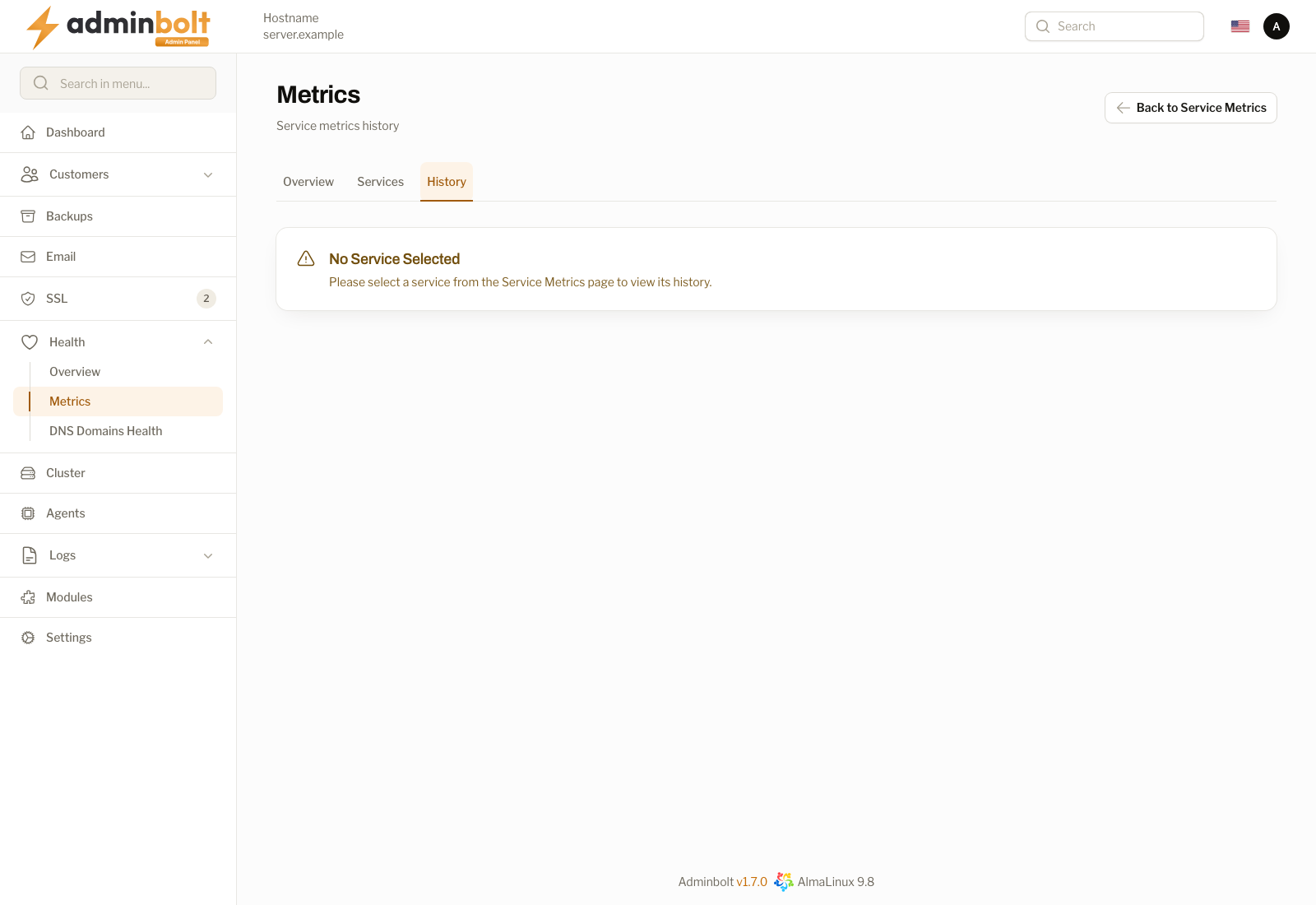
The History tab charts one service over time rather than the whole machine. It needs a service to be picked on the Services tab first; until then it states that no service is selected and offers Back to Service Metrics.