

ModSecurity - CRS4 Rules
ℹ️ Opened from Modules - this module page has no sidebar entry of its own. Open Modules in the sidebar, then the module's card on the Application Modules page (
/admin/modules).
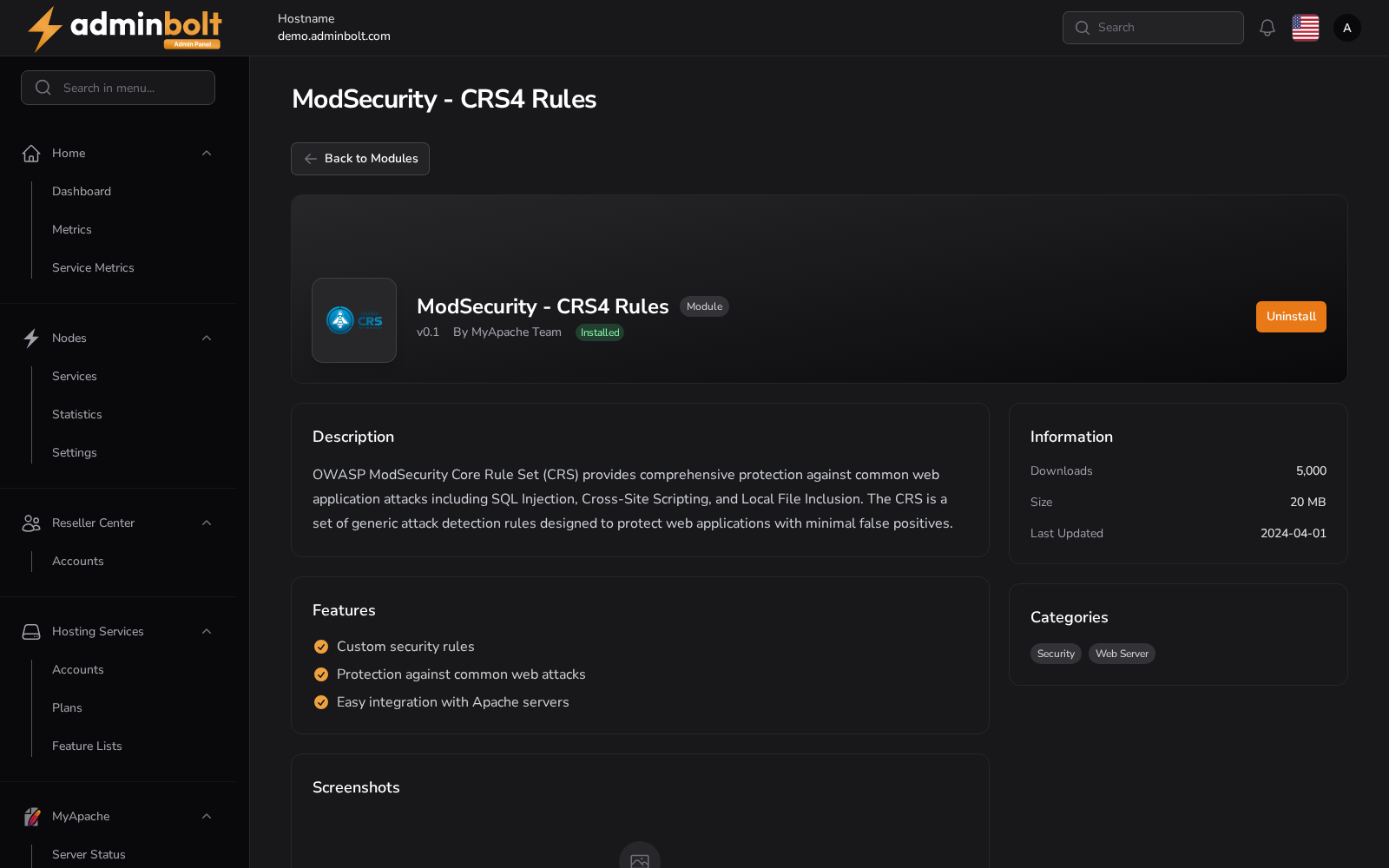
The ModSecurity - CRS4 Rules page provides detailed information about the CRS4 rule set module for MyApache. This module enhances your server’s web application firewall by applying a predefined set of OWASP security rules.
Overview
This module is part of the MyApache ecosystem and delivers a comprehensive set of custom security rules derived from the OWASP Core Rule Set (CRS). It is intended to help protect web applications from a wide range of threats with minimal configuration required.
URL
/admin/modules/myapache-crs4-modsecurity-rules
In the panel: Modules > ModSecurity - CRS4 Rules. The rules it installs are then managed on the ModSecurity Rules tab of Web Server in the sidebar.
Description
MyApache ModSecurity Rule Set provides a set of custom security rules for Apache servers to enhance web application security.
The OWASP CRS is a set of generic attack detection rules for use with ModSecurity or compatible web application firewalls. It aims to protect web applications from a wide range of attacks, including the OWASP Top Ten, with a minimum of false alerts. CRS provides protection against many common attack categories, including SQL Injection, Cross Site Scripting, Local File Inclusion, etc.
Features
- Custom security rules
- Protection against common web attacks
- Integrates with Apache without further configuration
Installation
Install the module from the Application Modules page (/admin/modules). Once installed, the OWASP CRS4 rule set is registered with ModSecurity: its rule files appear under MyApache ModSecurity Rules with vendor CRS4 (for example REQUEST-930-APPLICATION-ATTACK-LFI.conf, REQUEST-942-APPLICATION-ATTACK-SQLI.conf), where each can be toggled on or off. ModSecurity itself is configured on MyApache ModSecurity Configuration.
Since panel 1.9.3, a new installation already has the rule set, with ModSecurity switched on; see ModSecurity on new installations.
Module Management
- Uninstall - removes the CRS4 rule set from the panel (available from the module page).