

Migration Center
The Migration Center gathers the ways accounts move in and out of this server. It opens on Export.
Note: Several unrelated features are called migration. This page covers moving a hosting account between AdminBolt servers by file, and it is the home of the external migration wizard for cPanel and DirectAdmin sources. For converting a whole cPanel or DirectAdmin server into an AdminBolt server, see migrating to AdminBolt. For a summary of which is which, see Migration.
Overview
URL: /admin/migration
The page is a top-level entry in the admin navigation, with four tabs: Export, Import, History, and External.
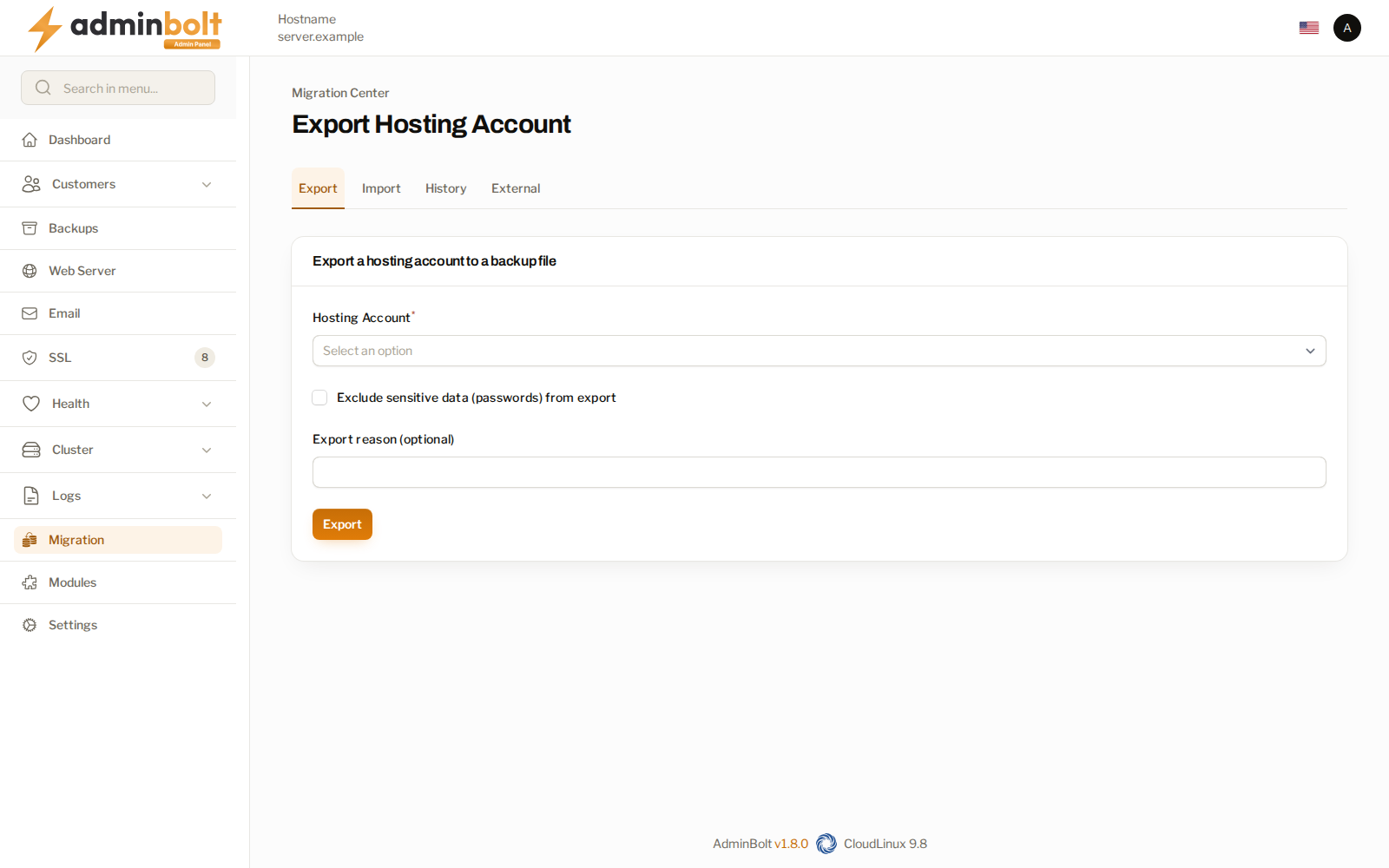
Export
At /admin/migration/export-hosting-account. Exports one hosting account to a backup file that another AdminBolt server can import.
| Field | What it does |
|---|---|
| Hosting Account | The account to export. |
| Exclude sensitive data (passwords) from export | Leaves passwords out of the file. |
| Export reason | An optional note, kept with the record. |
Excluding passwords produces a file that is safe to move around, at the cost of the account's users needing new passwords on arrival. Decide by how the file will travel: leave passwords out of anything that crosses a channel you do not control.
An export moves configuration, not customer data. It carries the account's setup so another AdminBolt server can recreate it. To move files, databases, and mailboxes as well, use an external migration or bolt-migrate.
Import
At /admin/migration/import-hosting-account. Takes a backup file exported from an AdminBolt panel and recreates the account here.
- Backup file - the exported file, uploaded or dropped onto the form.
- Validate record integrity (hashes) - checks the file has not been altered since it was written. Leave it on. Turn it off only for a file you edited deliberately, or one whose checksums are missing.
History
At /admin/migration/exported-accounts-list. Every account exported from this server, with the date and the file each export produced, and a Download action for the file. Group by collapses the list by account when one account has been exported more than once.
External
The external migration wizard, which moves accounts off a remote cPanel or DirectAdmin server into this one without leaving the panel.
Related pages
- External Migrations - the cPanel and DirectAdmin wizard.
- Migrating to AdminBolt - converting a whole server.
- Migration - which feature is which.
- Hosting Accounts - the accounts an export draws from.