

Database Settings
The Database Settings page configures the database server and manages MariaDB configuration profiles. In the panel it is titled Settings, inside the Databases group.
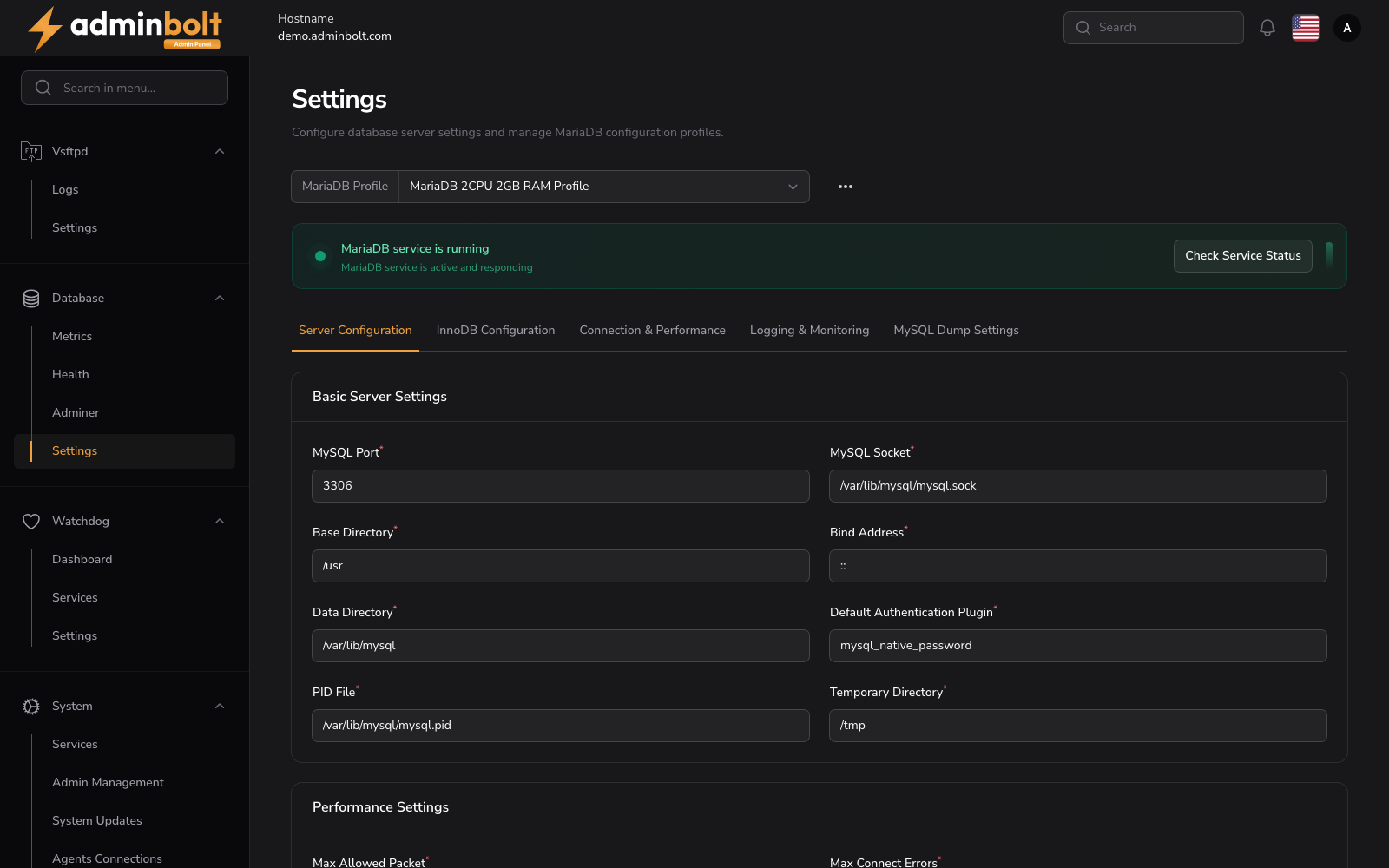
Overview
URL: /admin/settings/database-settings
Navigate to Settings > Databases > Databases. The other entries in the same group are Remote MySQL, Adminer, and PHPMyAdmin.
The page header reads: "Configure database server settings and manage MariaDB configuration profiles."
MariaDB Profile
At the top, a MariaDB Profile dropdown allows selecting a configuration profile (e.g., "MariaDB 2CPU 2GB RAM Profile"). An options menu (three dots) is available next to the profile selector.
Service Status
A status banner shows whether the MariaDB service is running, with a Check Service Status button.
Configuration Tabs
The settings page is organized into five tabs, and the tab you have open is recorded in the address, so reloading keeps you on it. Each field below lists the value AdminBolt ships with. When a MariaDB profile is loaded, the form shows that profile's values instead, so what appears on screen can differ from the defaults documented here.
1. Server Configuration
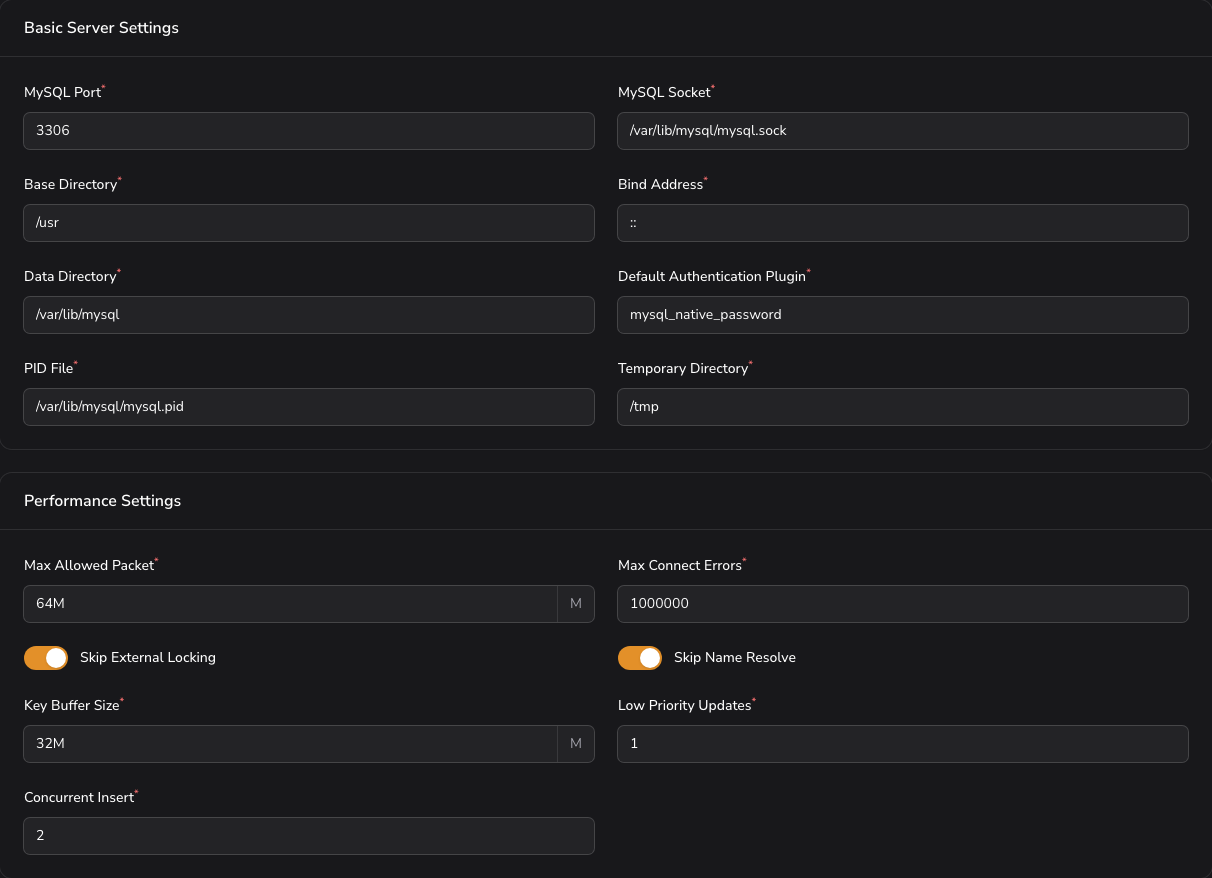
Basic Server Settings
- MySQL Port (required) - The port the database listens on (default:
3306). - MySQL Socket (required) - Path to the MySQL socket file.
- Base Directory (required) - The MySQL installation base directory.
- Bind Address (required) - The address the server binds to.
- Data Directory (required) - Path to the data directory.
- Default Authentication Plugin (required) - The default authentication method.
- PID File (required) - Path to the process ID file.
- Temporary Directory (required) - Path to the temporary directory.
Performance Settings
- Max Allowed Packet (required) - Maximum packet size.
- Max Connect Errors (required) - Maximum connection errors before blocking.
- Skip External Locking - Whether to skip external locking (toggle).
- Skip Name Resolve - Whether to skip DNS name resolution (toggle).
- Key Buffer Size (required) - Size of the key buffer.
- Low Priority Updates (required) - Priority for update operations.
- Concurrent Insert (required) - Controls concurrent insert behavior.
- Default Storage Engine (required) - The default storage engine for new tables.
2. InnoDB Configuration
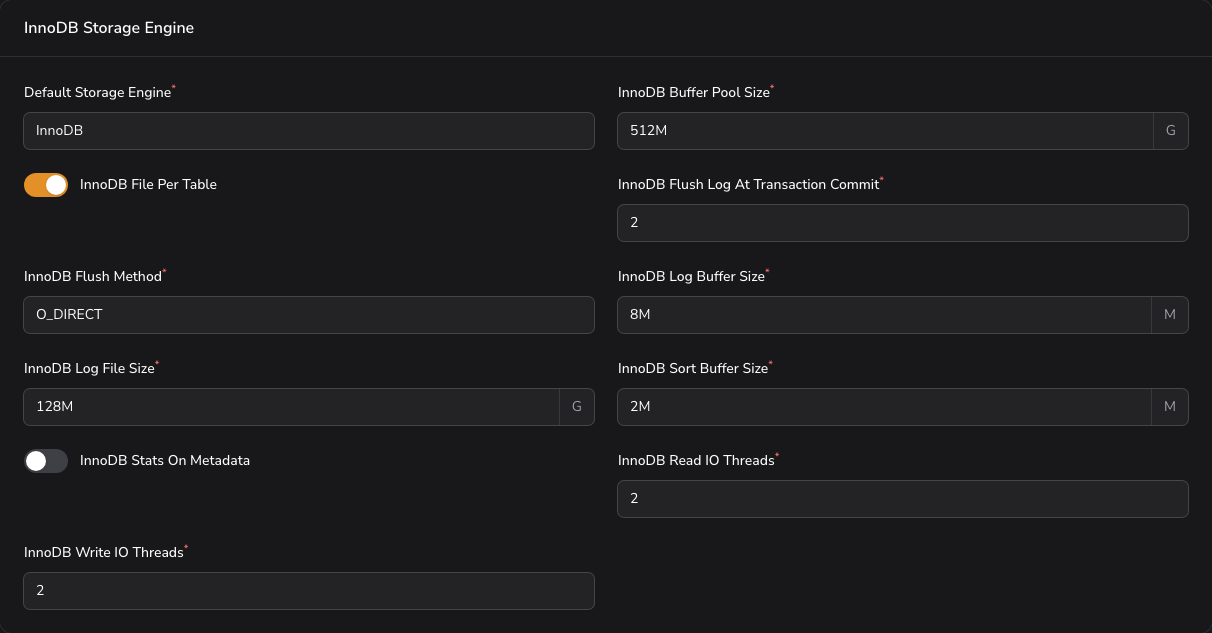
InnoDB Storage Engine
- Default Storage Engine (required) - Storage engine used for new tables (default:
InnoDB). - InnoDB Buffer Pool Size (required) - Memory reserved for caching table data and indexes (default:
4G). The single most important setting for InnoDB performance. - InnoDB File Per Table - Store each table in its own file rather than one shared tablespace (toggle, on by default).
- InnoDB Flush Log At Transaction Commit (required) - How aggressively the log is flushed to disk (default:
0). Higher values trade throughput for durability. - InnoDB Flush Method (required) - Method used to write data to disk (default:
O_DIRECT). - InnoDB Log Buffer Size (required) - Buffer for transactions not yet committed to the log (default:
16M). - InnoDB Log File Size (required) - Size of each redo log file (default:
1G). - InnoDB Sort Buffer Size (required) - Buffer used when building indexes (default:
4M). - InnoDB Stats On Metadata - Recalculate statistics when metadata is read (toggle, off by default).
- InnoDB Read IO Threads (required) - Threads serving read requests (default:
64). - InnoDB Write IO Threads (required) - Threads serving write requests (default:
64).
3. Connection & Performance
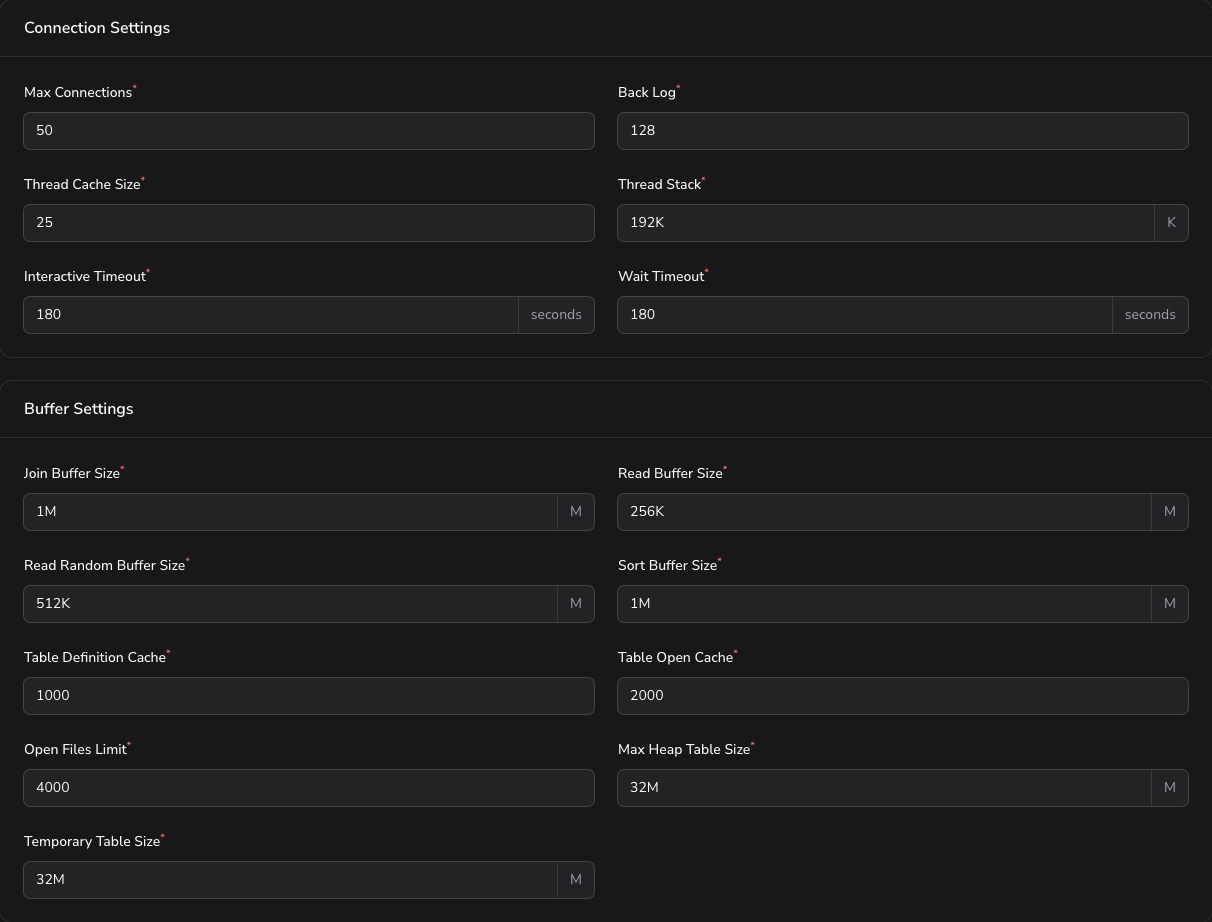
Connection Settings
- Max Connections (required) - Maximum simultaneous client connections (default:
90). - Back Log (required) - Connection requests queued while the server is busy (default:
512). - Thread Cache Size (required) - Threads kept for reuse instead of being recreated (default:
100). - Thread Stack (required) - Stack size per thread (default:
192K). - Interactive Timeout (required) - Seconds an idle interactive connection is held open (default:
180). - Wait Timeout (required) - Seconds an idle non-interactive connection is held open (default:
180).
Buffer Settings
- Join Buffer Size (required) - Buffer for joins that cannot use an index (default:
4M). - Read Buffer Size (required) - Buffer for sequential table scans (default:
3M). - Read Random Buffer Size (required) - Buffer for reads following a sort (default:
4M). - Sort Buffer Size (required) - Buffer per session performing a sort (default:
4M). - Table Definition Cache (required) - Table definitions kept in memory (default:
50000). - Table Open Cache (required) - Open tables kept across sessions (default:
50000). - Open Files Limit (required) - File descriptors the server may hold (default:
60000). - Max Heap Table Size (required) - Largest permitted in-memory table (default:
128M). - Temporary Table Size (required) - Size at which an in-memory temporary table is written to disk (default:
128M).
4. Logging & Monitoring
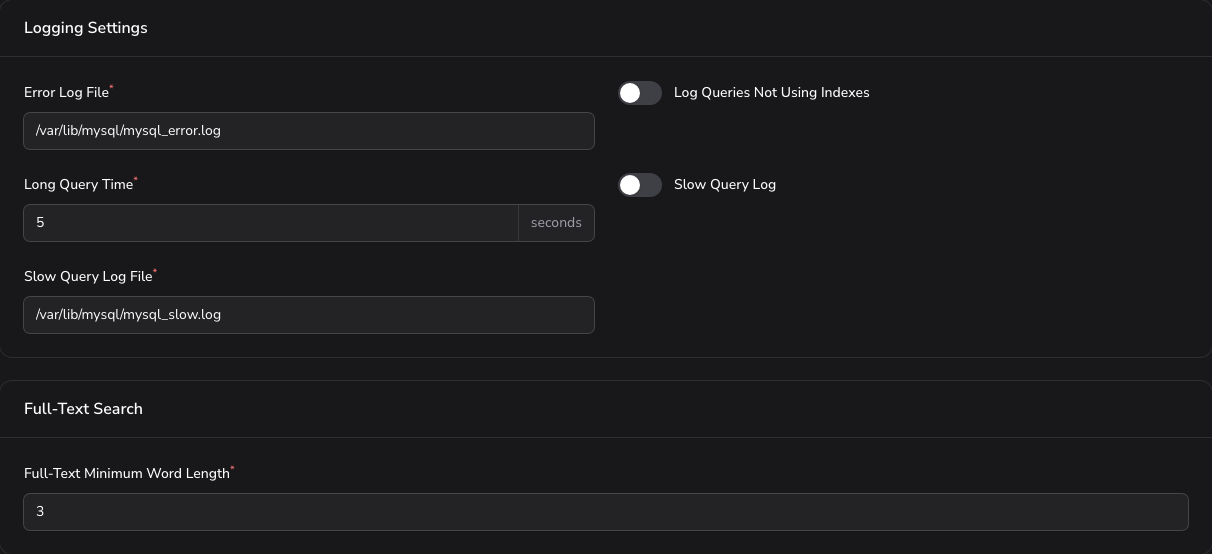
Logging Settings
- Error Log File (required) - Path to the error log (default:
/var/lib/mysql/mysql_error.log). - Log Queries Not Using Indexes - Record queries that run without an index (toggle, off by default).
- Long Query Time (required) - Seconds after which a query counts as slow (default:
5). - Slow Query Log - Enable the slow query log (toggle, off by default).
- Slow Query Log File (required) - Path to the slow query log (default:
/var/lib/mysql/mysql_slow.log).
Full-Text Search
- Full-Text Minimum Word Length (required) - Shortest word indexed by full-text search (default:
3).
5. MySQL Dump Settings

Applies to mysqldump, which is what database backups use.
- Quick Dump - Stream rows straight to the output instead of buffering the whole table in memory (toggle, on by default).
- Quote Names - Quote table and column names in the output (toggle, on by default).
- Max Allowed Packet for Dump (required) - Largest single statement the dump may produce (default:
1024M).
Click Apply Configuration to apply the configuration for the active tab.
MariaDB server
The MariaDB server section names the MariaDB series this server runs, with the date its support runs out, and offers the way up to a newer one.
AdminBolt provisions one of two long-term series:
| Series | Supported until |
|---|---|
| MariaDB 10.11 (LTS) | 2028-02 |
| MariaDB 11.4 (LTS) | 2029-05 |
When a newer supported series exists, the section says so and offers Upgrade to MariaDB <series>. The packages are upgraded in place over the existing databases, the server restarts, and the system tables are updated. Sites lose their database connection for a few seconds while it restarts. The page follows the job and records the new series once the server really reports it.
Warning: Take a backup before you start. Once a server is upgraded, it cannot go back to the older series, and a downgrade is never offered.
Profiles and Service Control
Configuration profiles and service controls are available at the top of the page:
- Save as New Profile - Save the current configuration as a reusable profile.
- Load Profile / Download Profile - Restore or export a saved profile.
- Apply Configuration - Apply the current settings to the database service.
- Refresh - Reload the current service status.
- Restart - Restart the database service.