

Hosting Plans
The Hosting Plans section allows administrators to create and manage custom hosting packages with specific resource limits, domain settings, email quotas, and server application configurations. Open it from Customers > Hosting Packages in the sidebar.
Overview
URL: /admin/customers/hosting-packages/hosting-plans
Plans and the feature lists they use are one area, Hosting Packages, with two tabs. Each tab has its own address and shows how many records it holds:
| Tab | URL | What it holds |
|---|---|---|
| Plans | /admin/customers/hosting-packages/hosting-plans | The hosting plans, described on this page. |
| Feature Lists | /admin/customers/hosting-packages/hosting-plan-feature-lists | The feature lists a plan can be assigned. See Feature Lists. |
The page is headed Plans, with the description "Create and edit hosting plans with custom limits." Five columns are visible by default:
- Name - Hosting plan name
- Disk space - Maximum allowed disk space in MB
- Bandwidth - Maximum monthly data transfer in MB
- Databases - Number of databases included in the plan
- Feature List - The feature list assigned to this plan
Toggle columns adds the rest: Ftp accounts, Owner, Server Application (the plan's PHP version), Created at, and Updated at.
Action buttons available:
- Edit - Modify the plan details
- Copy - Duplicate the plan as a starting point for a new one
- Delete - Permanently delete the plan
Search and Filters
- Search - Works by filtering the table based on the Name column.
- Filter by Reseller - A dropdown filter is available next to the search bar to display plans for a specific reseller.
- Filter by Feature List - A dropdown filter to display plans by feature list (All or Full Feature List).
- Reset Filter - A reset button clears all filters and restores the default table view.
Creating a Hosting Plan
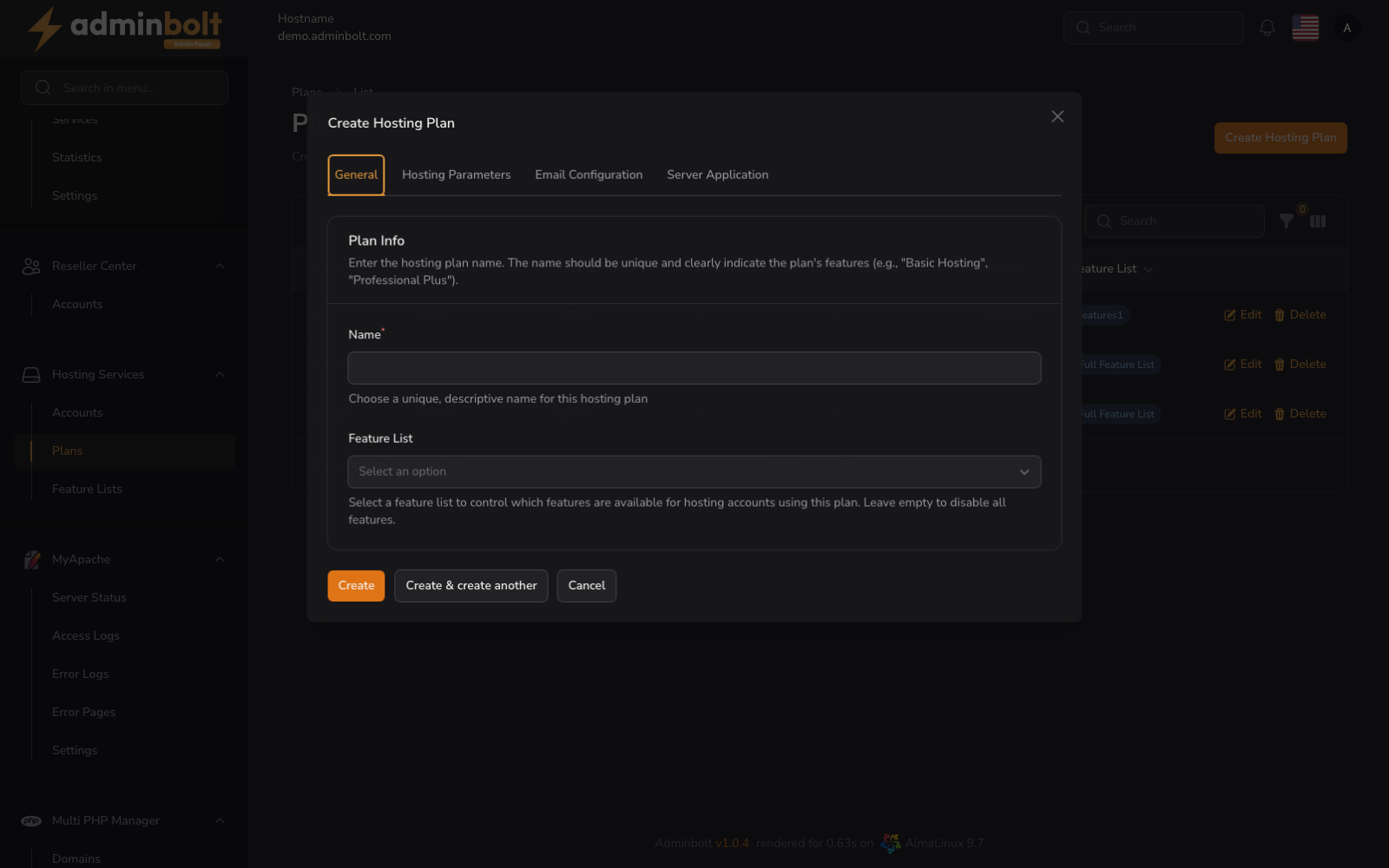
Clicking the Create Hosting Plan button opens a multi-tab modal dialog.
1. General
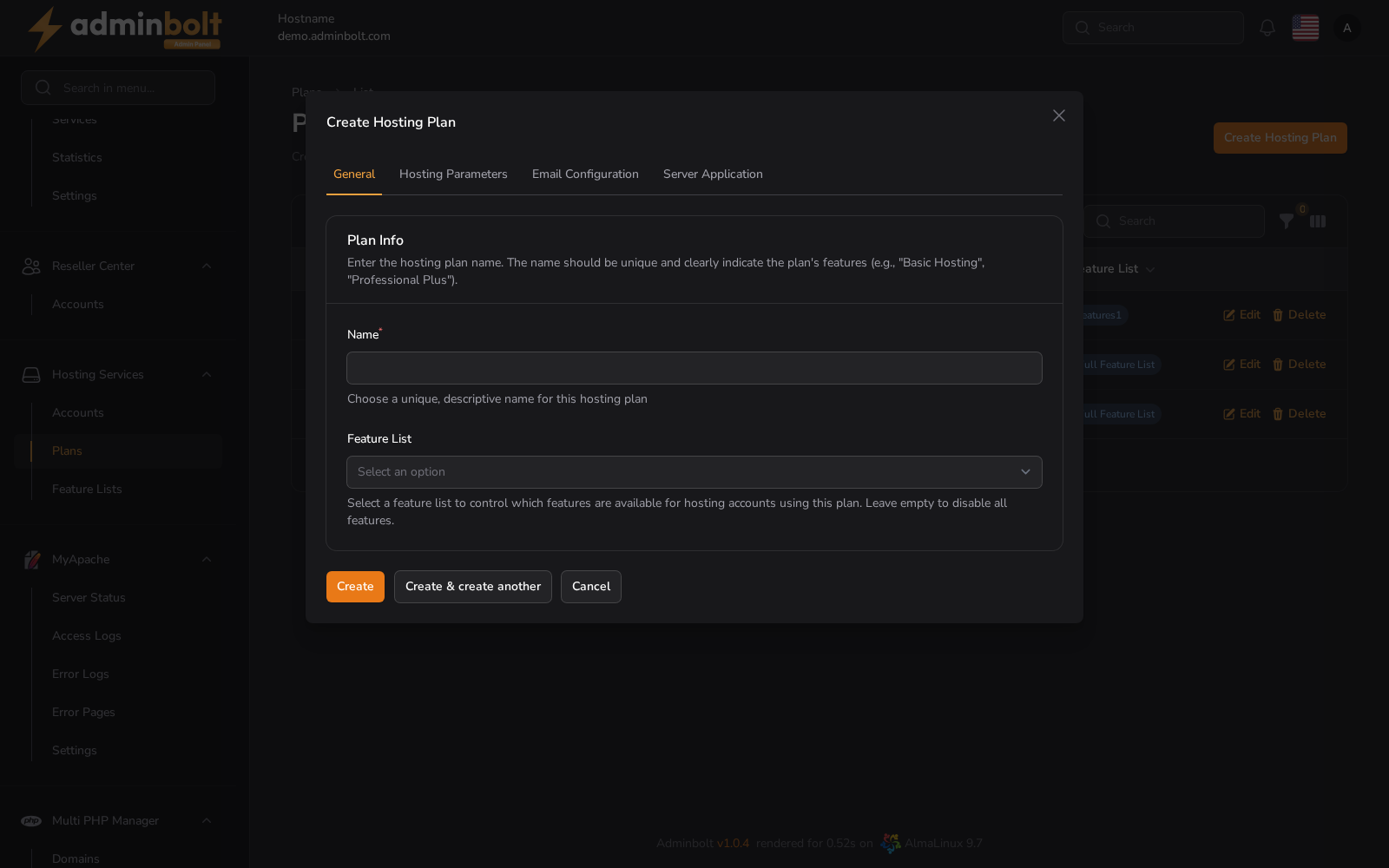
- Name (required) - A unique, descriptive name for the plan (e.g. “Basic Hosting”, “Business Pro”)
- Feature List - Select a feature list to control which features are available for hosting accounts using this plan. Leave empty to disable all features.
- Landing page template - The landing page shown on new accounts created on this plan, before their owner publishes a site. Leave empty to use the default built from your branding.
2. Hosting Parameters
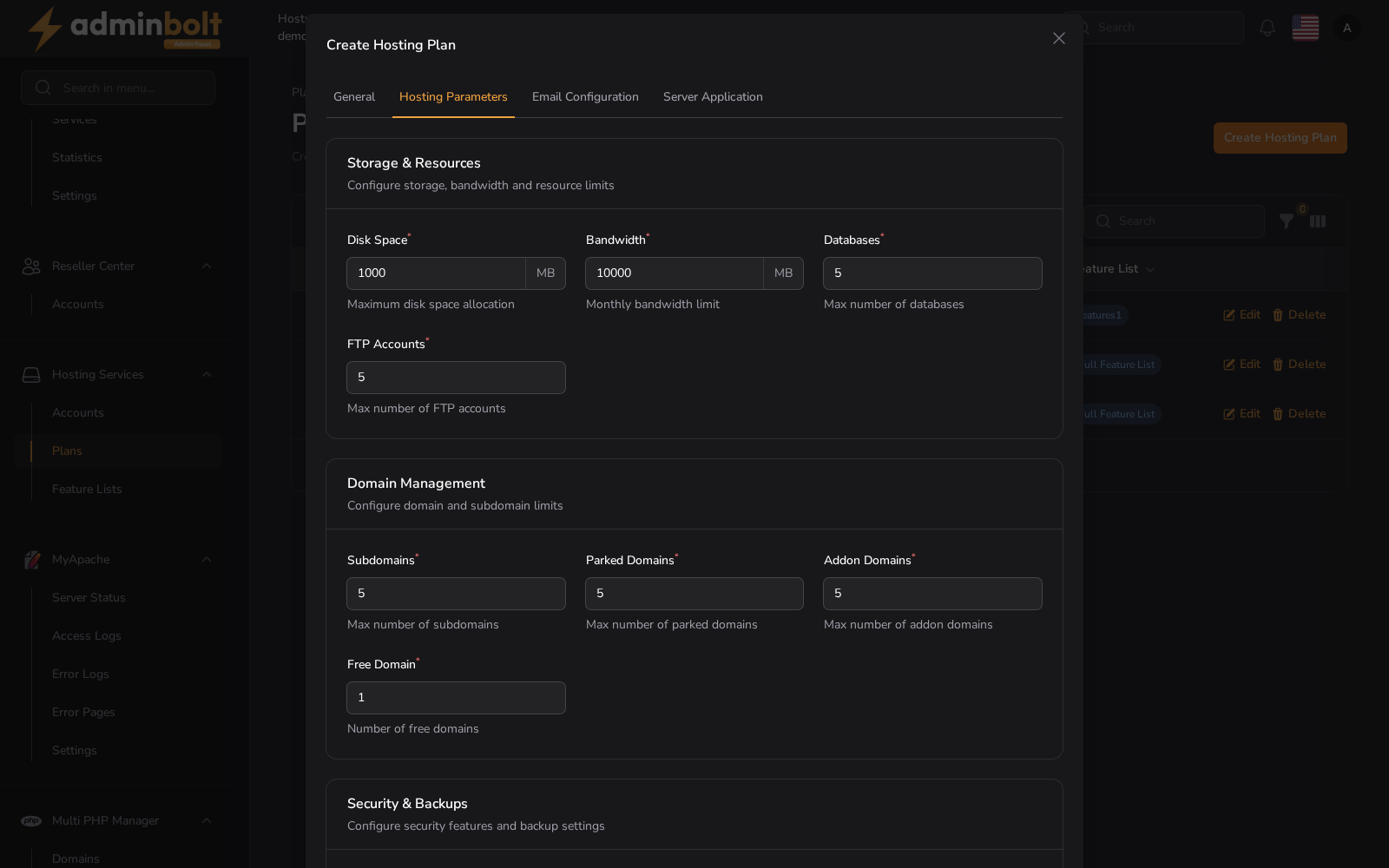
Storage & Resources
- Disk Space - Maximum disk usage in MB
- Bandwidth - Monthly bandwidth in MB
- Databases - Number of databases
- FTP Accounts - Number of FTP users
Domain Management
- Subdomains - Maximum subdomains
- Parked Domains - Max parked domains
- Addon Domains - Max addon domains
- Free Domain - Number of free domains included
Security & Backups
- SSL Certificates - Number of SSL certs
- Daily Backups - Number of daily backups included
3. Email Configuration
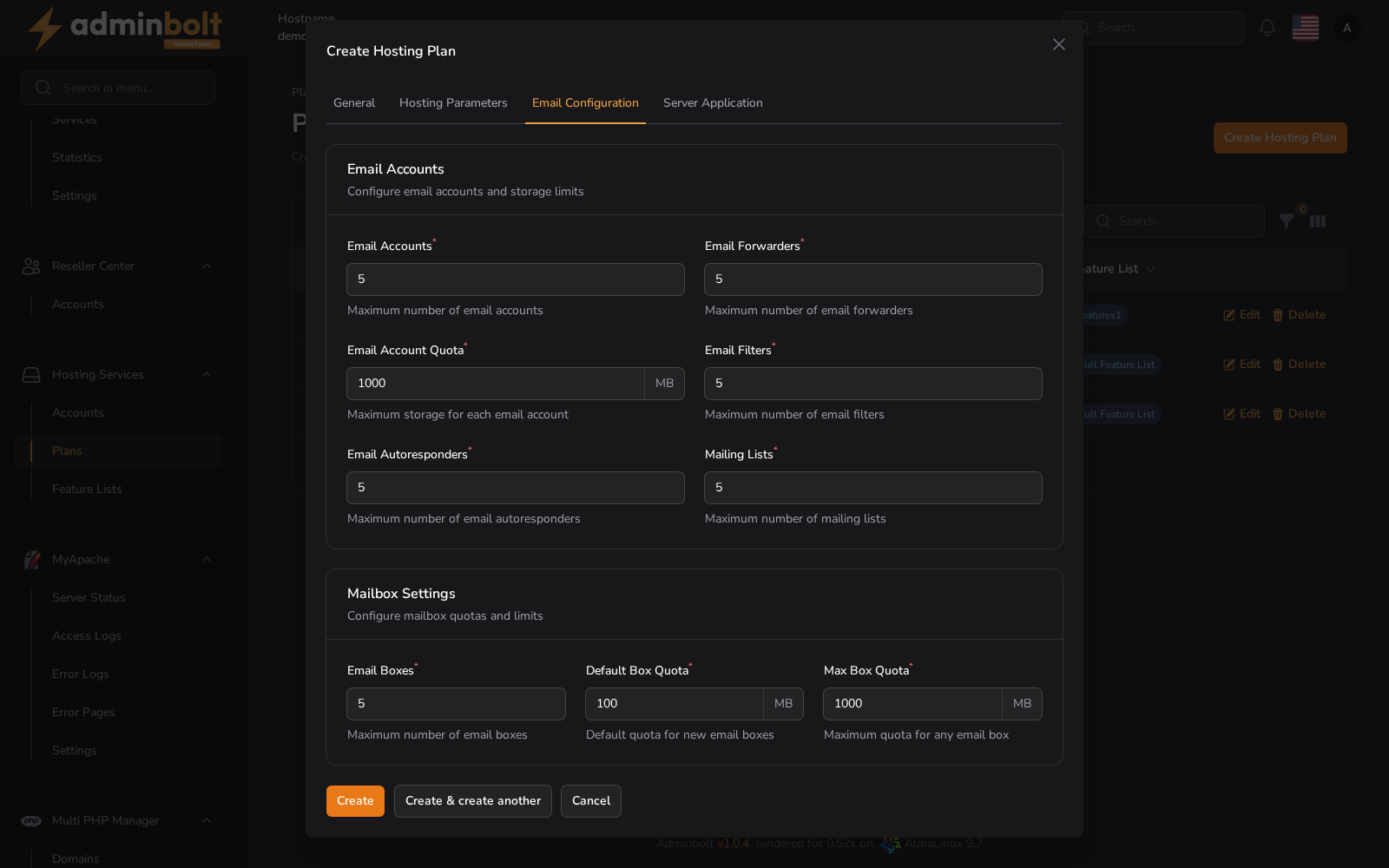
Email Accounts
- Email Accounts - Max number of email accounts
- Email Forwarders - Max forwarders
- Email Account Quota - Storage per account (MB)
- Email Filters - Max filters
- Email Autoresponders - Max autoresponders
- Mailing Lists - Max mailing lists
Mailbox Settings
- Email Boxes - Max number of boxes
- Default Box Quota - Default storage (MB)
- Max Box Quota - Max allowed storage per box (MB)
4. Server Application
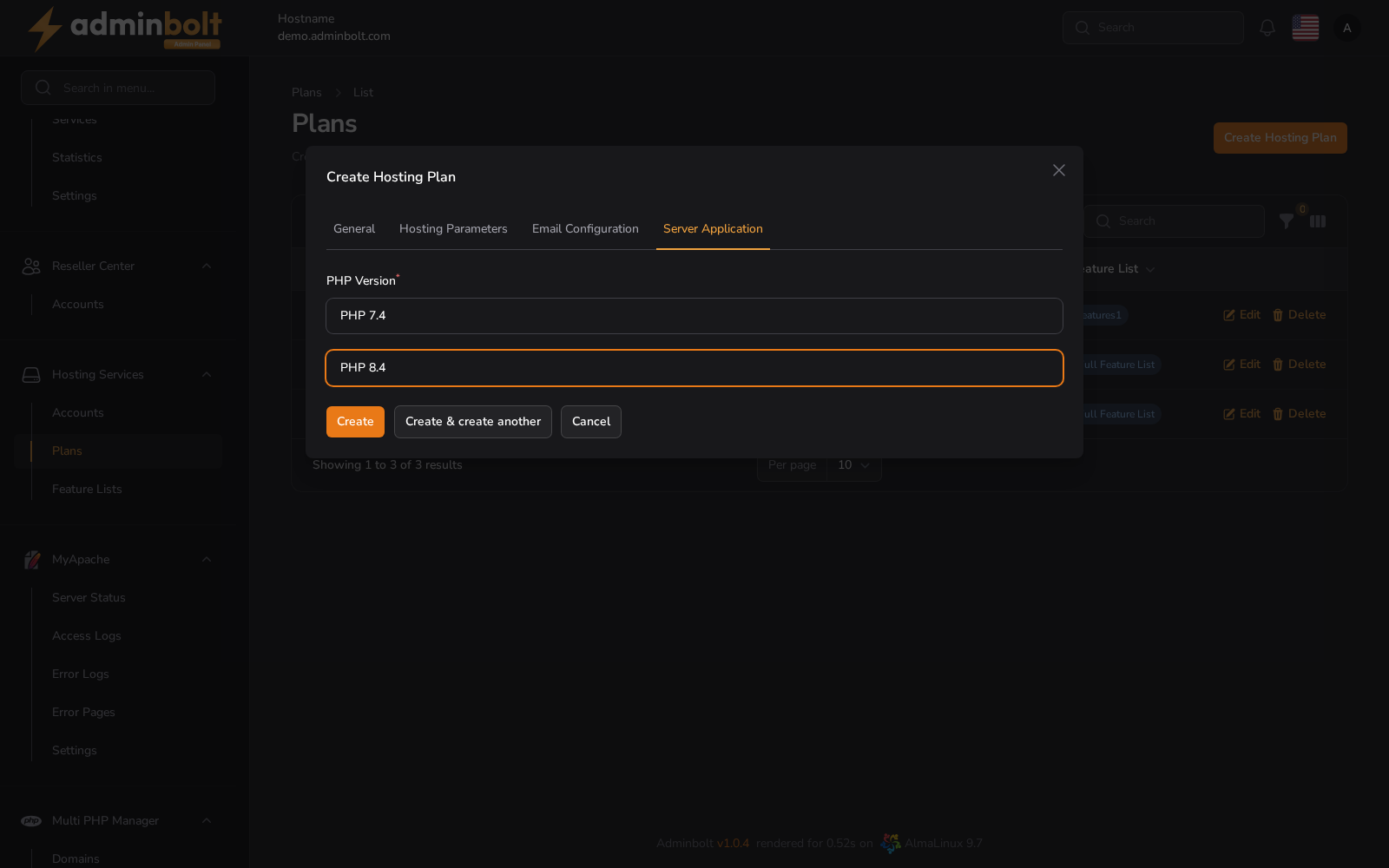
- PHP Version (required) - Select the PHP version for this plan from the dropdown (e.g. PHP 8.4).
5. Resource Limits
Note: Available on CloudLinux servers only. The Resource Limits tab appears after a CloudLinux conversion.
The tab sets the per-account CloudLinux LVE limits applied to every account on the plan; leave a field empty to inherit the platform default.
- CPU Speed - CPU limit as a percentage of a core (100 = one full core).
- Physical Memory (MB) - physical (RAM) limit.
- Virtual Memory (MB) - virtual memory limit (0 or empty = unlimited).
- I/O Throughput (KB/s) - disk I/O throughput limit.
- IOPS - I/O operations per second.
- Processes - maximum number of processes (NPROC); keep it above Entry Processes + 15.
- Entry Processes - concurrent entry processes (EP / maxEntryProcs); set it at least 16 below Processes.
These limits are enforced per account by CloudLinux LVE. AdminBolt pushes them to CloudLinux whenever the plan is created or updated, so every account on the plan inherits the same limits.
Buttons
- Create - Save the hosting plan.
- Create & create another - Save and reopen the form for adding more plans.
- Cancel - Close the form without saving.
Editing an Existing Plan
Clicking the Edit button on any plan opens the same modal with pre-filled values.
Changes can be made to any of the tabs (General, Hosting Parameters, Email Configuration, Server Application, and Resource Limits after a CloudLinux conversion). Once edited, click Save changes to apply.
You can also Copy a plan from the list actions to duplicate it as a starting point for a new plan.