

Create Feature List
Feature lists control which client-panel features are available to hosting accounts. Create a named list, tick the features you want to expose (domains, email, databases, WordPress tools, AI assistant, and so on), then assign the list to one or more hosting plans. Accounts on those plans will only see the enabled features in their menu.
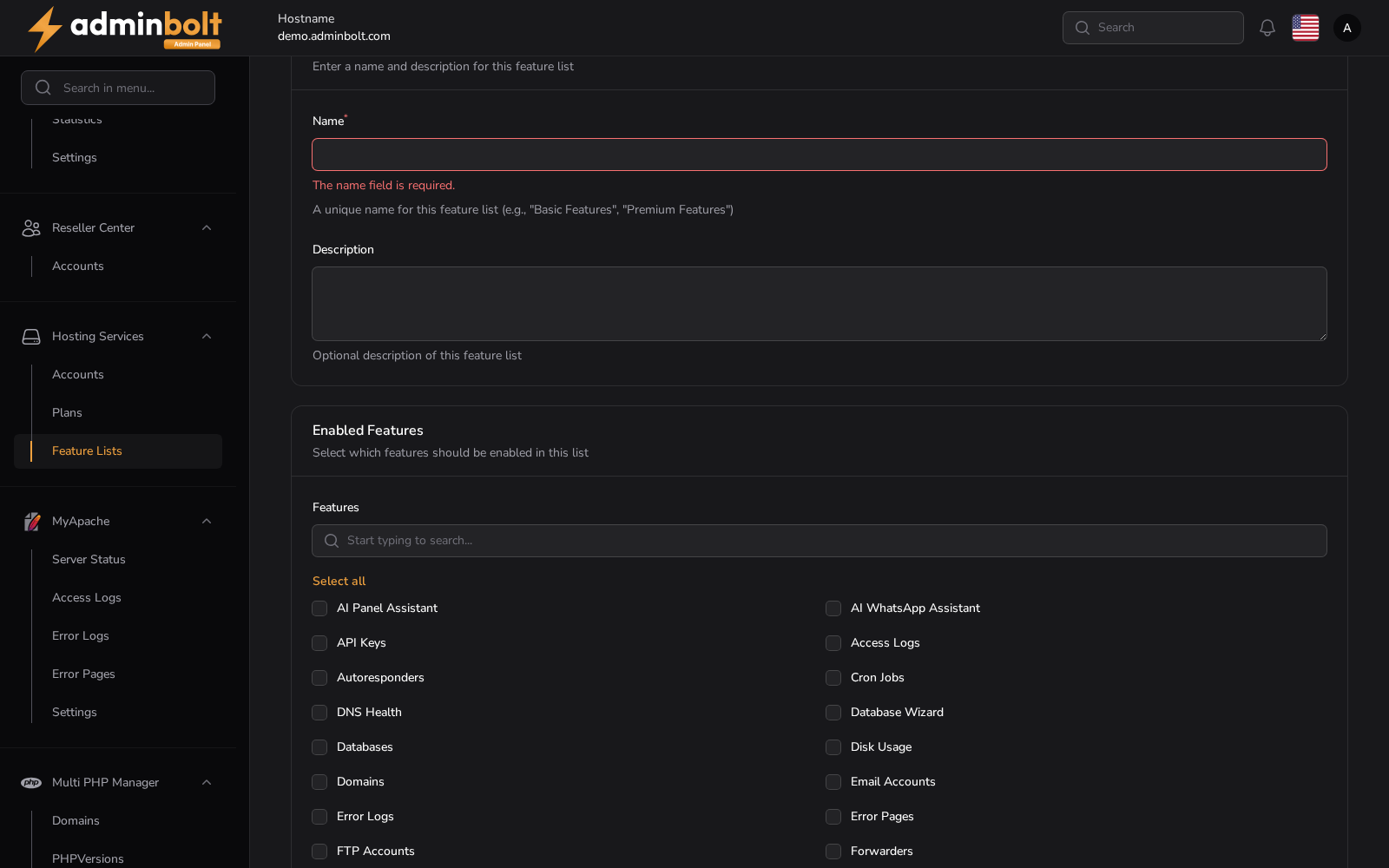
Overview
URL: /admin/customers/hosting-packages/hosting-plan-feature-lists/create
Open it from Customers > Hosting Packages > Feature Lists, then New Feature List. The breadcrumb reads Hosting Packages > Feature Lists > Create.
The form has two sections.
Feature List Information
Enter a name and description for this feature list
- Name (required) - A unique name for this feature list, for example "Basic Features" or "Premium Features".
- Description - Optional description of this feature list.
Enabled Features
Select which features should be enabled in this list
A searchable checkbox grid lists every feature a hosting account can be given. Select all and Deselect all toggle the whole grid at once.
The grid offers 40 features: AI Bot Blocking, AI Panel Assistant, AI WhatsApp Assistant, API Keys, Access Logs, Autoresponders, Backups, CPGuard, Cloudflare, Cron Jobs, DNS Health, Database Wizard, Databases, Disk Usage, Domains, Email Accounts, Email Catch Alls, Error Logs, Error Pages, FTP Accounts, Forwarders, Git Version Control, Hotlink Protection, IP Blockers, Indexes, Install WordPress, LiteSpeed Cache, Mail Delivery, Mailing Lists, Manage WordPress, Private Directories, Raw Accesses, Redirects, Remote MySQL, SSH Terminal, SpamExperts, Subscribers, Track DNS, Visitors, and Zone Editor.
The helper text under the grid states the effect: the features you select are the ones available when this list is assigned to a hosting plan.
Buttons
- Create - Save the feature list.
- Create & create another - Save and reopen the form.
- Cancel - Close the form without saving.
Related
- Feature Lists - the list of feature lists, and how they are edited and used.
- Hosting Plans - where a feature list is assigned to a plan.