

DNS Settings
DNS Settings holds the default nameservers for the server and the default DMARC record for new mail zones. Since panel 1.9.3 it is a page of its own, the first entry in Settings > DNS, next to DNS Records, DNS Templates, and Resolver Configuration. Until 1.9.2 the same form was the DNS tab of General Settings.
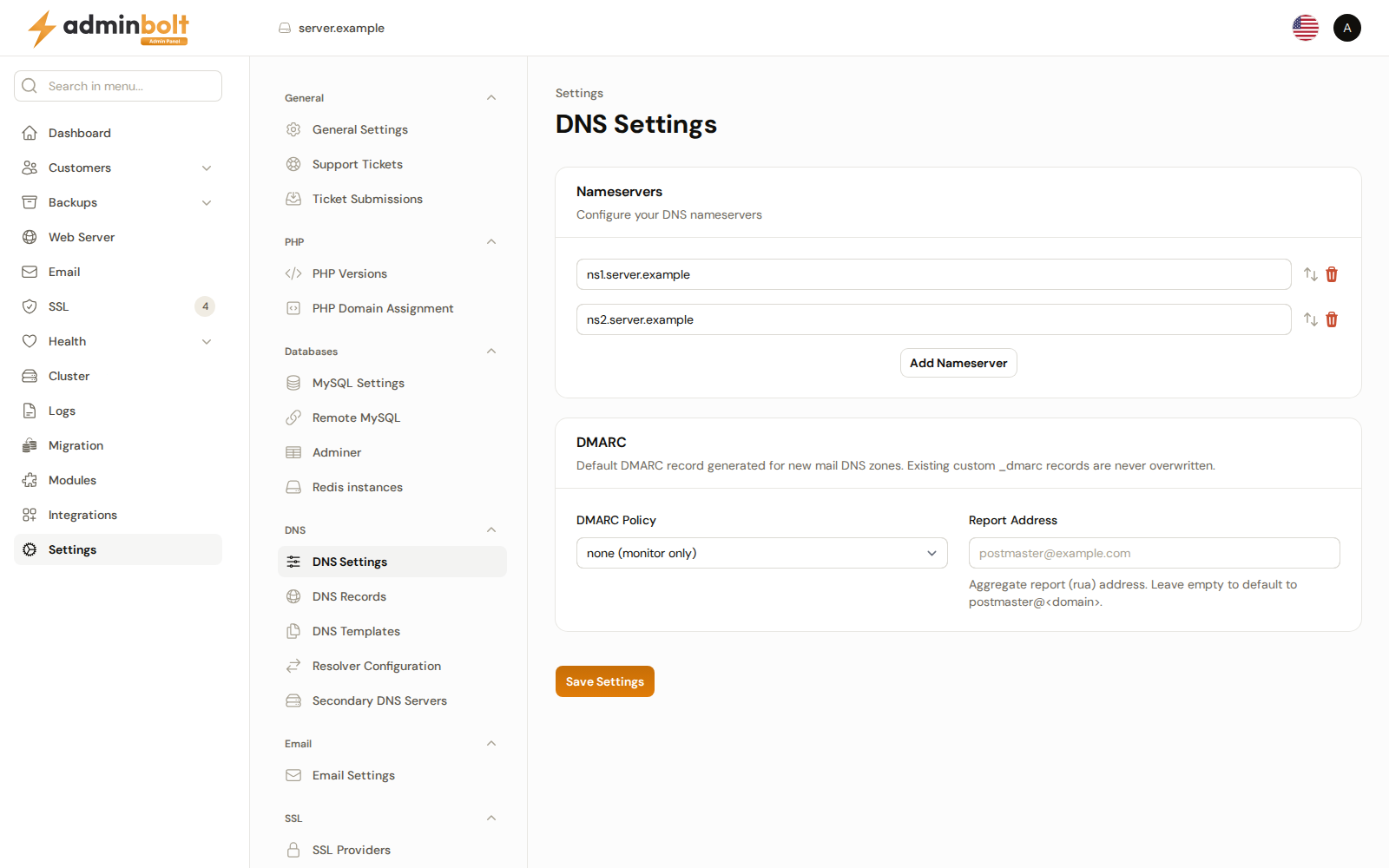
Overview
URL: /admin/settings/dns-settings
Open it from Settings > DNS > DNS Settings. An old link to /admin/settings/general-settings?tab=dns opens this page. The settings search still finds the nameserver and DMARC fields.
Nameservers
An ordered list of nameserver names, at least two. Add Nameserver adds a row, and rows can be dragged into a different order; the first is the primary. Since panel 1.9.0 the list can hold more than two nameservers. It is the same list as on Change Nameservers.
When the list changes, Save Settings also writes one NS record for each nameserver into the server's own hostname zone and reports it in an Apply DNS template notification. If that zone cannot be written, for example because another owner serves a zone with the hostname's name, the nameservers are still saved and the Apply DNS template warning says why and what to do. Accounts and domains created afterwards get the new nameservers; an existing zone keeps the records it already has.
A new server starts with two nameservers under its default myboltip.com name. They stay until you change them here, also after you change the hostname. See What keeps the myboltip.com name.
DMARC
The default DMARC record generated for new mail DNS zones. AdminBolt builds it as v=DMARC1; p=<policy>; rua=mailto:<address> and uses it both when provisioning mail DNS and in the DNS record templates.
- DMARC Policy - what a receiving server should do with mail that fails authentication:
| Value | Meaning |
|---|---|
| none (monitor only) | Take no action; only send reports. The default, and the right starting point on a server whose mail flows are not yet fully authenticated. |
| quarantine | Treat failing mail as suspicious, typically filing it as spam. |
| reject | Refuse failing mail outright. |
- Report Address - the aggregate report (
rua) address that receiving servers send DMARC reports to. Leave it empty to default topostmaster@<domain>for each zone.
Note: A
_dmarcrecord you created by hand is never overwritten or duplicated. These settings only supply the record AdminBolt generates for a zone that does not have one.
Click Save Settings to apply changes.