

Fail2Ban Settings
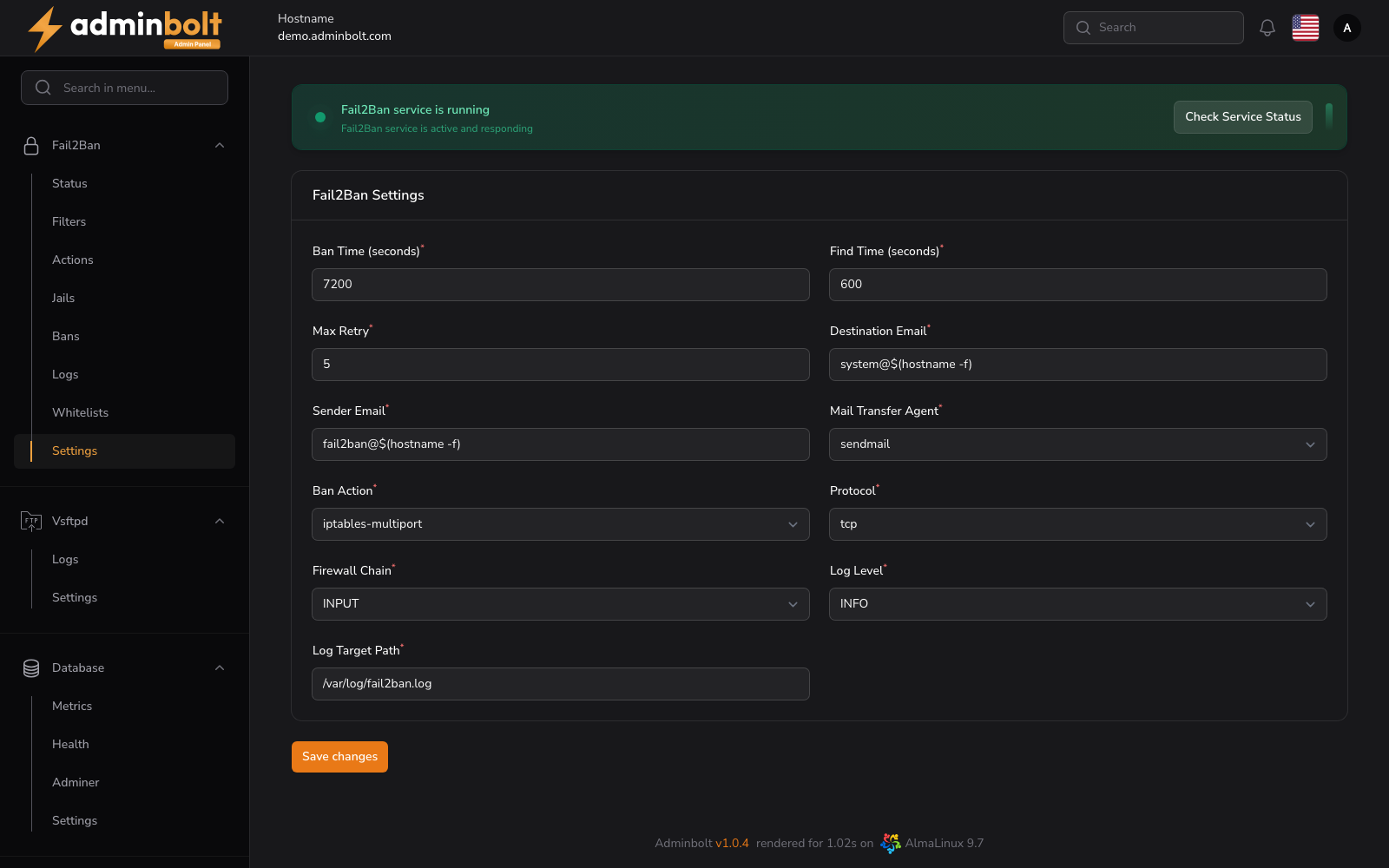
Fail2Ban is one page with six tabs. The Settings tab holds the global parameters: how long a ban lasts, how failures are counted, who is notified, which firewall the bans are written to, and how much the service logs.
Overview
URL: /admin/settings/fail2ban-settings
Open it from Settings > Security > Fail2Ban in the sidebar, then pick the Settings tab.
The six tabs are the whole of Fail2Ban in the panel:
| Tab | What it holds |
|---|---|
| Filters | The patterns that recognise an offending log line. See Fail2Ban Filters. |
| Actions | What happens to a banned address. See Fail2Ban Actions. |
| Jails | A log file, a filter, thresholds, and an action, tied into one active rule. See Fail2Ban Jails. |
| Bans | The addresses currently banned. See Banned IPs. |
| Whitelists | The addresses that are never banned. See Whitelist IPs. |
| Settings | This page. |
Filters, Actions, Jails, and Whitelists carry a counter in the tab, so you can see how many of each exist without opening them.
Service status
Above the form, a banner states whether the Fail2Ban service is running. Check Service Status re-reads it.
Under Service Controls, Restart restarts the service after a settings change, and Refresh reloads the live status into the Terminal Output panel below it. The log panel stays empty until you refresh it.
If Imunify360 is installed on the server, the page opens with a note recommending that Fail2Ban stays disabled, because Imunify360 brings its own intrusion prevention and running both writes two sets of firewall rules for the same traffic. The same conflict is reported on Health.
Settings
Ban and detection
- Ban Time (seconds) - how long a banned address stays banned. Default:
7200. - Find Time (seconds) - the window in which failures are counted. Default:
600. - Max Retry - how many failures inside that window trigger a ban. Default:
5.
Notifications
- Destination Email - where ban notifications are sent.
- Sender Email - the address they are sent from.
- Mail Transfer Agent -
sendmail,postfix, orexim.
Firewall and protocol
- Ban Action -
iptables-multiportornftables-multiport. - Protocol -
tcp,udp, orall. - Firewall Chain -
INPUT,OUTPUT, orFORWARD.
Logging
- Log Level -
CRITICAL,ERROR,WARNING,NOTICE,INFO,DEBUG, orTRACE. - Log Target Path - the file Fail2Ban writes to. Default:
/var/log/fail2ban.log.
Save changes at the bottom applies the form. Restart the service afterwards for the new values to take effect.
Where the Fail2Ban log lives
The service log itself is not on this page. It is a tab of the Logs centre, at /admin/logs?area=system&tab=fail2ban.