

IP Blockers
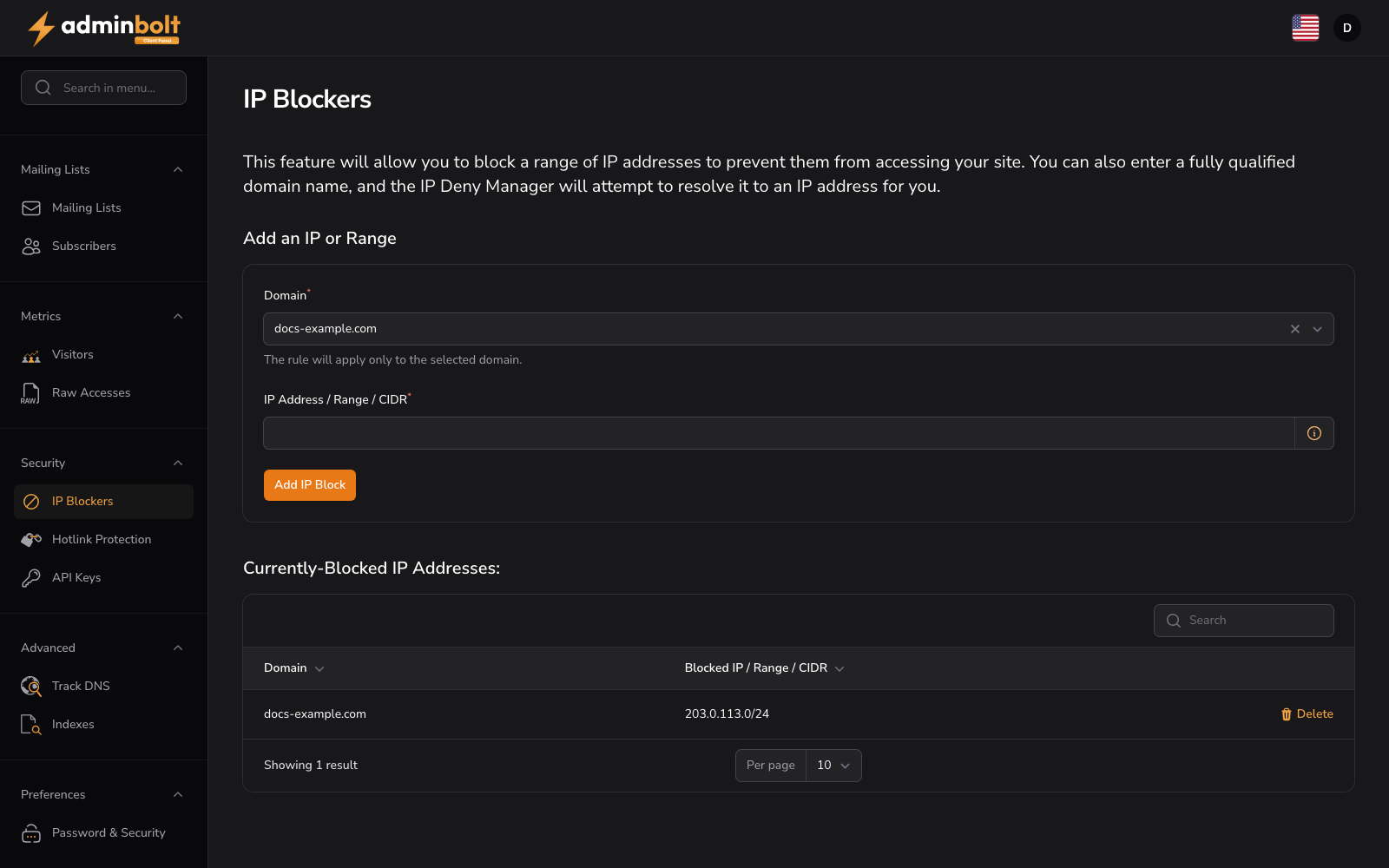
URL: /client/ip-blockers-page - in the sidebar under Security.
This feature allows you to block a range of IP addresses to prevent them from accessing your site.
Add an IP or Range
Use this form to create a new IP block:
- Domain: Select the domain to protect (required). The rule applies only to the selected domain.
- IP Address / Range / CIDR: Enter the IP address, range, or CIDR notation to block (required)
- Click Add IP Block to apply the block
Supported formats
The IP Address / Range / CIDR field accepts the following formats:
| Format | Example | Blocks |
|---|---|---|
| Single IP | 192.0.2.4 | One address. |
| Range | 192.0.2.4-192.0.2.40 | Every address from the first to the last, inclusive. |
| Implied Range | 192.0.2.4-40 | A shorthand range where only the last octet of the end address is given (the same as 192.0.2.4-192.0.2.40). |
| CIDR | 203.0.113.0/24 | The whole network described by the prefix. |
Keep the following behavior in mind:
- A CIDR value that still has host bits set (for example,
203.0.113.5/24) blocks the entire network, not only the single host. - A reversed range is normalized, so
192.0.2.40-192.0.2.4blocks the same addresses as192.0.2.4-192.0.2.40. - Each entry you add is enforced as a single rule, whichever format you use.
Currently-Blocked IP Addresses
View all active IP blocks for your domains. The list shows the Domain and the Blocked IP / Range / CIDR for each entry. Use the search bar to find specific blocks by domain or IP address.
Use Delete next to a listed entry to remove that IP block and restore access for the address or range.
If no blocks exist, the page displays "No IP blockers".
When a change is refused
Since panel 1.9.3, adding or removing an IP block first checks where the domain's website folder and its .htaccess file really lead. If the website folder, a folder above it, or the .htaccess file has been replaced with a symbolic link that leads outside your home directory, the change is refused and nothing is stored or written:
The folder this change writes to, or a file in it, leads outside your hosting account, for example through a symbolic link. Nothing was changed.
Replace the link with a real folder or file, or point it inside your own home directory, then try again. A link that stays inside your home directory is accepted, also when it points outside the website folder.
If the panel cannot complete this check because the server agent does not answer, the change is refused with "Check that the agent is running, then try again." and nothing is changed. If the message persists, contact your hosting provider.
When the block is saved but not applied
The web server rules are what block an address. Since panel 1.9.3, when the block is stored but those rules could not be written, the page shows a warning instead of IP Blocked or IP Unblocked, with the cause and the next step:
| Action | Warning | What to do |
|---|---|---|
| Add IP Block | "The IP block was saved, but the web server rules were not applied." | The address is not blocked yet. Remove the block and add it again once the reported cause is cleared. |
| Delete | "The IP block was removed, but the web server rules were not applied." | The address may still be blocked. Change any IP block of this domain again once the reported cause is cleared. |
Over the REST API
The client API (/api/client/ip-blockers) and the admin API (/api/hosting-account/ip-blockers) report the same outcomes:
- A refused change answers
422withmessageandnext_step. - A block that was stored but not applied keeps the success status (
201for a new block,200for a removal), and the body carries"status": "partial",warning,next_step, andcorrelation_id. A new block also returns the stored entries underdata. Check the body, not only the status code.