

SpamExperts
SpamExperts routes a domain's incoming mail through an external filtering cluster before it reaches this server's mail server. You connect the cluster here; account owners then switch it on per domain from their own SpamExperts page.
A domain can be filtered by at most one of SpamExperts and MailChannels. Enabling one where the other is active is refused.
Overview
URL: /admin/email/spam-experts
The page is the SpamExperts tab of the Email area.
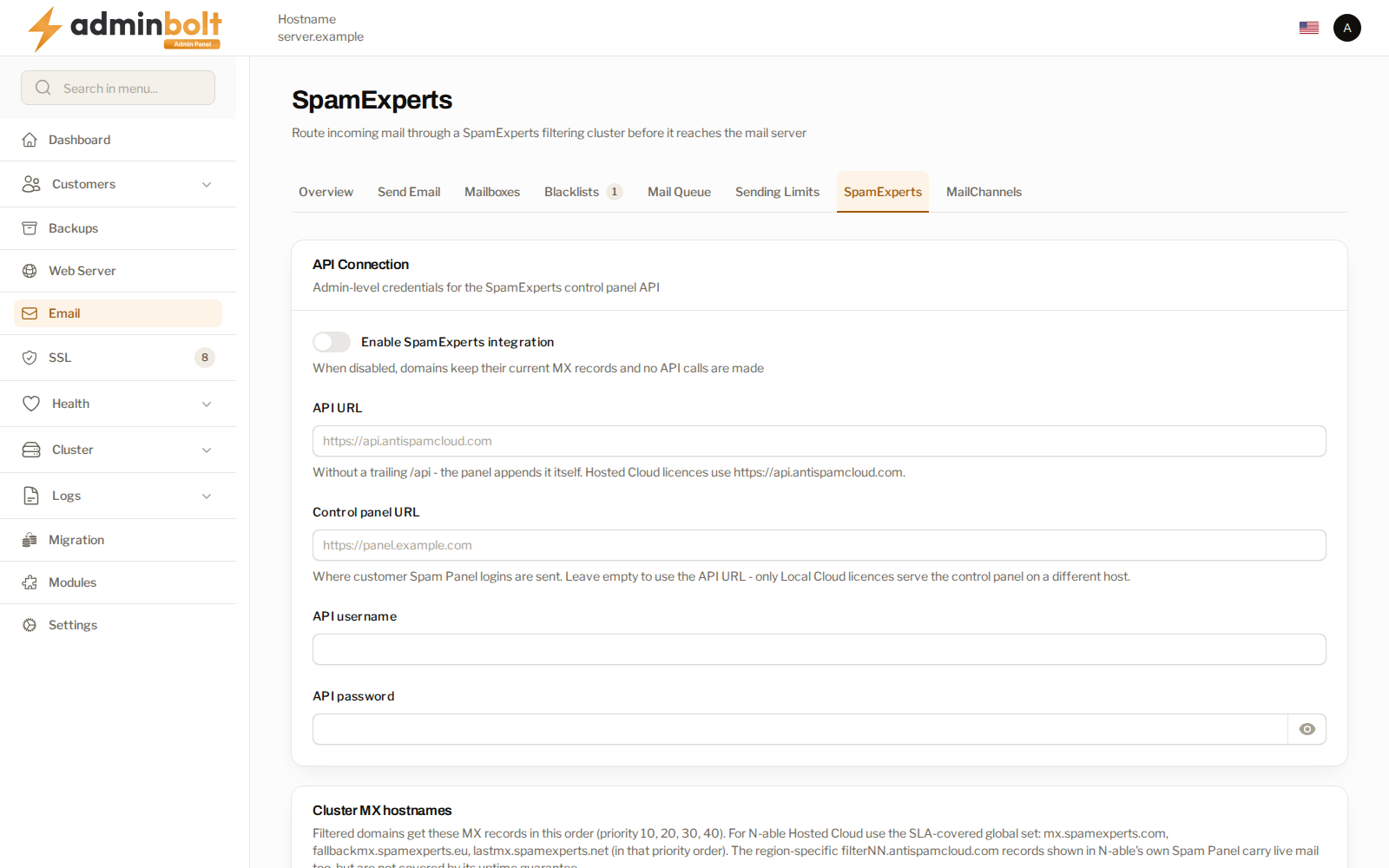
API connection
Enable SpamExperts integration is the master switch. While it is off, domains keep their current MX records and the panel makes no calls to the cluster, so turning it off is safe: it stops new changes rather than unpicking the ones already made.
| Field | What to enter |
|---|---|
| API URL | The cluster's API address, without a trailing /api. The panel appends that itself. |
| Control panel URL | Where customer Spam Panel sign-ins are sent. Leave it empty to reuse the API URL; only some license types serve the control panel on a different host. |
| API username and API password | Admin-level credentials for the SpamExperts control panel API. |
Test connection confirms the credentials before you rely on them. Run it before letting customers switch domains over.
Cluster MX hostnames
A filtered domain gets these MX records, in this order, at priorities 10, 20, 30, 40. This is the setting that decides where the world delivers your customers' mail, so it is worth getting right the first time.
Use N-able SLA-covered set fills in the global set in the correct priority order. Prefer it. The region-specific filterNN.antispamcloud.com records that the vendor's own Spam Panel shows do carry live mail, but they sit outside the uptime guarantee; the field's help text says so.
Trusted delivery IPs
Mail arriving from the filtering cluster has already been scanned, and it reaches you from the cluster's addresses rather than the original sender's. Listing those addresses here lets it skip the local spam scan, so a filtered message is not penalised for failing SPF against the relay address.
Automatically include the delivery ranges keeps the list current from the vendor's published list, refreshed daily. Use it with a Hosted Cloud license. For a Local Cloud license, enter your own cluster's addresses, one address or CIDR range per line.
Reseller access
Limit access to selected resellers restricts the feature to the resellers you pick and their customers. Accounts you manage directly are always allowed.
How a domain is switched over
Enabling filtering for a domain registers it on the cluster before its MX records are rewritten, and disabling restores the MX records before the domain is removed from the cluster. Mail keeps flowing in both directions, because at no point does an MX record point at a cluster that is not ready to accept the domain.
A scheduled sync retries changes that did not finish and repairs a domain whose delivery route has drifted, so a failure during a switch is corrected rather than left half-done. The apex MX of a filtered domain is also held against zone edits, imports, and DNS templates: something that would silently take the domain off the filter is refused instead.
Related pages
- MailChannels - the other inbound filter. A domain uses one or the other.
- Client SpamExperts - the per-domain switch and the Spam Panel sign-in.
- Email Settings - the rest of the mail configuration.
- Hosting Plans - the plan feature that exposes the client page.