

Create Jail
Creates a Fail2Ban jail, the unit that ties a log file, a filter, thresholds, and an action into an active protection rule. Once saved, the jail appears on the Jails list and its bans show up under Bans.
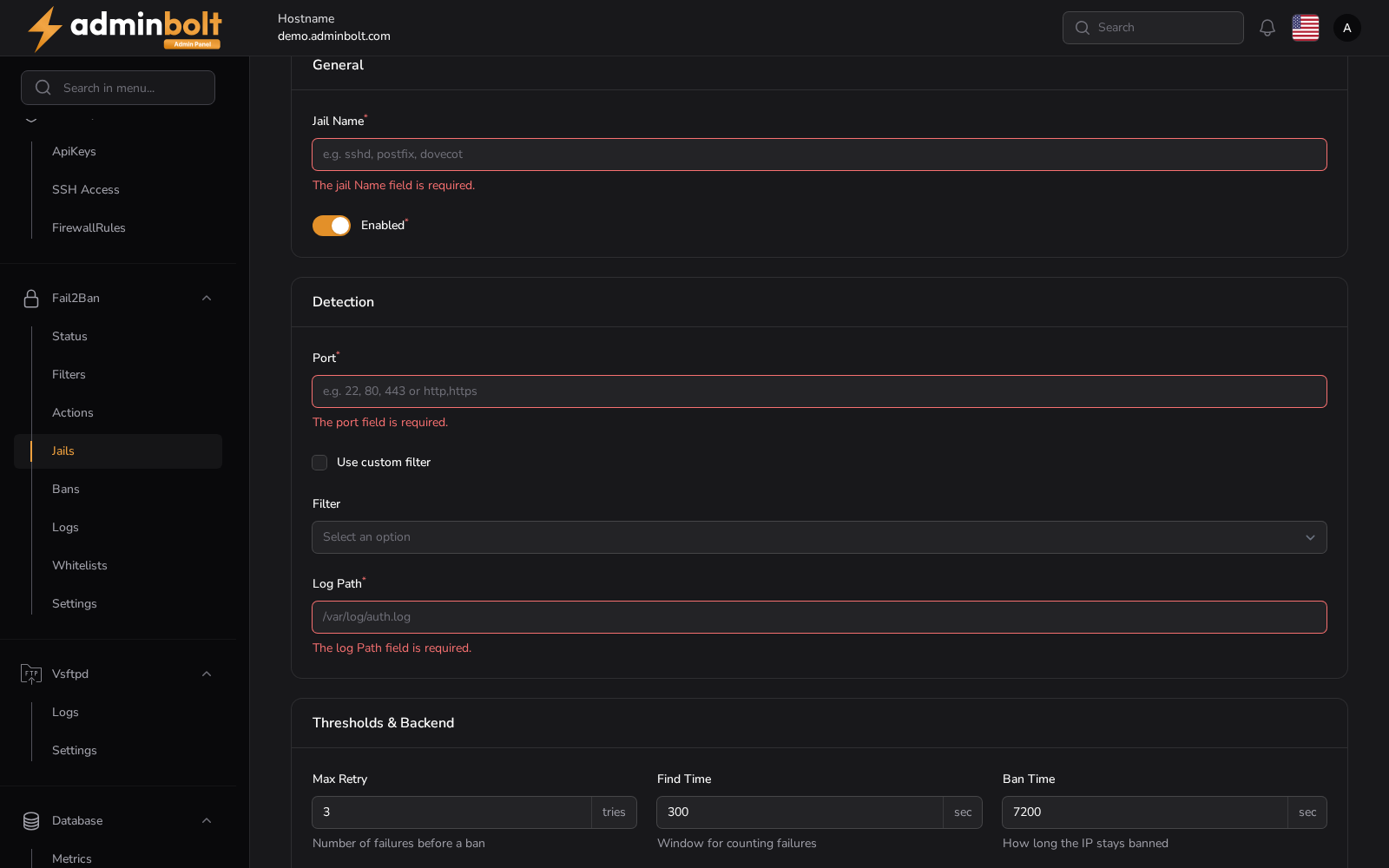
Overview
URL: /admin/settings/fail2ban-jails/create
Reached from Settings > Security > Fail2Ban, the Jails tab, then New Jail. The breadcrumb reads Settings > Jails > Create.
General
- Jail Name (required) - a unique name for the jail.
- Enabled (required) - whether the jail starts watching as soon as it is saved.
Detection
- Port (required) - the ports the jail covers, as service names or numbers, for example
sshorhttp, https. - Use custom filter - turn this on to type a filter definition inline instead of choosing one.
- Filter - the filter to match lines with. The list is grouped into Panel Filters (the ones you created) and Local Filters (the ones shipped with Fail2Ban). Shown when Use custom filter is off.
- Log Path (required) - the file the jail reads, for example
/var/log/secure.
Thresholds and backend
- Max Retry - how many failures trigger a ban.
- Find Time - the window in seconds over which failures are counted.
- Ban Time - how long in seconds the address stays banned.
- Use custom action - turn this on to type an action definition inline instead of choosing one.
- Action - the action to run on a ban. Leave it unset to use the default ban action from Fail2Ban Settings.
Leaving a threshold empty has the same effect: the jail inherits the global value.
Actions
- Create - save the jail.
- Create & create another - save it and reopen an empty form.
- Cancel - return to the list without saving.