

Forwarders
URL: /client/forwarders-page
Forward incoming email from one address to another. For example, forward [email protected] to [email protected]. By default the mail is redirected to the destination without keeping a local copy, and you can optionally keep a copy in the source mailbox.
Email Account Forwarders
Create email forwarders to automatically send incoming messages to alternative addresses.
- Create Forwarder button - Add a new email forwarder
- Search - Find forwarders by source email address
- Empty state - "No Email Forwarders" displays when no forwarders exist
Use account-level forwarders to redirect mail from specific email accounts on your domains.
Create New Forwarder
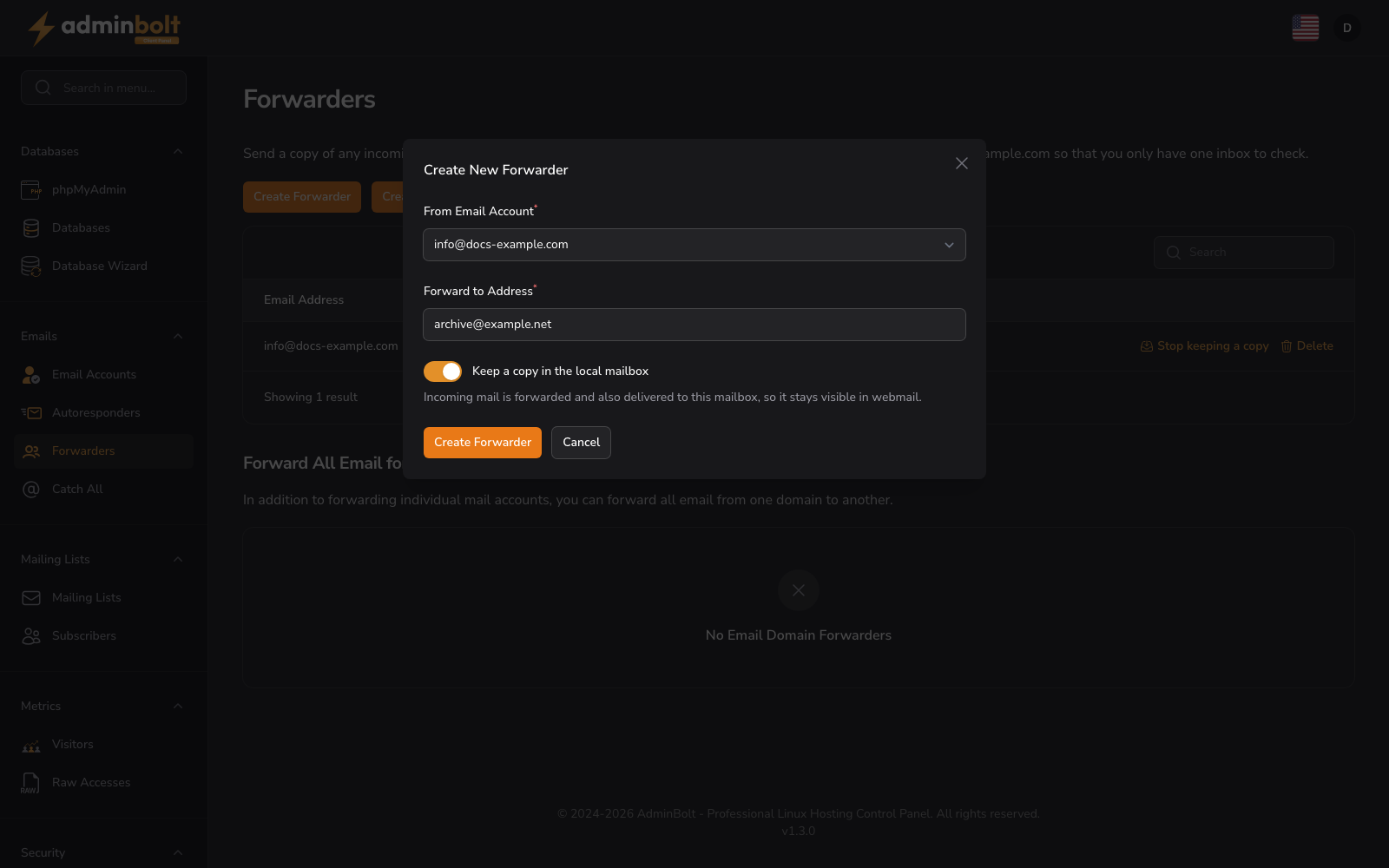
- From Email Account (dropdown, required) - Select the email account whose incoming mail will be forwarded (the source)
- Forward to Address (text, required) - Enter the destination email address where messages should be forwarded
- Keep a copy in the local mailbox (toggle, off by default) - Turn this on to also deliver incoming mail to the source mailbox. The helper text reads: "Incoming mail is forwarded and also delivered to this mailbox, so it stays visible in webmail." Leave it off to redirect mail without keeping a local copy.
Form buttons: Create Forwarder, Cancel
Manage existing forwarders
Each forwarder in the list shows its source address and its destination. When a local copy is kept, the destination is annotated with "(+ local copy)" so you can see at a glance which forwarders also deliver to the source mailbox.
Every forwarder in the list offers these actions:
- Keep a copy / Stop keeping a copy - Toggle whether incoming mail is also delivered to the source mailbox. The label reflects the current state: it reads Keep a copy when no local copy is kept, and Stop keeping a copy when a copy is already being kept.
- Delete - Remove the forwarder.
Forwarders without a mailbox
Since panel 1.9.3, an imported backup can create a forwarder for an address that has no mailbox on this server. Mail to that address is forwarded and not kept here, so the forwarder is listed with Delete only, without Keep a copy. The import report marks such a forwarder with "Restored as a forwarder without a mailbox: mail to this address is forwarded and not kept on this server."
Domain-Level Forwarders
Forward all email for a domain to a specified address.
- Create Domain Forwarder button - Add a new domain-level forwarder
- Search - Find domain forwarders by domain name
- Empty state - "No Email Domain Forwarders" displays when no domain forwarders exist
Domain-level forwarders catch all mail sent to any address on your domain and redirect it to your chosen destination.
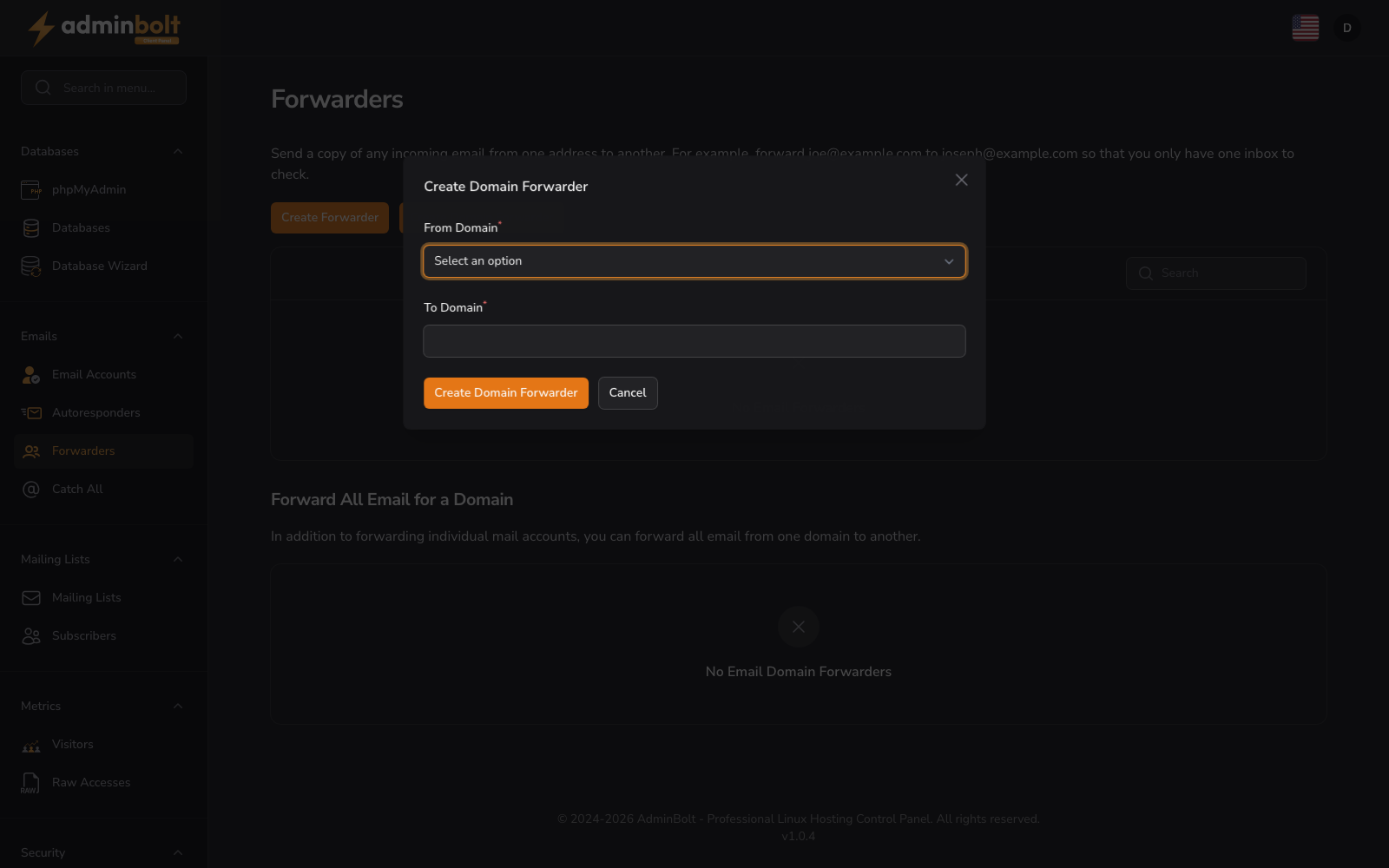
Create Domain Forwarder
- From Domain (dropdown, required) - Select the domain whose email should be forwarded
- To Domain (text, required) - Enter the destination domain where messages should be forwarded
Form buttons: Create, Cancel