

Backup Runs
Backup Runs is the history of every backup this server has attempted, scheduled or started by hand.
Overview
URL: /admin/backups/runs
The page is the Runs tab of Backups.
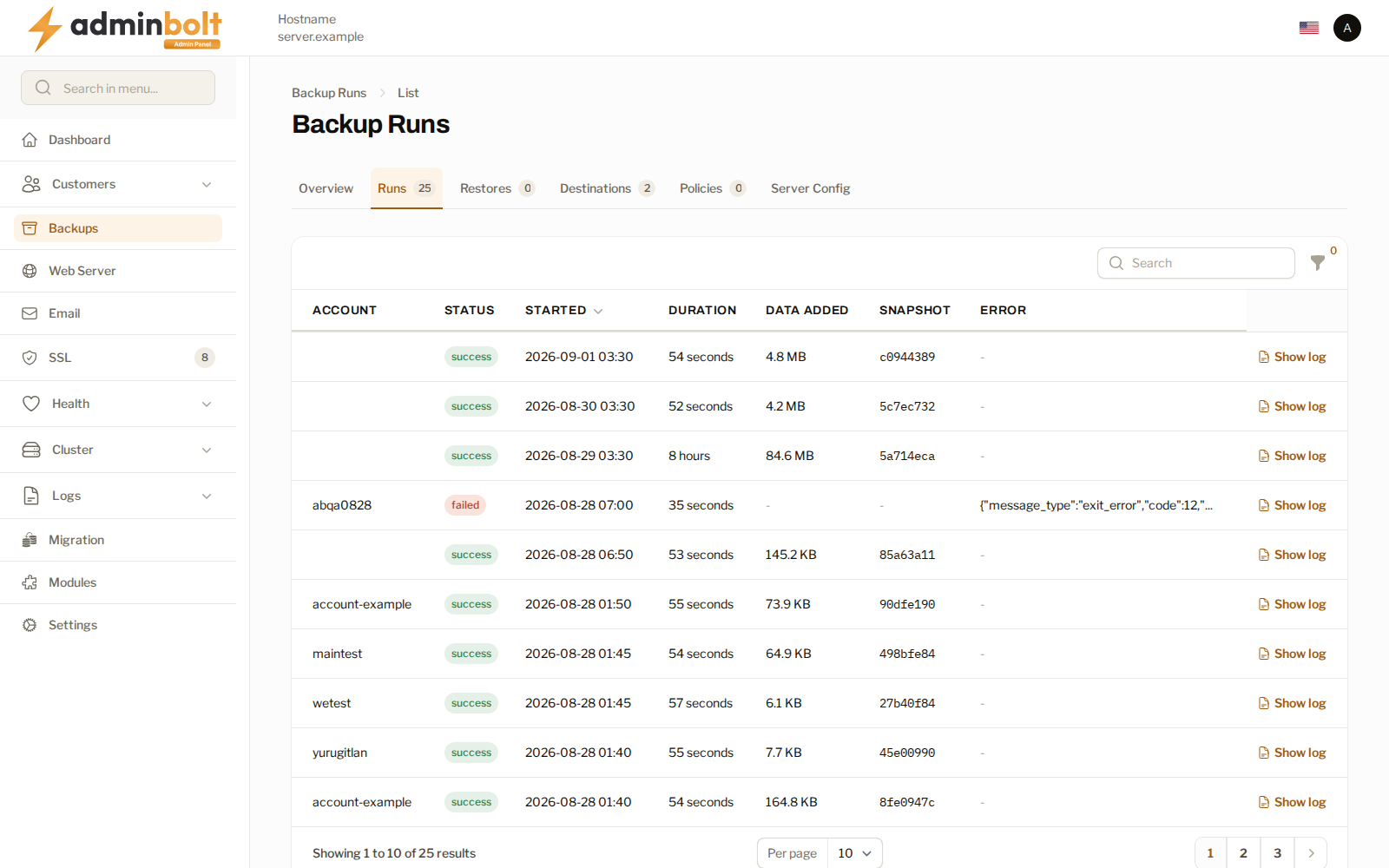
| Column | What it shows |
|---|---|
| Account | The account the run covered. A run with no account is a server configuration backup. |
| Status | success or failed. |
| Started | When the run began. |
| Duration | How long it took. A first run is far slower than the ones after it, which only send what changed. |
| Data added | How much new data this run wrote to the destination. |
| Snapshot | The identifier of the snapshot the run produced, which is what a restore refers to. |
| Error | The reason a failed run gave. |
Show log opens the full output of that run. Start there when a run fails: the error column is the summary, the log is the detail.
The filter narrows the list while you are chasing one account or one bad night.
When a run fails
A failed run raises a notification, and the account's row on the Backups overview turns to error with the reason. The account keeps whatever snapshots it already had; a failure does not remove history.
Since panel 1.9.3, failed runs of the same account to the same destination are also counted until a backup succeeds again: the first failure and later reminders send the Account backups keep failing notification, and Health lists the account backup. See Backups that keep failing. A failure whose error begins "This folder already holds a backup repository created by another server or an earlier install." means the destination's folder holds a repository this server cannot open, created by another server or by an earlier install; see Sharing a destination between servers.
Common things to check, in order:
- Test connection on the destination. Most repeated failures are the storage refusing or throttling the connection.
- Whether the destination has run out of space or quota.
- Whether the account grew past what the schedule has time to move, which shows as a run that keeps taking longer.
Related pages
- Backups - the overview and its other tabs.
- Restore Jobs - the other half of the history.
- Backup Policies - the schedules the runs come from.