

Updating AdminBolt
Keeping your AdminBolt control panel up to date ensures you have access to the latest features, security patches, and improvements. This guide explains how to update your AdminBolt installation.
Updating from the admin panel
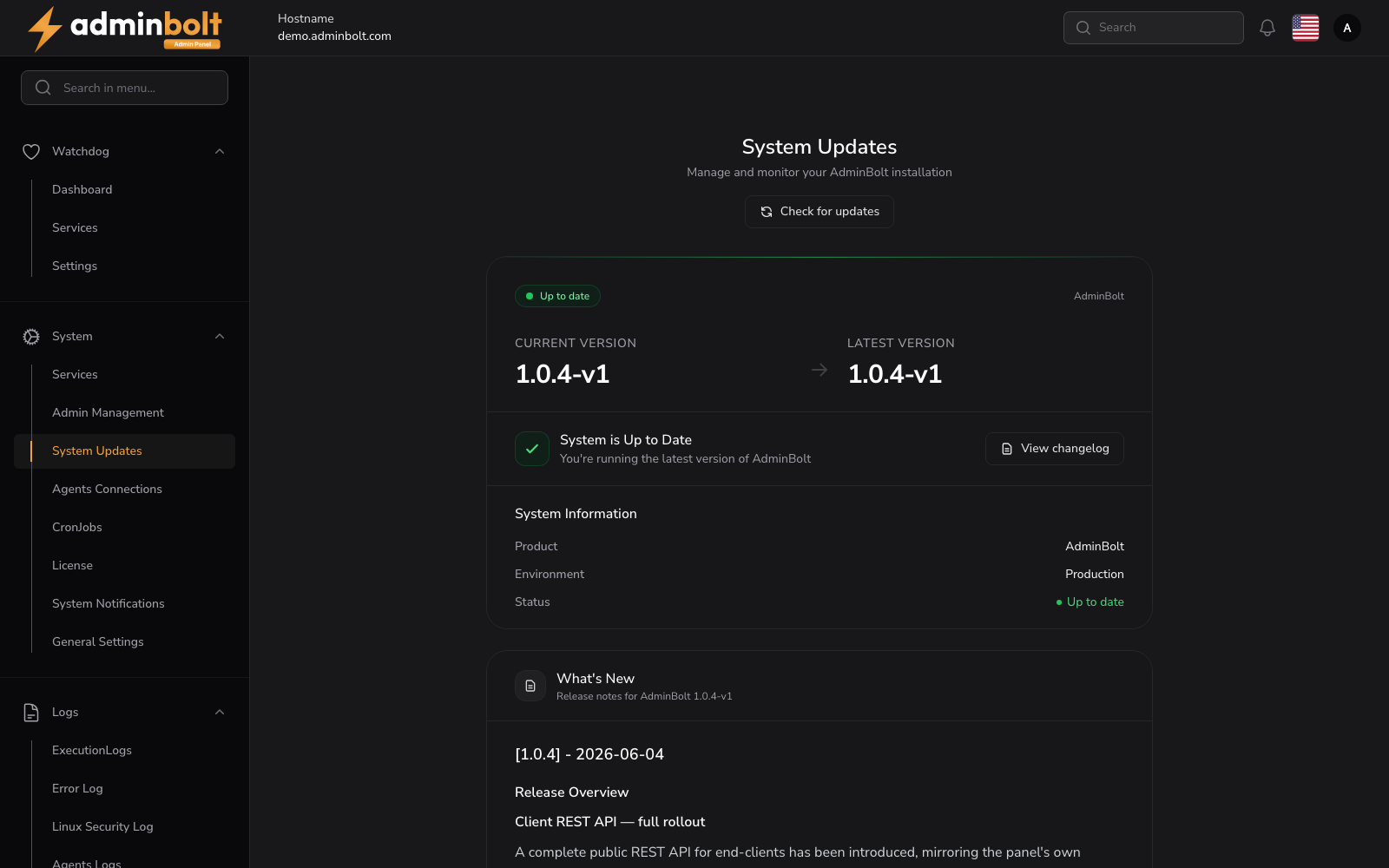
The usual way to update is the System Updates view (see System Updates for the full reference):
- Log in to the Admin Panel.
- Open Settings > System > System Updates (
/admin/settings/system-updates). The page checks for updates automatically and shows your Current Version and the Latest Version. - If a newer version is available, the release notes appear inline under What's New. Click Install update to apply it.
- Use Check for updates at any time to re-run the check.
The update is downloaded and installed, and the necessary services are restarted.
Updating from the command line
Server administrators can update from the shell:
- The AdminBolt panel and agent packages are upgraded with the system package manager (
yum/dnfon RHEL/AlmaLinux). bolt-cli check-for-updates [--force]checks for a new version and notifies administrators.bolt-cli run-upgrade-steps [--retry-failed] [--only <id>] [--list]runs any pending one-shot upgrade steps.
See the CLI Reference for the full command list.
Updating to 1.8.0
1.8.0 reorganises the admin area. The sidebar is now twelve task-oriented groups, Dashboard, Customers, Backups, Web Server, Email, SSL, Health, Cluster, Logs, Migration, Modules, and Settings, and the server's configuration screens sit under Settings, apart from the web server's, which are tabs of Web Server. Nothing was taken away in the move: the screens you used are still there, grouped by subject rather than listed flat.
You do not have to update anything you saved. With one exception noted below, every address from an older panel answers with a permanent redirect to its new location, so bookmarks, links stored in earlier notifications, and anything you scripted against a panel URL keep working and land on the right screen.
- Looking for a screen by its old name? Where pages moved in 1.8.0 maps every old address to its new one.
- Still running an older panel? The complete guide for panels before 1.8.0 stays available under
/1.7/. Use the version picker in the top navigation to switch between 1.9.1 (latest) and 1.7 (panels before 1.8.0).
The exception: the standalone Apache Profiles page was removed and its address does not redirect. Apache profile behaviour is configured on the Apache tab of Web Server in the sidebar. See Profiles.
The Web Server screens are not under Settings: they are tabs of the Web Server entry in the sidebar, and their /admin/settings/... addresses redirect there.
What an update reconciles
Beyond the packages themselves, each upgrade brings parts of the server back in line with what the current release expects:
- Managed cron entries are reconciled on every upgrade, so a server missing one picks it up on the next update rather than only on a fresh install. This covers the sweep that issues and renews certificates for hosting domains.
- JetBackup hooks are installed on hosts that ran JetBackup before AdminBolt shipped its integration, so backups and restores cover every account resource rather than the home directory alone. An hourly check puts them back if a JetBackup update replaces them.
- Webmail and the shipped fail2ban jails, panel login protection among them, come back up after an update that does not include those components itself.
Two things are worth doing by hand after upgrading to 1.6.0:
- Admin sign-in. Admin accounts are now owned by the panel and have their own passwords. Existing installs keep signing in with the password they use today and are asked to set a panel password on the next sign-in. See Admin Management.
- Existing virtual hosts. Run
bolt-cli rebuild-apache-vhostsonce to regenerate the configuration of every non-parked domain from the current templates. New and changed domains do this on their own; the command is for sites created before the upgrade.
After updating
- Clear your browser cache to ensure you are seeing the latest interface.
- Check the dashboard for notices about steps the update left for you to take.
- Test key features to make sure everything is working as expected.
Troubleshooting
- If an update fails, the panel shows an error state with a View log option; the update log is at
/usr/local/bolt/web/bolt-update.log. - If the system cannot be updated automatically (for example a package conflict), the panel shows the steps to resolve it over SSH.
- On servers where the AdminBolt package repository is not configured, update checks are skipped cleanly rather than failing. Configure the repository to receive panel updates.
- Make sure your server meets the system requirements.
- If problems persist, contact support or check the forums.