

Plans
The Plans page allows resellers to create and manage custom hosting plans for their clients.
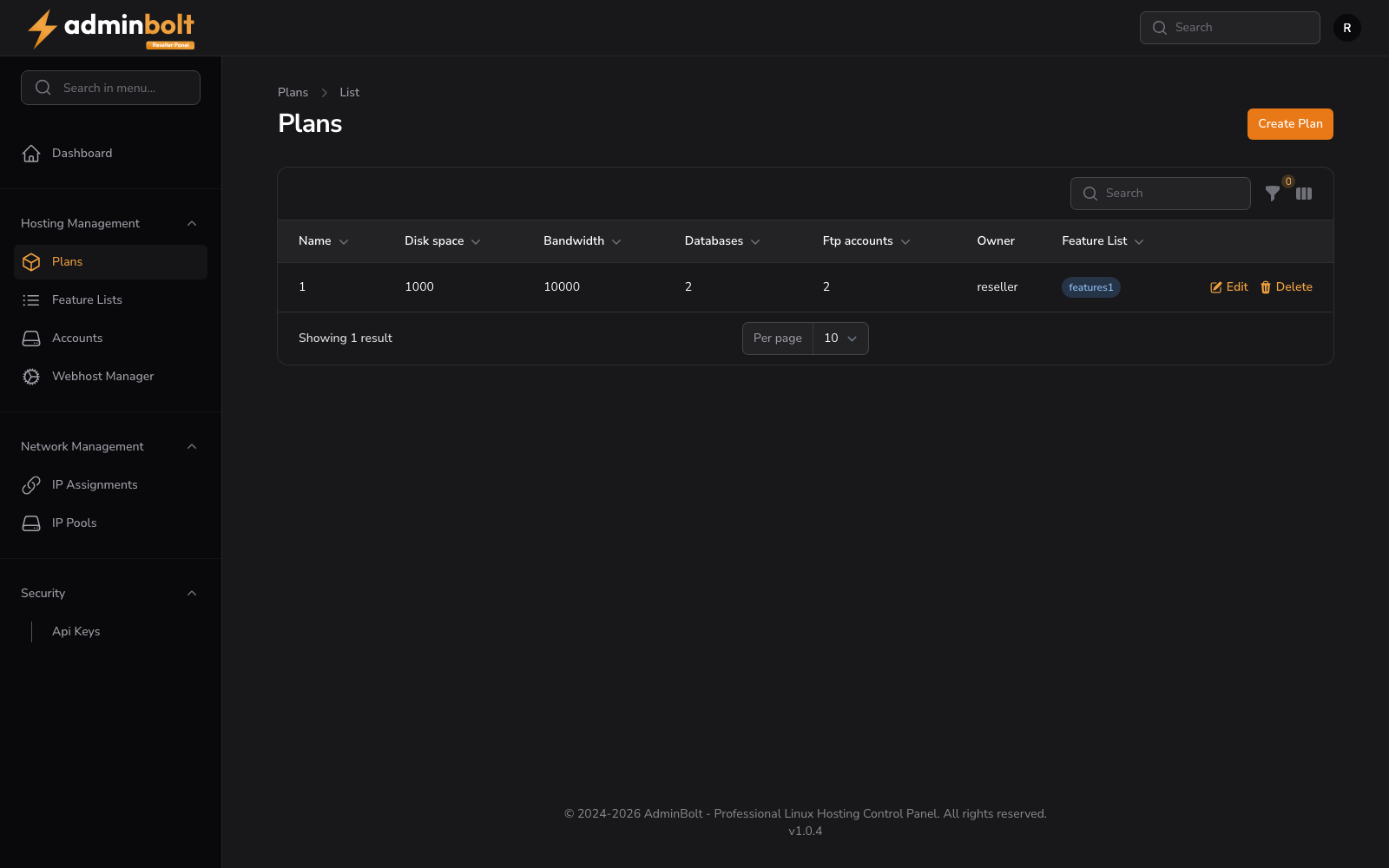
Overview
URL: /reseller/hosting-plans
The page header reads: "Plans" with a breadcrumb "Plans > List".
A Create Plan button links to the plan creation form.
Plans Table
The table displays all hosting plans created by the reseller. Available columns:
- Name - The name of the plan.
- Disk space - Storage limit (in MB).
- Bandwidth - Monthly bandwidth (in MB).
- Databases - Maximum number of databases.
- FTP accounts - Maximum number of FTP users.
- Owner - The reseller account that owns the plan.
- Feature List - The feature list assigned to the plan.
Toggle Columns
Click the Toggle columns button to show or hide optional columns: Created at, Updated at.
Search and Filter
A search bar filters results by name. Click the Filter button to filter by Feature List. A Reset button clears all filters.
Pagination
Results per page can be set to: 5, 10, 25, 50, or All.
Creating a New Plan
URL: /reseller/hosting-plans/create
Clicking Create Plan opens a multi-tab form with four tabs.
1. General
- Name (required) - A unique, descriptive name for the hosting plan.
- Feature List - Select a feature list to control which features are available for hosting accounts using this plan.
- Landing page template - The landing page shown on new accounts created on this plan, before their owner publishes a site. Only your own templates, managed under Landing Pages in the reseller panel, are offered here. Leave empty to use the default.
2. Hosting Parameters
Storage and Resources
- Disk Space (required) - Maximum disk space allocation.
- Bandwidth (required) - Monthly bandwidth limit.
- Databases (required) - Maximum number of databases.
- FTP Accounts (required) - Maximum number of FTP accounts.
Domain Management
- Subdomains (required) - Maximum number of subdomains.
- Parked Domains (required) - Maximum number of parked domains.
- Addon Domains (required) - Maximum number of addon domains.
- Free Domain (required) - Number of free domains.
Security and Backups
- SSL Certificates (required) - Number of SSL certificates.
- Daily Backups (required) - Number of daily backups.
3. Email Configuration
Email Accounts
- Email Accounts (required) - Maximum number of email accounts.
- Email Forwarders (required) - Maximum number of email forwarders.
- Email Account Quota (required) - Maximum storage for each email account.
- Email Filters (required) - Maximum number of email filters.
- Email Autoresponders (required) - Maximum number of email autoresponders.
- Mailing Lists (required) - Maximum number of mailing lists.
Mailbox Settings
- Email Boxes (required) - Maximum number of email boxes.
- Default Box Quota (required) - Default quota for new email boxes.
- Max Box Quota (required) - Maximum quota for any email box.
4. Server Application
- PHP Version - Select the PHP version for the plan (radio buttons for available versions).
Form Actions
- Create - Save and exit.
- Create & create another - Save and reset the form for a new plan.
- Cancel - Return to the list without saving.