

Feature Lists
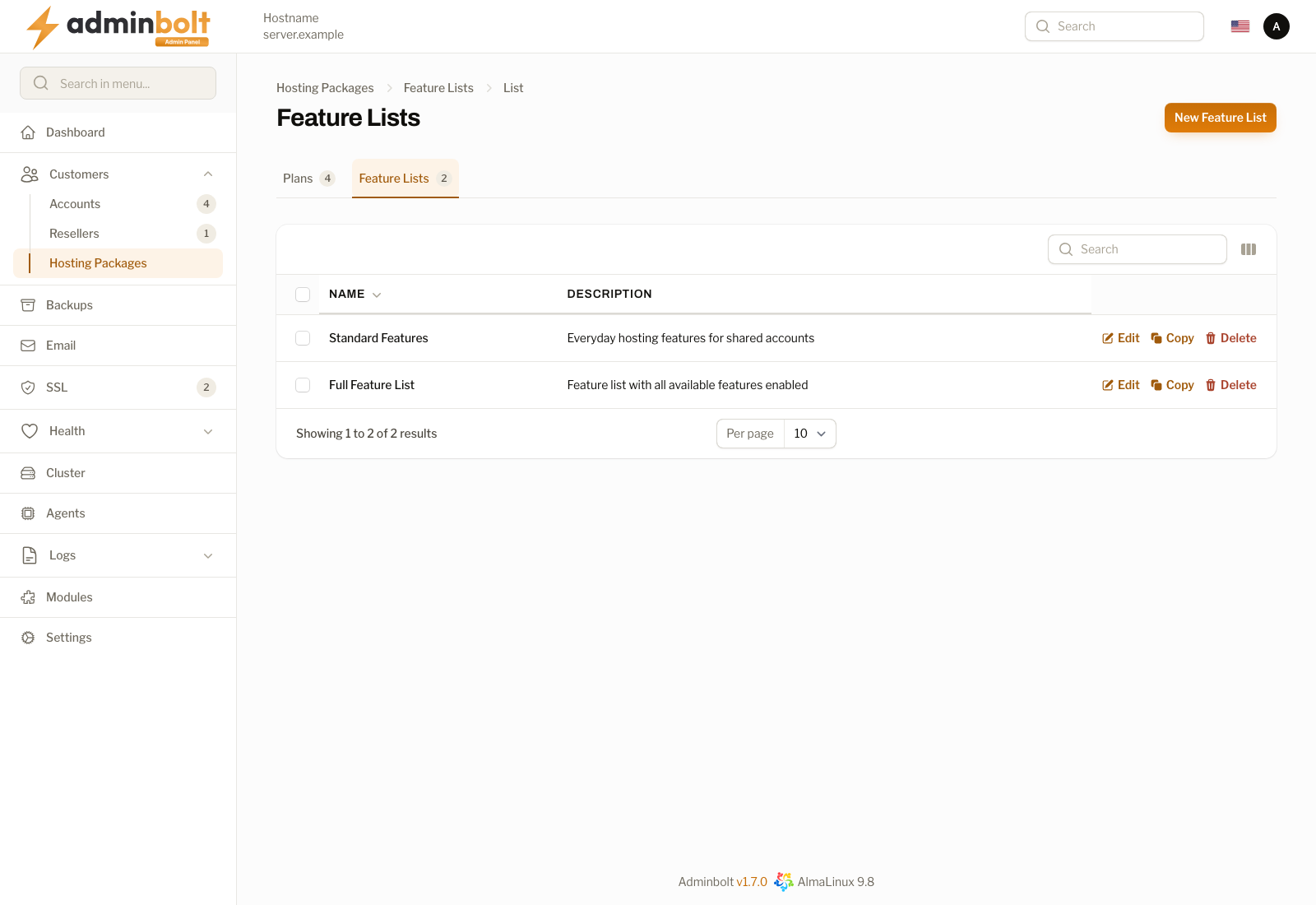
The Feature Lists page allows administrators to create and manage feature lists that control which hosting panel features are available to accounts assigned to a specific hosting plan. Open it from Customers > Hosting Packages in the sidebar, then the Feature Lists tab.
Overview
URL: /admin/customers/hosting-packages/hosting-plan-feature-lists
Feature lists are the second tab of the Hosting Packages area:
| Tab | URL | What it holds |
|---|---|---|
| Plans | /admin/customers/hosting-packages/hosting-plans | The hosting plans. See Hosting Plans. |
| Feature Lists | /admin/customers/hosting-packages/hosting-plan-feature-lists | The feature lists, described on this page. |
Each tab shows how many records it holds. The table has a selection checkbox and two columns:
- Name - The name of the feature list
- Description - A brief description of the feature list
Actions
- Edit - Opens the edit form for the feature list.
- Copy - Duplicates the list as a starting point for a new one.
- Delete - Permanently removes the feature list.
Search
The search bar filters results by name.
Pagination
Results per page can be set to: 5, 10, 25, 50, or All.
Creating a Feature List
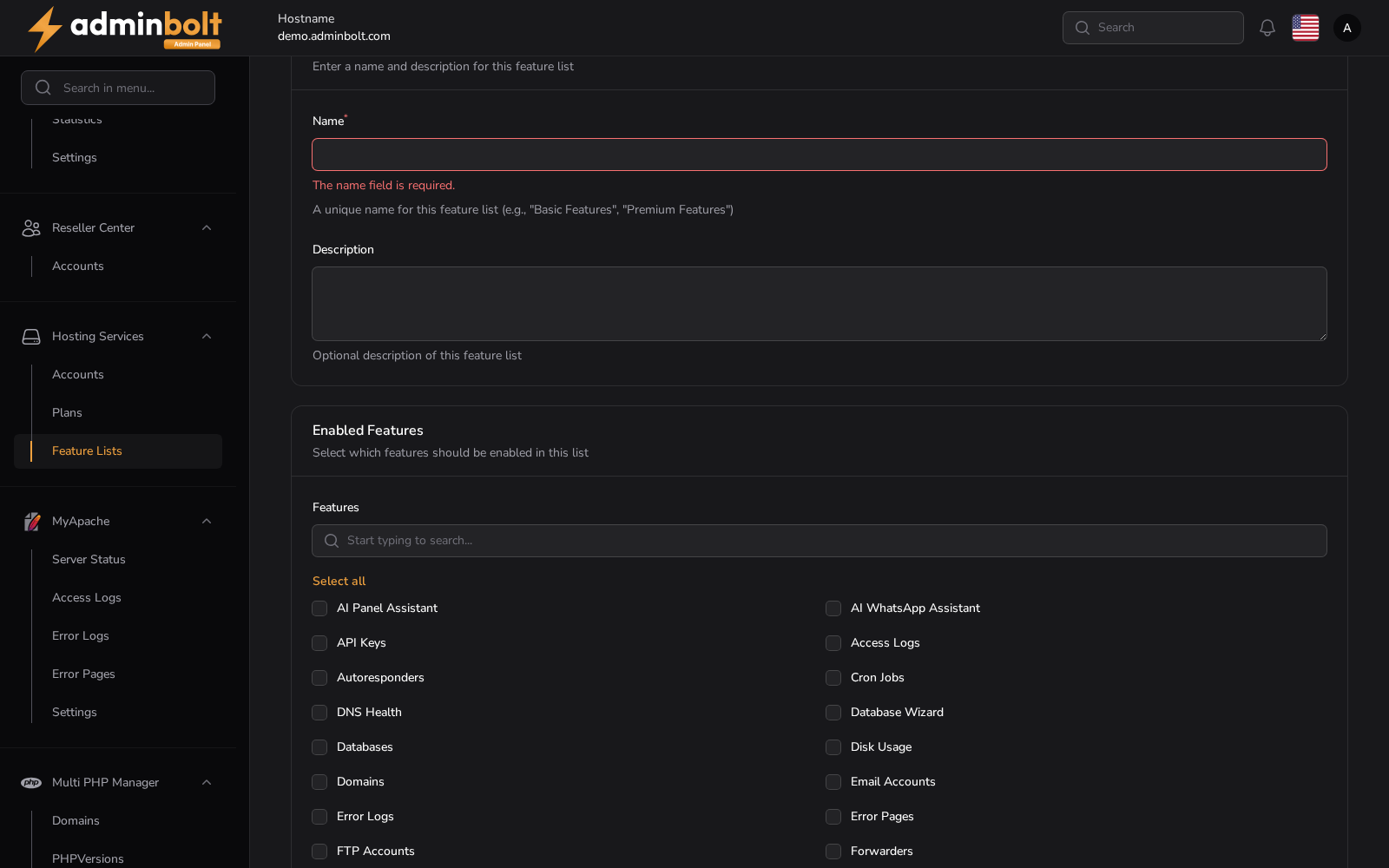
Click the New Feature List button to open the creation form.
Feature List Information
- Name (required) - A unique name for this feature list (e.g., "Basic Features", "Premium Features").
- Description - Optional description of the feature list.
Enabled Features
Select which features should be available when this list is assigned to a hosting plan. A searchable checkbox grid is displayed with all available features.
You can use Select all / Deselect all to quickly toggle all features, or search for specific features using the search field.
The grid offers 40 features: AI Bot Blocking, AI Panel Assistant, AI WhatsApp Assistant, API Keys, Access Logs, Autoresponders, Backups, CPGuard, Cloudflare, Cron Jobs, DNS Health, Database Wizard, Databases, Disk Usage, Domains, Email Accounts, Email Catch Alls, Error Logs, Error Pages, FTP Accounts, Forwarders, Git Version Control, Hotlink Protection, IP Blockers, Indexes, Install WordPress, LiteSpeed Cache, Mail Delivery, Mailing Lists, Manage WordPress, Private Directories, Raw Accesses, Redirects, Remote MySQL, SSH Terminal, SpamExperts, Subscribers, Track DNS, Visitors, and Zone Editor.
Three of them arrived with AdminBolt 1.8.2:
- Redis exposes the client Redis page. How much memory an instance may use is the Redis memory (MB) field on the hosting plan, where
0means the plan offers no Redis at all. - Email Routing exposes the client Email Routing page. On upgrade it is granted to every feature list that already allows email accounts.
- PHP Configuration, listed under Domains, decides whether clients see the Global Configuration tab on a domain, where the per-domain PHP memory limit, execution time, and upload size are set. Withheld, the tab is gone and the client API turns those fields down, while a plain PHP version change still goes through. Administrators always see the tab, and every existing plan keeps it.
Some of these depend on the server as well as the plan:
- Remote MySQL exposes the client Remote MySQL page. What accounts may then allow is limited server-wide on the Remote MySQL page.
- LiteSpeed Cache exposes the client LiteSpeed Cache page, and only while a LiteSpeed-family web server (LiteSpeed Enterprise or OpenLiteSpeed) is active.
- CPGuard and SpamExperts expose their client-side pages only where the matching module is installed on the server.
Buttons
- Create - Save the feature list.
- Create & create another - Save and reopen the form for adding more.
- Cancel - Close the form without saving.
Editing a Feature List
Clicking Edit on any feature list opens the edit form with pre-filled values. Modify the name, description, or enabled features as needed, then click Save changes to apply.
A Delete button is also available at the top of the edit page to remove the feature list.
Usage
Feature lists are assigned to hosting plans via the Feature List dropdown on the hosting plan's General tab. When a hosting plan is assigned a feature list, only the features enabled in that list will be available to hosting accounts using that plan.
Bulk Actions
Select multiple feature lists to use Bulk actions with Delete selected.